A go-live should be a decision backed by evidence. Here is the checklist we use before switching an Indian business to a new ERP, grouped into server, security, books and people.
Go-Live Is a Decision, Not a Date
Most ERP projects slip at the end because nobody can say objectively whether the system is ready. A written checklist turns the go-live into a yes or no based on evidence. The checks below fall into four groups: server, security, books and people.
1. Server and Environment
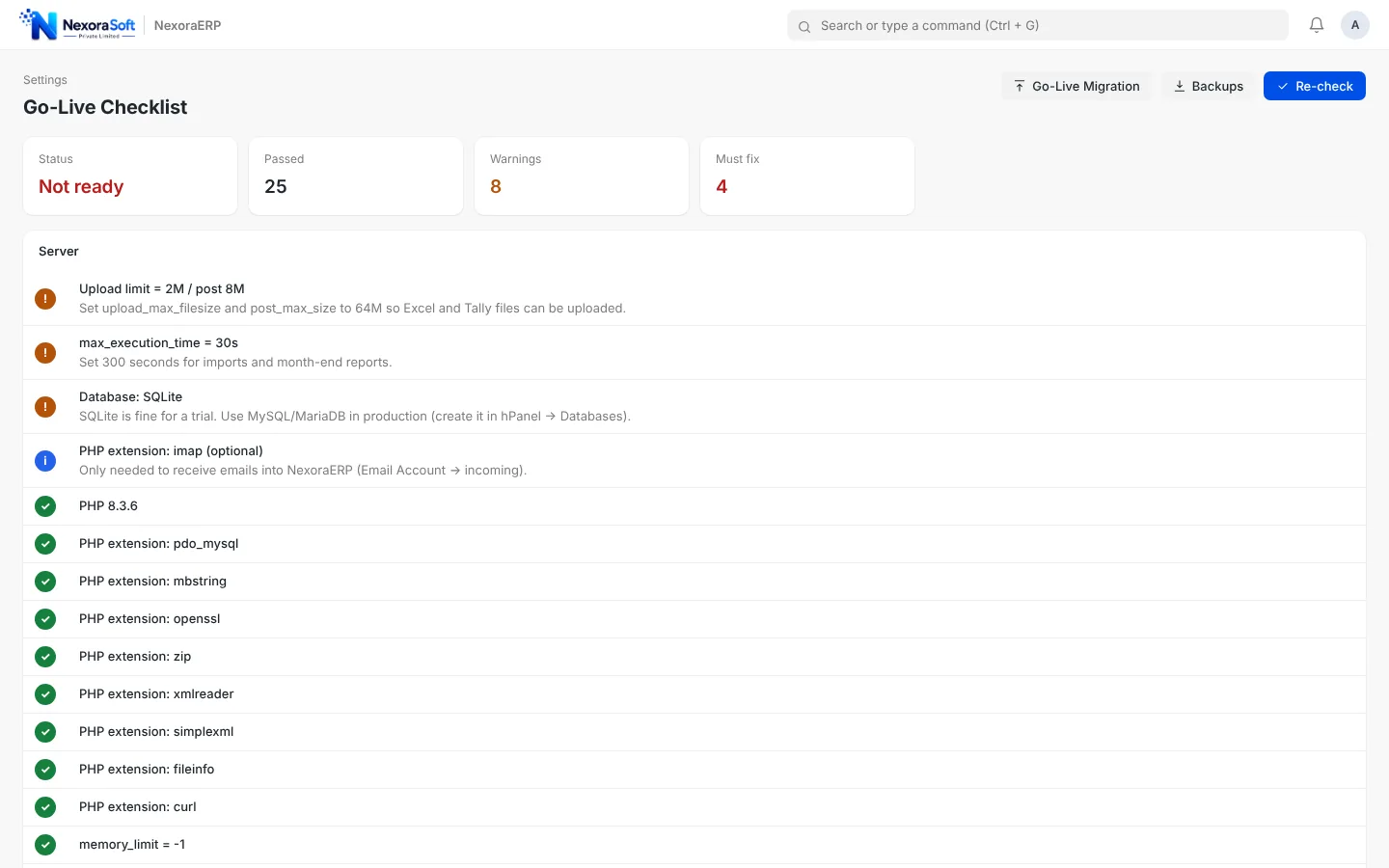
- PHP version and required extensions present, upload and memory limits set for your largest import file
- HTTPS active with a valid certificate and HTTP redirecting to HTTPS
- Debug and error display switched off on the live site, errors written to a log instead
- Scheduled job (cron) running, for example every 5 minutes, for emails and background tasks
- Outgoing email tested with a real mailbox, not only the test button
- Backup configured, run once and restore tested on a copy
2. Security
- Default administrator password changed and the account renamed or protected
- Each user has their own login and a role with only the permissions they need
- Sensitive folders and configuration files are not reachable from the browser
- Demo data removed or never installed in the production database
3. Books and Masters
- Company name, address, GSTIN, currency and fiscal year are correct
- Chart of accounts reviewed by your accountant, with tax and TDS accounts present
- Customers, suppliers and items cleaned of duplicates before import
- Opening balances loaded as of the cut-over date and the temporary opening account shows zero
- Trial balance debit equals credit and matches your old books group by group
- Receivable and payable ageing and stock balance match the old system
4. People and Process
- Every role has practised its daily tasks on a copy: quotation, invoice, receipt, purchase, stock entry
- Printed formats such as the GST tax invoice approved by the owner and accountant
- Numbering series, approval workflows and permissions agreed
- A named person owns each module and a single list collects issues in the first two weeks
Pick the cut-over date carefully. The day before a month or quarter starts keeps reports clean. Avoid the last week of March and the days around GST filing.
Run in Parallel, Then Retire the Old System
For the first month post in both systems and compare the trial balance, receivables and stock every week. When three consecutive weekly comparisons match, retire the old system. This costs extra effort but protects you from a silent error that only shows at year end.
Automate What You Can
Server and security checks are easy to forget and easy to automate. NexoraERP includes a go-live page that tests about forty of these items on your own server, and a migration toolkit for the books group. For a wider project view read our ERP implementation guide.
Tally to ERP migrationData migration checklistImplementation guideTraining and adoption
Let Us Check Your Go-Live Readiness
Free consultation, no commitment. We usually reply within 24 hours.
Book a Free Demo +91 98115 51004