Tally to ERP Migration Import Masters, Balances & Go Live
Bring your Tally masters and opening balances into NexoraERP without retyping. A Tally XML importer, Excel migration tools and a 40-point go-live checklist make the cut-over predictable.
Tally XML importExcel importersOpening balancesGo-live checklistTrial balance check
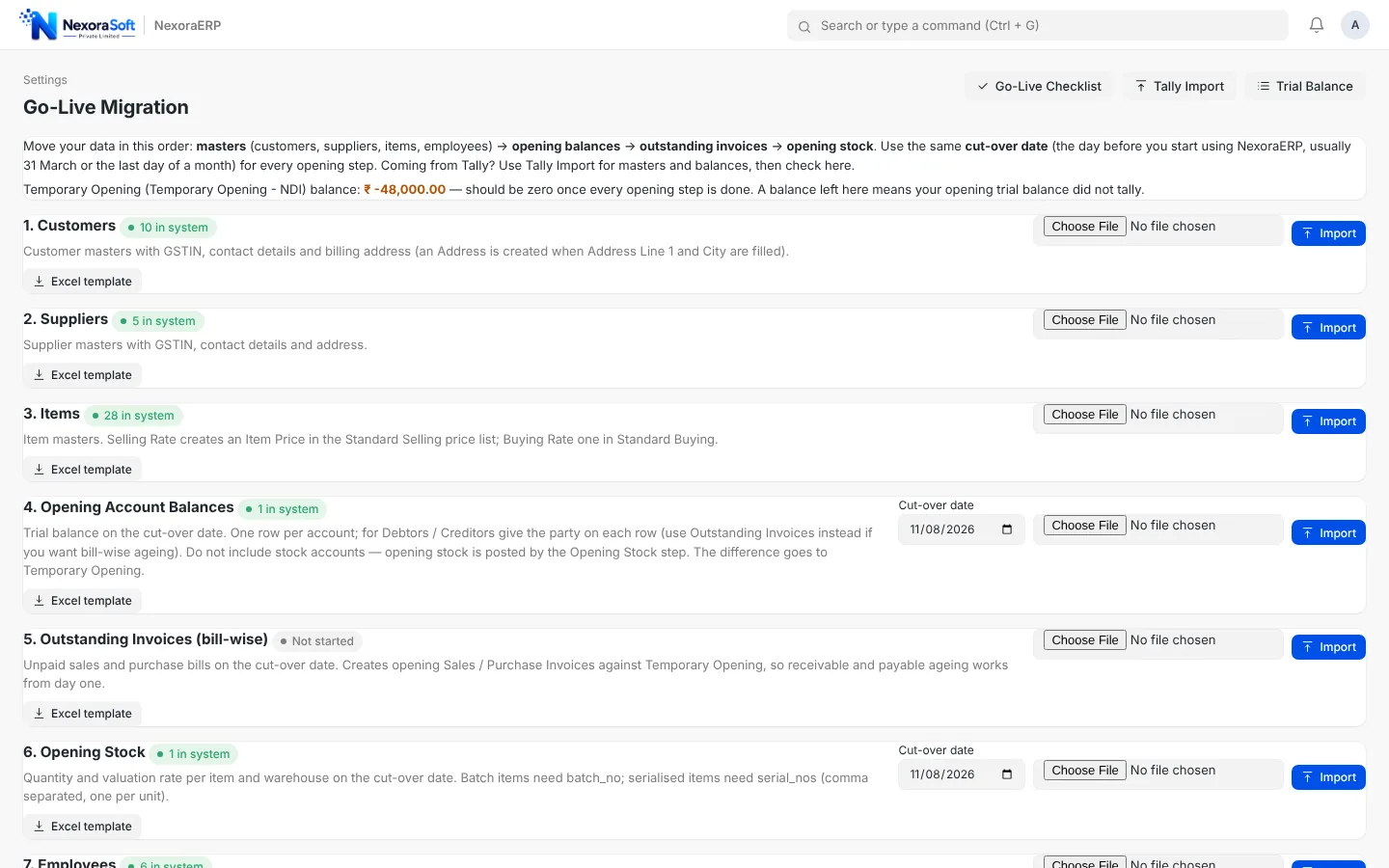
Most Indian SMEs start on Tally. Moving to an ERP does not mean abandoning that history: NexoraERP reads Tally masters and opening balances, and Excel templates cover what Tally cannot export cleanly. The migration is done as of a cut-over date, ideally the day before you start posting in the new system.
What Gets Migrated and How
Each data type has a clear route into NexoraERP.
| Data | How it moves |
|---|---|
| Groups and ledgers | Tally groups become accounts in the NexoraERP chart, using the Tally masters XML. |
| Customers and suppliers | Sundry debtors and creditors become customers and suppliers with GSTIN and address. |
| Stock masters | Stock groups, items, units and godowns from Tally become item groups, items, UOMs and warehouses. |
| GST rates | GST rates on Tally stock items become item tax templates. |
| Bill-wise dues | Outstanding bills become opening invoices so ageing starts correct. |
| Opening balances and stock | Opening account balances and opening stock are loaded as of the cut-over date. |
| Excel route | Go-Live Migration importers for parties, items with prices, balances, invoices, stock with batches and serials, and employees. |
| Any other list | Import Wizard for any document type from Excel or CSV, with an instructions sheet in each template. |
| Safety | Backups before import and a go-live checklist before real posting begins. |
Go-Live Migration Importers
The migration page takes you through numbered steps: customers, suppliers, items, opening account balances, outstanding invoices and opening stock. Each step has a downloadable Excel template, and the same tool also loads employees and opening stock with batches and serial numbers.
- Downloadable Excel templates per step
- Instructions sheet in every template
- Re-runs never create duplicates
- Cut-over date control
Go-Live Checklist Before You Trust It
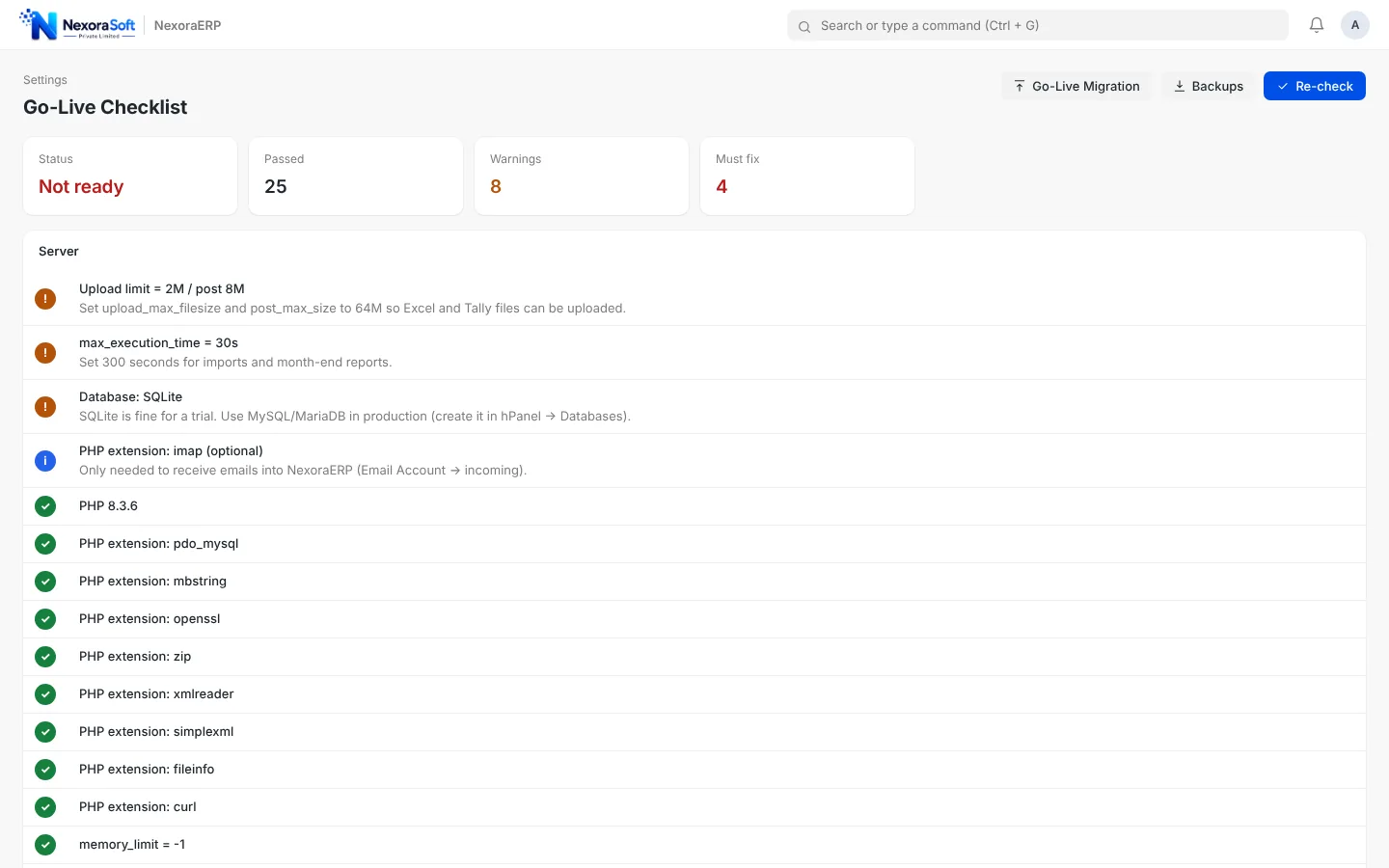
About forty automatic checks cover server settings, PHP extensions, HTTPS, debug mode, weak passwords, company details, fiscal year, demo data and scheduled jobs. The page shows Ready or Not ready so the go-live decision is objective.
- Server and PHP extension checks
- Security checks such as debug and passwords
- Company, fiscal year and cron checks
- Backups from within the app
Verify with the Trial Balance
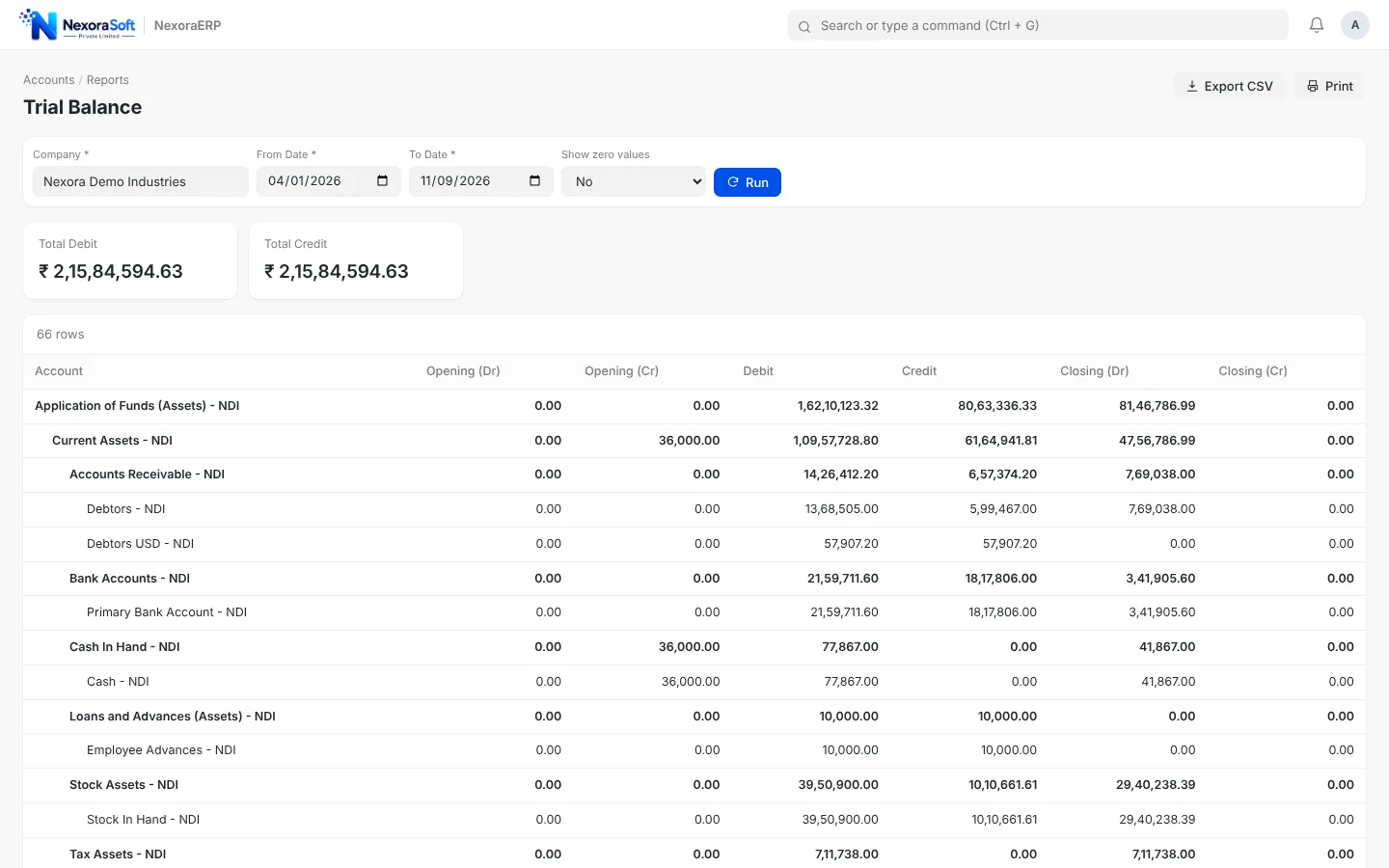
After loading balances, the Trial Balance shows opening debit and credit totals that must be equal. Compare with your Tally closing trial balance for the same date before you start posting.
- Debit equals credit
- Compare against Tally ledger balances
- Accounts Receivable and Payable ageing check
- Stock Balance against Tally stock summary
Practical Tips for a Clean Migration
Lessons that save days at go-live.
Pick a clean date
Use the day before a month or quarter begins as the cut-over date.
Clean masters first
Merge duplicate parties and unused items before exporting.
Reconcile the trial balance
Match every group total with Tally before posting.
Take a backup
Back up Tally and the new database before each import step.
Train in parallel
Let users practise on a copy while Tally is still live.
Run in parallel for a month
Post in both, compare reports and then retire Tally.
Live sync with Tally
NexoraERP imports from Tally; it does not keep Tally synced continuously. If you plan to keep Tally for accounts and use NexoraERP for operations, we can scope a custom integration; see Tally integration services.
Move From Tally Without Retyping Anything
Send us your Tally masters export and we will show an import preview before you commit.
Frequently Asked Questions
Groups and ledgers, sundry debtors and creditors with GSTIN and address, stock groups, items, units and godowns, GST rates, bill-wise dues, opening balances and opening stock, all from the Tally masters XML export. Excel templates cover everything else.
The importer reads the standard Tally masters XML export from both Tally ERP 9 and TallyPrime, including UTF-16 files.
The standard path moves masters, opening balances, bill-wise dues and opening stock as of a cut-over date. Historical vouchers usually stay in Tally for reference. Re-running an import does not create duplicates.
A clean small business can complete data load in a few days. Allow longer if the masters need cleaning or if there are many branches and warehouses.
Compare the NexoraERP Trial Balance, receivable and payable ageing and Stock Balance with the same reports from Tally as of the cut-over date.
No. Many teams run both for a month and then retire Tally once the reports match.
Yes. We provide data cleaning, import, trial balance checks, training and go-live support as a service.