Home › Products › Restaurant POS Software
NexoraRMS-POS · Restaurant POS & Growth SuiteRestaurant POS Software for India
Bill faster, send KOT to the kitchen, manage tables, take QR orders, track food cost and see the day-end report, from one system. NexoraRMS-POS is restaurant billing and management software built for Indian restaurants, cafes and cloud kitchens.
GST billingKOT & kitchen displayTable managementQR orderingLoyaltyRecipe costingMulti-outlet
What Is NexoraRMS-POS Restaurant POS Software?
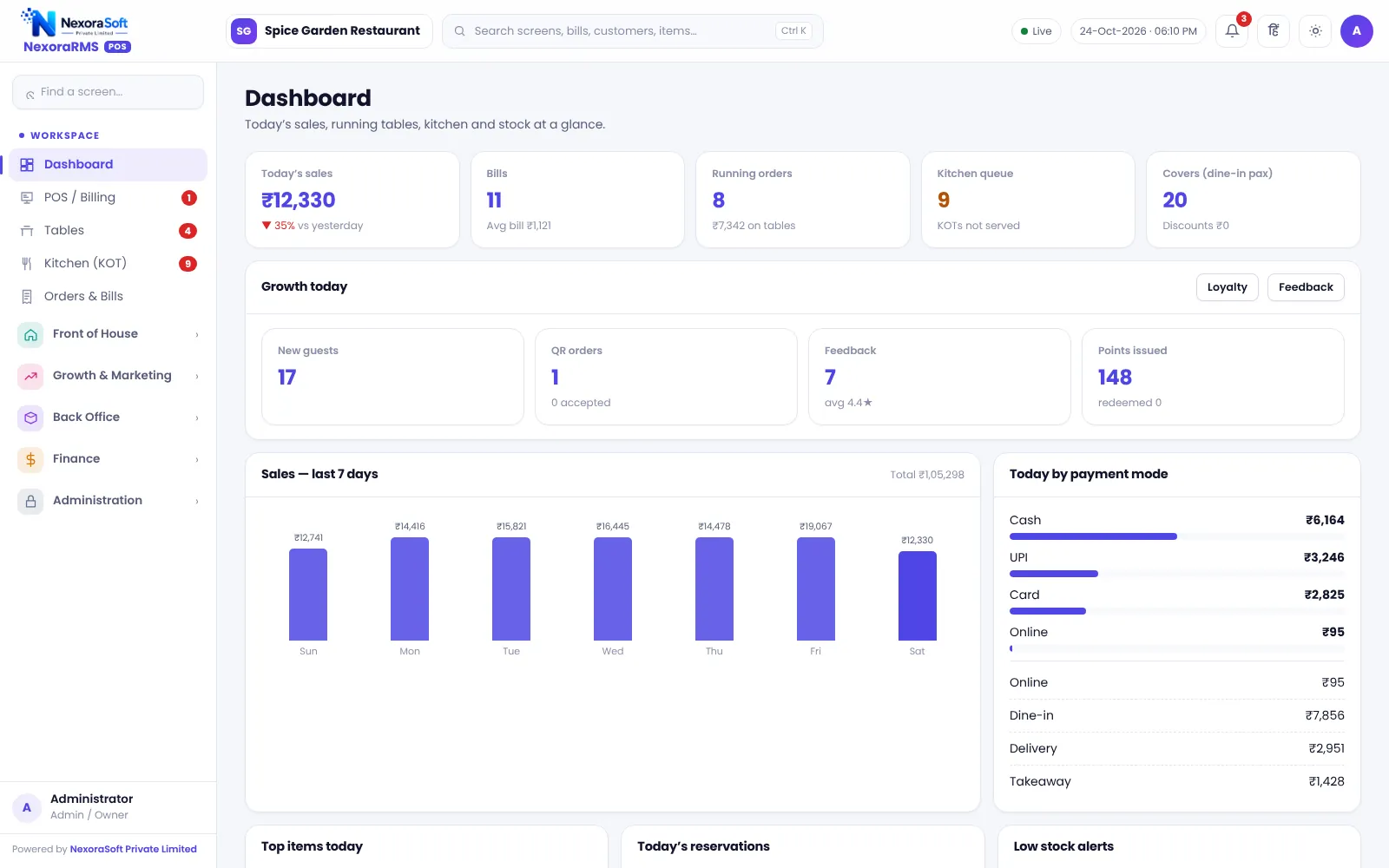
NexoraRMS-POS is a restaurant POS and growth suite for Indian restaurants, cafes, cloud kitchens and food outlets. It starts at the billing counter and runs through the whole restaurant: tables and captains, kitchen tickets, delivery and online orders, guest QR ordering, loyalty and feedback, raw material and recipe costing, purchases, staff attendance, cash register and reports.
Most restaurants begin with a basic billing app and then add a notebook for stock, a WhatsApp group for the kitchen and an Excel sheet for the day-end. The numbers rarely match. In NexoraRMS-POS the same order drives the KOT, the bill, the stock deduction, the loyalty points and the day-end report, so the figures at closing are the figures at the counter.
It is built and supported by NexoraSoft Pvt. Ltd., a Delhi software company. The screens in this guide are real, captured from the running software with demo data.
Who Is Restaurant POS Software For?
Dine-in restaurants
Tables, captains, KOT, split bills and a floor view that shows what is occupied and what is running.
Cafes and QSR
Fast counter billing, tokens, combos and a customer display. Takeaway tokens on a TV board.
Cloud kitchens
Delivery and aggregator orders with platform order IDs, packing charges and price lists per channel.
Bakeries and sweet shops
Counter billing by weight or piece, add-ons, pre-orders and loyalty for repeat guests.
Chains and franchises
Head Office to see live outlets, compare them and push menu changes.
Hotel restaurants
Room-linked dining is not built in, but bills, KOT and reports work for the F&B outlet.
Core Features of NexoraRMS-POS
Every module below is part of the working product. Click through to the detailed guide for each area.
POS billing
Dine-in, takeaway, delivery and online modes, sizes, add-ons, combos, discounts with reason, split payment and bill printing.
KOT and kitchen display
Numbered kitchen tickets, kitchen status board, reprint KOT and out-of-stock control.
Table management
Sections, live status, transfer, merge and split of bills, reservations and a walk-in waitlist.
QR menu and ordering
Table QR, call waiter, ask for bill, live order status, token TV board for takeaway.
Delivery and online orders
Phone, own-store, Zomato and Swiggy orders in one list, with platform order ID and channel price lists.
Loyalty and feedback
Points with tiers, wallet, coupons, happy hour, rate-your-meal page with NPS.
Inventory and recipes
Raw materials, recipe per dish, food cost percentage, wastage and stock variance.
Purchase and vendors
Purchase entries, vendor balances and payments, reorder suggestions to purchase orders.
Staff and payroll
Attendance with half-day and leave, and simple monthly payroll for restaurant staff.
Cash register
Shift open and close, pay-in, pay-out, denominations and expected cash.
Reports
35 reports: sales, items, GST, HSN, Z report, menu engineering, heatmap, profit and loss.
Control and audit
Roles and permissions, manager PIN approvals, audit log, backup and restore.
Inside NexoraRMS-POS: Real Restaurant Software Screens
No mock-ups. These are screens from the working product, captured with demo data. Click any screen to enlarge it.
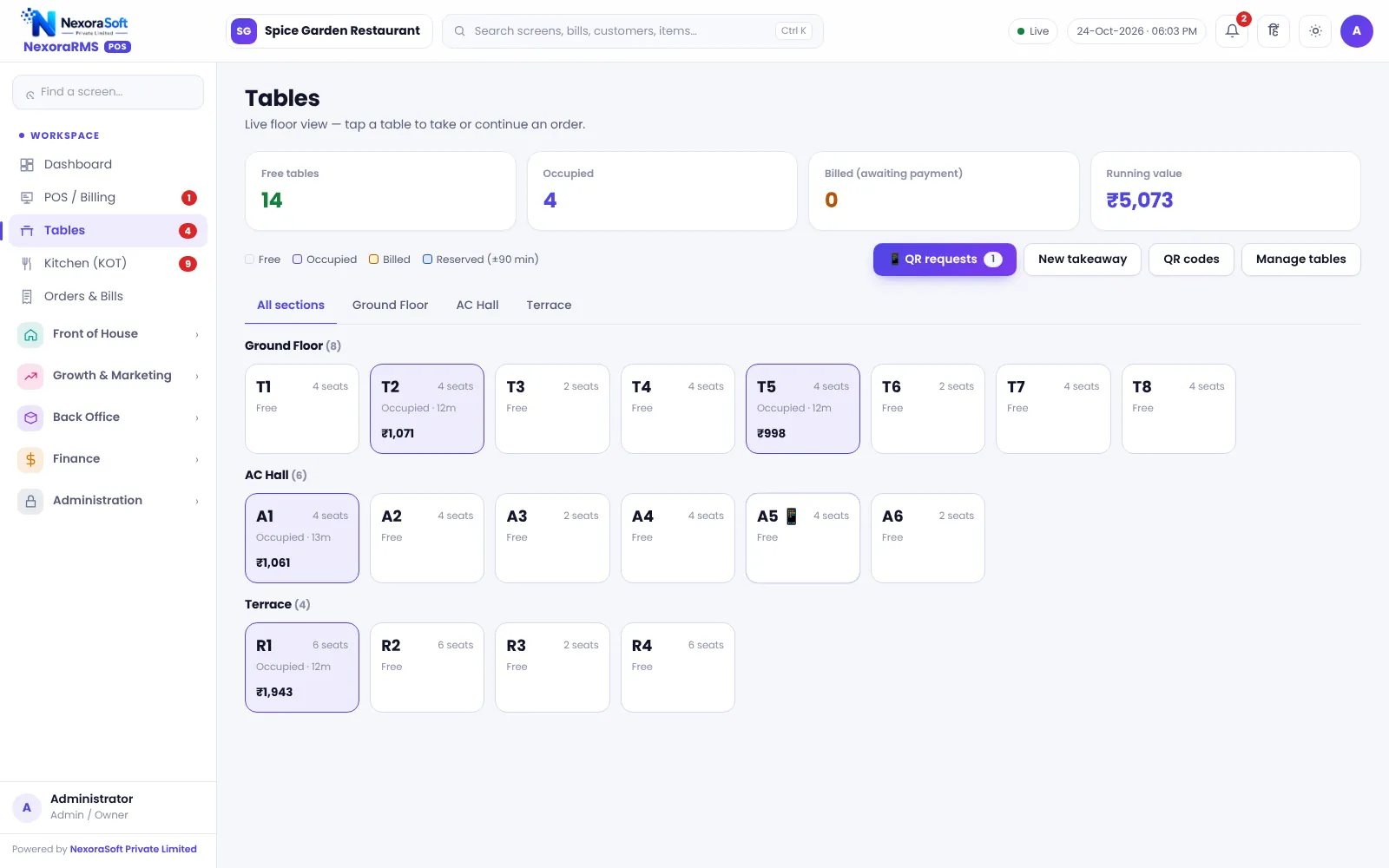
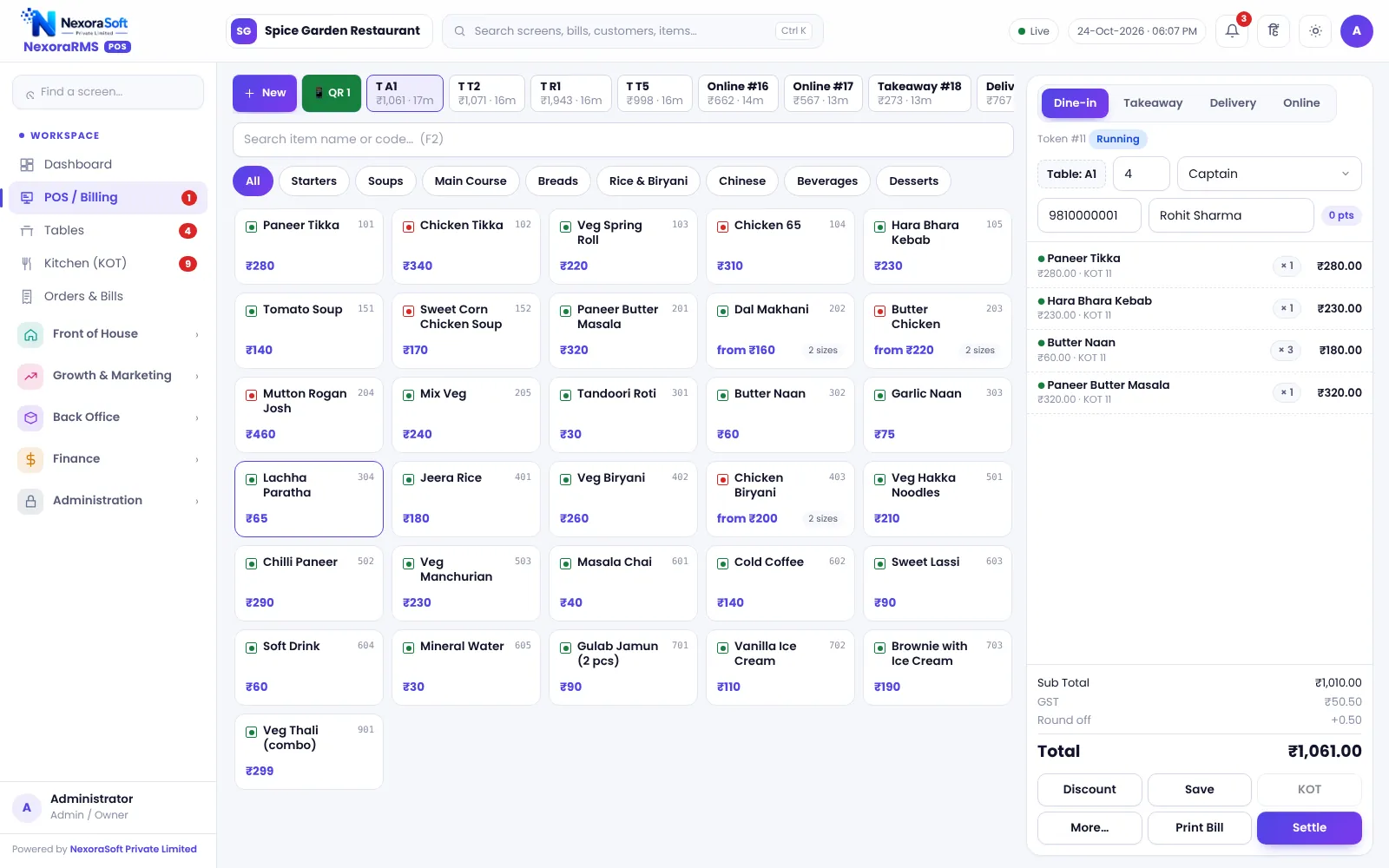
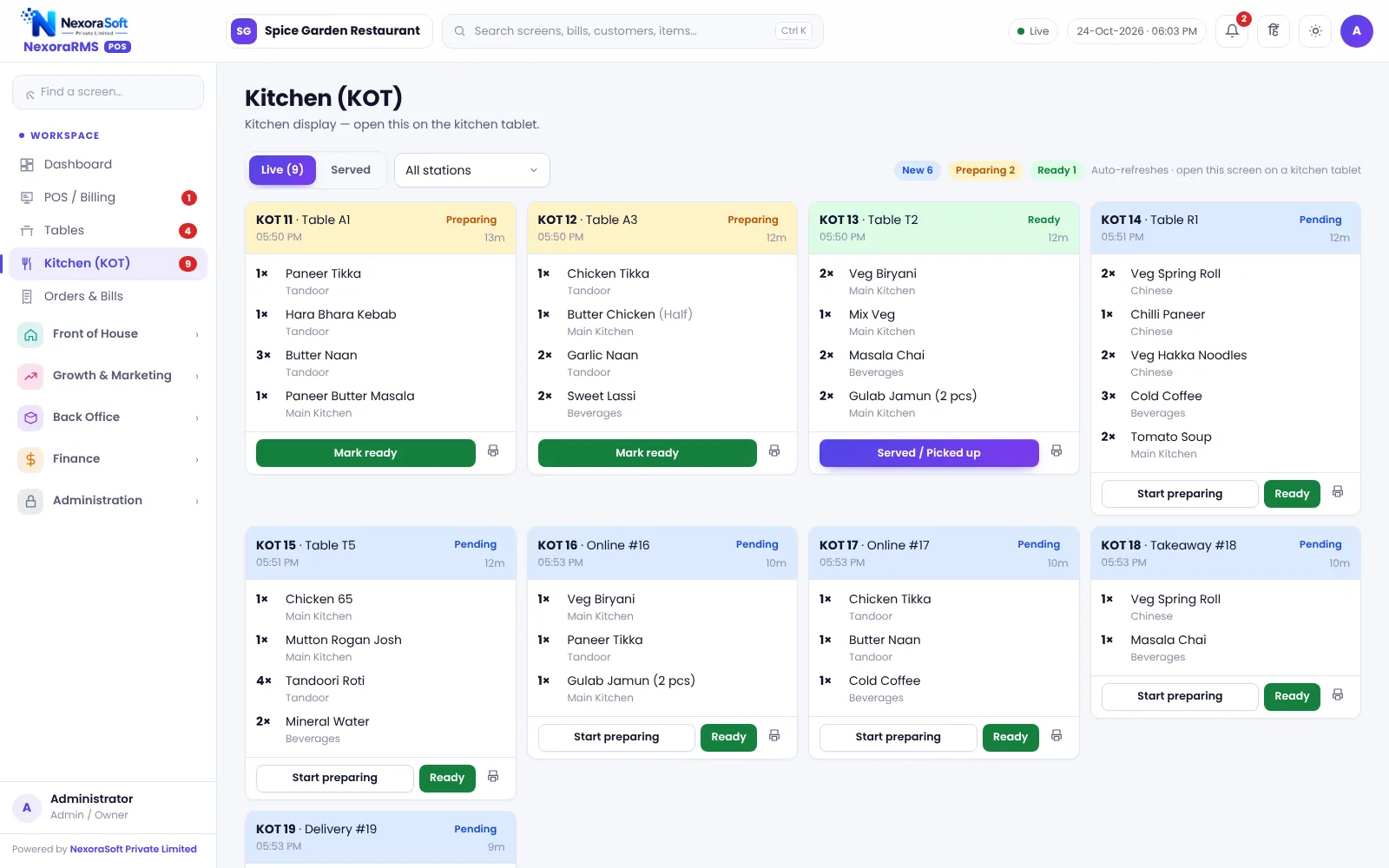
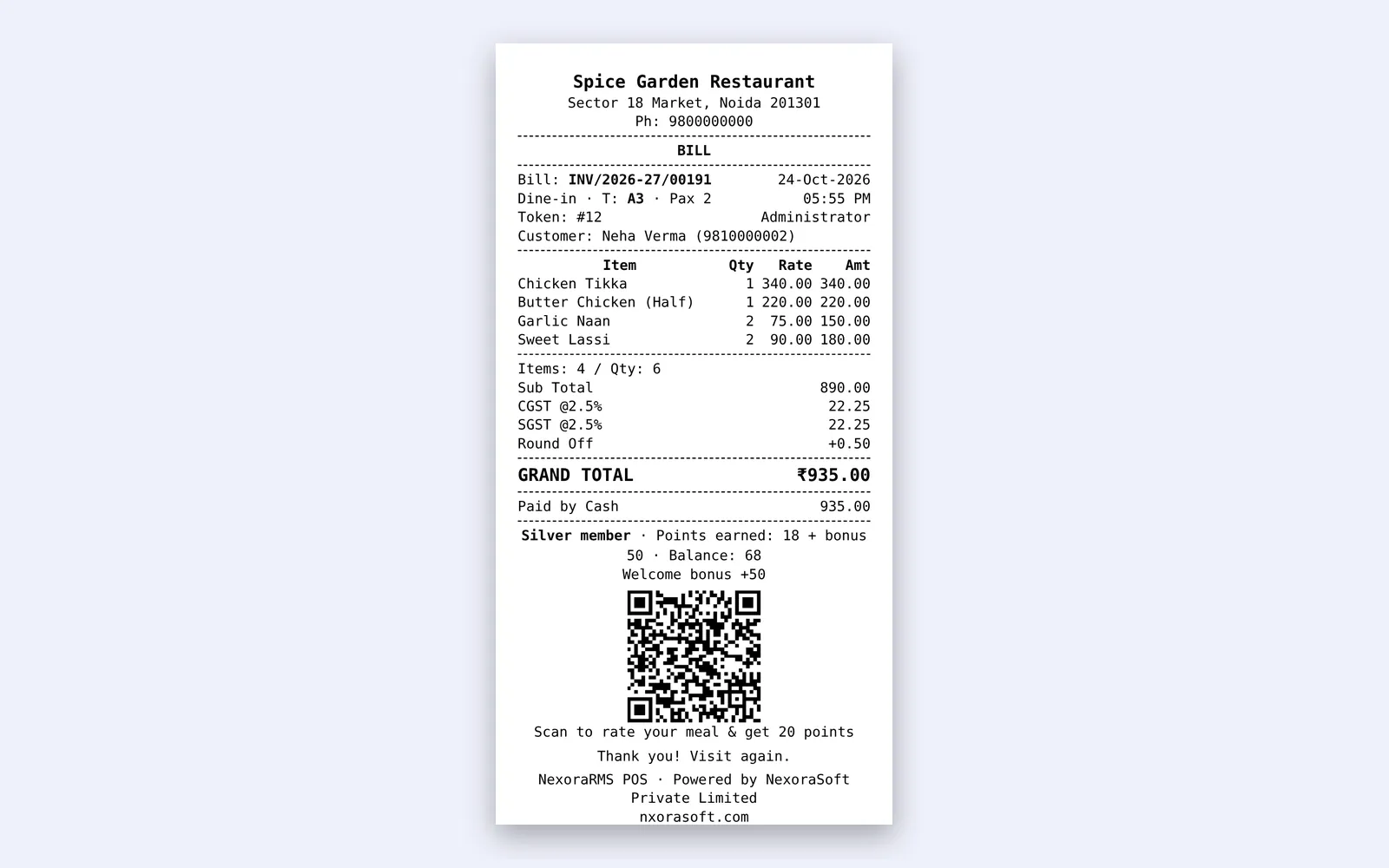
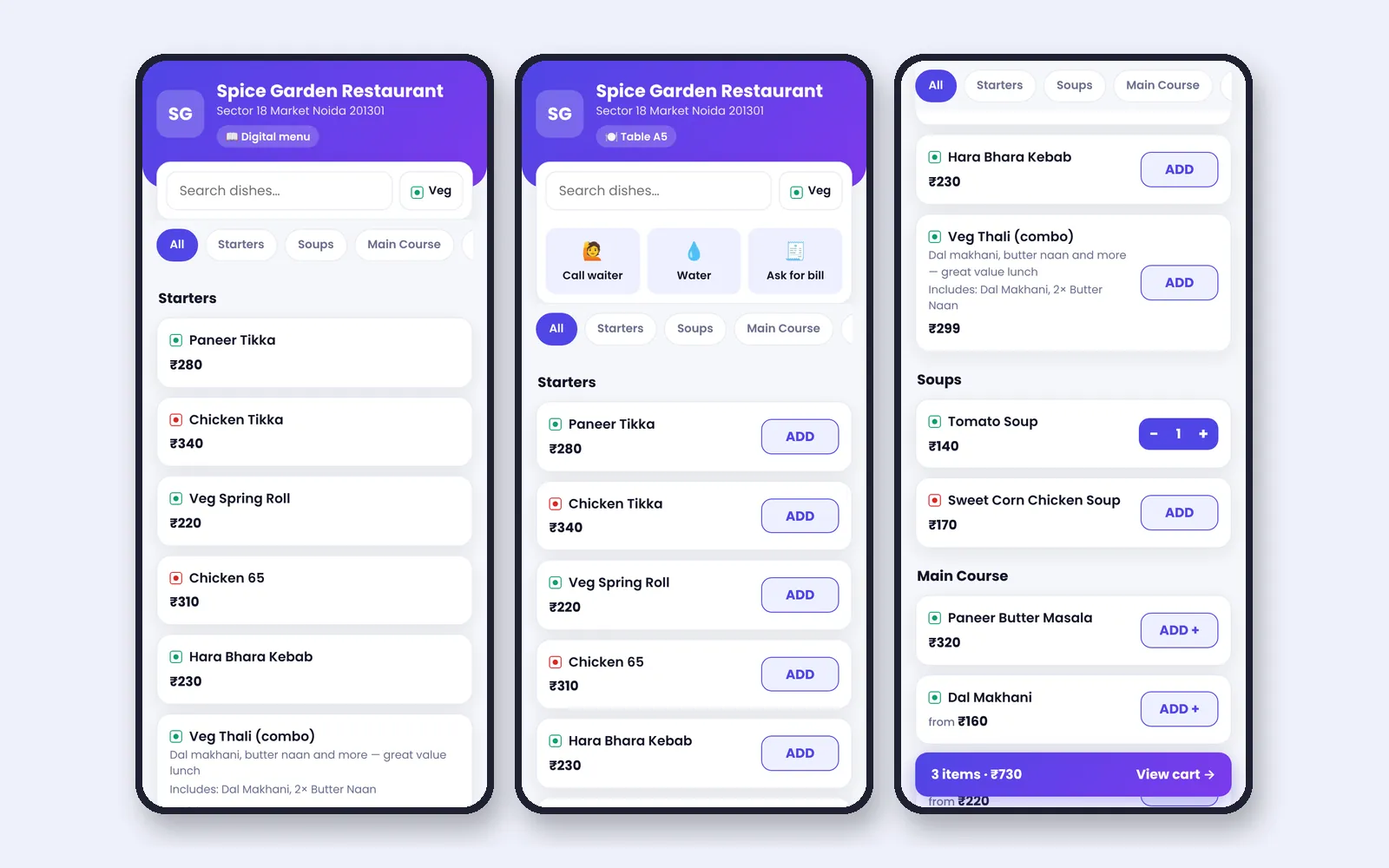
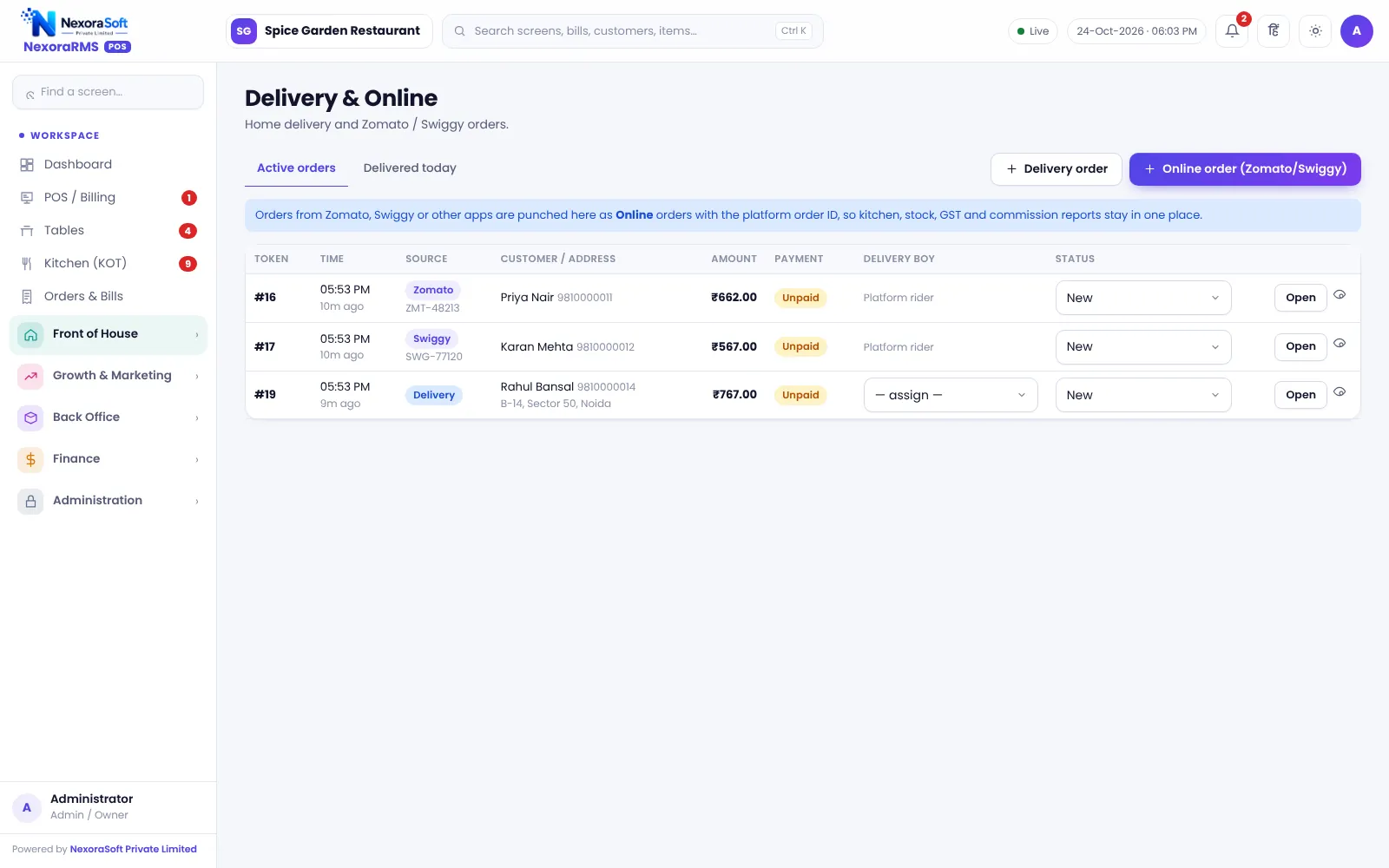
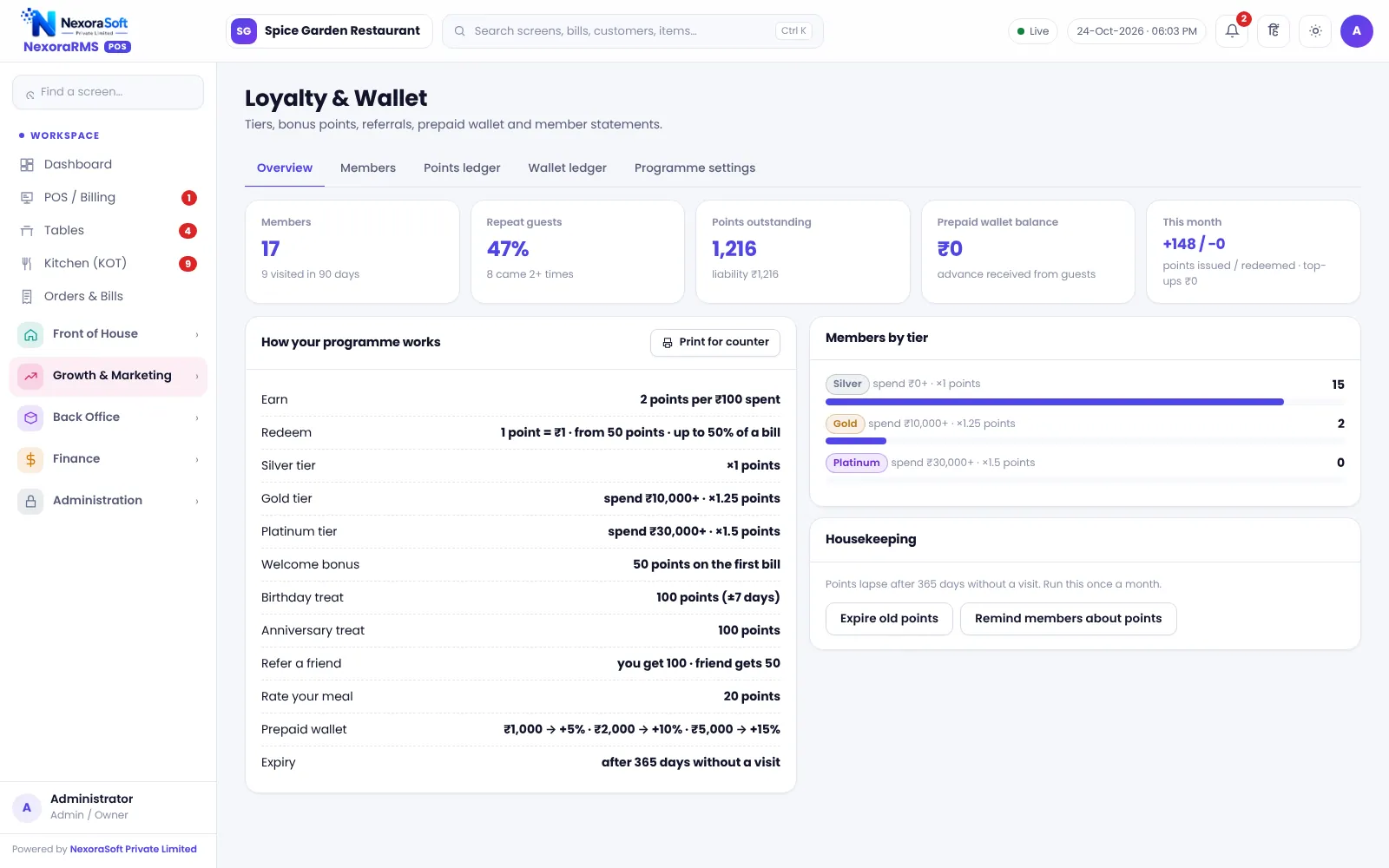
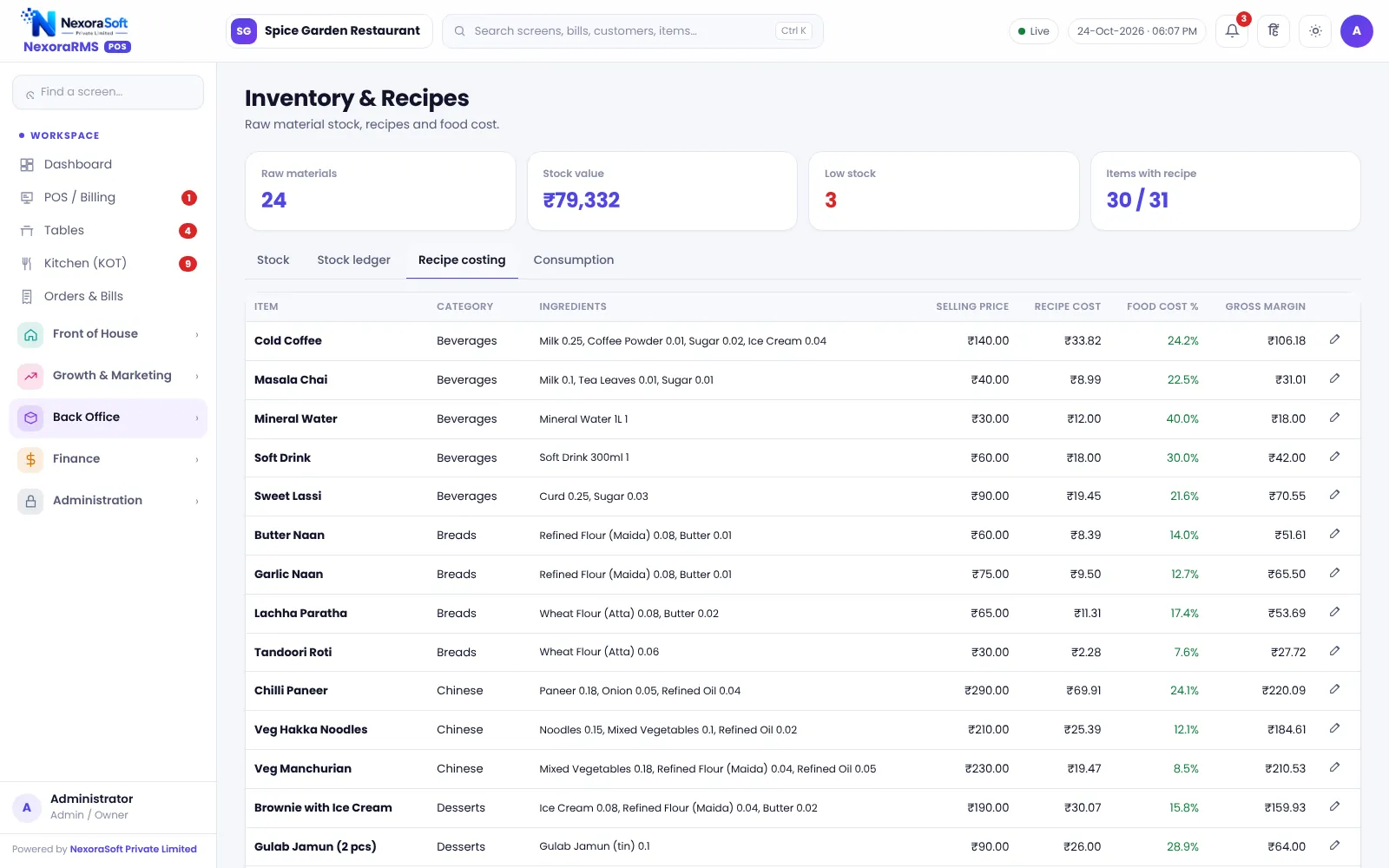
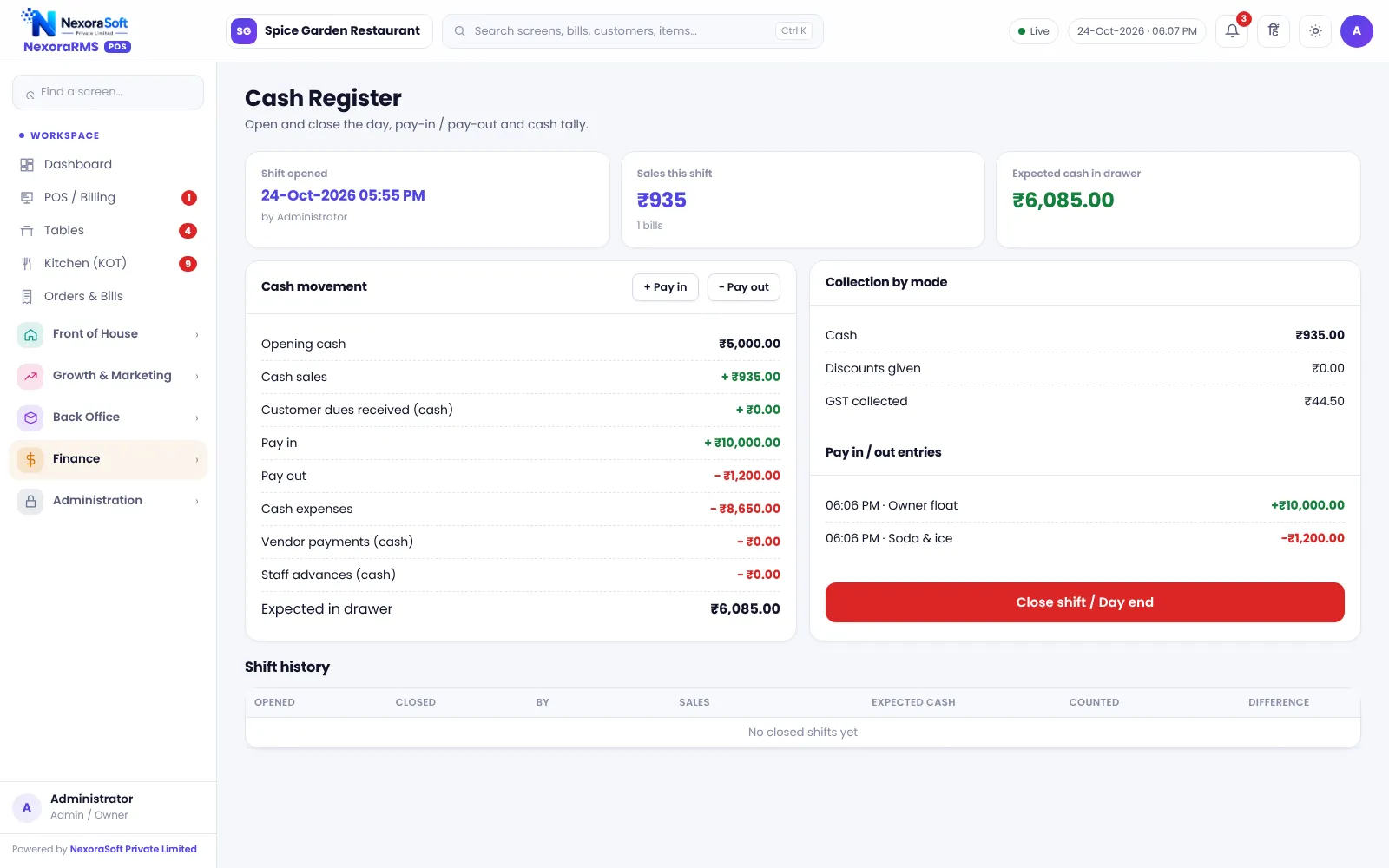
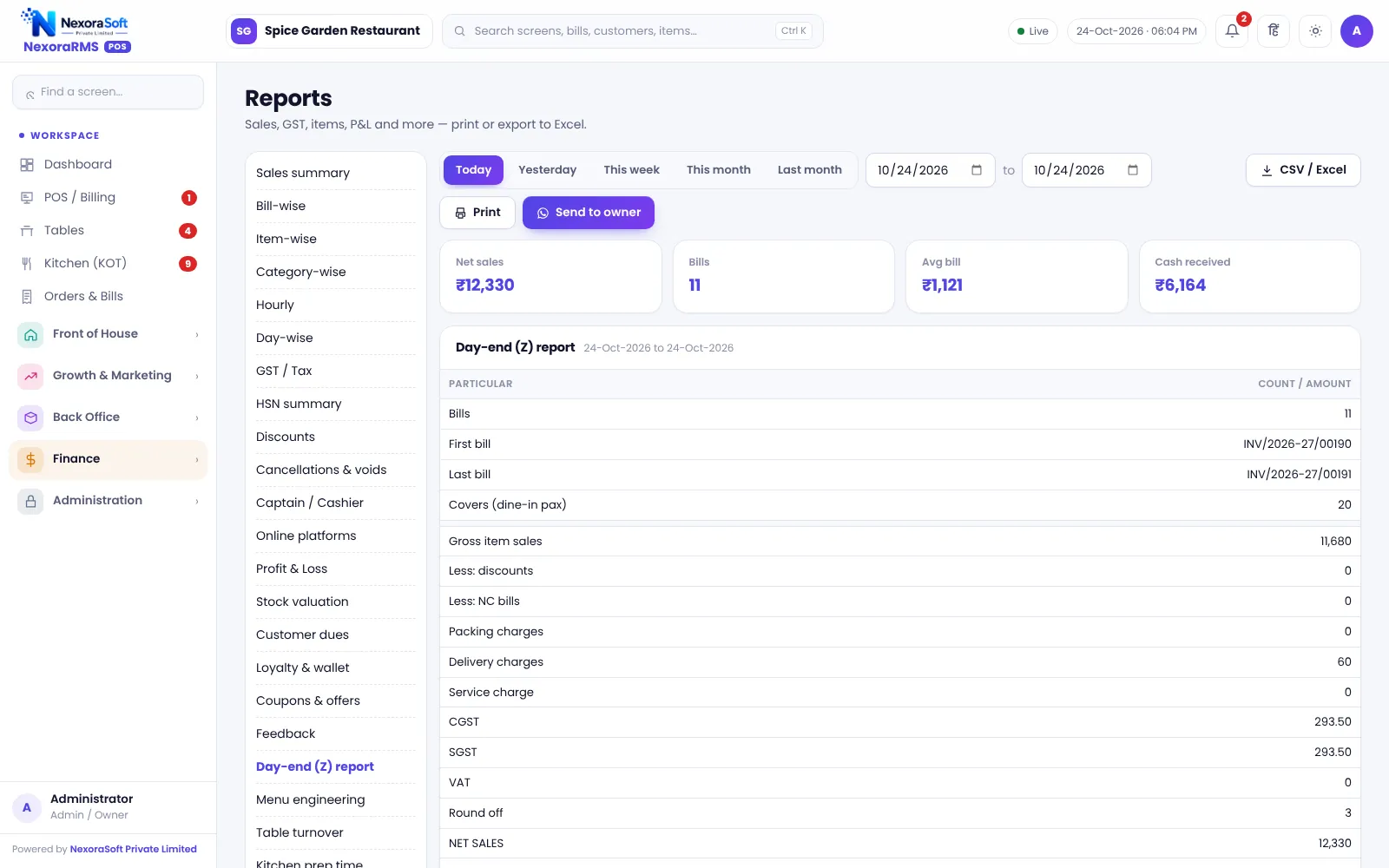
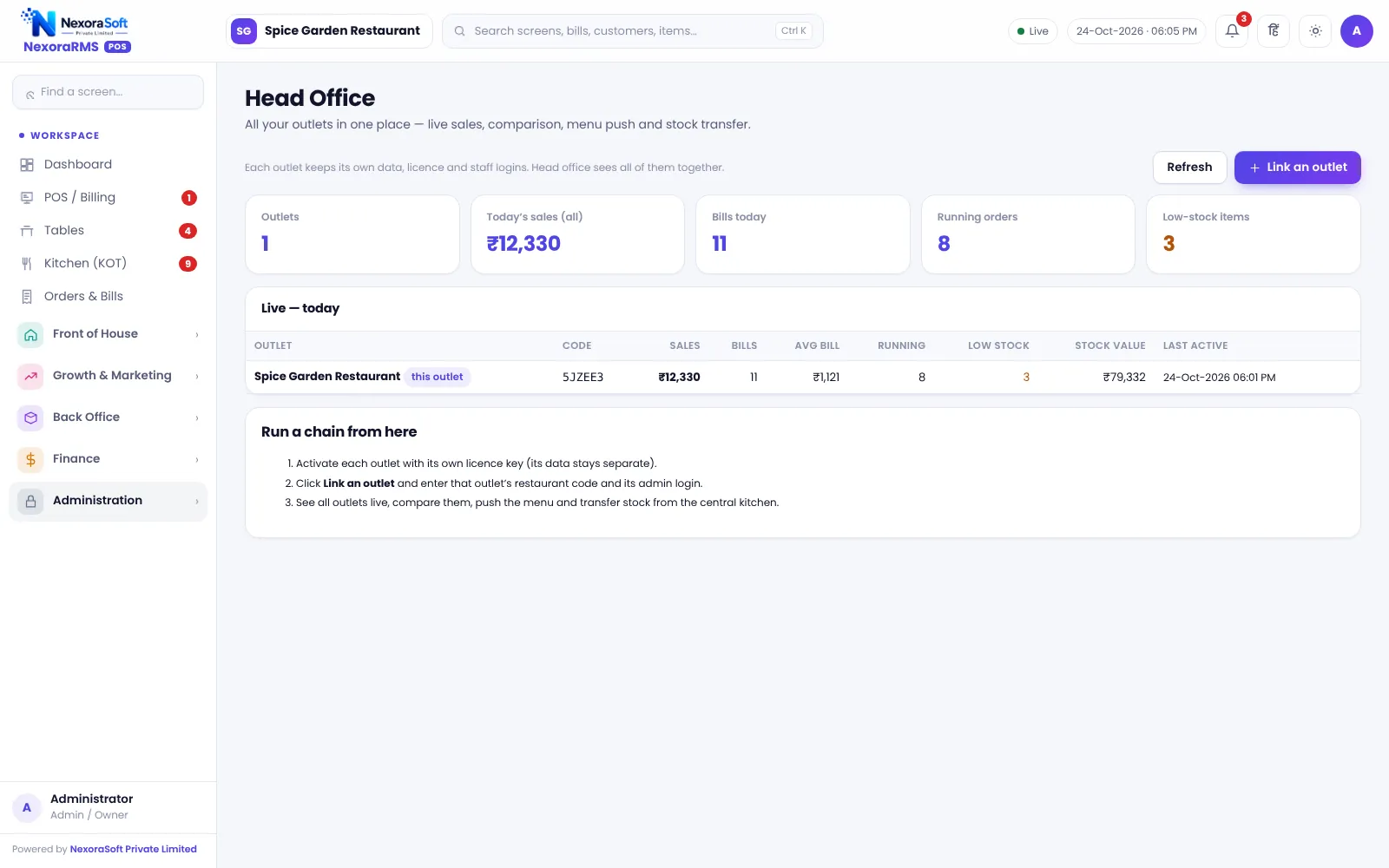
Menu items, guests, vendors and amounts in these screenshots are demo data.
How an Order Flows Through NexoraRMS-POS
1. Seat or scan
Pick a table or open a takeaway or delivery order. Guests can also order from the table QR.
2. Take the order
Add items with size and add-ons. Combos and compulsory add-ons are handled.
3. Send KOT
The KOT goes to the kitchen with a number. Later items become a new KOT on the same bill.
4. Serve and bill
Apply a coupon or discount with reason, and print or show the bill with the UPI QR.
5. Settle
Cash, card, UPI or wallet, split if needed. Points are earned and stock is deducted together.
6. Close the day
Count cash, close the shift and read the Z report. Backups run on the server.
Restaurant POS Topics: What NexoraRMS-POS Covers
| Area | What you can do | Guide |
|---|---|---|
| Billing | GST bills, split payment, discounts, reprint | Restaurant billing |
| Kitchen | KOT, status board, reprint | KOT and kitchen display |
| Floor | Tables, transfer, merge, reservations | Table management |
| Guest ordering | Table QR menu, call waiter, token board | QR menu ordering |
| Delivery | Zomato, Swiggy and phone orders by entry | Online orders |
| Growth | Points, wallet, coupons, happy hour | Loyalty and coupons |
| Kitchen cost | Recipes, raw material, wastage | Inventory and recipe costing |
| Tax | CGST and SGST, HSN, GSTR-1 data, Tally XML | GST billing |
| Insight | 35 reports, Z report, heatmap | Reports and analytics |
| Chains | Head Office, menu push, stock transfer | Multi-outlet |
Built for Control and Safety
Role-based access
Admin, manager, cashier, captain and chef roles with permissions checked on the server, not only hidden in the menu.
Manager PIN approvals
Discount, void, cancel item or order and reprint can require a manager PIN.
Server-safe numbers
Bill, KOT and token numbers come from the server, so two counters never print the same number.
Audit and backup
Audit log of who did what and when, daily server backup and downloadable backup file.
What NexoraRMS-POS Does Not Do Yet
We would rather you hear the limits from us than discover them after go-live. NexoraRMS-POS needs a connection to its server and has no offline billing mode. Zomato and Swiggy orders are entered by staff, not imported automatically. It does not generate e-invoice IRN or e-way bills and does not file GST returns; reports give you the data for your CA. WhatsApp marketing is click-to-send, not automated bulk messaging. UPI payments are recorded by staff and are not reconciled through a payment gateway. Tally export is one-way. Room billing for hotels is not built in.
If one of these is essential for you, tell us during the demo. Custom development is available from NexoraSoft.
Restaurant POS Topics: Go Deeper
Each guide covers one area of running a restaurant in detail, with the real NexoraRMS-POS screen that handles it.
Restaurant Billing SoftwareKOT & Kitchen Display SoftwareRestaurant Table Management SoftwareQR Code Menu & Table Ordering SoftwareZomato & Swiggy Order Management SoftwareRestaurant Loyalty, Wallet & Coupon SoftwareRestaurant Inventory & Recipe Costing SoftwareGST Billing Software for RestaurantsRestaurant Reports & Analytics SoftwareMulti-Outlet Restaurant SoftwareRestaurant Cash Register & Shift SoftwareRestaurant Purchase & Vendor SoftwareRestaurant Staff Attendance & Payroll SoftwareRestaurant Feedback & NPS SoftwareWhatsApp Marketing Software for RestaurantsRestaurant POS Software Pricing in India
Restaurant POS Software by Business Type
Pick the page closest to your food business to see which NexoraRMS-POS modules matter most for you.
POS Software for RestaurantsPOS Software for CafesPOS Software for Cloud KitchensPOS Software for Fast Food & QSRPOS Software for Bakeries & Sweet ShopsPOS Software for Bars & LoungesPOS Software for Food CourtsPOS Software for Hotel RestaurantsPOS Software for Dhabas & Small EateriesPOS Software for Restaurant Chains & Franchises
Restaurant POS Software in Delhi NCR
NexoraSoft is based in Delhi and supports restaurants across the NCR and India.
Restaurant POS Software in DelhiRestaurant POS Software in Delhi NCRRestaurant POS Software in NoidaRestaurant POS Software in GurgaonRestaurant POS Software in GhaziabadRestaurant POS Software in Faridabad
Restaurant POS Articles and Guides
Practical guides on GST on restaurant bills, KOT, QR menus, recipe costing, menu engineering, cash handling and more.
What Is Restaurant POS Software?Best Restaurant POS Software in India: Features to CheckHow to Choose Restaurant POS SoftwareGST on Restaurant Bills in India: A Practical GuideKOT System ExplainedRestaurant Table Management TipsQR Code Menu for RestaurantsRecipe Costing and Food Cost PercentageRestaurant Inventory and Wastage ControlRestaurant Loyalty Program IdeasManaging Zomato and Swiggy OrdersRestaurant Reports Every Owner Should CheckRestaurant Cash Handling and Shift ClosingMenu Engineering GuideRestaurant Staff Attendance and PayrollRestaurant Customer Feedback and NPSWhatsApp Marketing for RestaurantsCloud Kitchen POS Setup GuideMulti-Outlet Restaurant ManagementRestaurant POS vs Manual Billing and Excel
Restaurant POS Software India – FAQ
Restaurant POS software is the system a restaurant uses to take orders, send kitchen tickets (KOT), print GST bills, accept payments and see sales. NexoraRMS-POS adds table management, QR ordering, loyalty, inventory with recipe costing, staff attendance, cash register and 35 reports to the same billing screen. Read the complete guide to restaurant POS software.
Yes. A small place can start with a menu, a few tables, bills and a daily report, and switch on KOT screens, QR ordering, loyalty or inventory later. See POS software for cafes and POS software for dhabas and small eateries.
Yes. Bills carry restaurant name, GSTIN, FSSAI number, CGST and SGST by rate, round-off, service charge if enabled and a bill number that runs per financial year (for example INV/2026-27/00001). It also supports B2B tax invoices with the buyer GSTIN. See GST billing software for restaurants. Tax settings should be confirmed with your CA.
Yes. Sending an order creates a numbered KOT. The kitchen display shows tickets by status so the kitchen can mark them cooking and ready, and a KOT can also be reprinted. See KOT and kitchen display software.
Yes. Each table has a signed QR link that opens a menu on the guest’s phone, with no app or sign-in. Guests can place an order, call the waiter, ask for water or the bill and follow order status. Orders from QR arrive as requests that staff accept. See QR code menu and table ordering software.
No. Orders from Zomato, Swiggy or phone calls are entered by staff on the POS with the platform order ID, so they appear in the same bills, kitchen and reports. There is no automatic aggregator order import in this version. See Zomato and Swiggy order management.
No. NexoraRMS-POS needs an internet connection to its server. Keep reliable broadband and a mobile hotspot as backup. Offline billing is not part of this version.
Yes. Head Office shows live outlets, compares them, pushes menu changes and handles stock transfer between outlets. Each outlet keeps its own bills and settings. See multi-outlet restaurant software.
Yes. Points with tiers, welcome, birthday, anniversary, referral and feedback bonuses, a prepaid wallet with top-up bonus, coupons and happy-hour offers. Points and wallet change only on the server, with an uneditable ledger. See restaurant loyalty software.
Yes. Raw materials, recipes per dish, purchase and vendor payments, wastage and stock variance. Selling a dish deducts the recipe ingredients, and recipe costing shows food cost percentage. See restaurant inventory and recipe costing software.
35 reports including sales summary, item-wise, GST and HSN, GSTR-1 B2B and B2CS data, day-end Z report, menu engineering, busy-hours heatmap, profit and loss and stock variance, with a Tally XML export. See restaurant reports and analytics.
It exports sales as Tally XML for your accountant. The export is one-way and ledger names should be tested on a trial company first. See GST billing software for restaurants. Confirm tax rates and treatment for your outlet with your CA; NexoraRMS-POS prints and exports the data.
Yes. Discounts need a reason, and discount, void, cancel and reprint can be protected by a manager PIN. Permissions are enforced on the server, and an audit log records who did what. See cash handling and shift closing.
Yes. The interface can be switched between English and Hindi from the top bar, and there is a dark mode for night shifts. You can verify this in a free live demo of NexoraRMS-POS using your own menu and tables.
Yes. A bill can be settled by cash, card, UPI or wallet, including split payment. A UPI pay QR can be shown on the bill and settle screen. Payments are recorded by staff; there is no payment-gateway reconciliation in this version.
It prints through the browser to the printer installed on the computer, with 58 mm and 80 mm thermal widths and A4 options in printing settings. Test your own printer during the demo.
Every restaurant’s data sits in its own tables and cannot be reached from another restaurant. The server takes a daily backup (last 14 days kept), you can download a backup file, and all changes are in an audit log. Use strong passwords and per-person logins.
Yes. NexoraSoft offers a free live demo with sample restaurant data. Call +91 98115 51004 or email info@nxorasoft.com. NexoraSoft gives a written quote after a free demo, based on outlets, users and modules.
Price depends on outlets, users, modules and setup or training needs. NexoraSoft quotes a fixed scope after a free demo. See restaurant POS software pricing in India for what drives cost. NexoraSoft gives a written quote after a free demo, based on outlets, users and modules.
See NexoraRMS-POS in Your Own Restaurant
Share your menu, tables and billing flow and get a free live demo of NexoraRMS-POS. No commitment; we typically respond within 24 hours.