Home › Products › School Management Software
NexoraEDU · School ERP & Management SystemSchool Management Software for India
Run admissions, attendance, fee collection, timetable, exams and report cards, and give parents a login, all from one system. NexoraEDU is school ERP software built for Indian CBSE, ICSE and State Board schools.
AdmissionsAttendanceFee collectionTimetableReport cardsParent portalTransport & library
What Is NexoraEDU School Management Software?
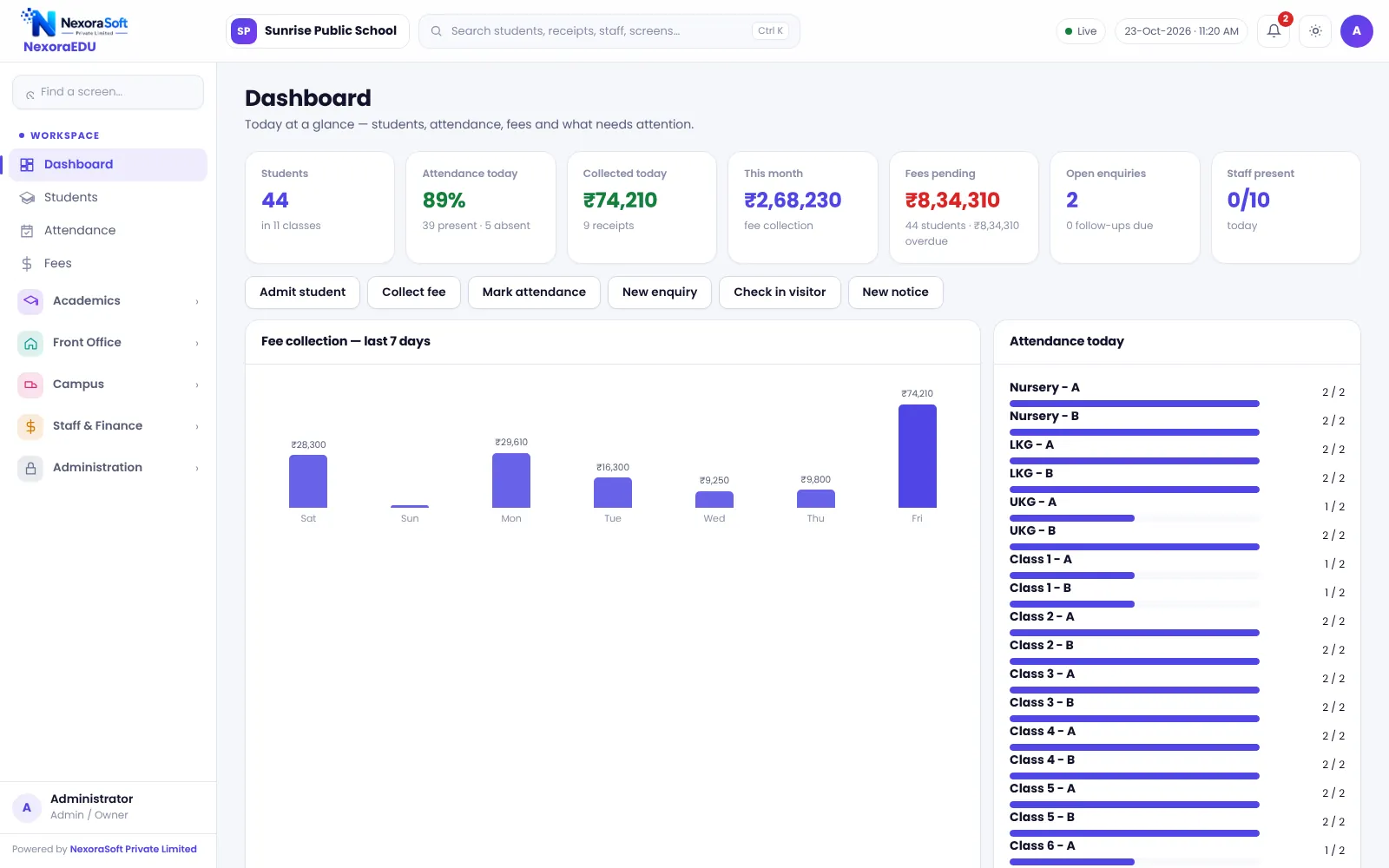
NexoraEDU is a school ERP and school management system for Indian schools. It starts at the admission desk and runs through the whole school: student records, daily attendance, the fee counter, timetables, exams and report cards, front office, transport, library, hostel, canteen, inventory, staff payroll and a parent and student portal.
Most schools begin with registers, an Excel file for fees and a notice board for parents. Over time the numbers stop matching: the fee register says one thing, the class teacher another, and the principal has no single view. In NexoraEDU a student is entered once, and that record drives attendance, fee dues, report cards, ID and certificates.
It is built and supported by NexoraSoft Pvt. Ltd., a Delhi software company. The screens in this guide are real, captured from the running software with fictional demo data, and the limits are stated openly further down.
Who Is School Management Software For?
CBSE, ICSE and State Board schools
Configurable classes, subjects, exam terms and grade scale so the school’s own board pattern is followed.
Pre-schools and play schools
Simple admissions, fee collection, attendance and parent notices for small classes.
Boarding schools
Hostel rooms and allotments, canteen wallet and health records alongside the academic side.
Small private schools
Start with students, fees and attendance, and switch on other modules when the staff is ready.
Coaching institutes and tuition centres
Batches as classes, fee instalments, attendance and exams. Not built for university affiliation workflows.
Principals and owners
One dashboard for strength, attendance, fee collection and dues, with an audit trail.
Core Modules of NexoraEDU
Every module below is part of the working product. Click through to the detailed guide for each area.
Students and admissions
Admission form, profile, documents, siblings, import and export, promotion, bonafide and TC, ID card.
Attendance
Class-wise marking, monthly sheet, low-attendance list, today’s summary and WhatsApp absent messages.
Fees
Fee counter, A4 and thermal receipts, part payment, concession, late fine, dues and defaulters, statements.
Academics
Classes and sections, subjects, timetable with clash warning, exams, marks entry, results, report cards, homework.
Front office
Admission enquiries pipeline, visitor register with pass, notices, events calendar.
Transport
Routes, vehicles, stops and a monthly route fee that goes into the student ledger.
Library
Catalogue, issue and return, due dates and fines.
Hostel and canteen
Rooms and allotments, plus a prepaid canteen wallet with top-ups and sales.
Inventory and health
Uniform and stationery stock with movements, and health records for students.
Staff and payroll
Staff records, attendance, monthly payroll with payslips, advances and expenses.
Parent and student portal
Separate logins, attendance, fees, homework, results, notices, study material, quizzes and helpdesk.
Admin and control
Roles and permissions, branding, licence, backup and restore, audit log, system health, new-session wizard.
Inside NexoraEDU: Real School Management Software Screens
No mock-ups. These are screens from the working product, captured with demo data. Click any screen to enlarge it.
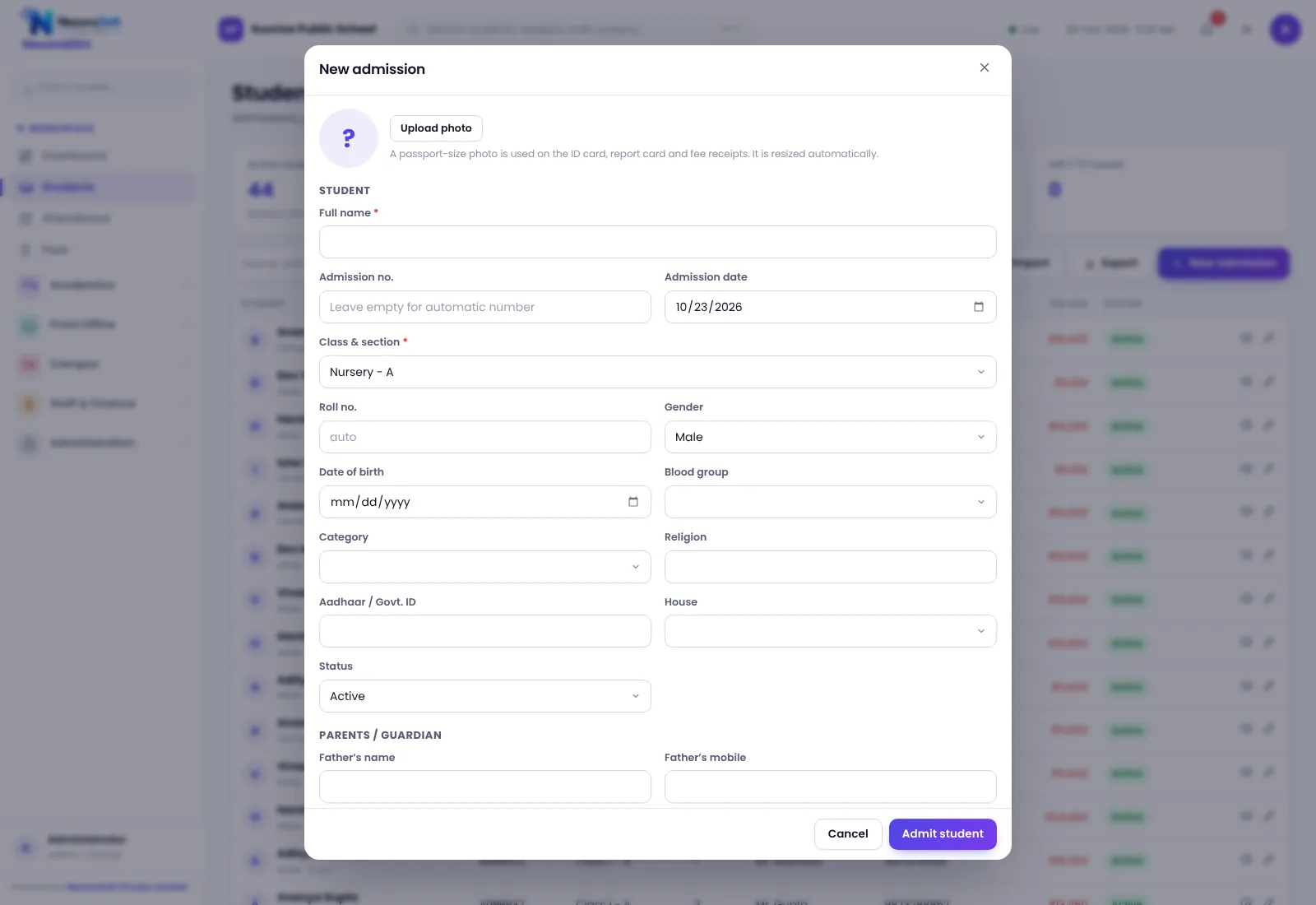
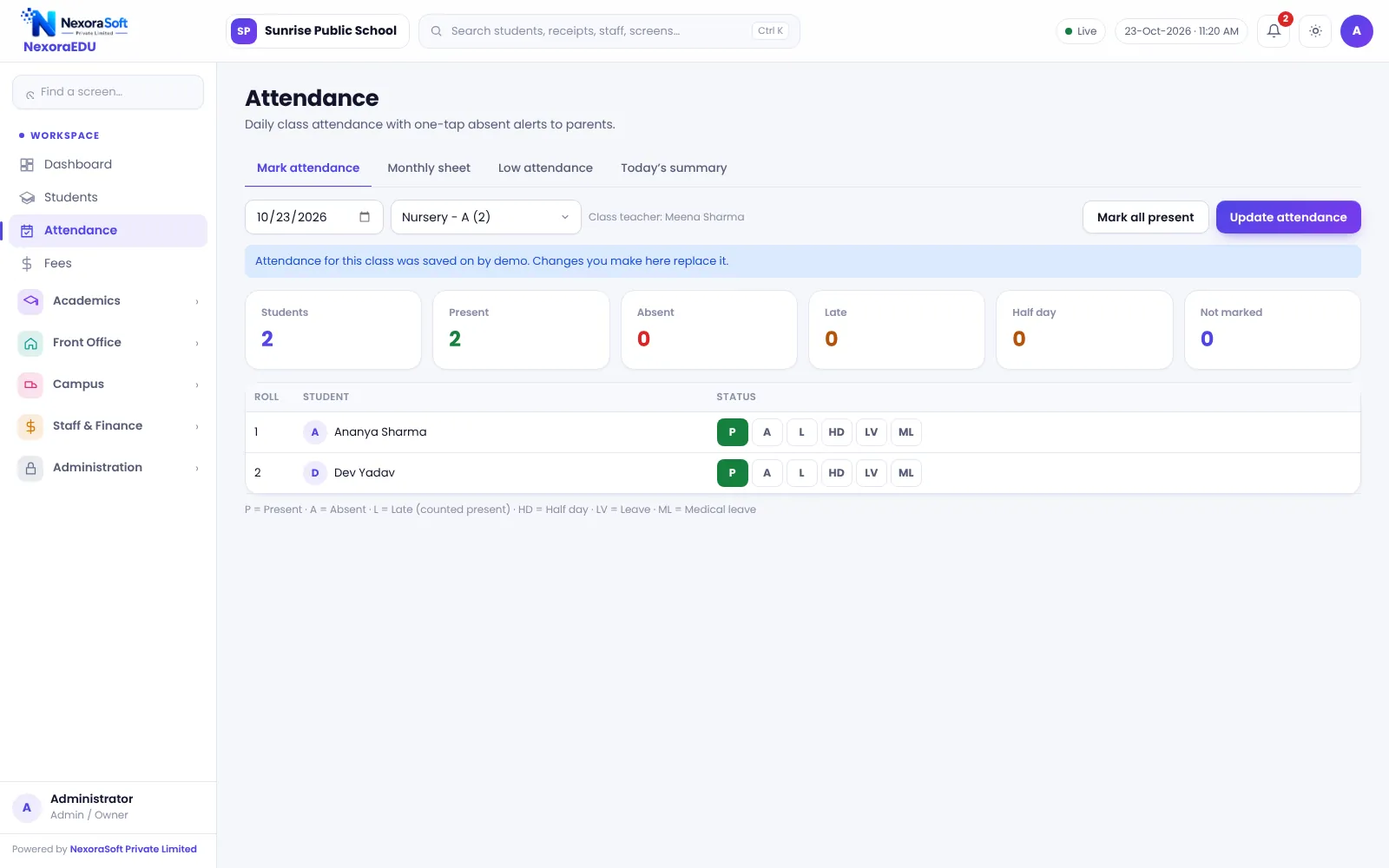
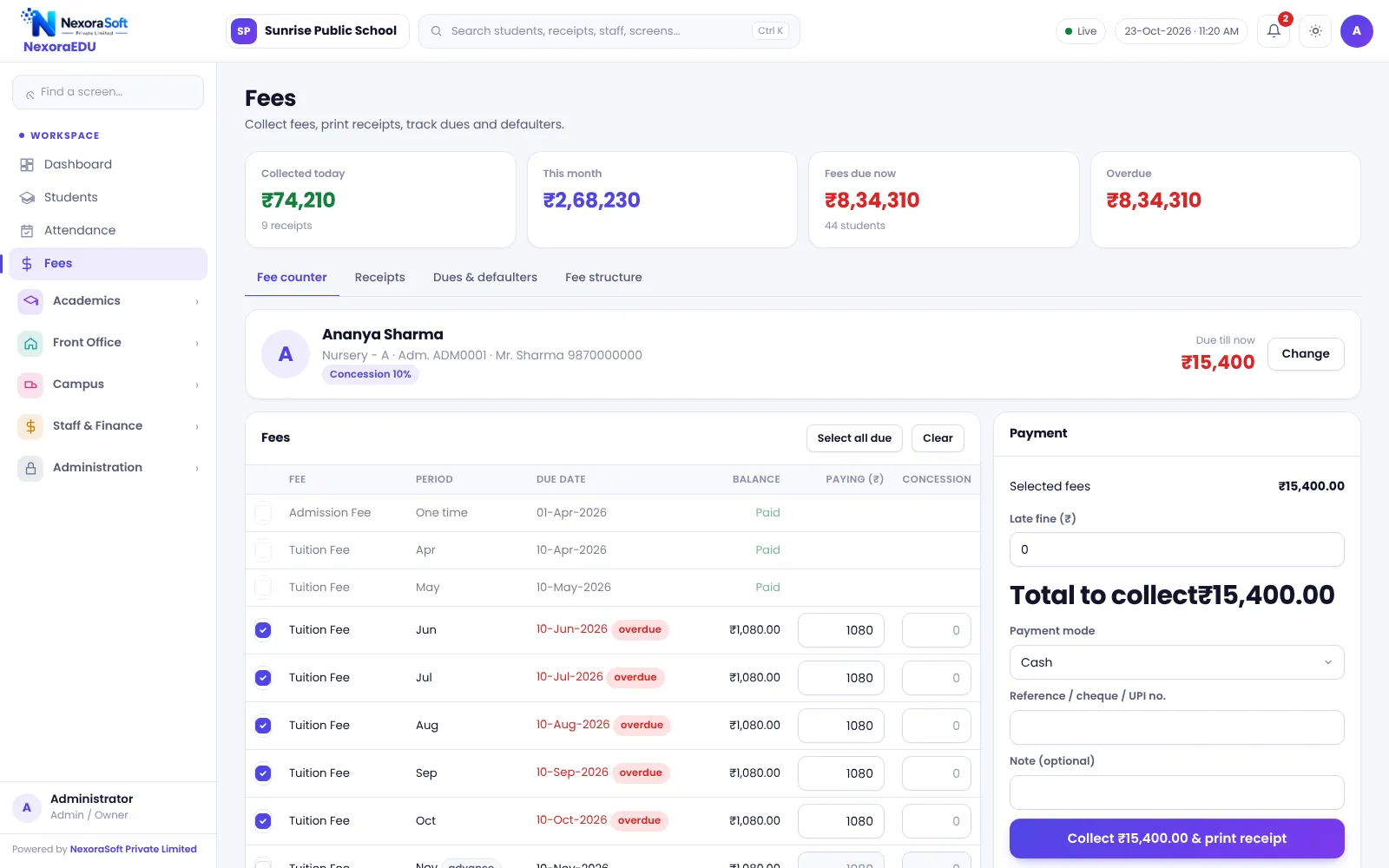
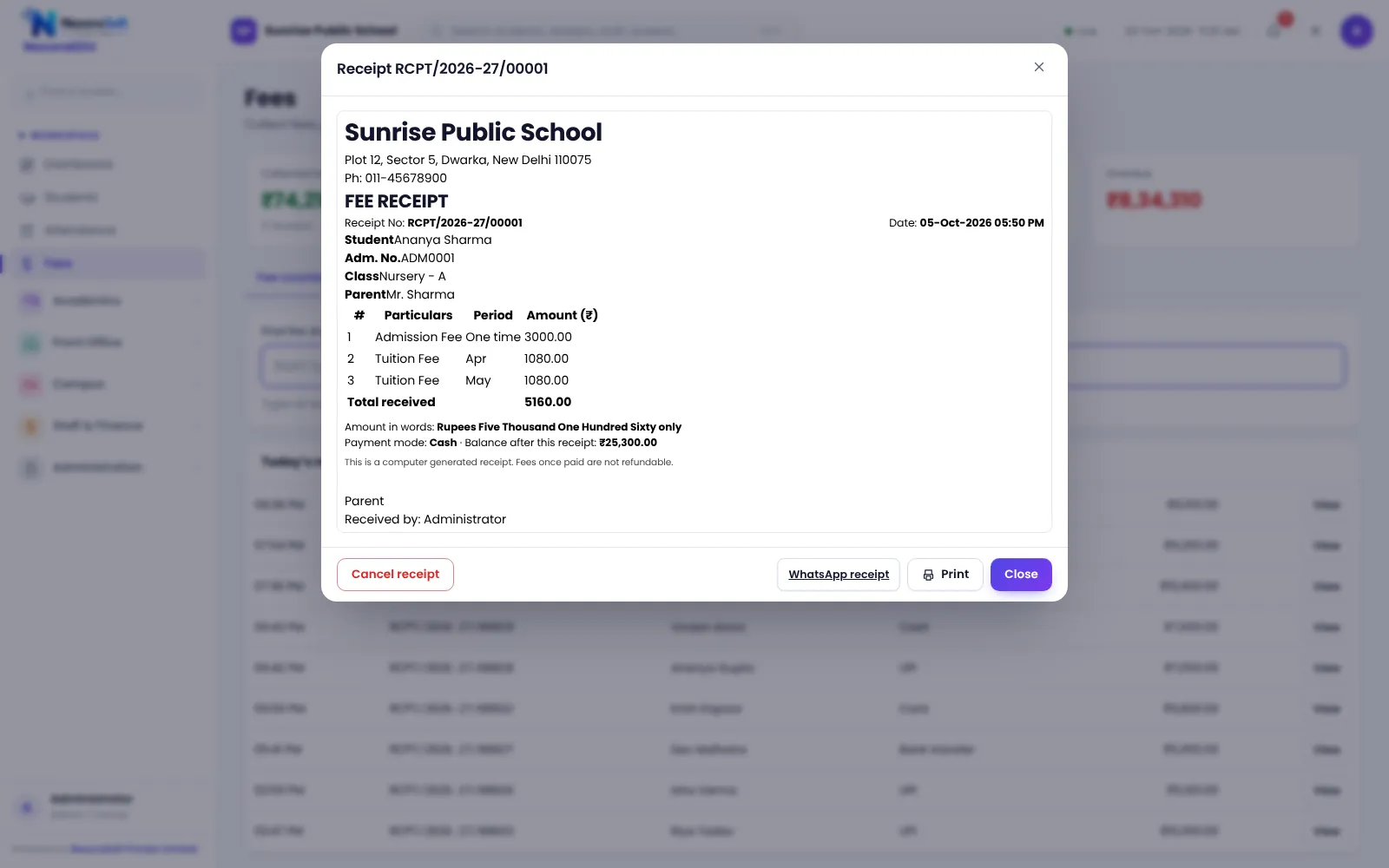
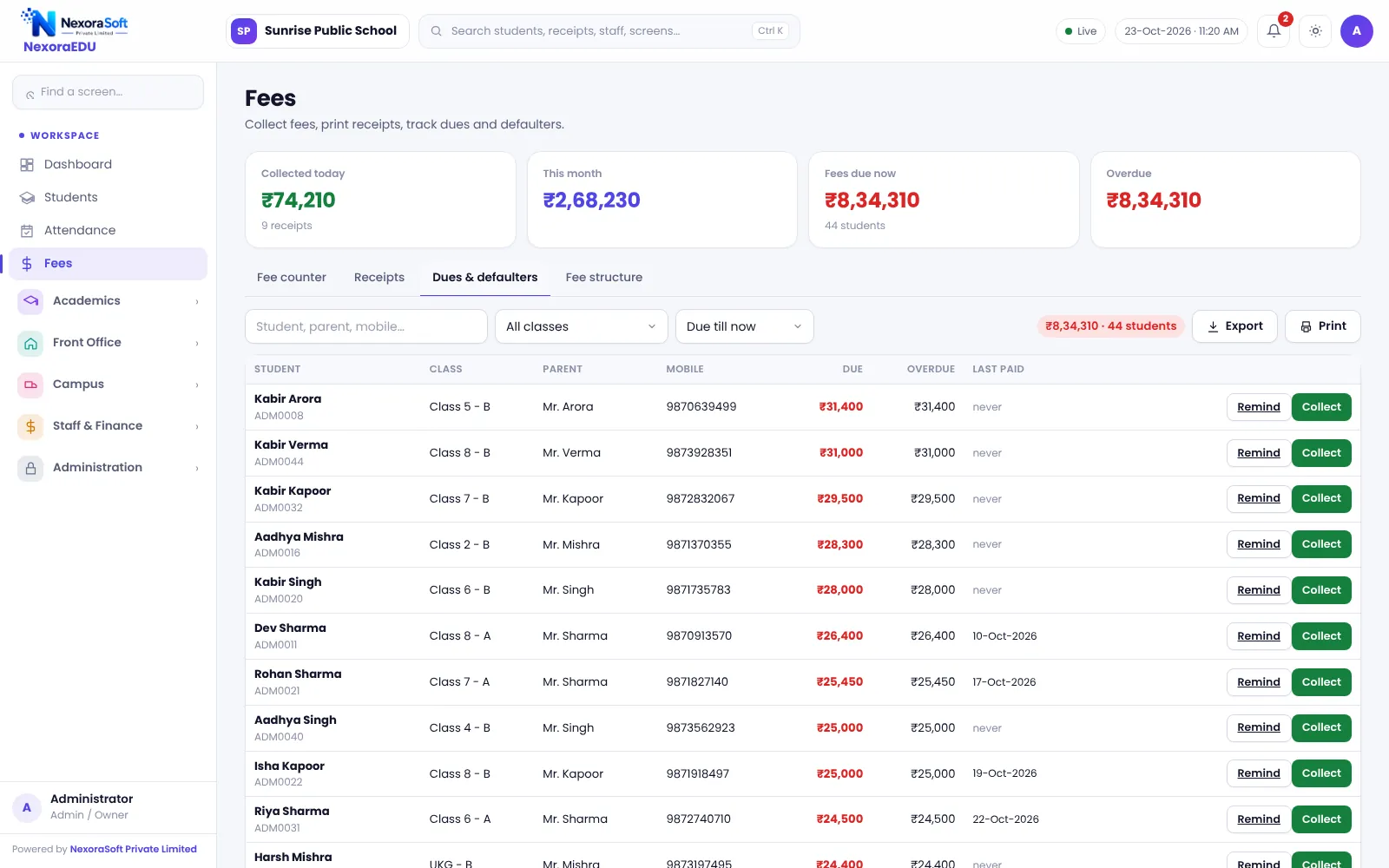
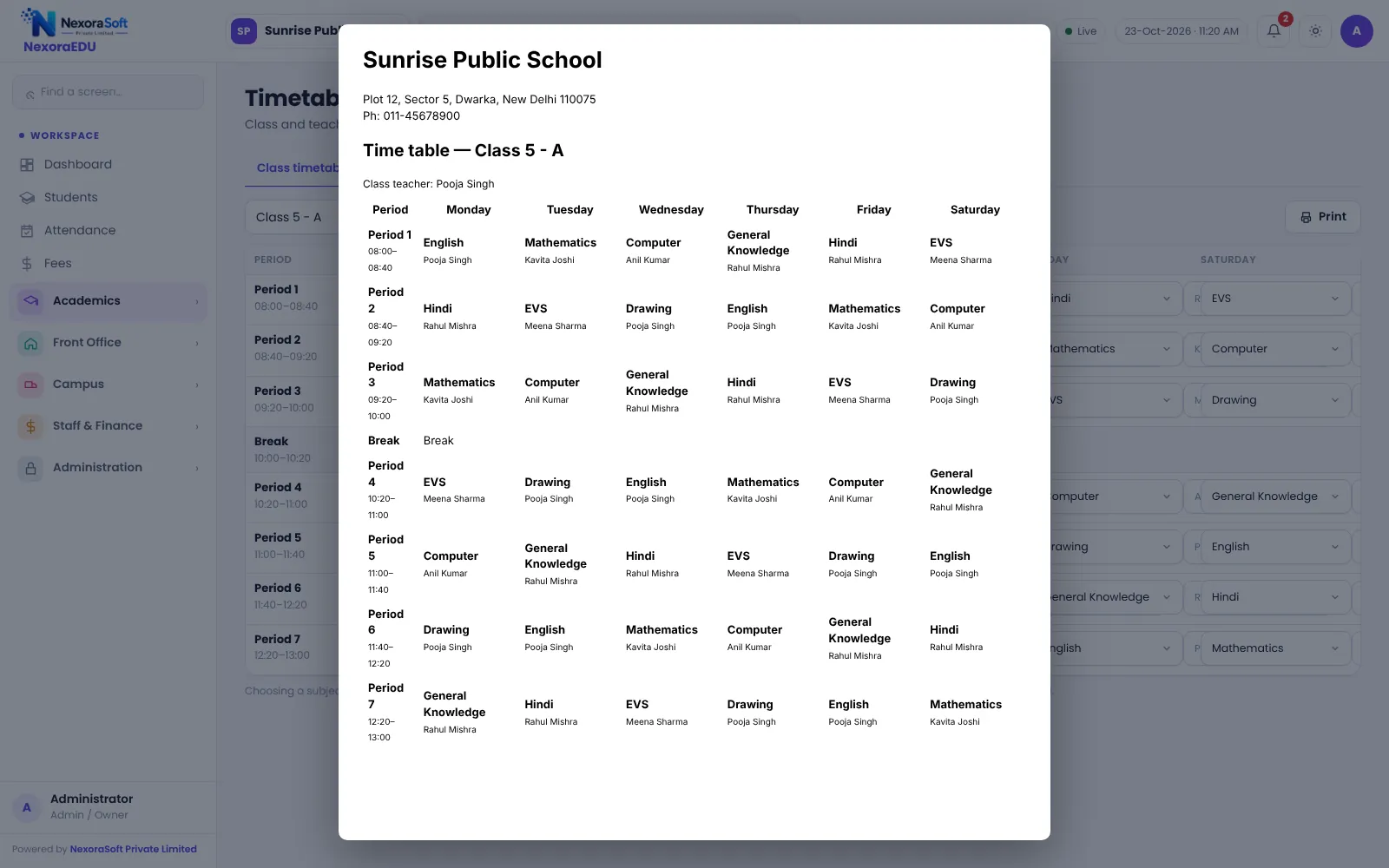
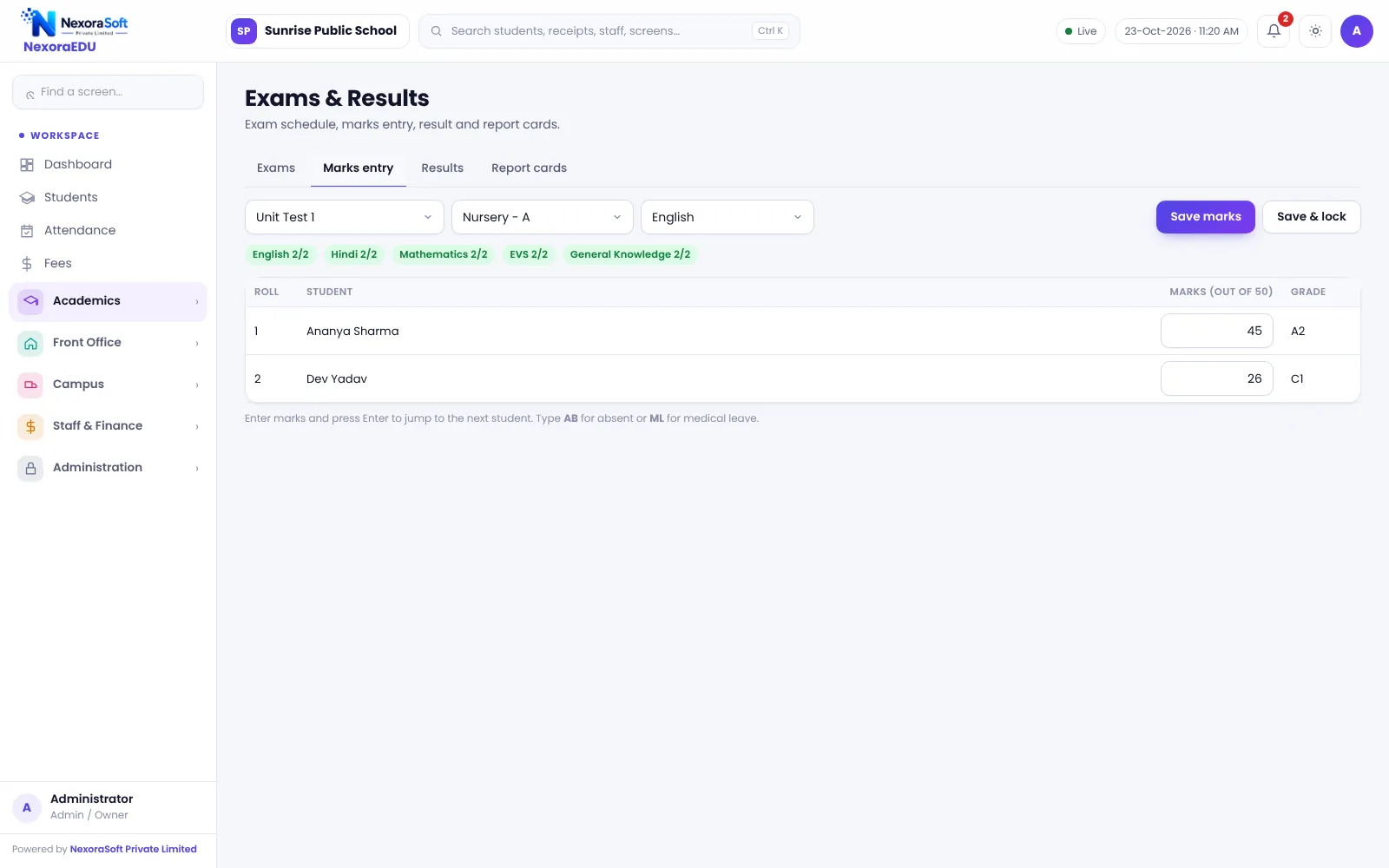
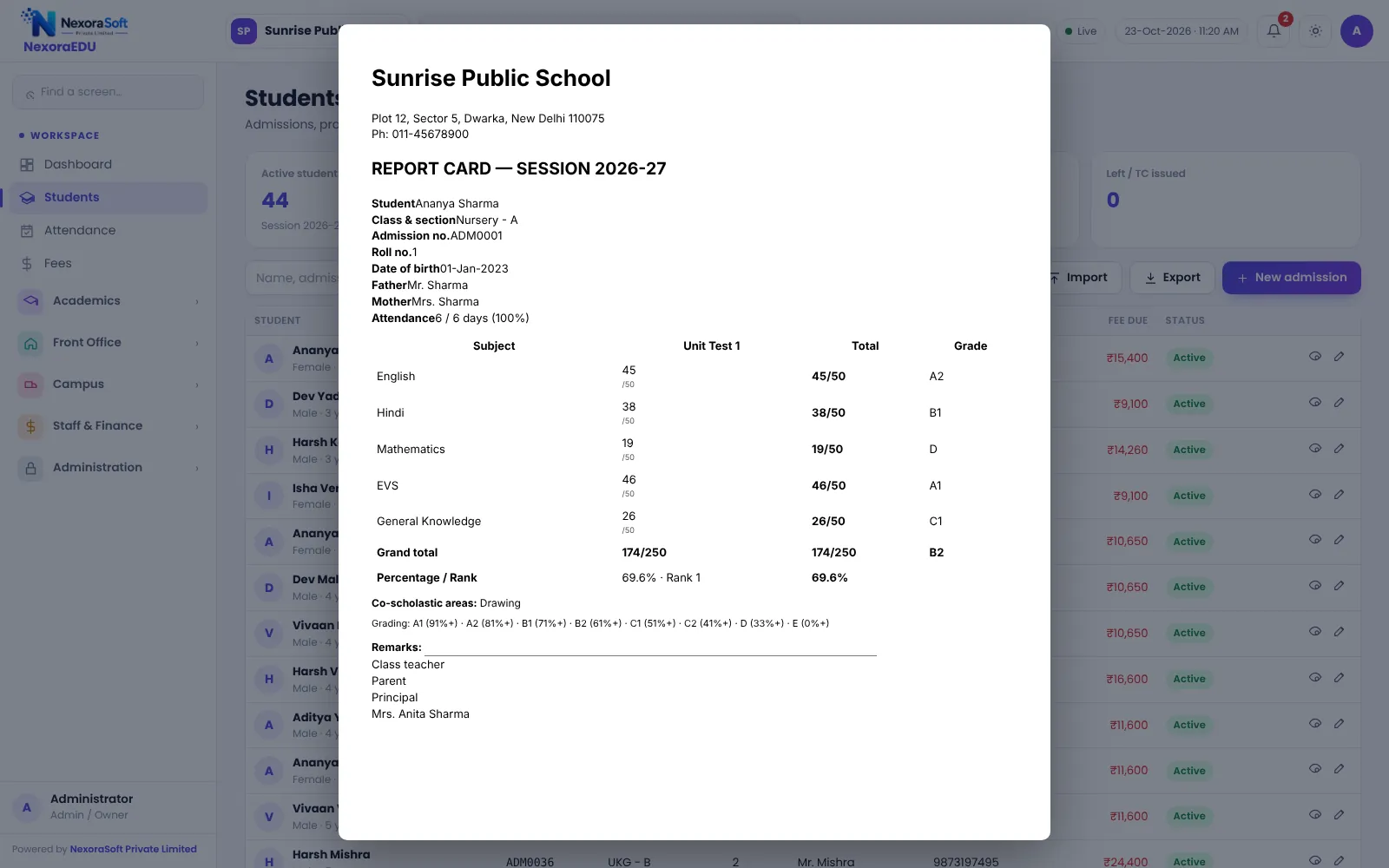
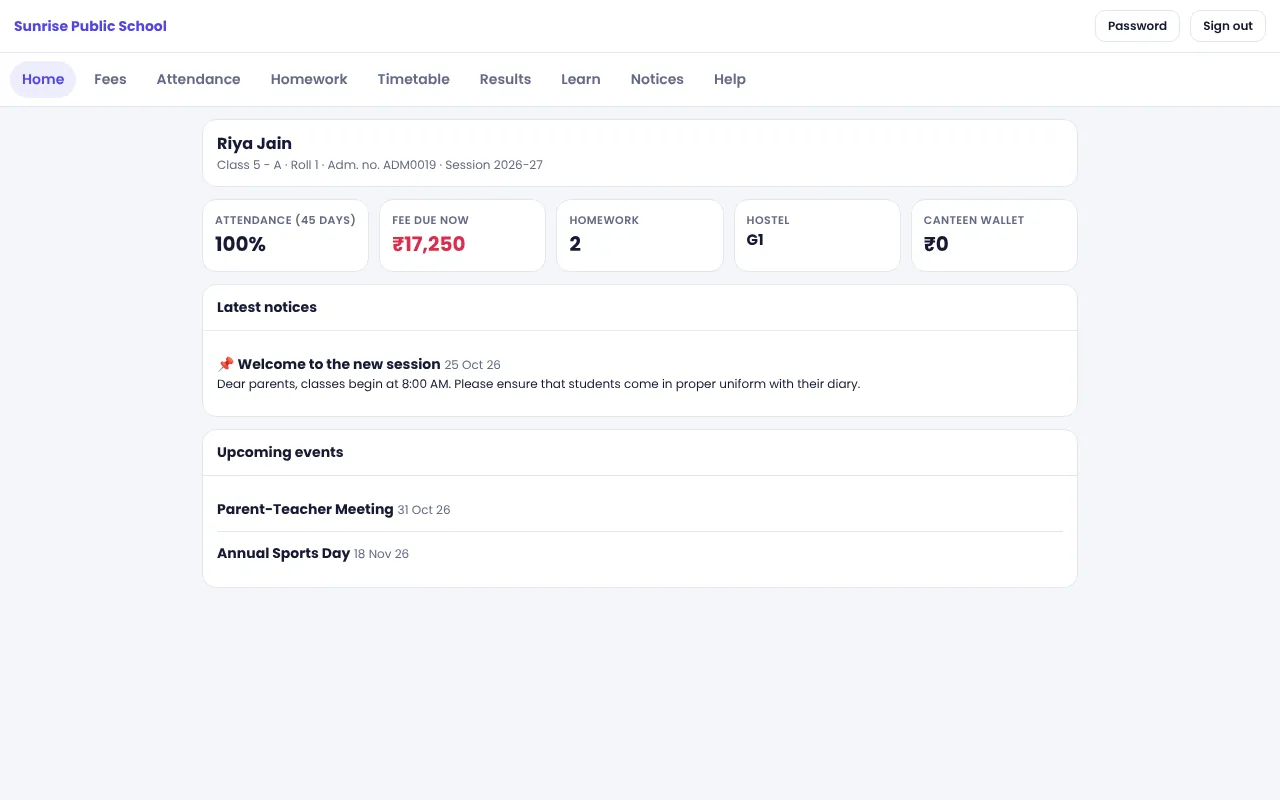
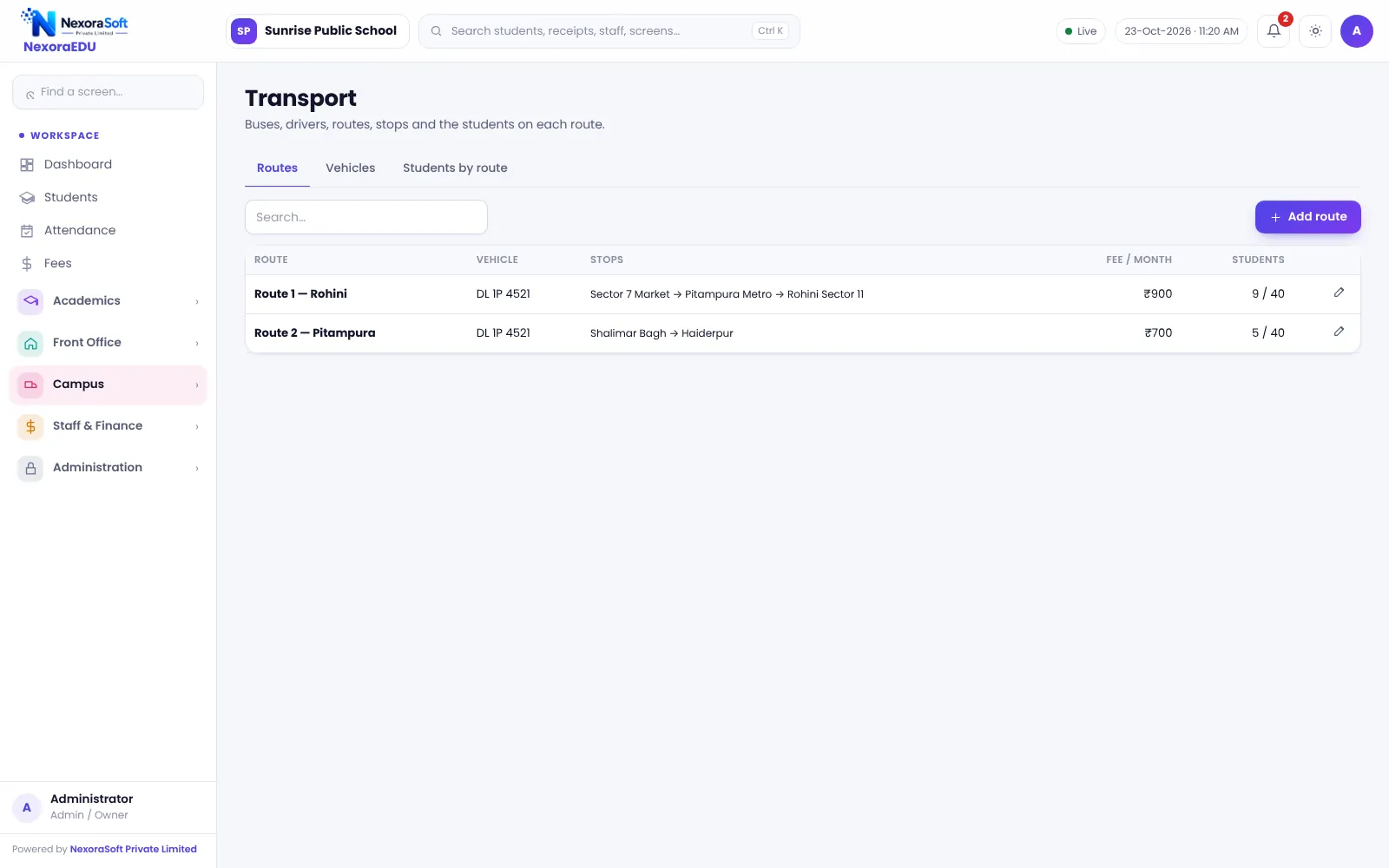
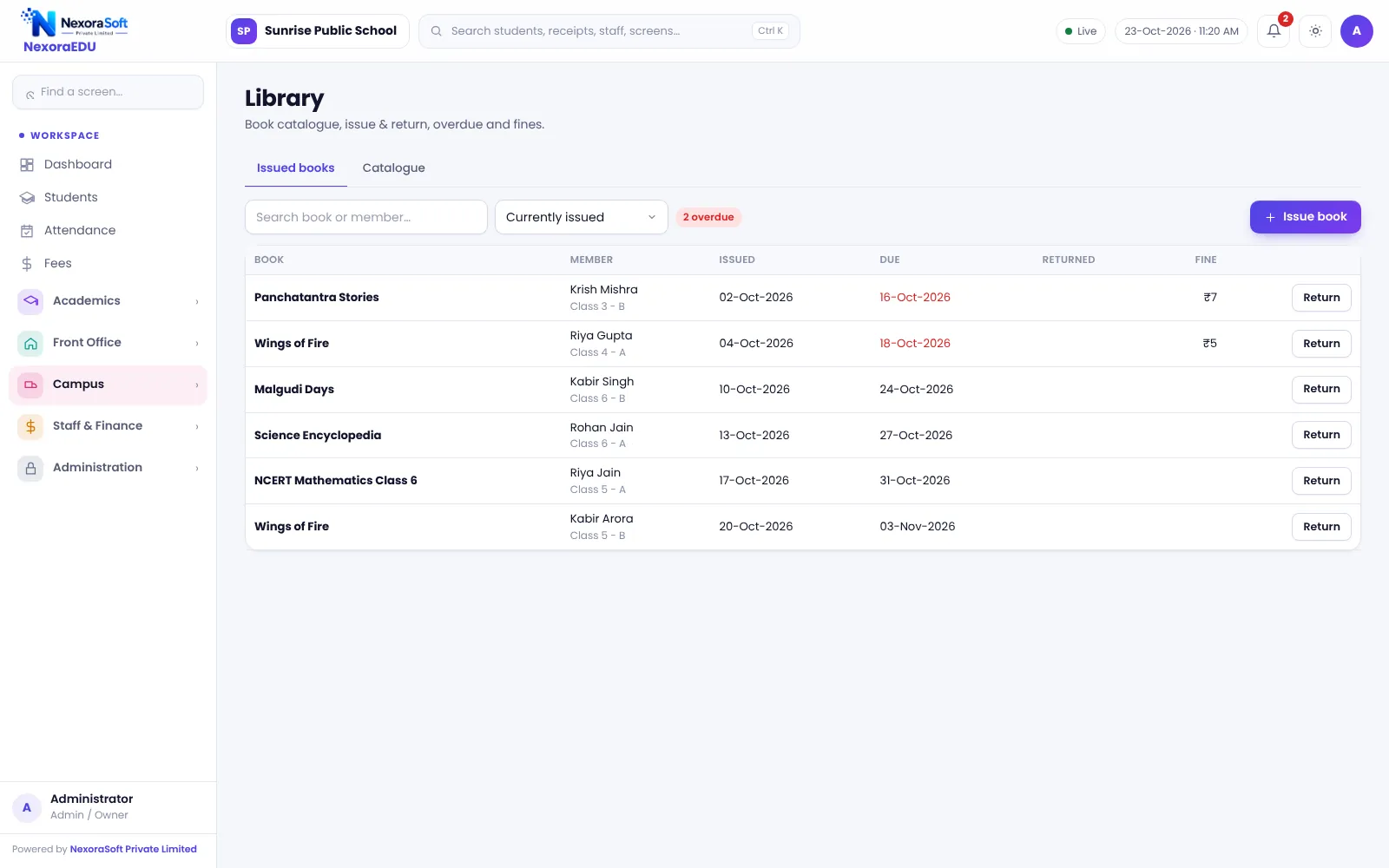
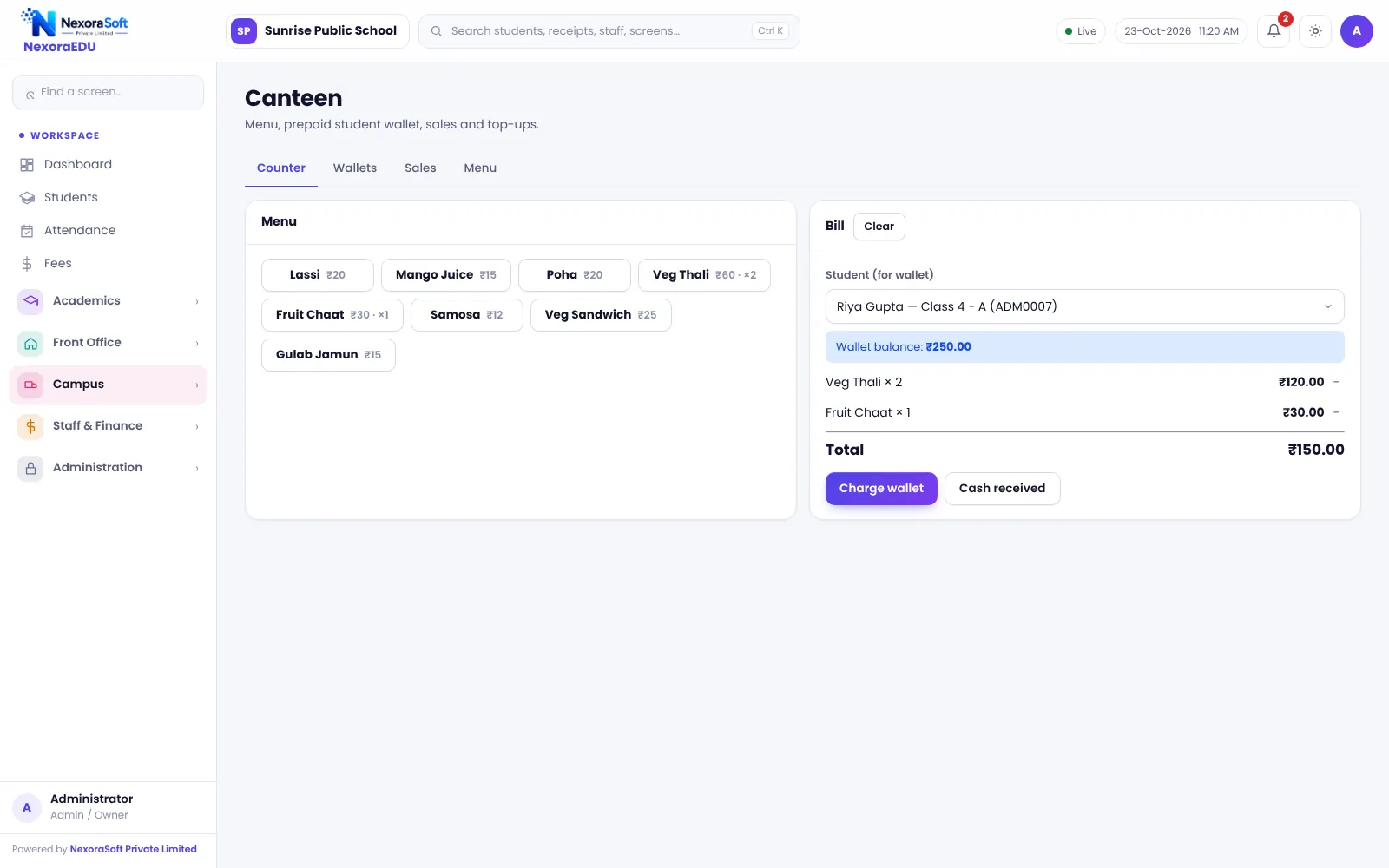
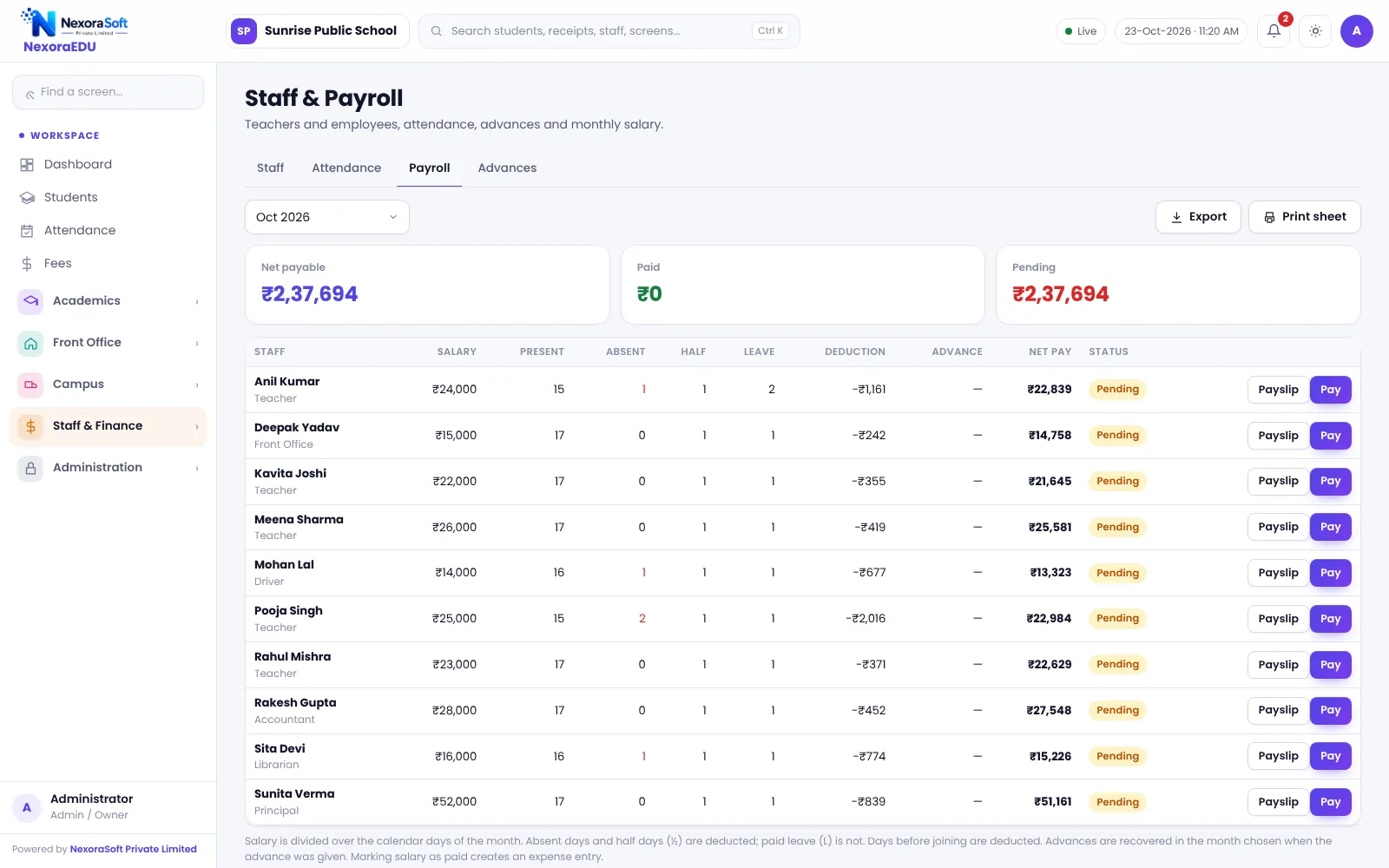
Student names, fees, marks and school details in these screenshots are fictional demo data.
How a School Year Runs in NexoraEDU
1. Set up the school
Add the school profile, classes, sections, subjects, fee heads and users, then import students from Excel.
2. Admit and enrol
Track enquiries, fill the admission form, attach documents and allot class, section and transport.
3. Run the day
Teachers mark attendance, the front desk logs visitors, and the timetable shows who teaches what.
4. Collect fees
The fee counter issues receipts, the dues list drives reminders, and parents can see receipts in the portal.
5. Exams and results
Create exams, enter marks, lock them, then print results and report cards with rank.
6. Close and promote
Review reports, take a backup, and use the new-session wizard to promote students.
School Management Topics: What NexoraEDU Covers
| Area | What you can do | Guide |
|---|---|---|
| Admissions | Enquiries, admission form, profile, TC and bonafide | Student admission & management |
| Attendance | Class-wise marking, monthly sheet, low-attendance alerts | Attendance management |
| Fees | Counter, receipts, concession, fine, dues and defaulters | Fee management |
| Online payment | Cashfree and PayU in the parent portal | Online fee payment |
| Timetable | Clash warning, teacher and class views, free teachers | Timetable management |
| Exams | Marks entry, lock, rank, grade, report cards | Exams & report cards |
| Parents | Web portal with attendance, fees, homework and results | Parent & student portal |
| Learning | Study material, assignments and timed quizzes | LMS & online quiz |
| Campus | Transport, library, hostel, canteen, inventory | Transport · Library · Hostel |
| Office & staff | Enquiries, visitors, notices, staff payroll | Front office · Staff payroll |
| Insight | Fee collection, strength and results reports | Reports & analytics |
Built for Control and Safety
Role-based access
Principal, accountant, teacher and front-office roles, with permissions checked on the server.
Teachers see their own classes
A teacher can open only the classes assigned to them, enforced by the server.
Principal PIN for concessions
Fee concessions and sensitive changes can need a principal PIN.
Backup and audit
Daily server backup (last 14 kept), downloadable backup file and an audit log of important actions.
What NexoraEDU Does Not Do Yet
We would rather you hear the limits from us than discover them after go-live. NexoraEDU has no mobile app; the parent portal is a web portal that needs an internet connection. WhatsApp messages are click-to-send, with no SMS gateway or automatic WhatsApp API. There is no biometric, RFID or face attendance, no GPS bus tracking, no gate-pass or pick-up authorisation, no online admission form for your website, and no automatic teacher substitution on leave. Online payment works only with the school’s own Cashfree or PayU account, and needs https. It is school software, not a college or university system.
The software ships with a default administrator login that must be changed at first use, and a few of the items above are planned for a later release. If one of these is essential for you, tell us during the demo. Custom development is available from NexoraSoft.
School Management Topics: Go Deeper
Each guide covers one area of running a school in detail, with the real NexoraEDU screen that handles it.
Student Admission & Management SoftwareSchool Attendance Management SoftwareSchool Fee Management & Collection SoftwareOnline School Fee Payment SoftwareSchool Timetable Management SoftwareExam, Result & Report Card SoftwareParent & Student Portal SoftwareSchool LMS, Assignment & Online Quiz SoftwareSchool Transport Management SoftwareSchool Library Management SoftwareSchool Hostel Management SoftwareSchool Canteen & Prepaid Wallet SoftwareSchool Inventory & Stock Management SoftwareSchool Front Office, Enquiry & Visitor SoftwareSchool Staff Attendance & Payroll SoftwareSchool Reports & Analytics SoftwareSchool Management Software Pricing in India
School Software by School Type
Pick the page closest to your institution to see which NexoraEDU modules matter most for you.
Education Software Solutions for SchoolsSchool Software for CBSE SchoolsSchool Software for ICSE & ISC SchoolsSchool Software for State Board SchoolsSchool Software for IB & International SchoolsSchool Software for Preschools & Play SchoolsSchool Software for Boarding & Residential SchoolsSoftware for Coaching Institutes & Tuition CentresSchool Software for Small & Budget Private Schools
School Management Software in Delhi NCR
NexoraSoft is based in Delhi and supports schools across the NCR and India.
School Management Software in DelhiSchool Management Software in Delhi NCRSchool Management Software in NoidaSchool Management Software in GurgaonSchool Management Software in GhaziabadSchool Management Software in Faridabad
School Management Articles and Guides
Practical guides on fee collection, attendance, timetables, report cards, parent communication, admissions, transport, library and data security.
What Is School Management Software?Best School Management Software in India: Features to CheckHow to Choose School Management SoftwareSchool Fee Collection: How to Reduce DefaultersSchool Attendance Management GuideClash-Free School Timetable GuideReport Card and Grading System GuideParent-Teacher Communication with a School PortalSchool Admission Process: Enquiry to EnrolmentSchool Transport Route and Fee ManagementSchool Library Management GuideSchool ERP vs Excel and Paper RegistersSchool Data Security, Backup and User RolesHow to Implement School Software for a New SessionOnline Quizzes and Assignments in a School LMSSchool Canteen and Hostel Management Tips
School Management Software India – FAQ
School management software is the system a school uses to run daily work: admissions, student records, attendance, fee collection and receipts, timetable, exams and report cards, staff, transport, library and communication with parents. NexoraEDU keeps all of these in one place so the fee counter, class teachers and principal read the same data. Read what is school management software for a plain-language guide.
Yes for day-to-day school administration. It covers students, attendance, fees, academics, exams, front office, transport, library, hostel, canteen wallet, inventory, health records, staff payroll, reports, users and roles, and a parent and student portal. It is not a college or university system, and a few things such as biometric attendance and an app are listed honestly under limits below. See the education software solutions overview.
NexoraEDU can be set up for CBSE, ICSE and ISC, State Board and IB schools, because classes, subjects, exam terms and grade scale are configured by the school and not fixed. It also suits pre-schools, boarding schools and small private schools. See CBSE schools, ICSE and ISC schools and State Board schools.
At the fee counter the cashier searches the student, selects the fee heads due, applies a concession or late fine, takes cash, UPI, card or cheque and prints an A4 or thermal receipt. Part payment is supported, and a concession can need a principal PIN. Receipts can be cancelled with a reason, and the dues and defaulters list shows what is pending by class. See school fee management software.
Yes, if the school enables it. NexoraEDU has Cashfree and PayU payment options in the parent portal, but they work only with the school’s own gateway account and keys and need a secure https website. We have not tested them against live gateways for your account, so we run a test payment with you during setup. See online school fee payment software.
Yes. Parents and students log in on a web portal with separate logins to see attendance, fee dues and receipts, homework, timetable, results, notices and events, study material, assignments, online quizzes and a helpdesk. It works in any phone or desktop browser. It is a web portal and not a downloadable mobile app. See parent and student portal software.
No. There is no Android or iOS app in this version. The parent portal is a responsive web portal that opens in a phone browser, and the screens in this guide include a phone view. The portal needs an internet connection to the server, so it does not work offline. If a branded app is essential for your school, tell us during the demo; custom development is available.
Not automatically. WhatsApp messages for absent students, fee reminders and notices are click-to-send: the software prepares the message and opens WhatsApp so staff can send it. There is no SMS gateway or WhatsApp API automation in this version. If you want automated messaging, NexoraSoft also offers the WhatsApp Business API as a separate service.
No. Attendance is marked by teachers class-wise on screen, with a monthly sheet, a low-attendance list and a today’s summary. Biometric, RFID and face-recognition devices are not part of this version. See school attendance management software for what is supported today and how to run it smoothly.
Yes. You assign subjects, teachers and periods for each class and the software warns about a teacher or class clash. You can view a class timetable, a teacher timetable and which teachers are free in a period, and print them. It does not auto-generate the whole timetable or manage teacher leave substitution automatically in this version. See school timetable management software.
Teachers enter subject-wise marks for each exam and the school locks them after checking. The software then calculates totals, percentage, grade from your grade scale and class rank, and prints report cards with attendance and remarks. Exact formats follow the school’s own settings, so confirm your board pattern in the demo. See exam, result and report card software.
Yes. A canteen counter bills items against a prepaid student wallet or cash, with wallet top-ups and sales reports. Inventory tracks uniforms, books and stationery with stock in, stock out and a trail. See canteen and wallet software and school inventory software.
Yes. You can keep staff records, mark staff attendance, run monthly payroll with payslips, and record advances. It is intended for a school’s own teaching and non-teaching staff. For deeper PF, ESI, TDS and statutory payroll, see NexoraSoft’s separate payroll software for schools. See also school staff attendance and payroll software.
Users get roles such as principal, accountant, teacher and front office, and permissions are enforced on the server, not only hidden in the menu. Teachers see only their own classes. Sensitive actions are recorded in an audit log, the server keeps daily backups (the last 14 copies), and you can download a backup file. Use strong passwords, and change the default login at first use. See school data security, backup and roles.
NexoraEDU is multi-school by design: each licence key gives a school its own separate tables, so one school cannot see another school’s data. A group with several branches would normally hold one licence per branch. A combined head-office dashboard across branches is not part of this version. Ask us in the demo if you need it.
A typical school can be set up in a few days: school profile, classes and sections, subjects, fee heads and structure, staff and users, and student import from Excel. Training for the fee counter and teachers is done in a short session. Timing depends on how clean your student data is. See how to implement school software for a new session.
Yes. NexoraSoft offers a free live demo with sample school data, and you can share a few classes and your fee structure so the demo looks like your school. Call +91 98115 51004 or email info@nxorasoft.com. There is no obligation, and we normally respond within 24 hours.
Price depends on the number of students, the modules you need, hosting and setup, and training. NexoraSoft gives a fixed-scope quote after a free demo, so you pay for what your school will actually use. See school management software pricing in India for what drives cost.
See NexoraEDU Working for Your School
Share your classes, fee structure and workflow and get a free live demo of NexoraEDU. No commitment; we typically respond within 24 hours.