Home › Payroll Software in India › Multi-Branch Payroll Software in India
Industry PayrollMulti-Branch Payroll Software One Payroll for All Locations
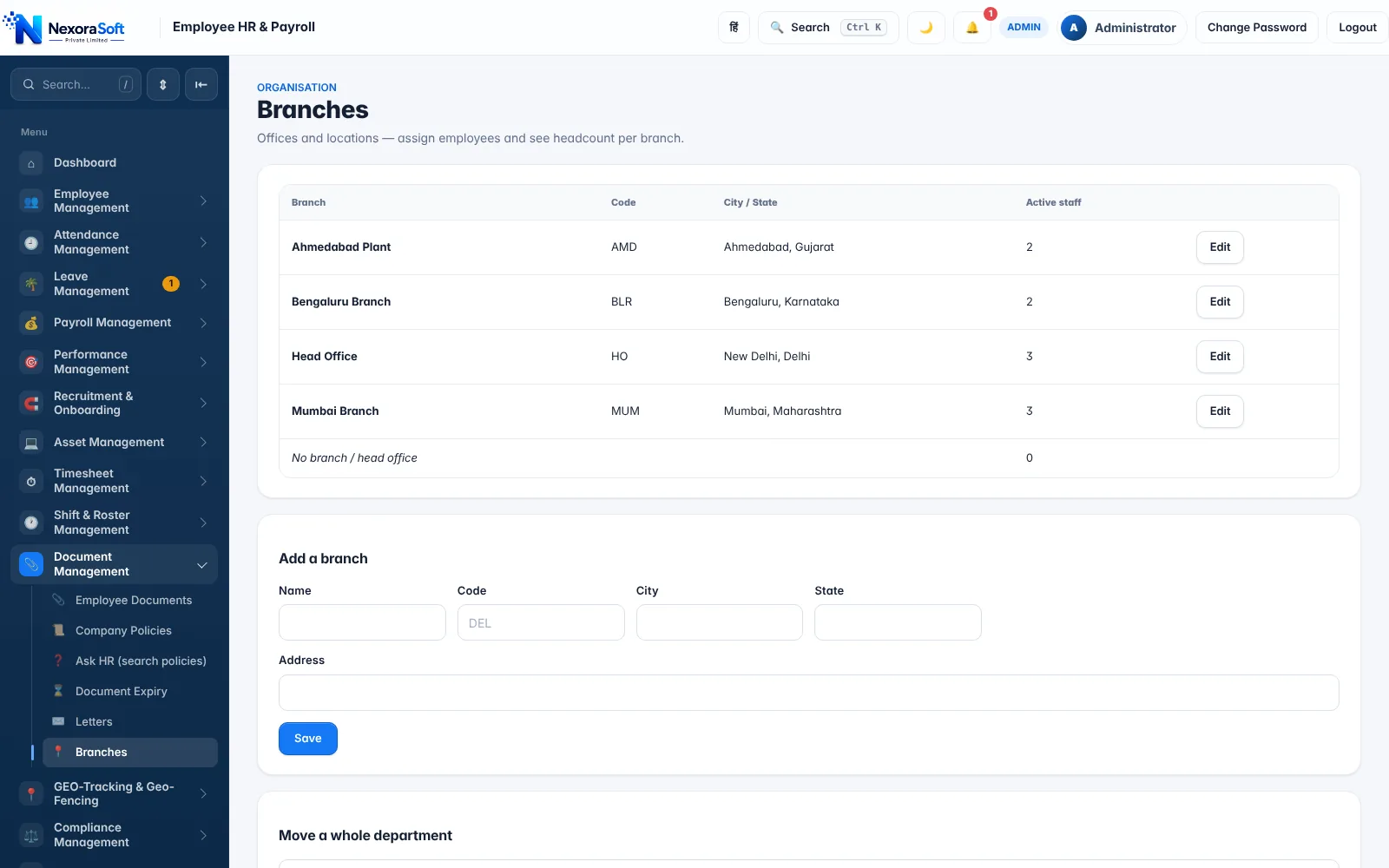
When employees sit in many branches and states, payroll must stay central while reports, approvals and statutory rules follow each location. NexoraHRMS does that with a branch master and work-state mapping.
Branch masterWork-state PTRole-based accessBranch-wise reports
What Makes Payroll Different Here
Growth means more offices, plants or stores, often across state lines. Payroll teams then juggle different state rules, local approvers and cost-centre reporting, which spreadsheets cannot do safely.
Payroll Challenges and How NexoraHRMS Handles Them
Branch master
Offices, plants and stores are set up with city and state, and every employee is assigned to a branch.
Work-state rules
Professional Tax and Labour Welfare Fund follow each employee's work state, so a Pune and a Bengaluru employee are treated differently.
Role-based access
Admin, HR manager, finance viewer, manager and employee roles limit who sees salary and personal data.
Branch-wise reports
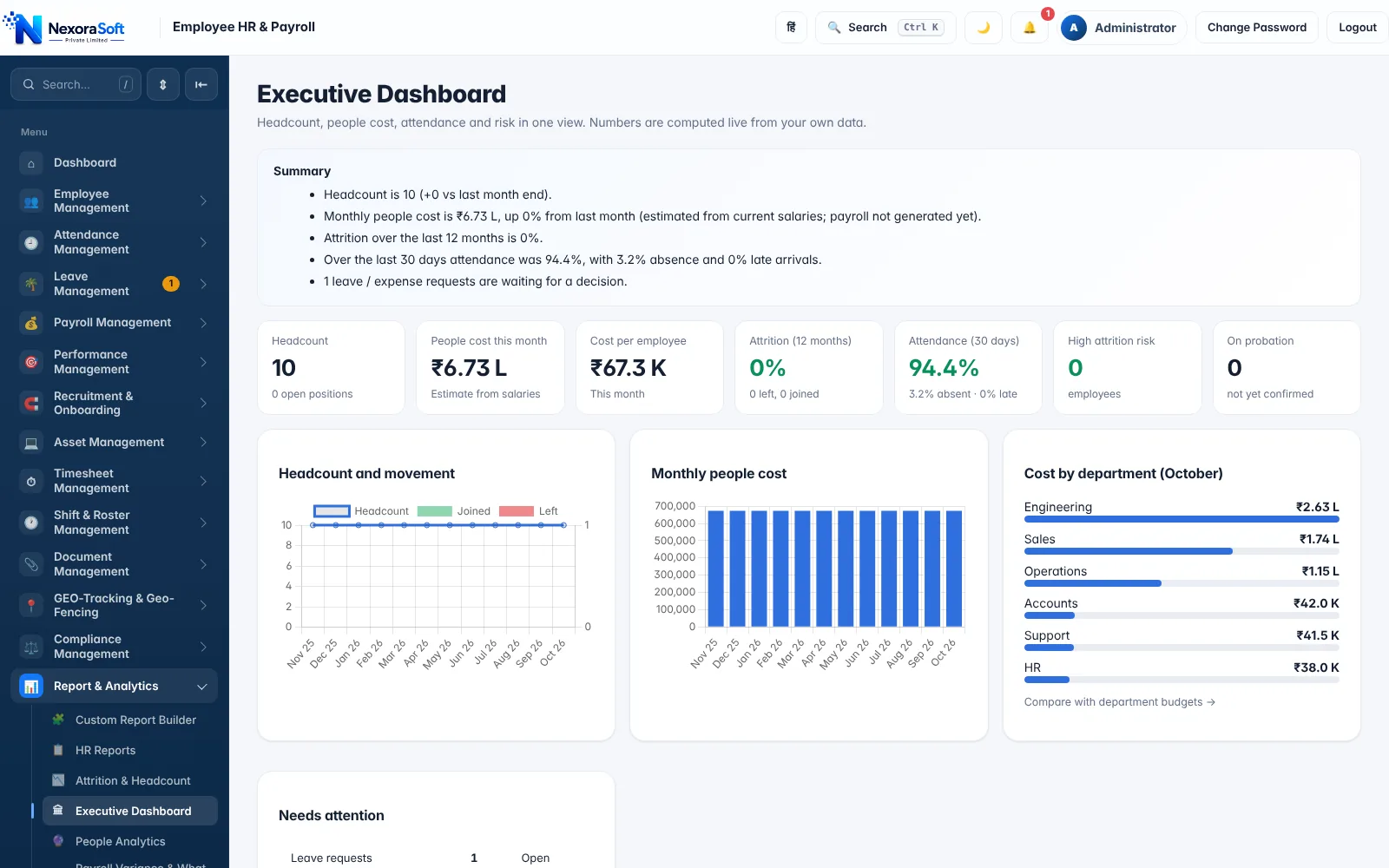
Filter payroll, attendance and headcount by branch and department, with an executive dashboard for leadership.
Approvals
Managers approve leave and corrections for their teams; HR and finance handle the rest.
One bank and Tally flow
One payroll file for the company, with a consolidated Tally voucher and bank file.
Central Payroll, Local Rules
Run one payroll for the whole company; the system applies each branch's rules where they differ. Branch-wise filters answer finance questions (cost per branch, headcount per state) without exporting to Excel.
Where each legal entity has its own PF, ESI and PAN registrations, we recommend one installation per entity, keeping statutory files and signatories clean. For a group of companies we can help set up and maintain several installations.
- Branch and department filters
- State-wise PT and LWF
- Executive dashboard and cost by department
- Separate installation per legal entity
Multi-Branch Payroll: Task to Feature
| Task | Feature |
|---|---|
| Employees by location | Branch master and employee branch field |
| State-specific deductions | Work state, PT slabs, LWF |
| Access by role | Role-based access, manager view |
| Cost analysis | Executive dashboard, budget vs actual |
| Group of companies | One installation per legal entity |
| Accounts | Tally XML and bank file |
Multi-company consolidation across legal entities is handled through separate installations and custom reporting; discuss your structure on a demo call.
Related Payroll Guides
Payroll Software in India (full guide)Payroll Management SoftwareProfessional Tax SoftwareRetailDelhi NCR
Multi-Branch Payroll Software in India – FAQ
Yes. Branches and departments are supported with branch-wise reports and role-based access.
Entities with separate PF, ESI and PAN registrations should use separate installations. We can set these up for a group.
Yes. PT follows each employee's work state with state-wise slabs.
Only if you assign a role that allows it. Managers can approve requests without seeing salary.
Yes. Reports and the executive dashboard filter by branch and department.
The export is a consolidated monthly journal voucher; branch-wise accounting can be added through custom integration.
See NexoraHRMS Payroll on Your Own Data
Share your salary structure and get a free live demo of NexoraHRMS & Payroll. No commitment; we typically respond within 24 hours.