Home › Payroll Software in India › Payroll Management Software in India
Payroll SoftwarePayroll Management Software for Indian Businesses
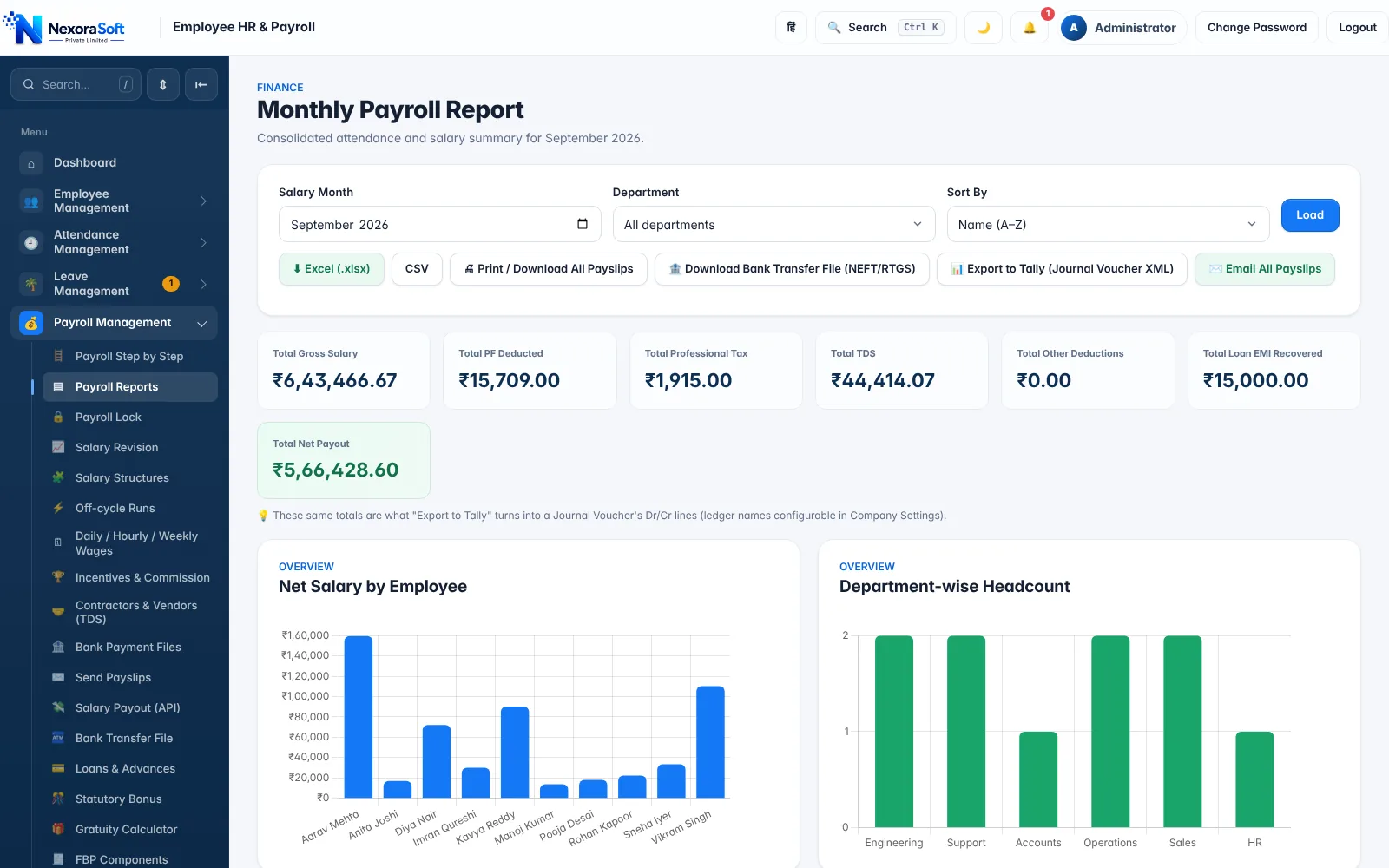
Payroll management is more than calculating salary. It is the whole monthly cycle: inputs, calculation, checks, approval, payment and filing. NexoraHRMS runs that cycle in one payroll management system built for Indian statutory rules.
Month lock & sign-offPre-check before payRole-based accessAudit trail
What Payroll Management Software Should Cover
Many tools stop at the payslip. A payroll management system for India has to handle the work before the calculation (attendance, leave, loans, arrears, declarations) and the work after it (approval, payment, accounting entries and statutory returns). If any of those live outside the software, they live in Excel, and the errors come back.
NexoraHRMS treats payroll as a pipeline with a clear order, so every month follows the same path and nothing is skipped.
The Monthly Payroll Management Cycle
Inputs
Attendance, leave, overtime, loans, advances, expense claims and one-time earnings are collected and approved.
Calculation
Salary structure, payable days, PF, ESI, Professional Tax and TDS produce a live preview of net pay.
Control
A pre-check flags duplicate PAN or bank accounts, missing IFSC or UAN, negative net pay and large pay jumps.
Approval & lock
Four-step sign-off (Draft, Reviewed, Approved, Disbursed), then the month is locked so payslips cannot change.
Pay & account
Bank payment file, payslip email and Tally journal voucher are generated from the locked figures.
File & report
ECR, ESI challan, Form 24Q summary, annual TDS statement, Form 16 and registers come from the same data.
Payroll Step by Step, With a Month Lock
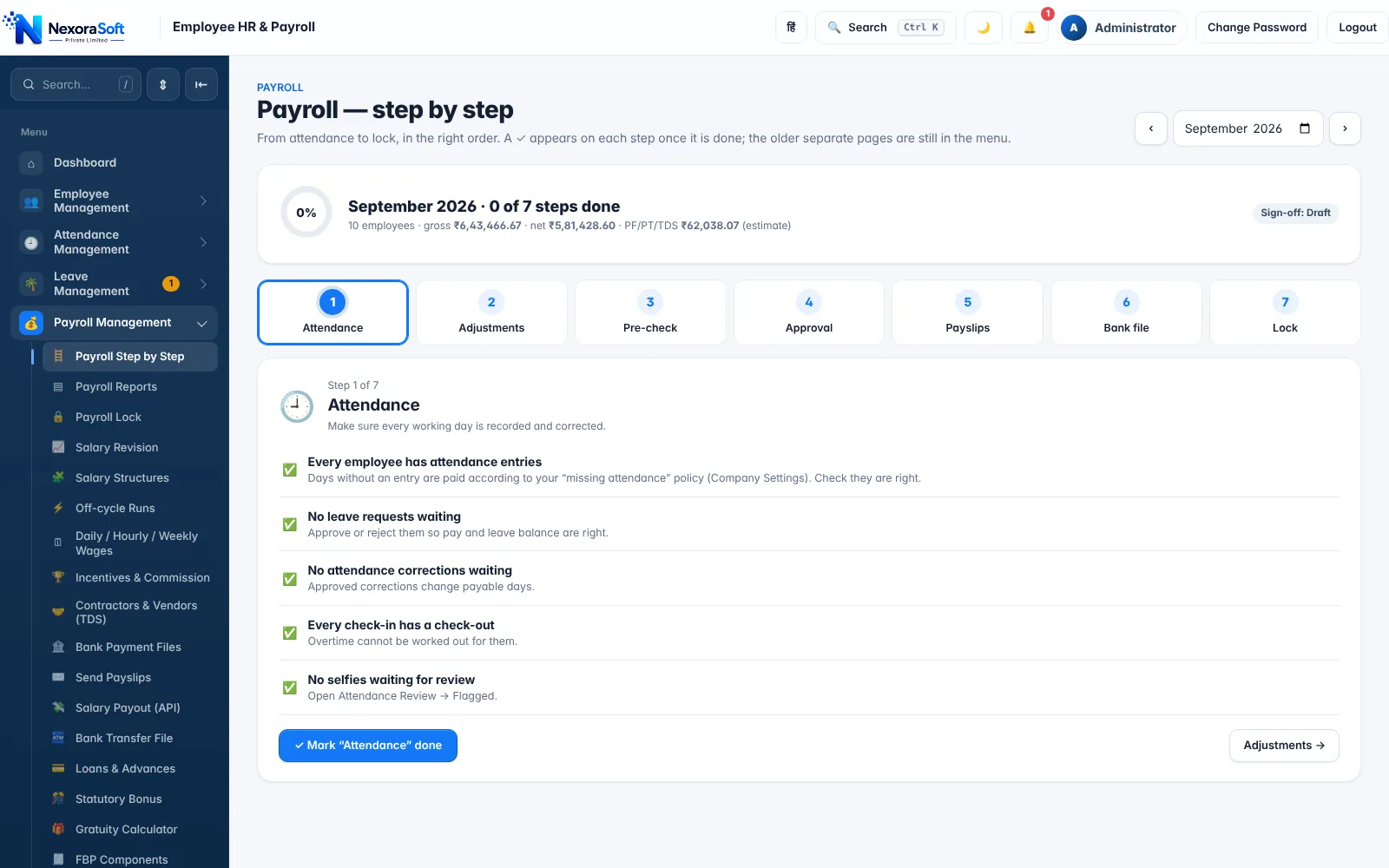
The "Payroll — step by step" screen walks HR through the seven stages in order: Attendance, Adjustments, Pre-check, Approval, Payslips, Bank file and Lock. Each stage shows what is done and what is left, so a new HR executive can run payroll without a handover document.
Lock is the control that matters most to auditors. Once a month is locked, payslips, bank file and statutory figures are frozen, and a change needs a deliberate, logged unlock.
- One screen shows the progress of the whole month
- Pre-lock checks list pending leave, attendance corrections and expense claims
- Locked months are protected from edits
- Audit trail records who approved and who locked
Roles, Approvals and an Audit Trail
Payroll data is sensitive, so access is role-based: admin, HR manager, finance viewer and employee each see only what they need. HR managers, for example, do not see salary figures on the dashboard. Salary revisions can require dual control, where one person requests and another approves.
Every important change is logged, and an auditor report plus a customer audit and backup export give you a clean evidence pack at year-end.
- Role-based access with salary hidden from roles that do not need it
- Dual-control salary revision and approval matrix
- Activity log and change history on employee records
- Optional two-step sign-in for admin and HR accounts
Modules Around Payroll
Attendance & Leave
Selfie/GPS, kiosk and biometric import feed payable days. Attendance payroll.
Payslips
Branded PDF payslips with bulk email. Payslip software.
Compliance
PF, ESI, PT, TDS and registers. Compliance software.
Accounting & Bank
Tally XML and bank files. Tally integration.
HRMS Core
Employee records, onboarding, performance, assets. HRMS software.
Reports
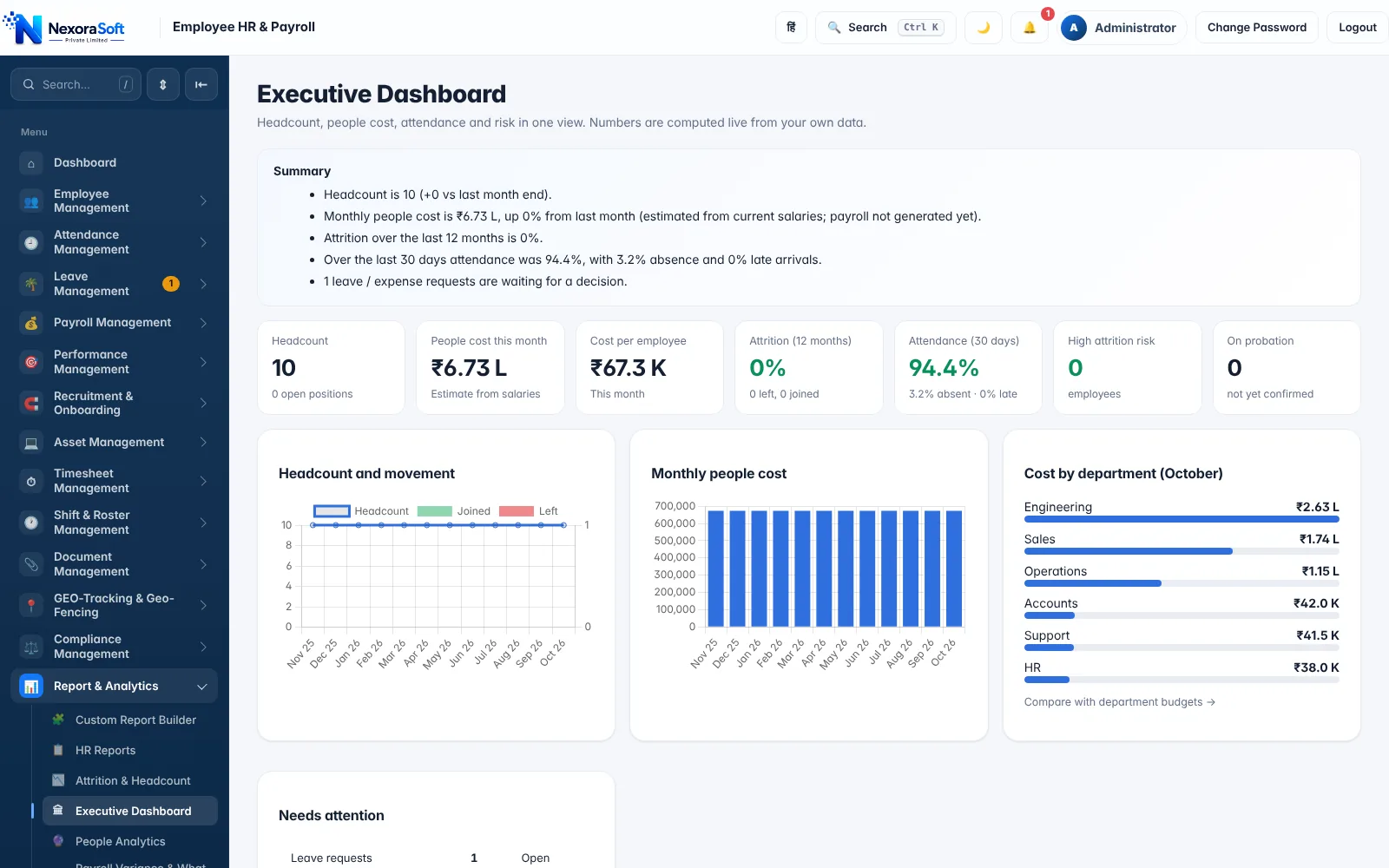
Payroll variance, budget vs actual, headcount and cost analytics.
Who Uses Payroll Management Software?
Companies from about 10 employees up to multi-branch organisations use the same product, switching on only the modules they need. See guides for small businesses, manufacturers, multi-branch companies and the comparison with Excel payroll.
Payroll Management Software in India – FAQ
The terms overlap. "Payroll management software" stresses the full cycle (inputs, approval, payment, filing and reporting), while a basic payroll tool may only calculate salary and print a slip.
Yes. Branches and departments are supported in one installation with branch-wise reports. Separate legal entities with separate PF/ESI/PAN registrations use separate installations.
A pre-check flags duplicate PAN or bank accounts, missing IFSC, UAN or ESI numbers, zero or negative net pay, excessive loss of pay and loan EMI above gross, and a pre-lock checklist covers pending leave and corrections.
Only roles you allow. Admin and finance roles see salary; HR managers do not see salary figures on the dashboard, and employees see only their own payslips.
Yes. A four-step sign-off ends with a month lock, after which payslips and exports for that month are frozen.
A small company can configure settings, add employees and run a trial payroll in a few days using the setup wizard and demo data. Larger setups with imports and integrations take longer, and we agree the scope after a demo.
See NexoraHRMS Payroll on Your Own Data
Share your salary structure and get a free live demo of NexoraHRMS & Payroll. No commitment; we typically respond within 24 hours.