The BOM says what goes into one unit, the work order says how many to make and the job card records what happened. Here is how the three fit together.
Three Documents, One Flow
Production planning in an ERP rests on three documents that people often confuse. The bill of materials says what goes into one unit. The work order says how many units to make and by when. The job card says what actually happened on each operation. Get these three right and costing, stock and delivery dates follow.
Bill of Materials (BOM)
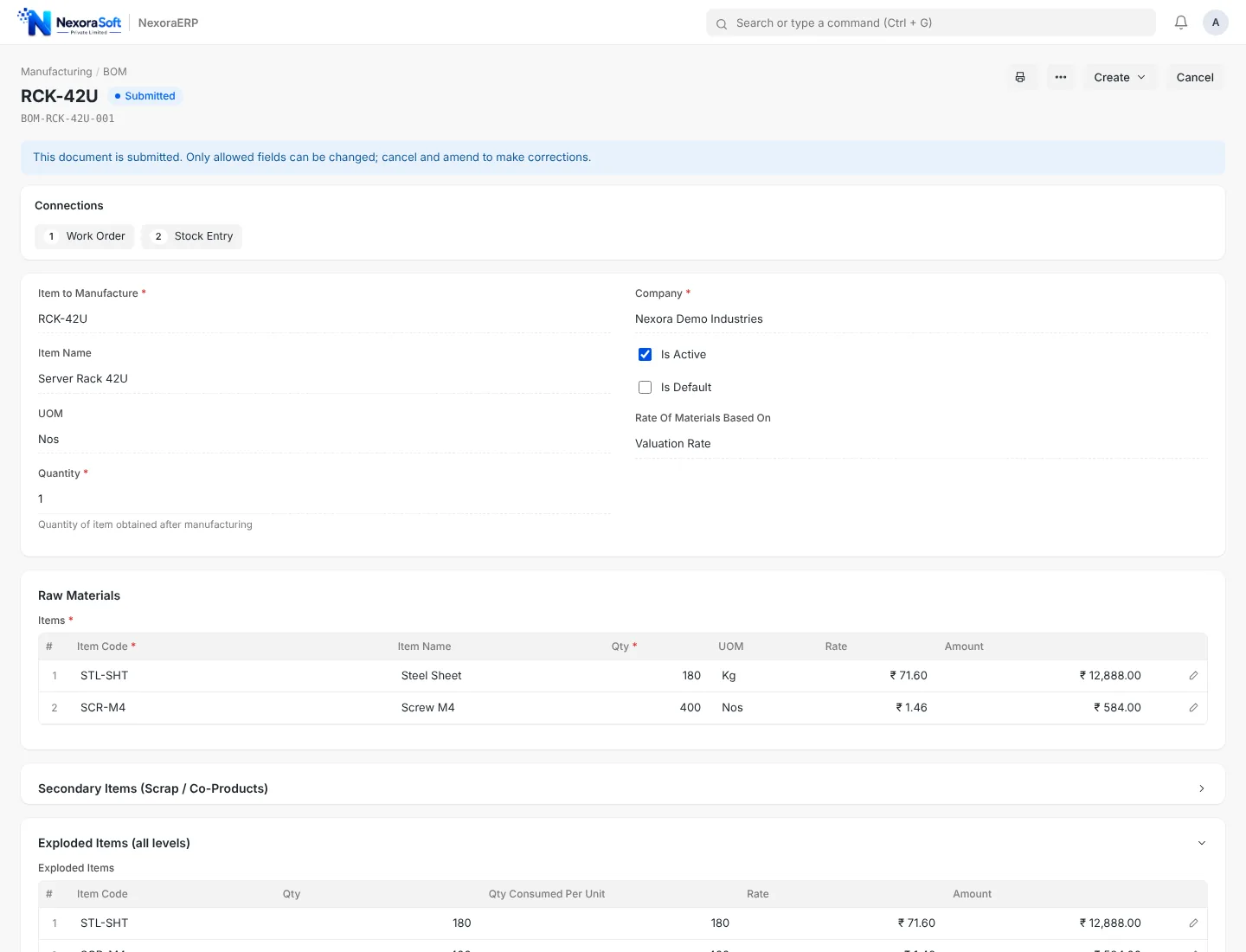
A BOM lists raw materials with quantity per unit, plus the operations needed, the workstation for each and any scrap that comes out. Multi-level BOMs allow a sub-assembly to have its own BOM, so a motor inside a pump is costed on its own and rolled up.
- Quantity per unit and unit of measure for each raw material
- Operations with time per unit and workstation
- Scrap or by-product items that return to stock
- Alternative items for when the primary item is short
Work Order
A work order is created for a quantity of a finished item with a BOM. It reserves or transfers raw material to the shop floor, tracks produced quantity and closes when finished goods are received into stock. Over-production beyond a set percentage should be blocked or flagged.
Job Card
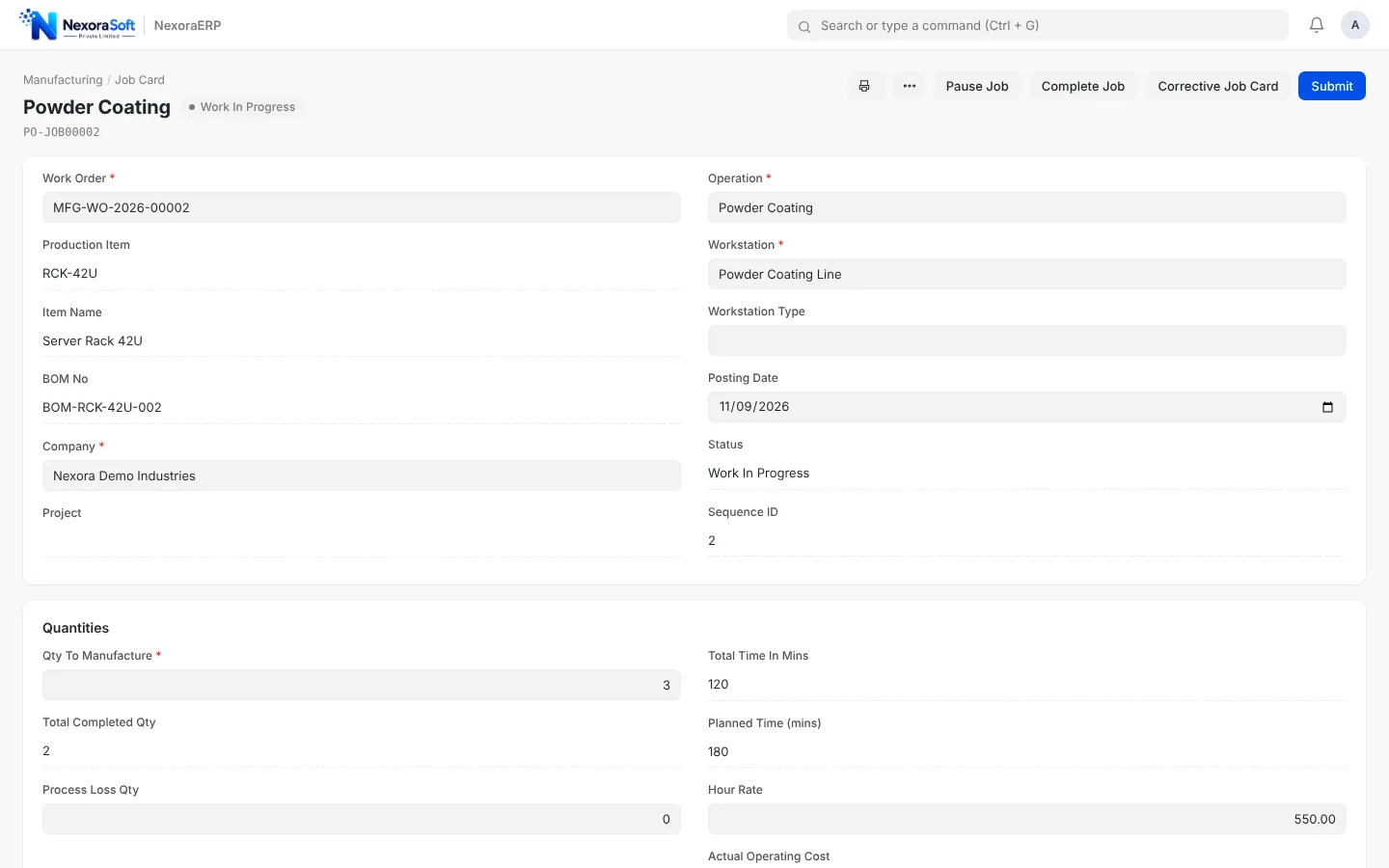
When a work order is submitted, a job card is created for each operation. Operators start, pause and complete it, and the system records time logs and quantities. This is where real cost and real delays show: an operation that takes twice the planned time is visible the same day.
How Cost Is Calculated
Per-unit cost is raw material cost plus operating cost plus scrap adjustments, divided by produced quantity. Operating cost comes from workstation hourly rates multiplied by time. Because the stock entry for manufacture uses these figures, the value of finished goods in the books matches the shop floor.
Common mistake: entering a BOM once and never updating it. When a supplier changes a part or a process changes, update the BOM and use a bulk update tool to replace a sub-assembly everywhere it is used, otherwise costing drifts from reality.
Planning Ahead
Before releasing work orders, a production plan compares required raw material with projected stock and lists shortages so purchase can act first. For parts you send out for processing, subcontracting orders send material to a job worker and receive the finished part. See how this runs in NexoraERP manufacturing, and read how ERP benefits manufacturers.
Manufacturing ERPManufacturing software solutionsERP benefits for manufacturingInventory and stock ERP
See Production Planning in a Live Demo
Free consultation, no commitment. We usually reply within 24 hours.
Book a Free Demo +91 98115 51004