Inventory & Stock ERP Software Warehouses, Batches & Valuation
Know what you have, where it is and what it is worth. Stock moves through purchase receipts, delivery notes and stock entries, with valuation, batches, serial numbers and reorder alerts built in.
Multiple warehousesFIFO or moving averageBatch & serialReorder levelsLanded cost
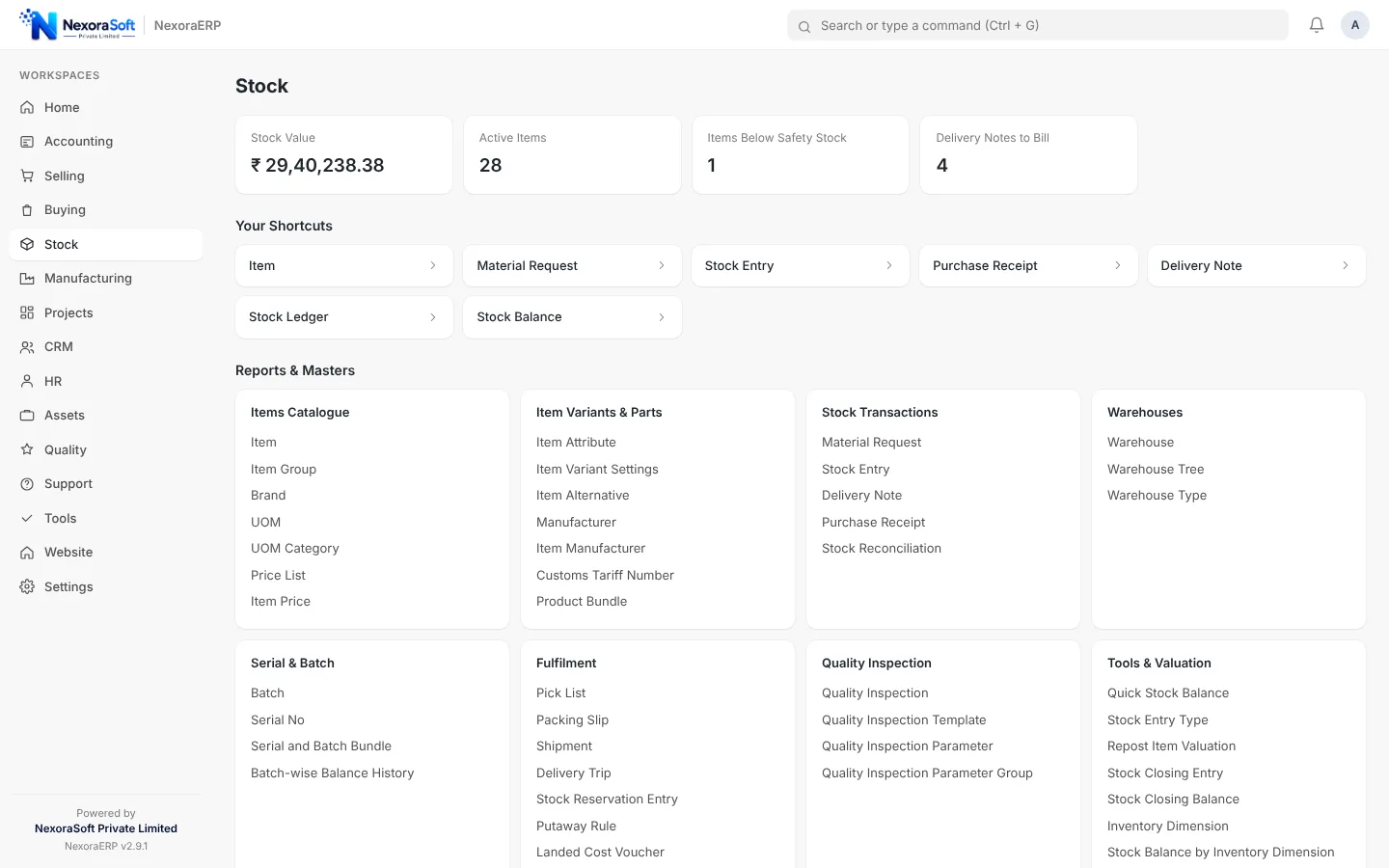
Stock is only useful if the numbers match the shelf. In NexoraERP every movement is a document that updates the stock ledger and the accounts at the same time, so the Stock Balance report and the balance sheet always agree.
What the Stock Module Includes
From the item master to dispatch.
| Area | What NexoraERP provides |
|---|---|
| Item master | Items with units of measure and conversions, item groups, brands, variants and attributes, barcodes. |
| Warehouses | Multiple warehouses with tree structure, stock by warehouse and inter-warehouse transfer. |
| Valuation | FIFO or moving average valuation methods with stock ledger and value by item and warehouse. |
| Batch and serial | Batch with expiry and serial numbers for traceability at receipt and delivery. |
| Stock entries | Material receipt, issue, transfer and manufacture entries, plus stock reconciliation for physical counts. |
| Purchase and delivery | Purchase receipt, delivery note, packing slip, shipment and delivery trip. |
| Putaway and pick list | Putaway rules for receipts and pick lists that allocate stock for orders. |
| Landed cost | Add freight, duty and other charges to the item cost of a purchase receipt. |
| Reorder | Reorder levels and material requests to buy what is running low. |
| Quality inspection | Incoming, in-process and outgoing inspection templates with accept or reject. |
Stock Balance and Valuation by Warehouse
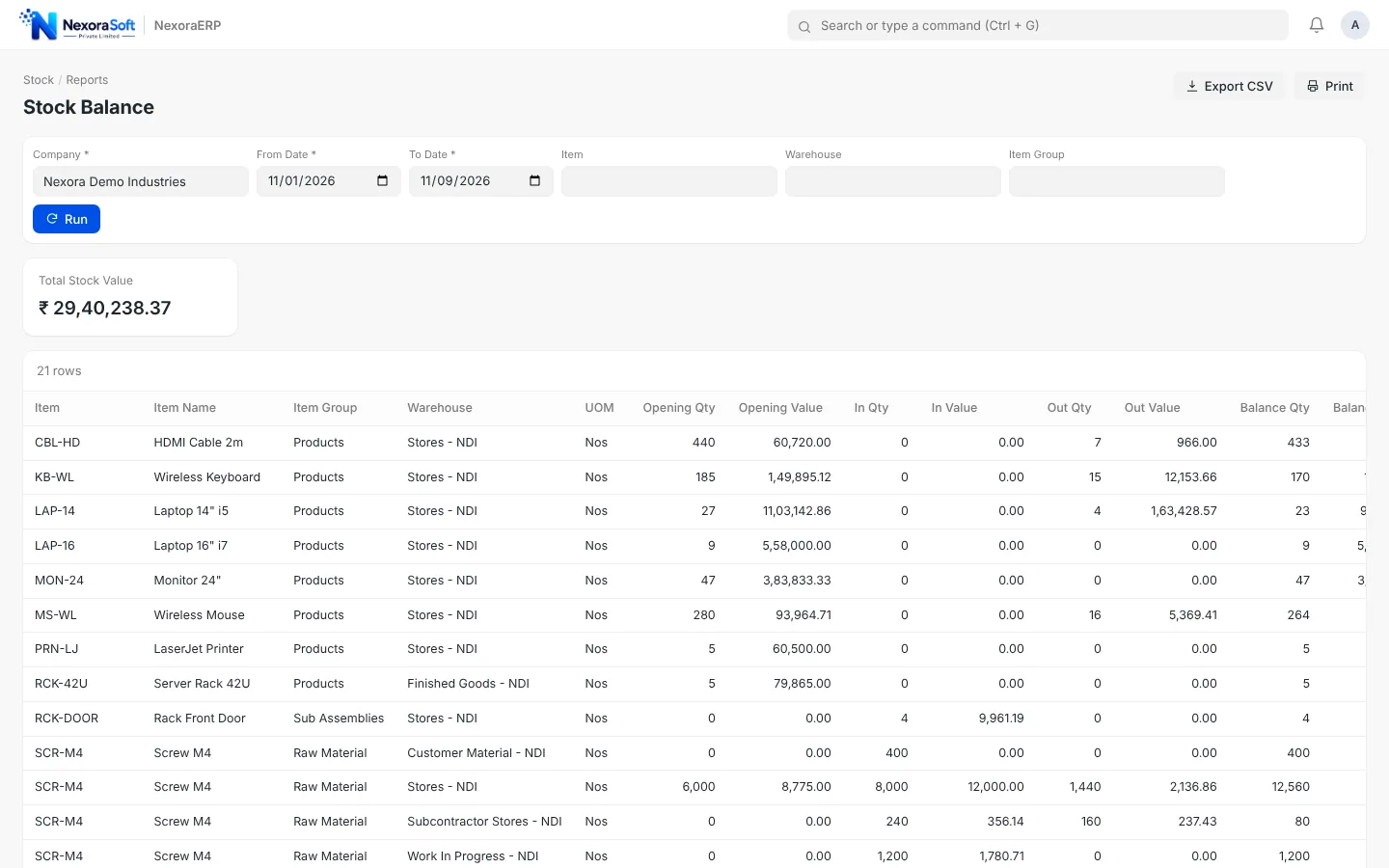
The Stock Balance report shows quantity, valuation rate and stock value for every item in every warehouse, with filters for date, item group and warehouse. Stock value ties to the stock asset account in the books.
- Quantity and value by item and warehouse
- FIFO or moving average valuation
- Stock ledger for every movement
- Projected quantity for planning
Receive, Transfer and Deliver
Purchase receipts book incoming stock against purchase orders, stock entries move material between warehouses and delivery notes reduce stock against sales orders. Each document updates the ledger when submitted.
- Purchase receipt against purchase order
- Stock transfer between warehouses
- Delivery note and packing slip
- Stock reservation for important orders
Stock Connected to Sales, Purchase and Production
One item master across the business.
Sales
Delivery notes and invoices reduce stock automatically.
Purchase
Receipts and landed cost update valuation.
Manufacturing
Raw material consumed and finished goods received through work orders.
POS
Counter sales deduct stock from the POS warehouse.
Accounts
Perpetual inventory posts value to the ledger.
Alerts
Reorder alerts through notifications and email.
Need only inventory?
If you only need stock control with barcode, e-commerce and carrier integrations, see our dedicated NexoraIMS inventory management software. Choose NexoraERP when stock must connect with accounts, production and payroll in one system.
See Stock, Accounts and Production in One System
Book a demo and we will show a purchase receipt, a transfer and a delivery with the stock ledger and trial balance updating live.
Frequently Asked Questions
FIFO and moving average are supported, and you can choose the method per item.
Yes. Create as many warehouses as you need, see stock by warehouse and move material between them with stock entries.
Yes. Batch tracking with expiry dates is available, and serial numbers for individual units.
Use Stock Reconciliation to enter counted quantities. The system calculates the difference and posts the adjustment to the ledger.
Yes. Set reorder levels per item and warehouse. Notifications and material requests help you purchase before you run out.
Yes. Landed cost lets you distribute freight, duty and other charges over received items so valuation reflects the real cost.
NexoraIMS is a stock-focused product with channel and carrier integrations. NexoraERP includes stock as one module alongside accounts, manufacturing, HR and CRM.