Moving from Tally does not mean retyping. Export the masters, map the groups, load bill-wise dues and stock, and prove the result with a trial balance.
What You Are Really Moving
A move from Tally to an ERP is not a copy of everything. It is a transfer of three things: the structure (groups and ledgers), the parties and items (masters) and the position as of a date (opening balances, bill-wise dues and stock). Past vouchers usually stay in Tally as a read-only archive.
Step 1: Clean Before You Export
- Merge duplicate ledgers such as the same party spelled two ways
- Remove unused stock items and ledgers that never had a transaction
- Correct party GSTIN and address in Tally, because they travel with the master
- Close the books for the cut-over date and pass pending vouchers
Step 2: Export Masters as XML
In Tally, use the list of accounts report and export in XML data interchange format with all masters and opening balances shown. Export inventory masters the same way, or take one export with everything. Both Tally ERP 9 and TallyPrime produce files that can include UTF-16 encoding and control characters, which a good importer must clean.
Step 3: Map Groups to the New Chart
Tally has reserved groups such as sundry debtors, sundry creditors, bank accounts, duties and taxes and stock-in-hand. An ERP importer maps each to a parent in its chart of accounts. Sundry debtors and creditors become customers and suppliers rather than plain ledgers, which is why GSTIN and address matter.
| Tally group | Becomes in the ERP |
|---|---|
| Sundry Debtors | Customers with receivable account |
| Sundry Creditors | Suppliers with payable account |
| Bank Accounts, Cash-in-hand | Bank and cash accounts |
| Duties and Taxes | Tax accounts |
| Stock-in-hand and stock items | Stock asset account, item groups and items |
| Direct and indirect income and expenses | Income and expense accounts |
Step 4: Bring Bill-Wise Dues and Opening Stock
Opening balances for parties should come as individual outstanding bills, not a single lump, so ageing is right from day one and receipts can be allocated to the right invoice. Opening stock needs quantity and rate by godown or warehouse, and batch or serial numbers where you track them.
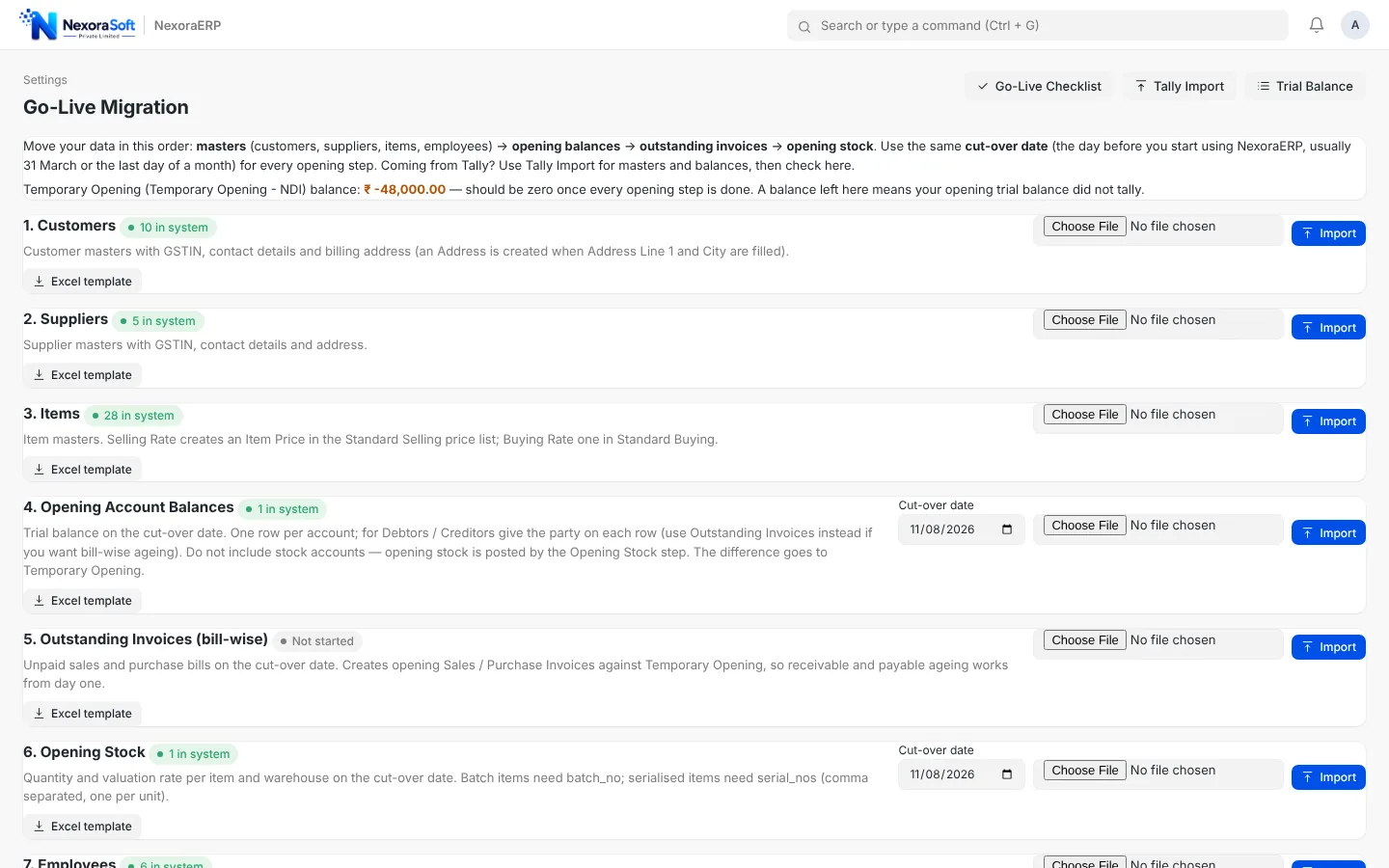
Step 5: Prove It with the Trial Balance
The proof is a trial balance as of the cut-over date. Debit must equal credit, and each group total should match the Tally figure. Then compare receivable and payable ageing and the stock summary. Investigate any difference before posting a single new voucher.
Idempotent imports save projects. Choose an importer that does not duplicate records when you run it again after fixing a master. You will run it more than once.
What Does Not Come Across
Voucher history, Tally reports and custom TDL features are not part of a masters migration. If you need history in the ERP, plan it as a separate scoped exercise. If you want Tally to stay live, see Tally integration services. Our migration page shows exactly what NexoraERP imports.
Tally to ERP migrationERP vs TallyData migration checklistGo-live checklist
Get a Free Tally Import Preview
Free consultation, no commitment. We usually reply within 24 hours.
Book a Free Demo +91 98115 51004