Every employer who pays taxable salary must deduct tax at source. The task is not complicated in principle, but it spans regimes, declarations, deposits, returns and certificates. This guide explains the whole flow.
The basic idea
Employers estimate each employee's total taxable income for the financial year, compute the tax payable under the employee's chosen regime, and deduct it in instalments from monthly salary. Under the old Income-tax Act this was Section 192; the Income-tax Act, 2025, effective 1 April 2026, renumbers sections and forms. Confirm current section numbers and forms with your tax advisor.
Step by step
- Know the regime. Ask each employee which regime they choose; a default applies if they do not.
- Collect declarations. In the Old regime: rent paid for HRA, Section 80C investments, 80D medical insurance and similar; in the New regime most of these do not apply.
- Estimate annual income. Salary received, salary expected for the rest of the year, bonuses and perquisites.
- Apply deductions and rebates available under the chosen regime, including the standard deduction.
- Compute tax on taxable income using the slabs for that year, including rebate and cess.
- Spread over remaining months. Monthly TDS = (annual tax − TDS already deducted) ÷ remaining months.
- Revise when salary changes, a bonus is paid, or declarations are updated.
New regime vs Old regime in payroll
| Aspect | New regime | Old regime |
|---|---|---|
| Exemptions and deductions | Most do not apply (standard deduction is available) | HRA, 80C, 80D, home loan interest and others apply |
| Declarations needed | Few | Several, collected during the year |
| Payroll effort | Lower | Higher; tracking proofs and changes |
| Choice | Employee chooses; default applies if no choice | Employee must opt |
📌 Slabs, rebates and the standard deduction change with each Budget. This guide avoids quoting rates; use your software's settings and your tax advisor for the current year.
Deposit, return and certificate
- Deposit: TDS deducted in a month is deposited by the 7th of the following month (March has a different date).
- Return: quarterly salary TDS return (Form 24Q under the old Act; Form 138 under the new Act).
- Certificate: Form 16 (Form 130 for tax year 2026-27 onwards), with Part A from TRACES and Part B from payroll.
Common TDS mistakes
- Not collecting declarations early, causing a high TDS in the last months
- Ignoring a mid-year bonus or increment
- Wrong HRA computation in the Old regime
- Missing PAN of employees, which attracts a higher TDS rate
- Late deposit or late return filing
How payroll software helps
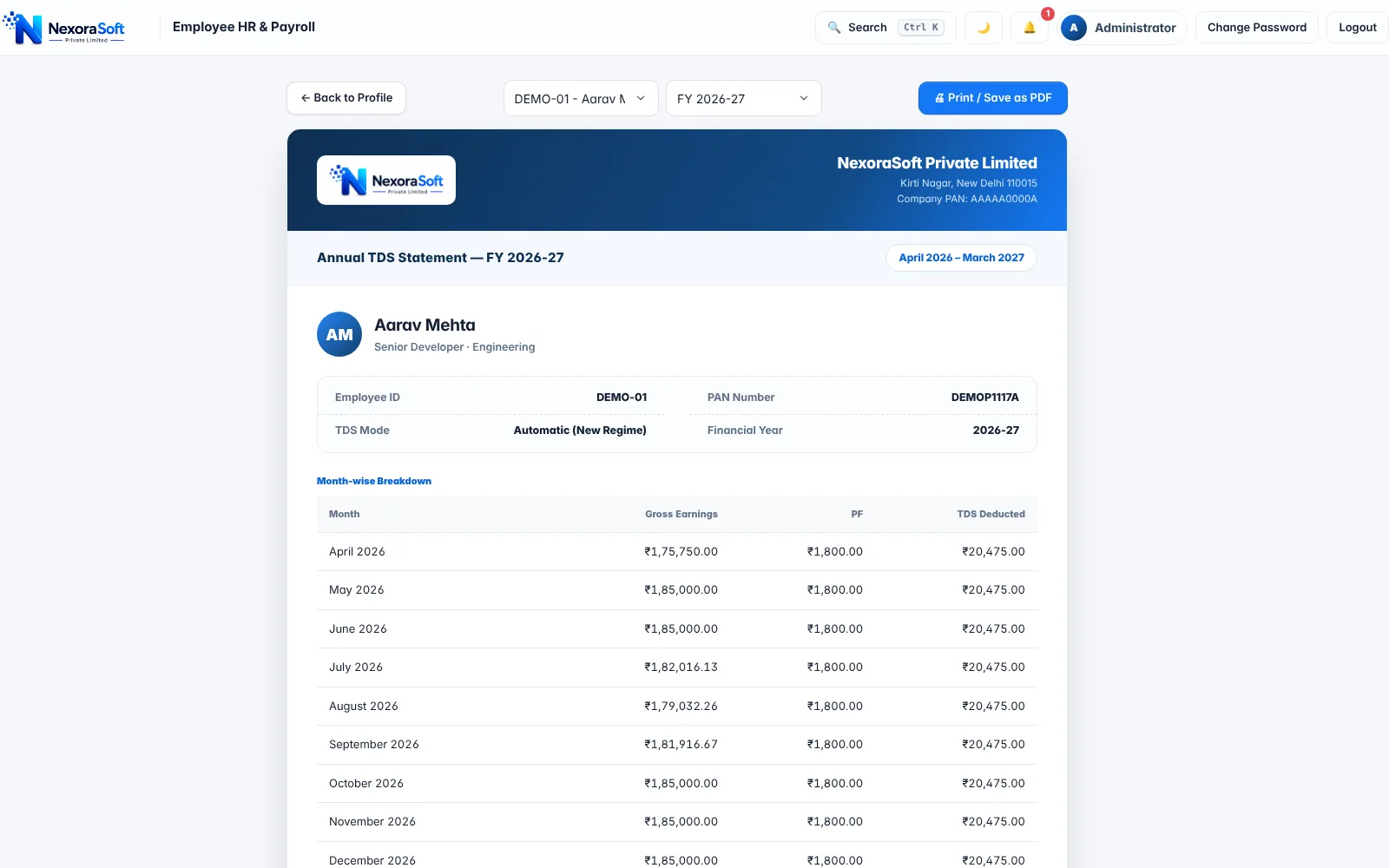
NexoraHRMS holds the regime and declarations on each employee record, projects annual tax, deducts monthly TDS, and produces the annual TDS statement, Form 16 Part B data and a quarterly summary. See TDS payroll software, Form 16 software and Form 16 explained.
Related guides: Payroll Software in India (complete guide)
TDS Payroll SoftwareForm 16 SoftwarePayroll Compliance SoftwareHow to Calculate Salary in IndiaForm 16: What It Is and How It Is GeneratedPayroll Compliance Checklist for Indian Companies
See NexoraHRMS Payroll in Action
Book a free live demo and see payroll, PF, ESI, TDS and payslips run on your own salary structure.
Book a Free Demo +91 98115 51004