Professional Tax is a state levy on salaried people, so the same salary can carry different PT depending on where the employee works. Here is how it works and how to handle it in payroll.
What Professional Tax is
Professional Tax (PT) is levied by state governments on income from salary, trade or profession, with a constitutional cap of ₹2,500 per person per year. Employers deduct it from salary and deposit it with the state. Rates, slabs and due dates are set by each state and revised from time to time.
Which states levy it
| Levy PT (examples) | Do not levy PT (examples) |
|---|---|
| Maharashtra, Karnataka, West Bengal, Tamil Nadu, Telangana, Andhra Pradesh, Gujarat, Madhya Pradesh, Odisha, Kerala, Assam, Bihar, Jharkhand, Chhattisgarh, Meghalaya, Tripura | Delhi, Haryana, Uttar Pradesh, Rajasthan, Uttarakhand, Himachal Pradesh |
📌 This list is indicative and incomplete. Check each state's current notification before registering or deducting.
How the calculation works
Most states use slabs based on gross monthly wages: below a threshold nothing is deducted, and above it a fixed monthly amount applies, with higher amounts for higher bands. Some states, such as Maharashtra and Karnataka, charge a different amount in February so that the annual total matches the annual figure. A few states differ by gender or collect annually instead of monthly.
| Step | What to do |
|---|---|
| 1 | Find the employee's work state (not the head-office state) |
| 2 | Take gross monthly wages for the month |
| 3 | Look up the slab for that state |
| 4 | Apply any February or special-month rule |
| 5 | Deduct, report and deposit by the state's due date |
Employer obligations
- Register for PT in each state where you have employees (enrolment and registration certificates)
- Deduct PT every pay cycle as per the slab
- Deposit and file returns monthly, quarterly or annually as that state requires
- Keep records for inspection
Common mistakes
- One flat PT amount for employees in all states
- Using the head-office state for field staff
- Not updating slabs when a state revises them
- Skipping the February adjustment
- Forgetting registration for a new branch state
Handling PT in payroll software
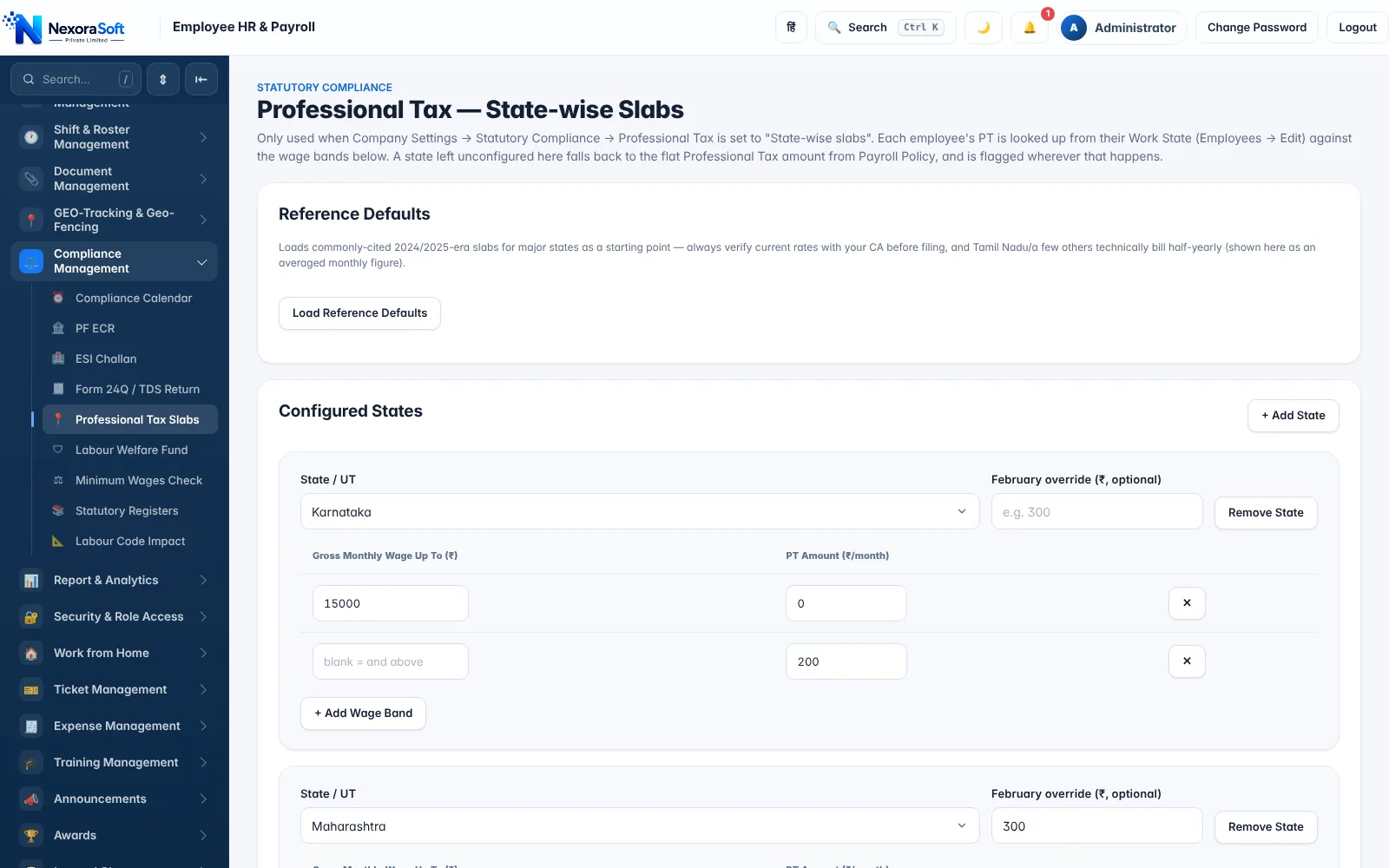
In NexoraHRMS you switch to state-wise slabs, add each state with its wage bands and optional February override, and PT is looked up from each employee's work state. Slabs are editable. See Professional Tax payroll software and multi-branch payroll.
Related guides: Payroll Software in India (complete guide)
Professional Tax SoftwarePayroll Compliance SoftwareMulti-Branch BusinessPF Calculation on Salary: Complete GuideESI Calculation in IndiaPayroll Compliance Checklist for Indian Companies
See NexoraHRMS Payroll in Action
Book a free live demo and see payroll, PF, ESI, TDS and payslips run on your own salary structure.
Book a Free Demo +91 98115 51004