More reports do not make a better owner. A short routine of the right ones does. Here is a simple schedule.
Daily
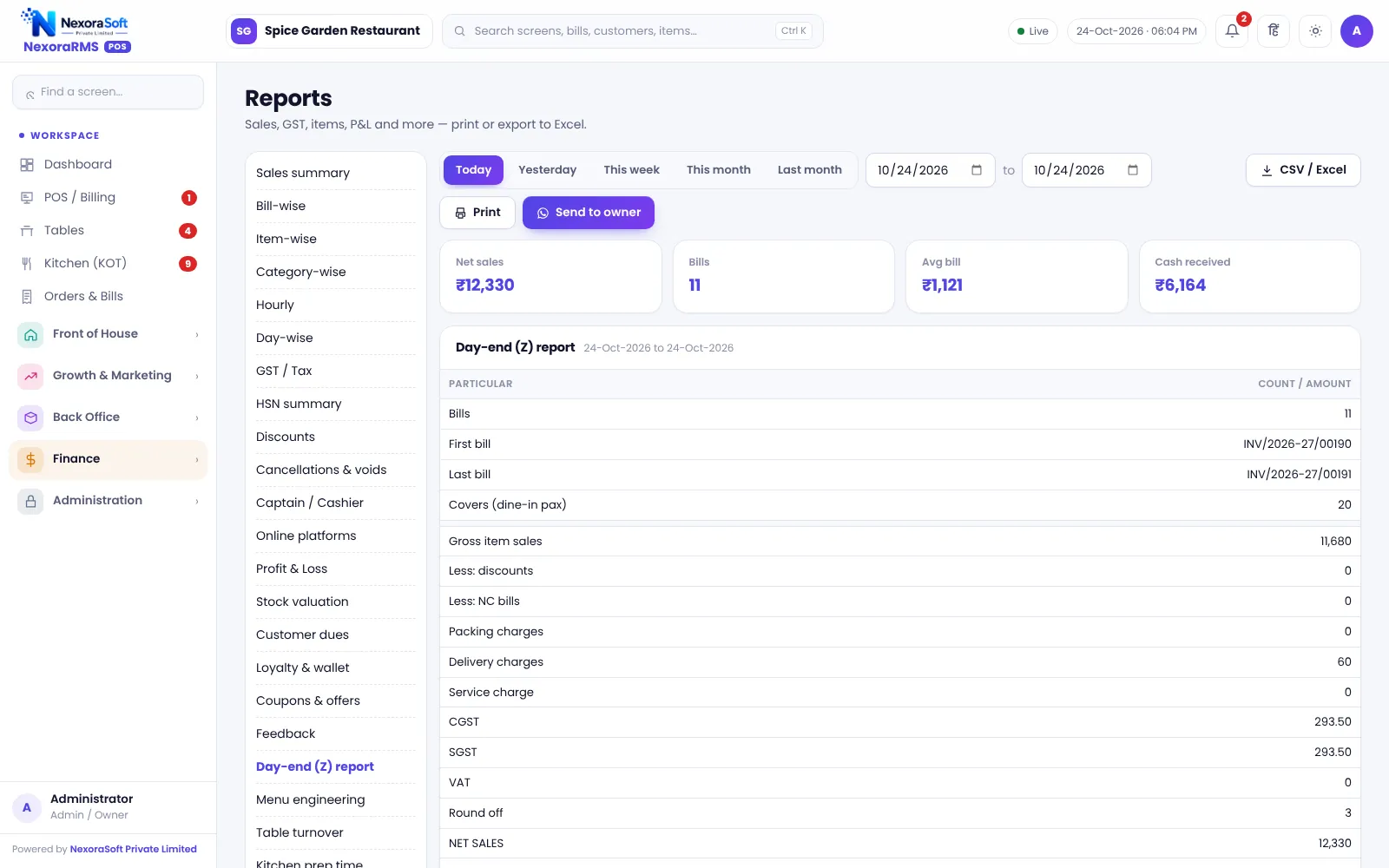
- Z report: sales, payments, tax, discounts, cancellations
- Cash difference at shift close
- Kitchen delays if any
Weekly
- Item-wise sales
- Discounts by user
- Stock variance on top materials
- Feedback and NPS
Monthly
- Profit and loss
- GST and HSN summary with your CA
- Menu engineering
- Vendor balances
- Staff payroll
What to look for
| Signal | Meaning |
|---|---|
| High discount by one user | Training or misuse |
| Many cancelled items | Order taking or kitchen issue |
| Low margin star dishes | Reprice or reduce cost |
| Empty hours | Offer or reduce staff |
In NexoraRMS-POS
35 reports run on the same data as the counter. See restaurant reports and analytics.
Build a five-minute morning check
- Yesterday’s Z report total against bank and cash
- Discounts and cancellations by user
- Items out of stock or below reorder level
- Feedback received overnight
- Today’s reservations
Make it a habit. Owners who check five numbers daily notice problems in days, not months.
Related guides: Restaurant POS Software in India (complete guide)
GST Billing Software for RestaurantsRestaurant Reports & Analytics SoftwareGST on Restaurant Bills in India: A Practical GuideMenu Engineering Guide
See NexoraRMS-POS in Action
Book a free live demo and see billing, KOT, tables, QR ordering and reports run on your own menu.
Book a Free Demo +91 98115 51004