Home › Restaurant POS Software › Restaurant Reports & Analytics Software
Restaurant POS SoftwareRestaurant Reports & Analytics Software
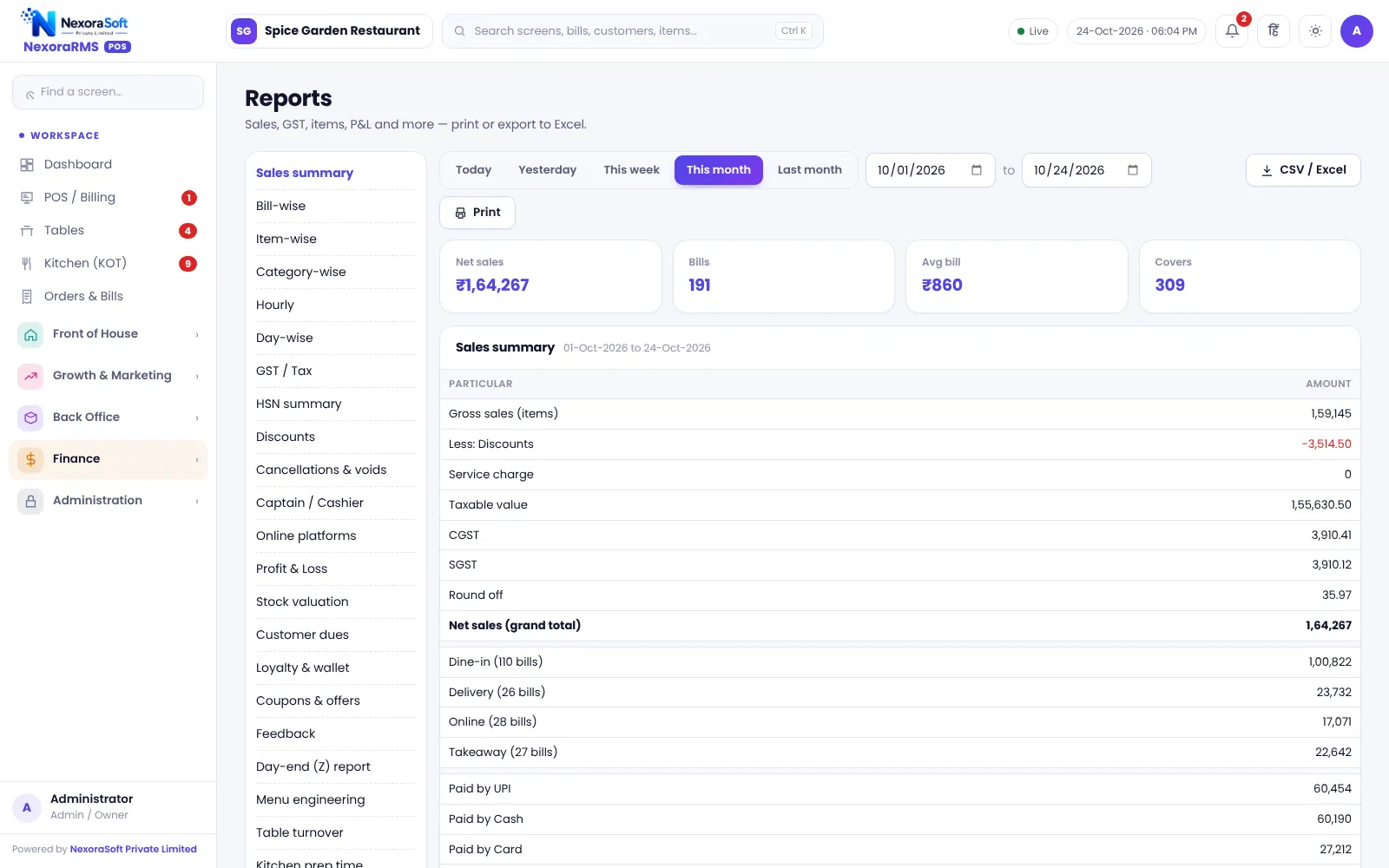
See what sold, what earned and when guests come. NexoraRMS-POS includes 35 reports, from the day-end Z report to menu engineering and a busy-hours heatmap, all on the same data as the counter.
Reports That Run a Restaurant
Owners do not need more numbers; they need the right ten. Daily sales, payment mix, top items, discounts given, cancelled items and cash difference answer most questions. Menu engineering, the heatmap and profit and loss help with decisions.
Because reports read the same orders as the billing counter, there is no separate data entry and nothing to reconcile. Older orders beyond 45 days are loaded from the server when a report needs them, so history stays available. Read restaurant reports every owner should check.
Report Highlights
Sales summary
By day, hour, order mode, payment mode and channel.
Item-wise sales
Quantity and value per dish and category.
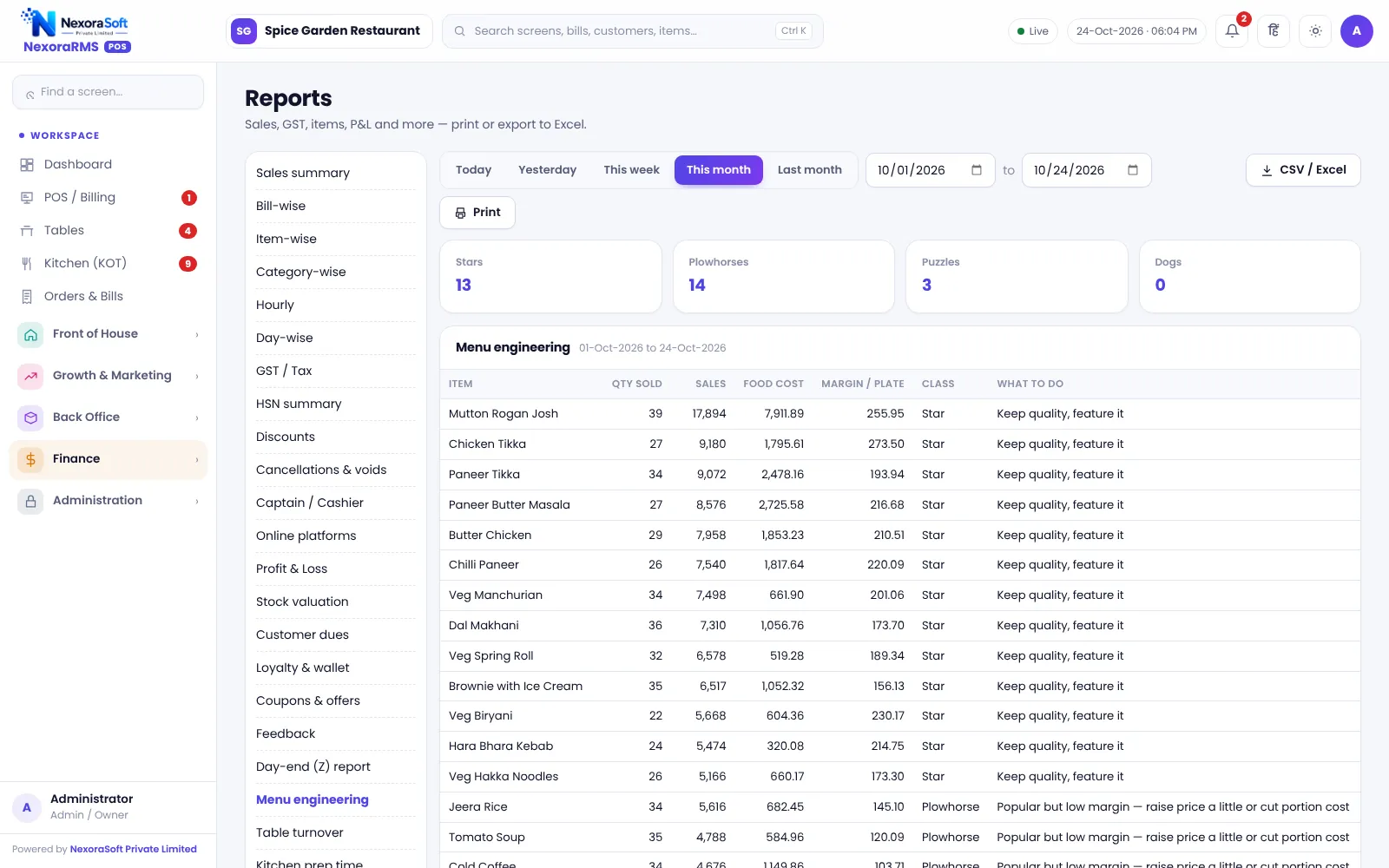
Menu engineering
Classify dishes by popularity and profit to decide what to promote or drop.
Busy-hours heatmap
Day and hour grid of sales so you can plan staff and offers.
Profit and loss
Sales against food cost and expenses.
Day-end Z report
One page of sales, payments, taxes, discounts and cancellations.
Menu Engineering and the Heatmap
Menu engineering sorts dishes into stars (popular and profitable), plough horses (popular, low margin), puzzles (profitable, less popular) and dogs. It tells you what to feature, reprice or remove. See the menu engineering guide.
The heatmap shows which days and hours are busy, which helps you schedule staff and time happy-hour offers.
- 35 reports in total
- Date range filters
- Export for your accountant
- Cancellation and discount audit
- Stock variance and wastage
A Weekly Review
Monday
Review last week’s sales and discounts.
Midweek
Check top and slow items and stock variance.
Friday
Read the heatmap and plan weekend staff.
Month-end
GST and profit and loss with your CA.
Reports at a Glance
| Question | Report |
|---|---|
| How did we do today? | Z report, sales summary |
| What sells? | Item-wise report |
| What earns? | Menu engineering, profit and loss |
| When are we busy? | Heatmap |
| Is food missing? | Stock variance |
| What does my CA need? | GST, HSN, GSTR-1 data |
Report accuracy depends on correct menu costs, recipes and entries.
Restaurant Reports & Analytics Software – FAQ
There are 35 reports covering sales, items, tax, cash, stock and staff, so most owners find the daily and monthly views they need. Confirm tax rates and treatment for your outlet with your CA; NexoraRMS-POS prints and exports the data.
Yes. Reports can be exported for sharing with your accountant, and sales can go to Tally as XML. Confirm tax rates and treatment for your outlet with your CA; NexoraRMS-POS prints and exports the data.
A day-end summary can be sent to the owner on WhatsApp as a click-to-send message; it is not sent automatically. Ask for a free live demo of NexoraRMS-POS with sample restaurant data to see this on screen.
Yes. Each outlet's reports are available separately, and chains can use Head Office for comparison. Ask for a free live demo of NexoraRMS-POS with sample restaurant data to see this on screen.
A profit and loss report combines sales, food cost and expenses. Accuracy depends on recipes and expense entries. NexoraSoft gives a written quote after a free demo, based on outlets, users and modules.
See NexoraRMS-POS in Your Own Restaurant
Share your menu, tables and billing flow and get a free live demo of NexoraRMS-POS. No commitment; we typically respond within 24 hours.