Restaurant staff work in shifts, often on daily wages. A simple daily routine avoids salary disputes at month-end.
Daily attendance
Mark present, absent, half-day or leave every day. Daily marking is easier than reconstructing at month-end.
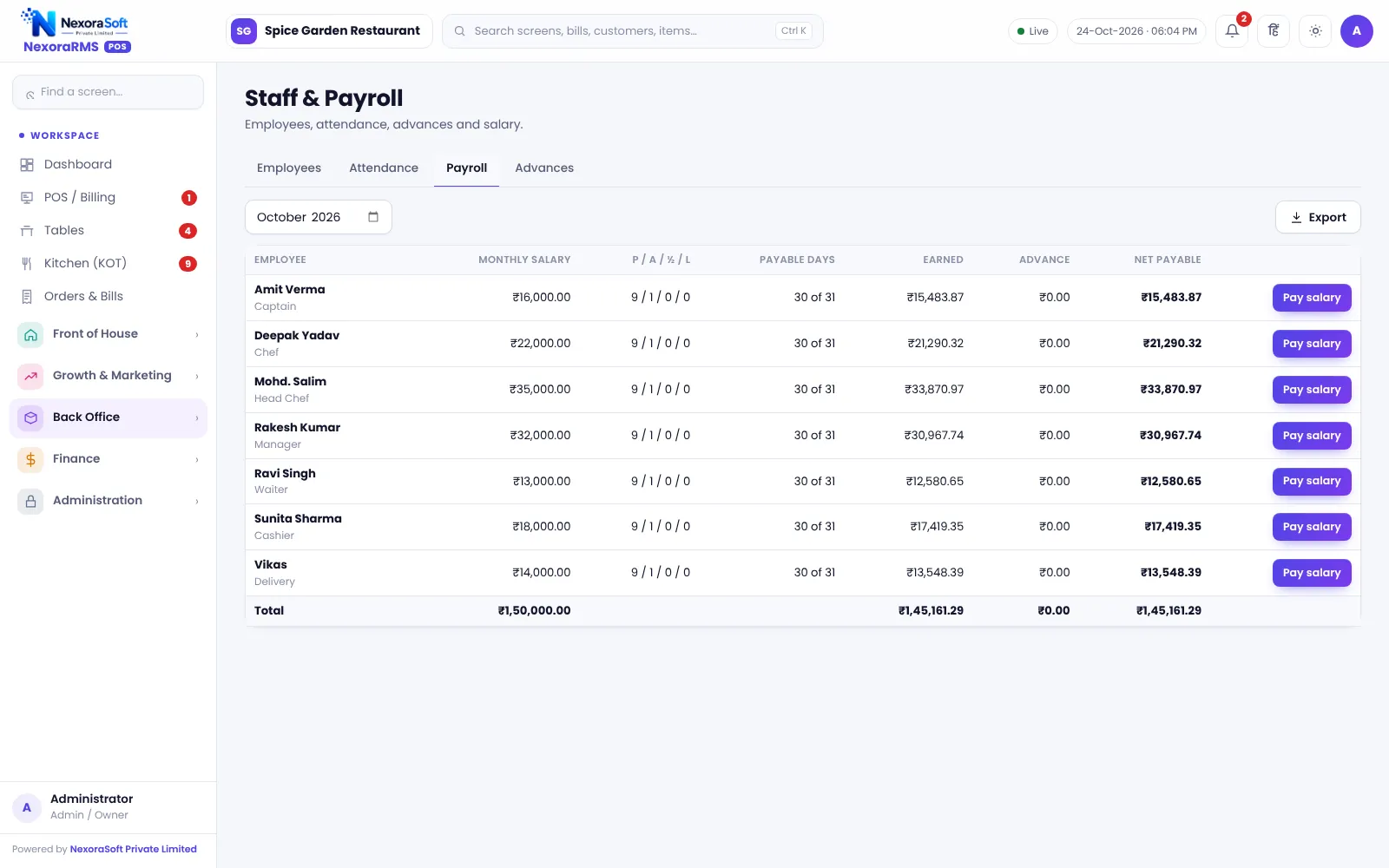
Monthly payroll
- Take salary and attendance days
- Apply deductions and advances
- Compute net pay
- Share a simple slip
- Record payment as an expense
Own logins
Every cashier, captain and chef should sign in with their own account, so the audit log shows who gave a discount.
When you need more
For PF, ESI, TDS and payslip compliance use full payroll such as NexoraHRMS payroll software.
In NexoraRMS-POS
Attendance and monthly payroll are in the Staff module. See staff attendance and payroll software.
Avoiding salary disputes
- Agree the rules for half-day and leave in writing
- Mark attendance daily, not weekly
- Share the monthly attendance summary before payment
- Keep advances on a ledger
Roles to define
| Role | Should be able to |
|---|---|
| Cashier | Bill, settle, open and close shift |
| Captain | Take orders, send KOT |
| Chef | See kitchen display |
| Manager | Approve discounts and cancellations |
| Owner | Everything, including reports |
Related guides: Restaurant POS Software in India (complete guide)
Restaurant Cash Register & Shift SoftwareRestaurant Staff Attendance & Payroll SoftwareRestaurant Cash Handling and Shift ClosingMulti-Outlet Restaurant Management
See NexoraRMS-POS in Action
Book a free live demo and see billing, KOT, tables, QR ordering and reports run on your own menu.
Book a Free Demo +91 98115 51004