Home › Restaurant POS Software › Restaurant Staff Attendance & Payroll Software
Restaurant POS SoftwareRestaurant Staff Attendance & Payroll Software
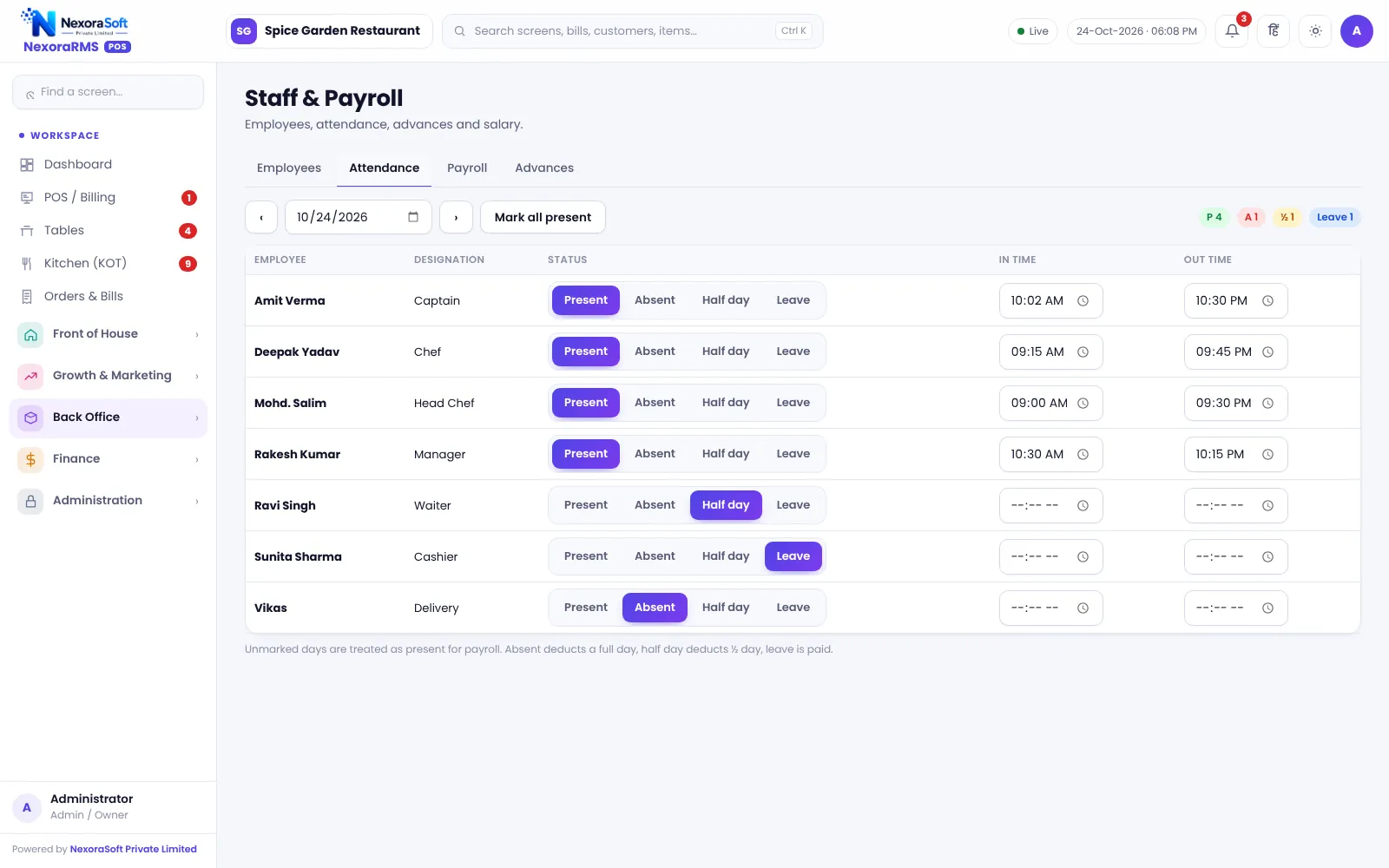
Mark attendance in a tap, see who is absent or on half-day, and turn it into a monthly payroll. Staff also get their own logins, so the audit log shows who did what.
Staff Matters in a Restaurant
Restaurants run on shifts, daily wages and high staff turnover. Attendance kept in a notebook leads to salary disputes, and shared logins make it impossible to know who gave a discount.
NexoraRMS-POS keeps a staff master with attendance and payroll and links employees to user logins. Each cashier, captain and chef signs in with their own account.
Staff Features
Staff master
Name, role, salary and contact.
Attendance
Mark present, absent, half-day and leave by day.
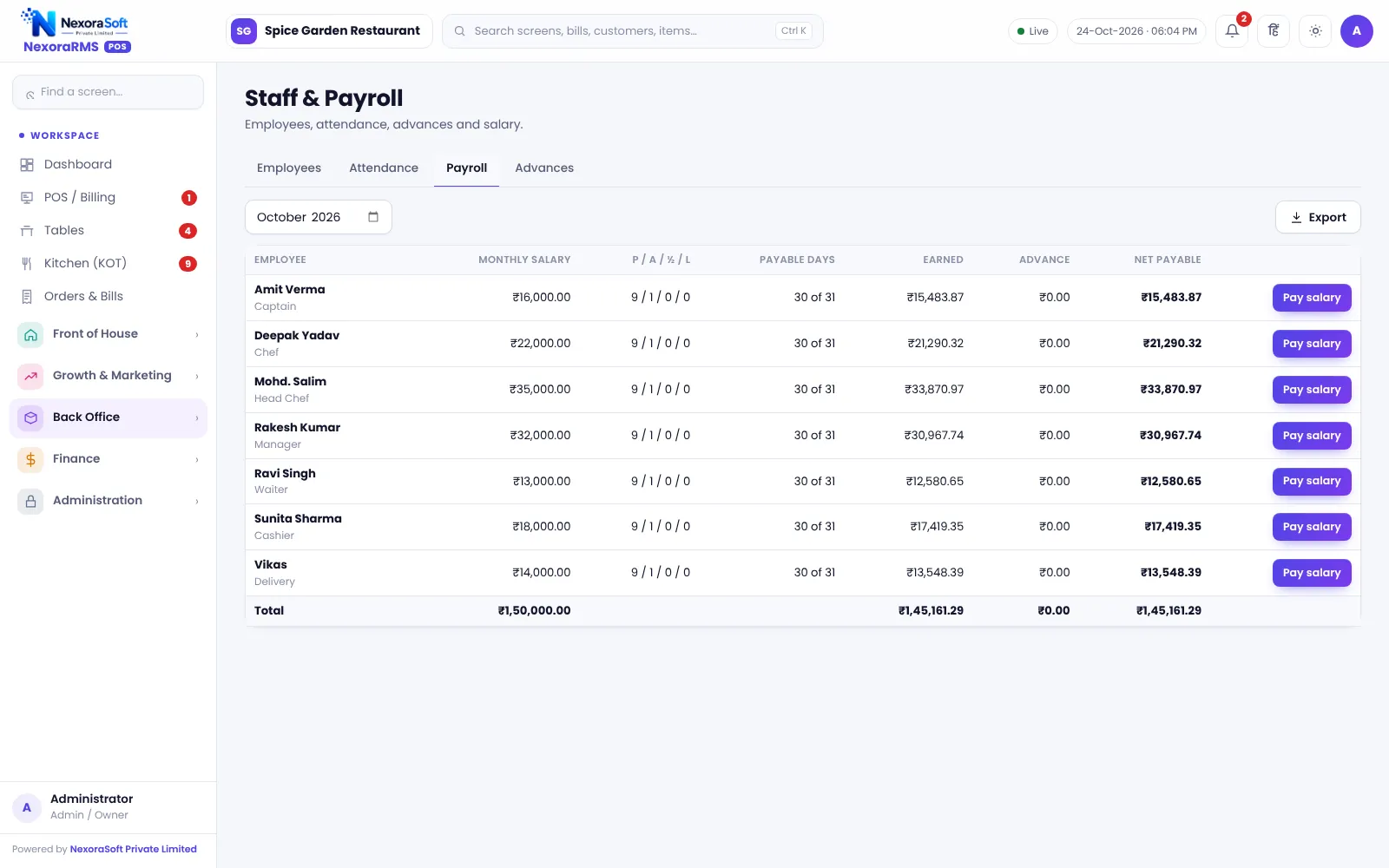
Payroll
Monthly payroll from salary and attendance.
Roles and permissions
Admin, manager, cashier, captain and chef with set permissions.
Sign-in history
See sign-ins and sign out everywhere when someone leaves.
Audit log
Who did what, when.
Payroll Made Simple
Payroll in this module is simple monthly salary based on attendance and deductions you enter. It does not handle PF, ESI or TDS filing. For a full payroll with statutory compliance see NexoraHRMS payroll software.
Roles keep each person to the screens they need. A captain can take orders but not give discounts; a cashier can bill but cannot edit the menu.
- Attendance by day
- Monthly payroll
- Per-person logins
- Role permissions
- Sign-out everywhere
Staff Setup
Add staff
Create the staff master.
Create logins
Give each person a role.
Mark daily
Record attendance every day.
Run payroll
Calculate month-end salary.
Review
Check audit log for exceptions.
Staff at a Glance
| Need | NexoraRMS-POS feature |
|---|---|
| Attendance | Daily marks |
| Salary | Monthly payroll |
| Accountability | Own logins and audit log |
| Security | Roles and permissions |
| Statutory payroll | See NexoraHRMS |
PF, ESI, TDS and payslip compliance are not part of this module.
Restaurant Staff Attendance & Payroll Software – FAQ
No. NexoraRMS-POS records staff attendance and basic payroll inputs, but statutory PF and ESI processing is done in NexoraHRMS, NexoraSoft's payroll product. Use both together if you need compliance-grade payroll.
Yes. Each staff member can have a separate login with a role, so access matches their job. You can verify this in a free live demo of NexoraRMS-POS using your own menu and tables.
Yes. Attendance supports half days and leave, which feed into basic payroll inputs. You can verify this in a free live demo of NexoraRMS-POS using your own menu and tables.
Yes. A user can be linked to an employee record, so logins and attendance stay connected. You can verify this in a free live demo of NexoraRMS-POS using your own menu and tables.
No. Attendance is marked in the software; biometric devices are not integrated in this version. Ask for a free live demo of NexoraRMS-POS with sample restaurant data to see this on screen.
See NexoraRMS-POS in Your Own Restaurant
Share your menu, tables and billing flow and get a free live demo of NexoraRMS-POS. No commitment; we typically respond within 24 hours.