Every regular GST taxpayer files two returns: GSTR-1 tells the government what you sold, invoice by invoice; GSTR-3B is the summary on which you actually pay tax. Mixing them up is the most common source of GST notices for small businesses.
The difference in one table
| GSTR-1 | GSTR-3B | |
|---|---|---|
| What it is | Statement of outward supplies (sales) | Summary return with tax payment |
| Level of detail | Invoice-wise for B2B, summary for B2C | Totals only |
| Tax payment | No | Yes, cash and ITC set-off |
| Who uses the data | Your buyers see your B2B invoices in their GSTR-2B | Decides your actual liability |
| Monthly due date | 11th of the next month | 20th of the next month |
| QRMP (quarterly) due date | 13th after the quarter (IFF optional for months 1 and 2) | 22nd or 24th after the quarter, by state |
QRMP is open to taxpayers with aggregate turnover up to Rs 5 crore. Under QRMP, tax is still paid monthly through PMT-06 for the first two months of the quarter.
What goes into GSTR-1
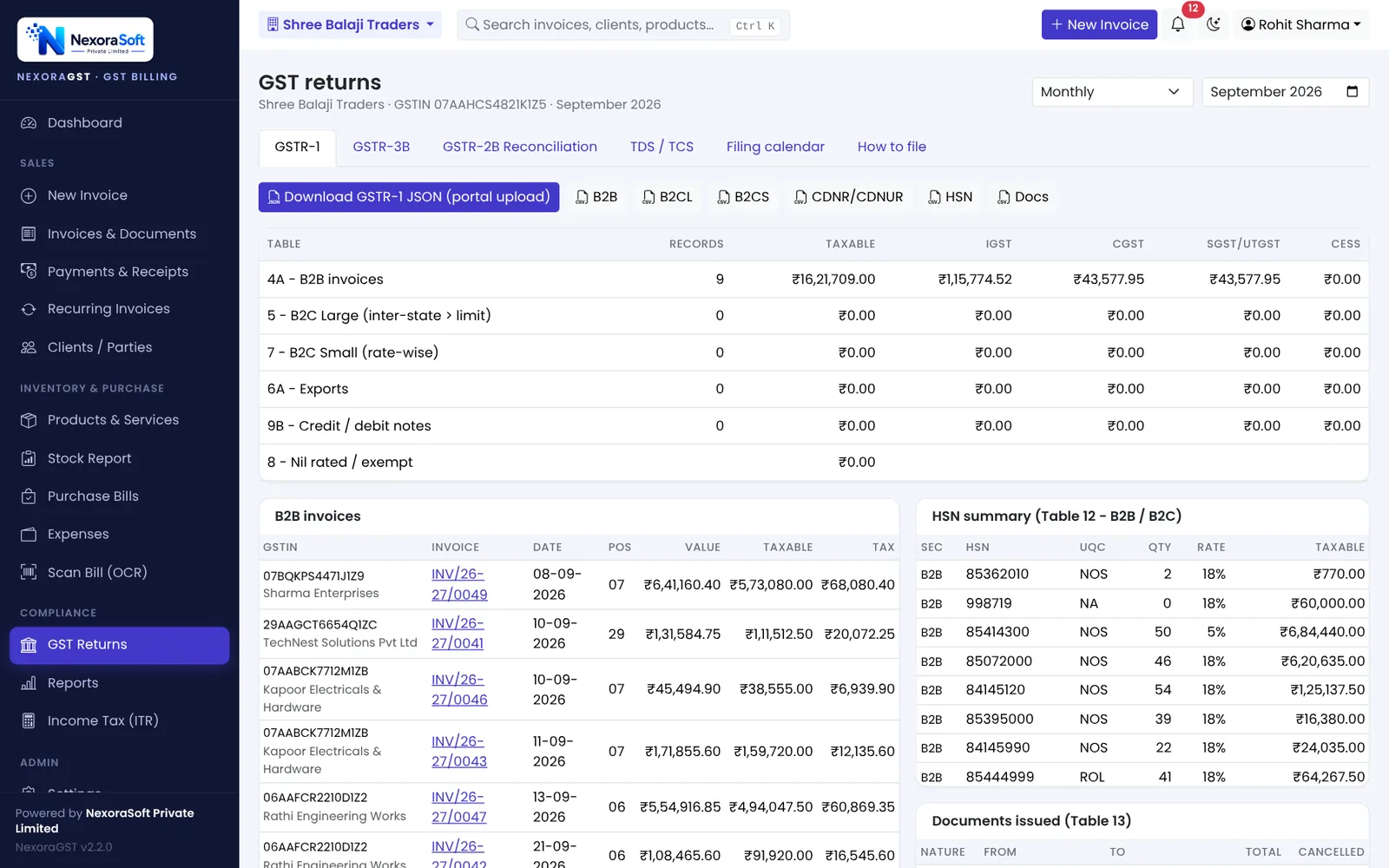
| Table | Contents |
|---|---|
| 4A | B2B invoices to registered buyers |
| 5 | B2C Large: inter-state invoices to unregistered buyers above Rs 1 lakh (limit lowered from Rs 2.5 lakh from August 2024) |
| 6A | Exports |
| 7 | B2C Small: all other B2C sales, rate-wise and state-wise |
| 8 | Nil-rated, exempt and non-GST supplies |
| 9B | Credit and debit notes (registered and unregistered) |
| 12 | HSN-wise summary, reported separately for B2B and B2C |
| 13 | Documents issued: number ranges and cancelled documents |
What goes into GSTR-3B
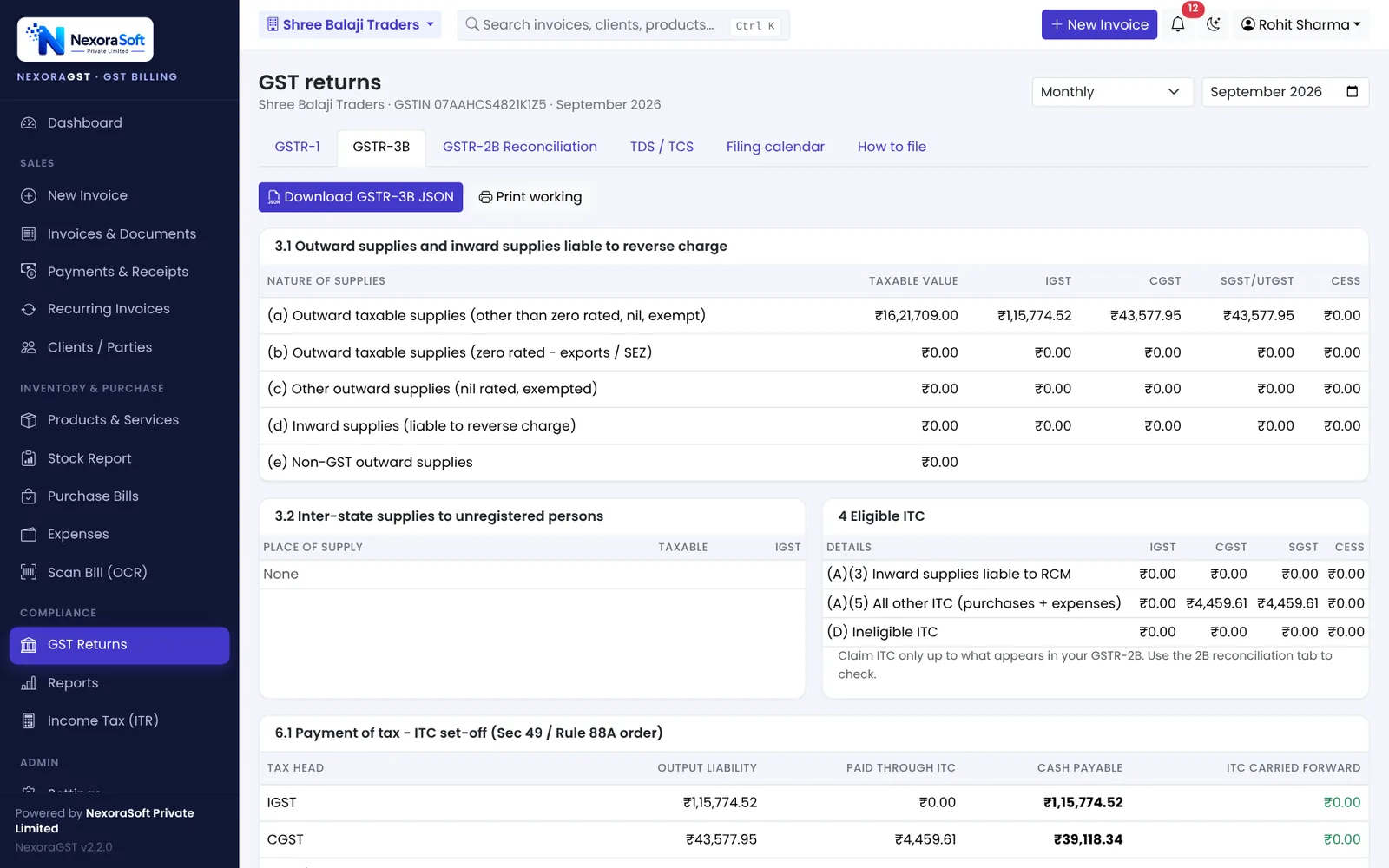
- Table 3.1: outward taxable supplies, zero-rated, nil and exempt, and inward supplies on reverse charge
- Table 3.2: inter-state supplies to unregistered persons, composition dealers and UIN holders, by state
- Table 4: eligible ITC, reversals and ineligible ITC
- Table 6.1: payment of tax, first using ITC in the order set by Section 49 and Rule 88A, then cash
What changed in 2025
- From the July 2025 tax period, Table 3.2 of GSTR-3B is filled from GSTR-1 / GSTR-1A / IFF and cannot be edited. Fix mistakes through GSTR-1A before filing GSTR-3B.
- Returns cannot be filed once three years have passed from their due date. Old pending returns are now time-barred on the portal.
- HSN summary in GSTR-1 Table 12 is split into B2B and B2C, with HSN picked from a drop-down.
Why GSTR-1 and GSTR-3B must match
The portal compares the tax in your GSTR-1 with the tax you paid in GSTR-3B. A large gap leads to a notice (DRC-01B), and filing of later GSTR-1s can be blocked until you pay or explain. The safest way to keep them equal is to build both from the same invoices, which is exactly what billing software does.
A month-end routine that works
- Finish all invoices, credit notes and purchase bills for the month.
- Check the filing calendar and the documents-issued range.
- Download GSTR-1 JSON, upload on the portal, check and file by the 11th (or IFF by the 13th).
- Reconcile purchases with GSTR-2B (see our GSTR-2B guide).
- Prepare GSTR-3B, compare Table 3.1 with GSTR-1, pay and file by the 20th.
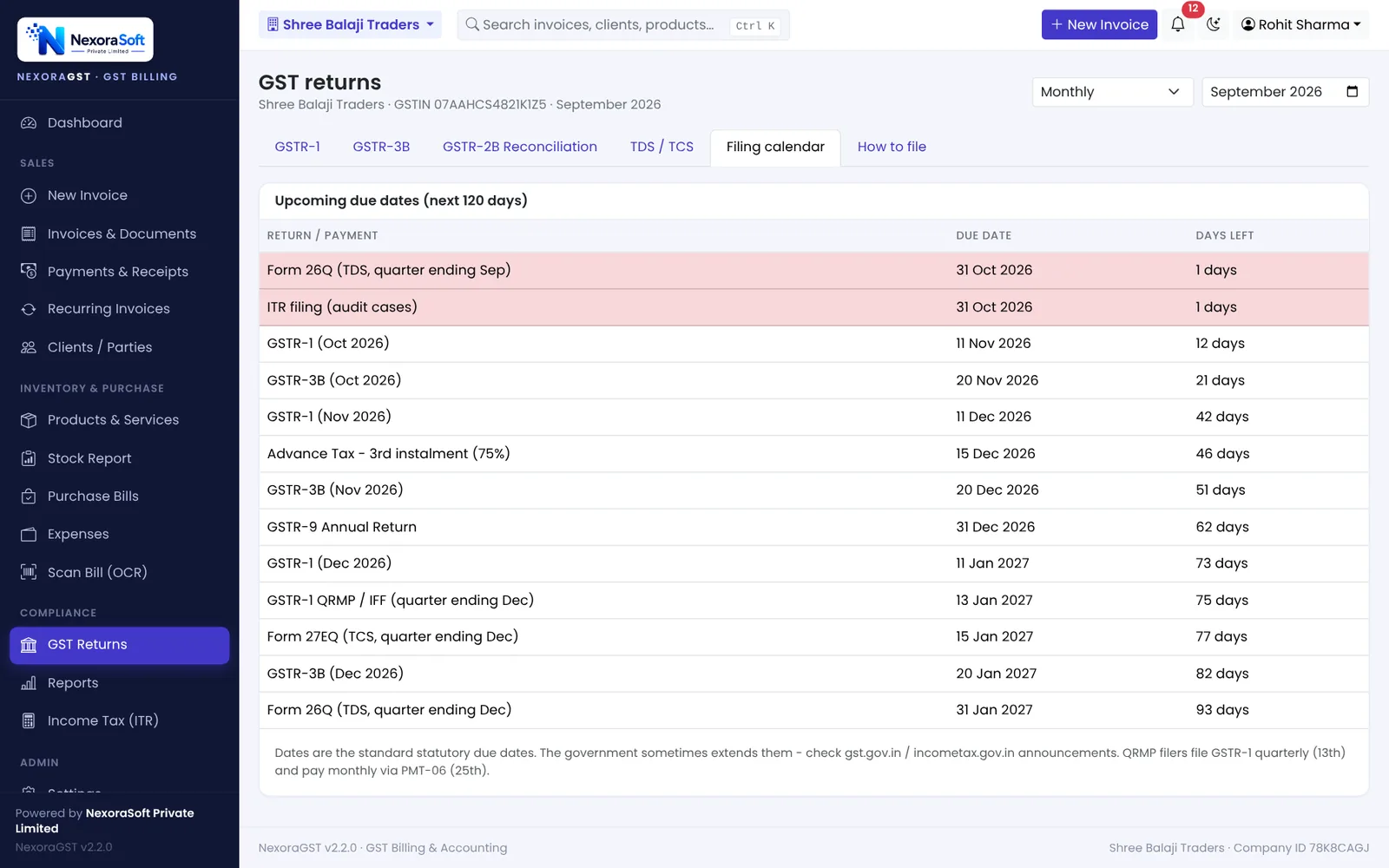
📌 GST law changes often. This guide reflects the rules as we understand them in October 2026. Confirm anything specific to your business with your CA or on gst.gov.in.
Software for this: NexoraGST GST Billing Software · for small business · in Delhi
GSTR-2B ReconciliationHow to Create a GST InvoiceGST Invoice Number RulesCGST, SGST or IGST? Place of Supply Explained With ExamplesE-Way Bill Rules in India
See NexoraGST in Action
Book a free live demo and watch invoices, payments, stock and GSTR-1 / GSTR-3B work on your own data.
Book a Free Demo +91 98115 51004