A kitchen order ticket is the message from the floor to the kitchen. When it is clear, fast and recorded, service improves. Here is how a KOT system works.
What is a KOT?
A KOT lists what a table has ordered: items, quantity, notes, table and time. The kitchen cooks from it.
Paper vs screen
| Paper KOT | Kitchen display |
|---|---|
| Printed at the kitchen | Shown on a screen |
| Can be lost or smudged | Stays in the queue |
| No status | Status: new, preparing, ready |
| Reprint needed | Visible any time |
Handling additions and changes
Additional items should create a new KOT, so the kitchen sees only the new items. Cancelling a sent item should need permission and be logged, so you can tell wastage from mistakes.
Good KOT habits
- Number every KOT
- Write special notes in the same field
- Sort by station
- Train captains to send quickly
- Review cancelled KOTs weekly
In NexoraRMS-POS
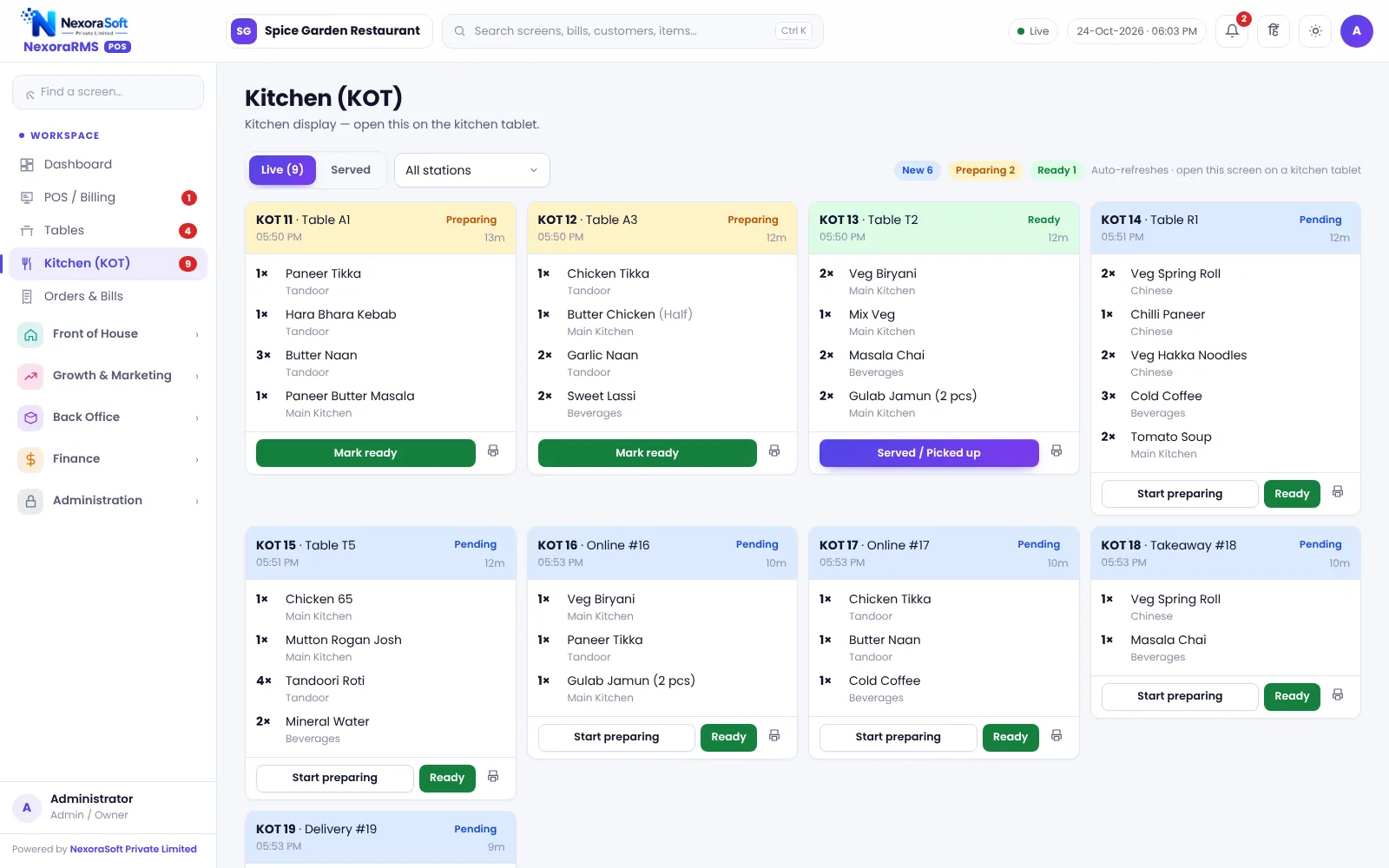
Sending an order saves the order and the KOT together; the kitchen display shows tickets by status, and KOT can be reprinted. See KOT and kitchen display software.
When the kitchen is slow
A KOT system will not cook faster, but it shows where the delay is. Look at the age of tickets on the kitchen display. If one station is always behind, split the load or move items to another station. If tickets are fine but guests wait, the problem is at the pass or with service.
Training the floor
- Send the KOT immediately; do not batch
- Use item notes for allergies and preferences
- Tell the kitchen about a rush before it happens
- Never cook without a ticket
Related guides: Restaurant POS Software in India (complete guide)
KOT & Kitchen Display SoftwareRestaurant Table Management SoftwareWhat Is Restaurant POS Software?Restaurant Table Management Tips
See NexoraRMS-POS in Action
Book a free live demo and see billing, KOT, tables, QR ordering and reports run on your own menu.
Book a Free Demo +91 98115 51004