Home › Restaurant POS Software › Restaurant Table Management Software
Restaurant POS SoftwareRestaurant Table Management Software with Live Floor Plan
See which tables are free, running or waiting for the bill. Transfer a table, merge two, split a bill and keep reservations and a walk-in waitlist, without paper charts.
Why Table Management Matters
Table turns drive restaurant revenue. If a captain does not know a table has asked for the bill, or a reserved table is given away, guests wait and sales drop. A live floor view gives everyone the same picture.
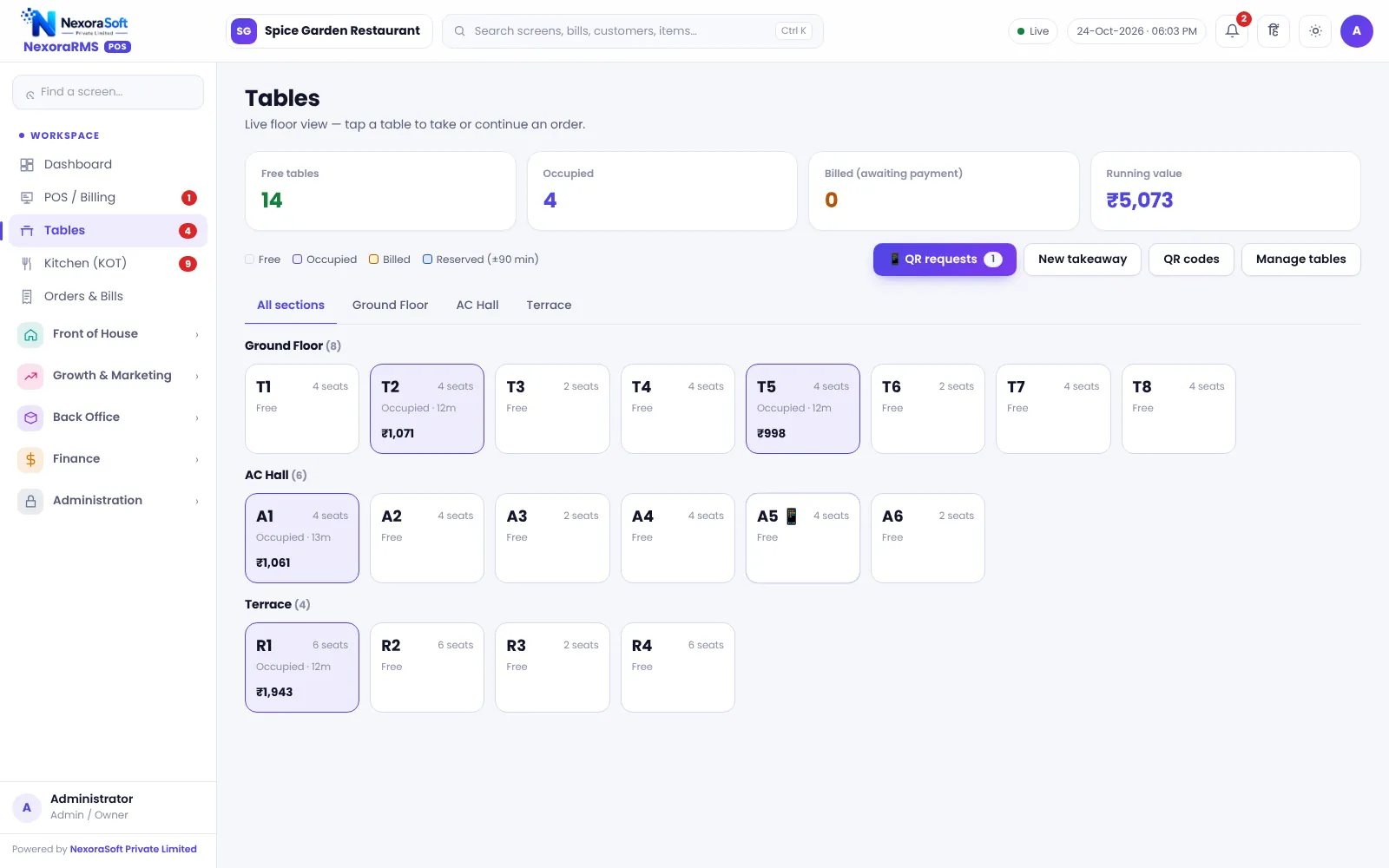
In NexoraRMS-POS the Tables screen groups tables into sections such as Ground Floor, AC Hall and Terrace. Each table shows seats, status and the running bill value, so the manager can see where the money is.
Floor Features
Live table status
Free, occupied, billed and reserved are colour-coded, with time since the table opened.
Transfer and merge
Move a running order to another table or merge a table into another.
Split bill
Move selected items into a new bill for guests who pay separately.
Reservations
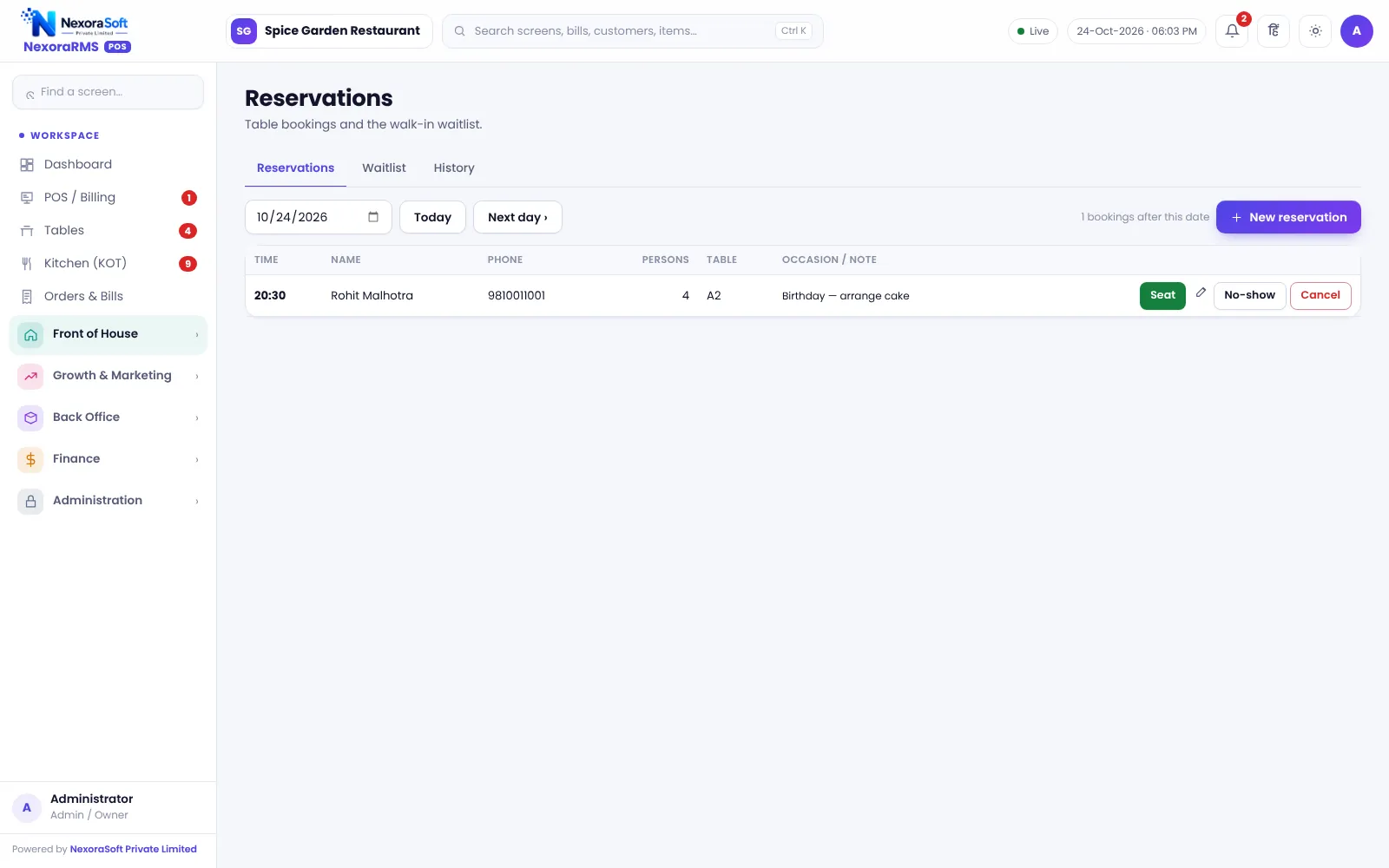
Book a table for a date and time. Reserved tables show on the floor from 90 minutes before.
Walk-in waitlist
Add guests to a waitlist with party size and call them when a table frees up.
QR requests
Waiter calls, water and bill requests from table QR show as a badge on the Tables screen.
Reservations and Waitlist
Reservations are kept next to the floor, not in a notebook. A booking holds guest name, phone, party size, date and time. The floor shows an upcoming reservation so the table is not given away.
For walk-ins during a rush, the waitlist records the party and the wait, so staff can seat guests in order.
- Booking with date, time, party size and notes
- Upcoming reservations on the dashboard
- Waitlist with party size
- Reserved status on the floor
Running the Floor
Seat
Open the table, set covers and captain.
Order
Take orders and send KOT.
Adjust
Transfer, merge or split as the party changes.
Bill
Print the bill; the table shows billed.
Free
Settle, and the table returns to free.
Table Management at a Glance
| Need | NexoraRMS-POS feature |
|---|---|
| See the floor | Sections and live status |
| Party moves | Transfer and merge |
| Separate payment | Split bill |
| Advance booking | Reservations |
| Rush hour | Waitlist |
| Guest requests | QR call waiter and bill requests |
Floor layout is a grid by section, not a drawn seating map.
Restaurant Table Management Software – FAQ
Yes. Tables belong to sections you define, such as AC hall, terrace or garden, and each section has its own table grid. You can verify this in a free live demo of NexoraRMS-POS using your own menu and tables.
Yes. Transfer moves a table's running order to another table, and two tables can be merged for a large group. Ask for a free live demo of NexoraRMS-POS with sample restaurant data to see this on screen.
Yes. Reservations capture date, time and party size, and a separate walk-in waitlist handles guests waiting for a table. Confirm tax rates and treatment for your outlet with your CA; NexoraRMS-POS prints and exports the data.
Tables are shown in a section grid with status colours. A drawn seating map is not part of this version. You can verify this in a free live demo of NexoraRMS-POS using your own menu and tables.
Guests tap a call-waiter option on the table QR page and the request appears as a badge on the Tables screen. See QR menu ordering. You can verify this in a free live demo of NexoraRMS-POS using your own menu and tables.
See NexoraRMS-POS in Your Own Restaurant
Share your menu, tables and billing flow and get a free live demo of NexoraRMS-POS. No commitment; we typically respond within 24 hours.