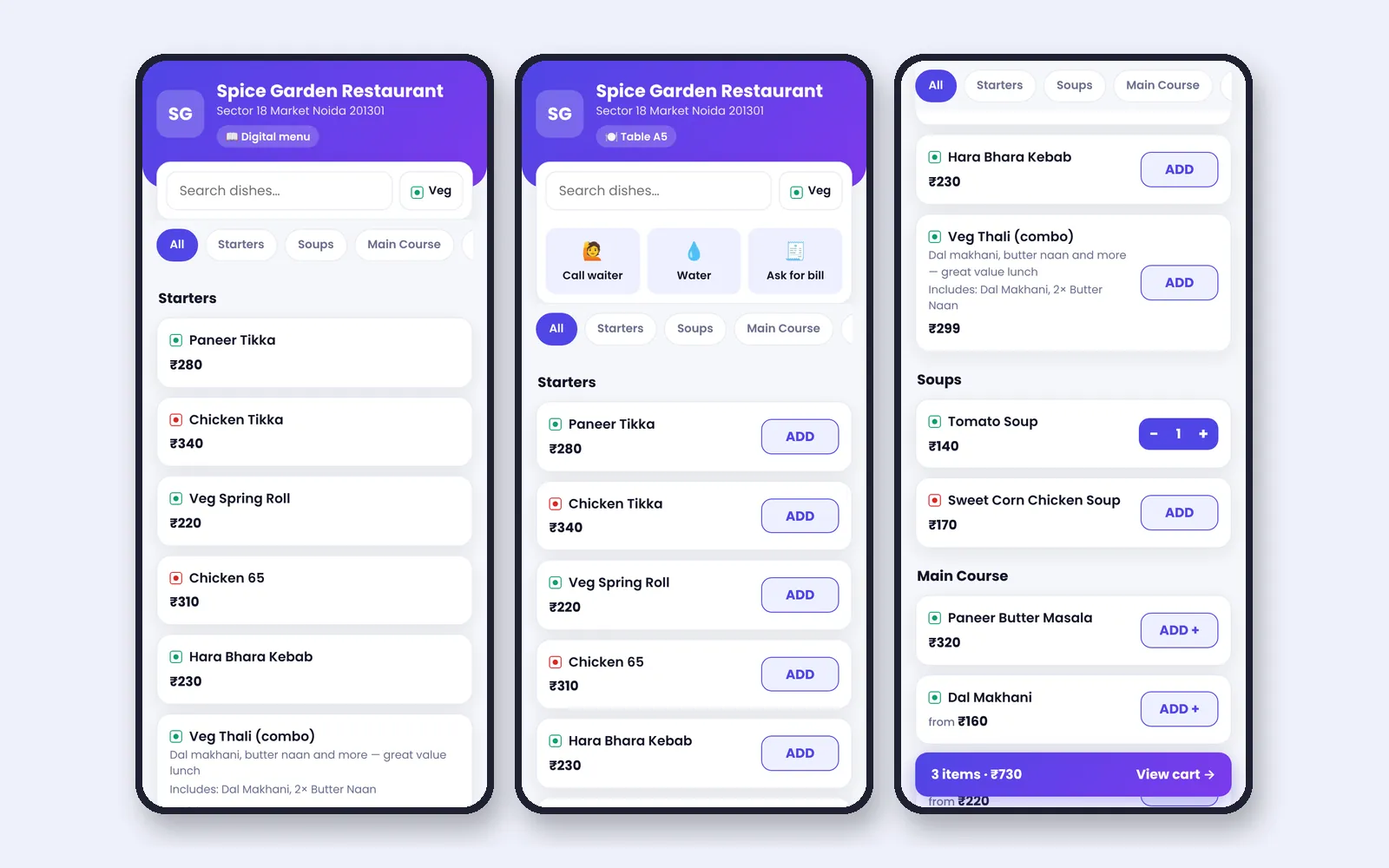
A QR menu saves printing, keeps prices current and can take orders. It can also frustrate guests if done badly. Here is how to do it well.
Two kinds of QR menus
| Type | What it does |
|---|---|
| Digital menu | Shows the menu on the phone; ordering is by staff |
| Table ordering | Guests send orders from the table QR |
Benefits
- Menu and prices always current
- Fewer printed menus
- Guests can order without waiting
- Call waiter, water and bill buttons
- Fewer order mistakes
Pitfalls
- Poor phone network in the restaurant
- Elderly guests who prefer paper
- QR placed where it is hard to scan
- Orders that go straight to the kitchen with no check
A safer flow
In NexoraRMS-POS, a guest order arrives as a request that staff accept before the KOT is created, which lets staff catch mistakes. Links are signed and prices come from the server. Read QR code menu and table ordering software.
Setup checklist
- Finish your menu with photos and descriptions
- Print table QRs
- Test from two phones
- Train staff on the accept flow
- Keep a few paper menus
Make the digital menu worth using
- Short dish descriptions and a veg or non-veg mark
- Clear sizes and add-ons
- Mark unavailable dishes out of stock quickly
- Keep the category order logical, starters before mains
How to introduce it
Let staff say, "You can scan the QR for the menu, or I can bring one." Guests who want a human still get one. Over time the QR handles most repeat guests.
Related guides: Restaurant POS Software in India (complete guide)
Restaurant Table Management SoftwareQR Code Menu & Table Ordering SoftwareRestaurant Table Management TipsRestaurant Customer Feedback and NPS
See NexoraRMS-POS in Action
Book a free live demo and see billing, KOT, tables, QR ordering and reports run on your own menu.
Book a Free Demo +91 98115 51004