Restaurant stock is perishable and fast moving, which makes small leaks expensive. A simple routine of counts, logging and variance review controls most of it.
Count what matters
You do not need to count everything daily. Count high-value and high-wastage items often (meat, dairy, oil) and the rest weekly.
Use par levels
Set a minimum for each material. When stock falls below, reorder. NexoraRMS-POS shows reorder alerts and turns them into purchase orders.
FIFO and storage
- Label with date
- Store new behind old
- Keep chiller temperature records
- Check expiry on pack goods
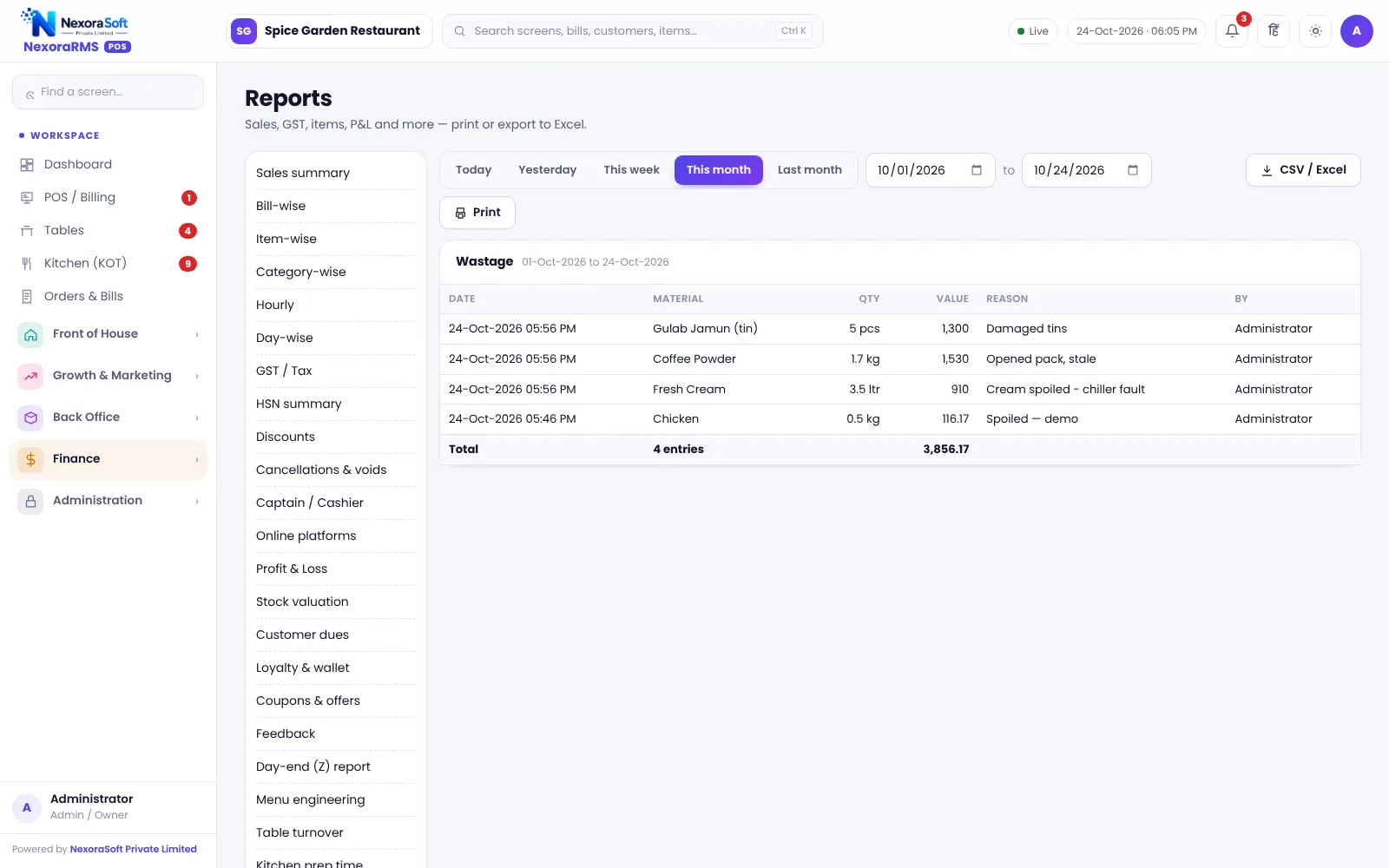
Log wastage
Record wastage with a reason (spoilage, spill, returned, staff meal). Patterns show up quickly.
Read the variance report
Compare expected stock from recipes with counted stock. Large gaps need action. See restaurant inventory software.
Vendor rates
Record purchase rates so cost changes reach your recipes. See purchase and vendor software.
A weekly wastage meeting
Spend ten minutes each week with the head chef and manager. Read the wastage log, name the top three items and agree one action each. Small, repeated reviews beat a large annual clean-up.
Typical causes
| Cause | Fix |
|---|---|
| Over-ordering perishables | Lower par levels, order more often |
| Poor storage | Labels, FIFO, temperature checks |
| Over-portioning | Standard recipe and tools |
| Dishes returned | Taste check and clear notes |
| Staff meals not recorded | Log them as a reason |
Related guides: Restaurant POS Software in India (complete guide)
Restaurant Inventory & Recipe Costing SoftwareRestaurant Purchase & Vendor SoftwareRecipe Costing and Food Cost PercentageRestaurant Cash Handling and Shift Closing
See NexoraRMS-POS in Action
Book a free live demo and see billing, KOT, tables, QR ordering and reports run on your own menu.
Book a Free Demo +91 98115 51004