Home › Restaurant POS Software › Restaurant Inventory & Recipe Costing Software
Restaurant POS SoftwareRestaurant Inventory & Recipe Costing Software
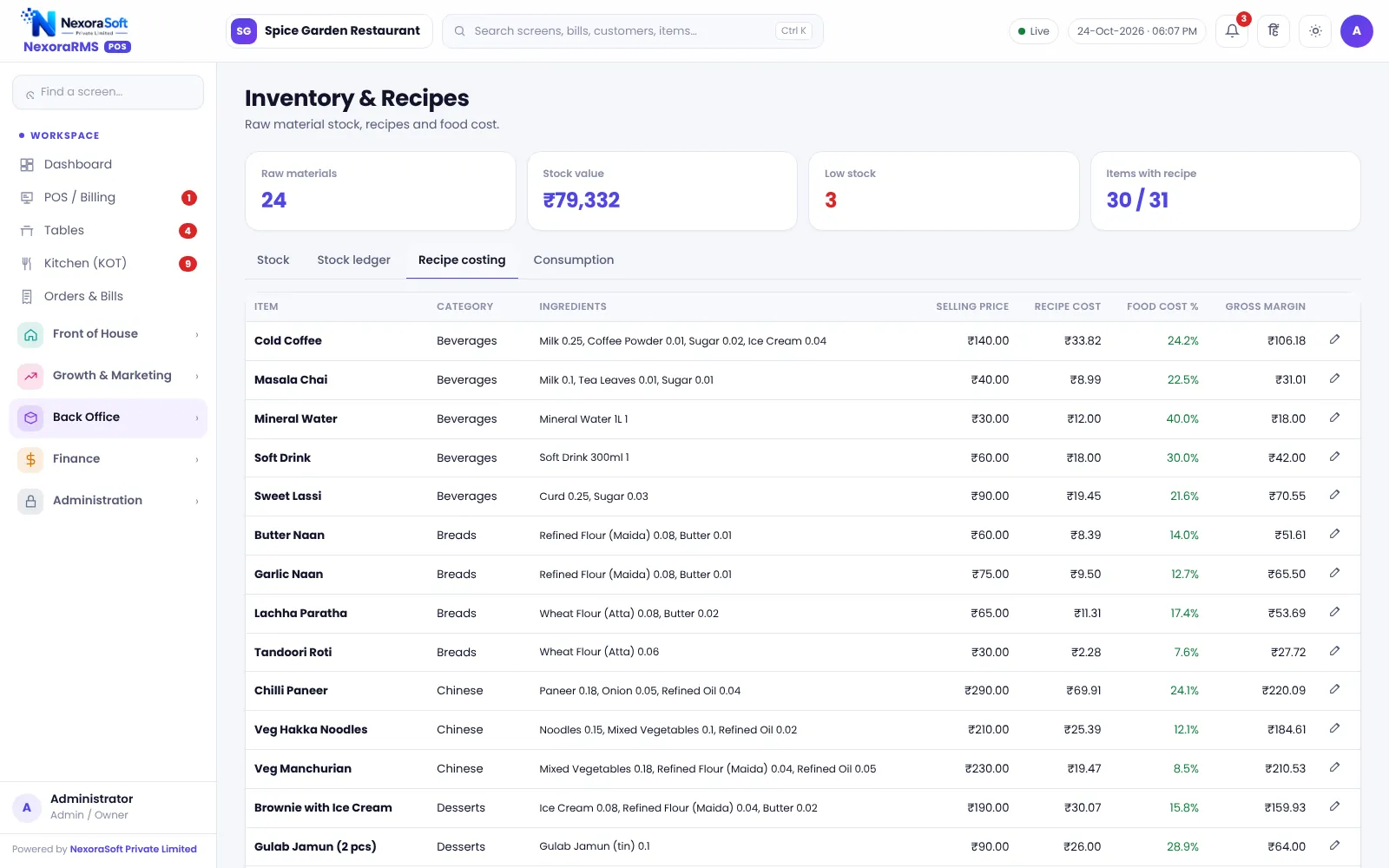
Know what each dish costs and what is left in the store. Recipes link every dish to raw materials, so selling a plate deducts the ingredients and the food cost percentage is always in front of you.
Why Restaurants Need Recipe-Based Inventory
Food cost is the biggest controllable expense in a restaurant. Without recipes, stock is guessed from purchases, and wastage, theft or over-portioning go unnoticed until the month-end. With recipes, the system knows what each plate should consume and compares it with what actually left the store.
NexoraRMS-POS links each menu item to raw materials in a recipe. When a bill is settled, ingredient stock is deducted by the server. Prepared materials such as gravy or dough can be produced from raw materials and then used in dishes.
Inventory Features
Raw materials
Units, purchase rate, reorder level and current stock for every ingredient.
Recipes
Quantity per dish, with sizes handled, giving cost and margin.
Food cost %
Cost against selling price per dish and across the menu.
Production
Make prepared materials from raw materials and track them as stock.
Wastage and adjustments
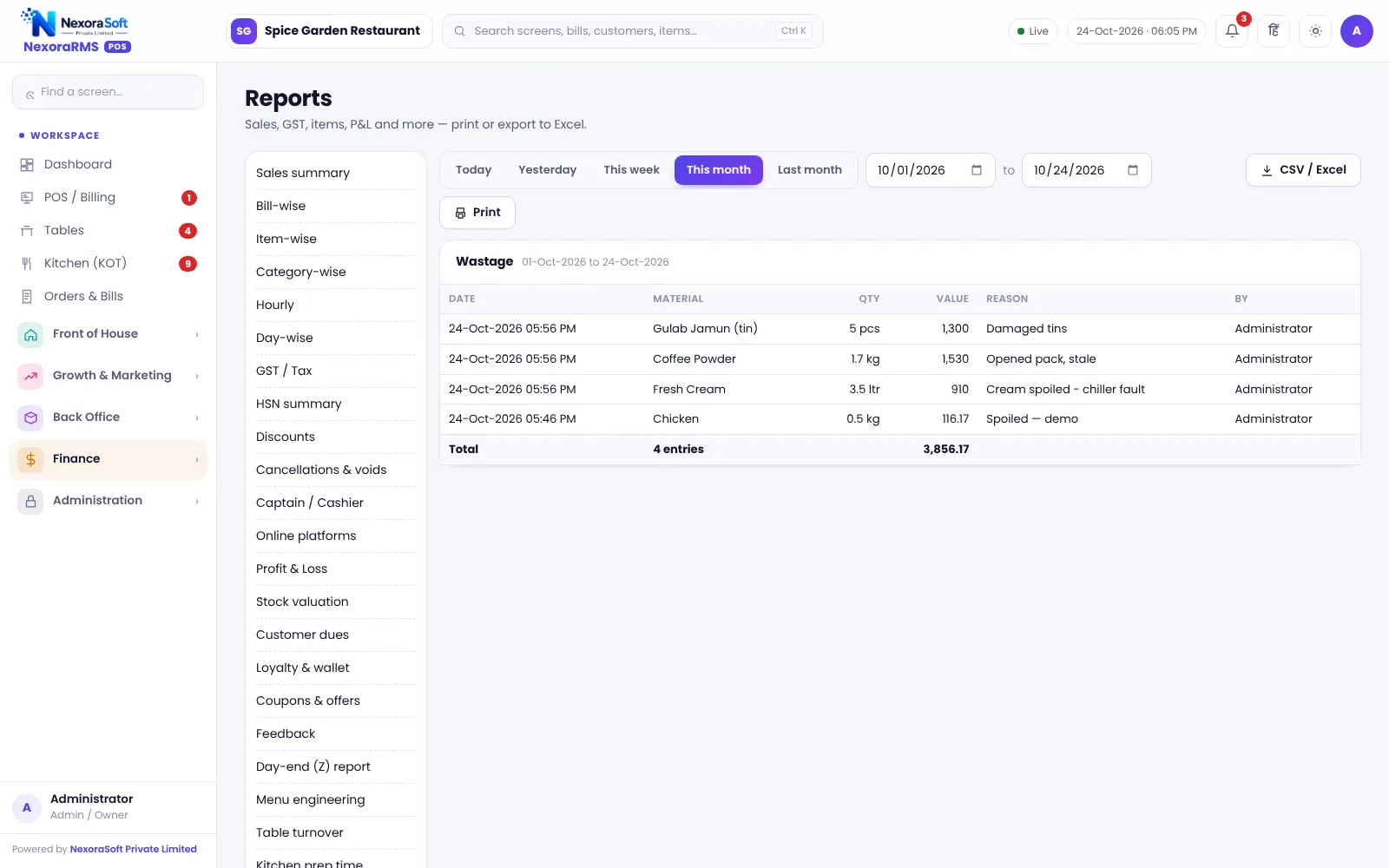
Record spoilage and corrections with reasons.
Reorder alerts
Items below reorder level, with a suggested purchase order.
Stock Variance: Expected vs Actual
The stock variance report compares the stock the recipes say should be left with the stock counted. A gap shows wastage, portion errors or leakage, and tells you which materials to watch.
Every stock change is recorded in a stock ledger that shows date, type and reference, so a number can always be traced back.
- Stock deducted when the bill is settled
- Stock ledger with reference
- Wastage entries with reason
- Variance report after a count
- Reorder to purchase order to WhatsApp to vendor
Setting Up Recipe Costing
Add materials
List raw materials with unit and rate.
Write recipes
Attach quantities to each menu item and size.
Check cost
Review food cost % and margin per dish.
Count stock
Enter opening stock and count regularly.
Review variance
Investigate gaps weekly.
Inventory at a Glance
| Need | NexoraRMS-POS feature |
|---|---|
| Know dish cost | Recipe costing |
| Stop silent loss | Variance and wastage report |
| Never run out | Reorder alerts and PO |
| Prepared items | Production of prepared materials |
| Traceability | Stock ledger |
Accuracy depends on recipe quantities and regular counts. Treat the system as a control tool, not a substitute for supervision.
Restaurant Inventory & Recipe Costing Software – FAQ
Yes. When a bill is settled, the recipe ingredients for each dish are deducted from stock, and food cost updates automatically. NexoraSoft gives a written quote after a free demo, based on outlets, users and modules.
Recipes can handle sizes, so half and full portions can have different quantities. Confirm your portion setup during the demo. NexoraSoft gives a written quote after a free demo, based on outlets, users and modules.
Yes. Wastage is recorded with reasons, and after stock counts a variance report shows the gap between expected and actual stock. Ask for a free live demo of NexoraRMS-POS with sample restaurant data to see this on screen.
Yes. Reorder suggestions can be turned into purchase orders, and a purchase order can be sent to the vendor as a click-to-send WhatsApp message. Ask for a free live demo of NexoraRMS-POS with sample restaurant data to see this on screen.
No. It is restaurant inventory tied to recipes and sales. For warehouses, traders or multi-location stock, see NexoraIMS inventory management software.
Reports include item-wise and profit views, which show food cost by dish and category. See reports and analytics for the full list. NexoraSoft gives a written quote after a free demo, based on outlets, users and modules.
See NexoraRMS-POS in Your Own Restaurant
Share your menu, tables and billing flow and get a free live demo of NexoraRMS-POS. No commitment; we typically respond within 24 hours.