Home › Restaurant POS Software › Restaurant Purchase & Vendor Management Software
Restaurant POS SoftwareRestaurant Purchase & Vendor Management Software
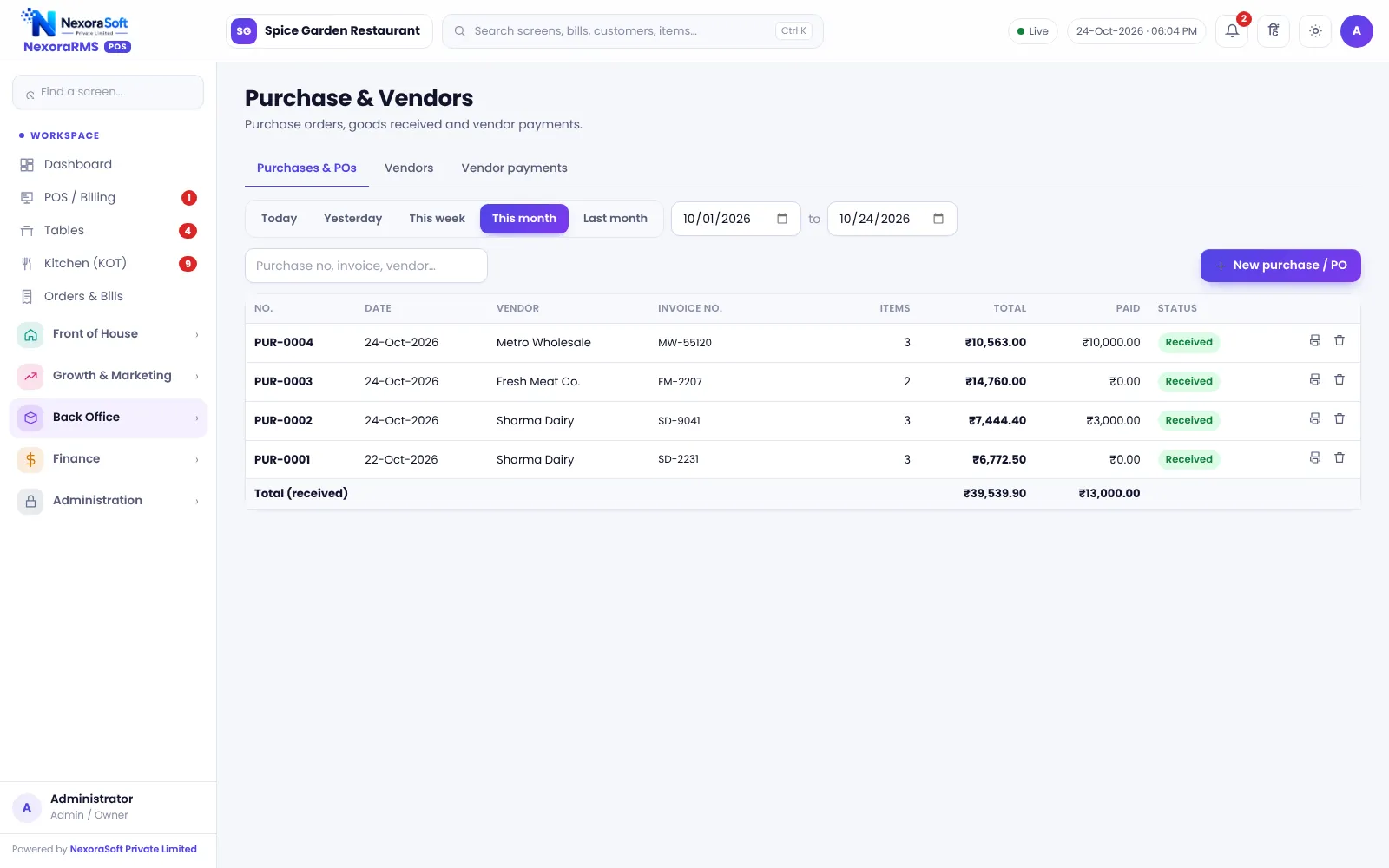
Record what you buy, from whom and what you still owe. Purchases update raw material stock and cost, vendor balances stay visible and low-stock items turn into purchase orders you can send on WhatsApp.
Buying Control in a Restaurant
A restaurant buys daily from many small vendors: vegetables, meat, dairy, grocery, gas. Without records, you cannot say what you owe or whether prices are drifting.
NexoraRMS-POS has a vendor master, purchase entries that update raw material stock and rates, and a payment record against each vendor. Reorder suggestions create purchase orders from items under their reorder level.
Purchase Features
Vendor master
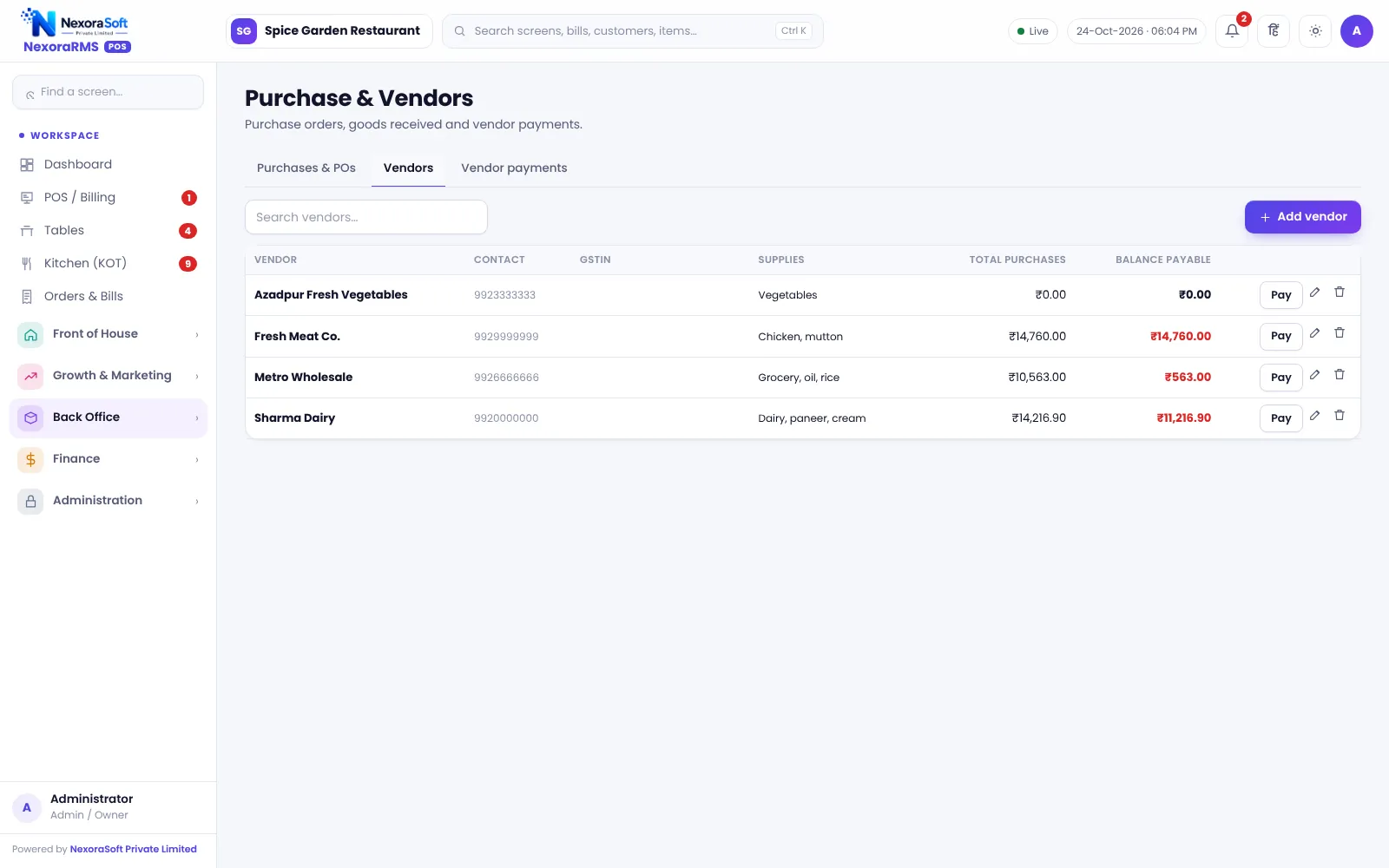
Vendor contact, supplies and GSTIN, with balance payable.
Purchase entries
Goods received with quantity and rate, updating stock.
Vendor payments
Record payments against vendors with mode and date.
Reorder suggestions
Items below reorder level grouped for purchase.
PO on WhatsApp
Share a purchase order with the vendor by WhatsApp.
Purchase reports
Purchases by vendor and material.
Keep Vendor Dues Clear
Vendor payments show total purchases and balance payable per vendor, so you pay what is due and dispute only what is wrong.
Rates entered in purchases update the cost base for recipe costing, so rising prices show up in food cost before month-end.
- Vendor balance payable
- Payment history
- Purchase to stock update
- Rate changes feed recipe cost
- Reorder to PO to WhatsApp
Purchase Flow
Reorder
Check items under reorder level.
PO
Create a purchase order.
Receive
Record goods received.
Pay
Record vendor payment.
Review
Check vendor balance and rate changes.
Purchasing at a Glance
| Need | NexoraRMS-POS feature |
|---|---|
| Know what you owe | Vendor balances |
| Update stock | Purchase entries |
| Avoid stock-outs | Reorder suggestions |
| Order fast | PO on WhatsApp |
| Track prices | Rate updates |
It is not a full procurement suite with approvals and contracts.
Restaurant Purchase & Vendor Management Software – FAQ
Yes. Vendor payments are recorded against each vendor, so outstanding balances and payment history stay in one place. Ask for a free live demo of NexoraRMS-POS with sample restaurant data to see this on screen.
Yes. A purchase updates stock and the latest purchase rate, which feeds recipe cost and food cost. NexoraSoft gives a written quote after a free demo, based on outlets, users and modules.
Yes. A purchase order can be sent to the vendor as a click-to-send WhatsApp message; staff tap send. You can verify this in a free live demo of NexoraRMS-POS using your own menu and tables.
Purchase approval workflows are not part of this version. Use user permissions to control who can create purchases. Ask for a free live demo of NexoraRMS-POS with sample restaurant data to see this on screen.
Check the purchase reports in the demo. Input credit treatment depends on your outlet type; confirm with your CA. Confirm tax rates and treatment for your outlet with your CA; NexoraRMS-POS prints and exports the data.
See NexoraRMS-POS in Your Own Restaurant
Share your menu, tables and billing flow and get a free live demo of NexoraRMS-POS. No commitment; we typically respond within 24 hours.