Aggregator orders are sales. If they stay on a tablet, your POS reports, stock and food cost miss them. Here is a simple way to bring them in.
The problem
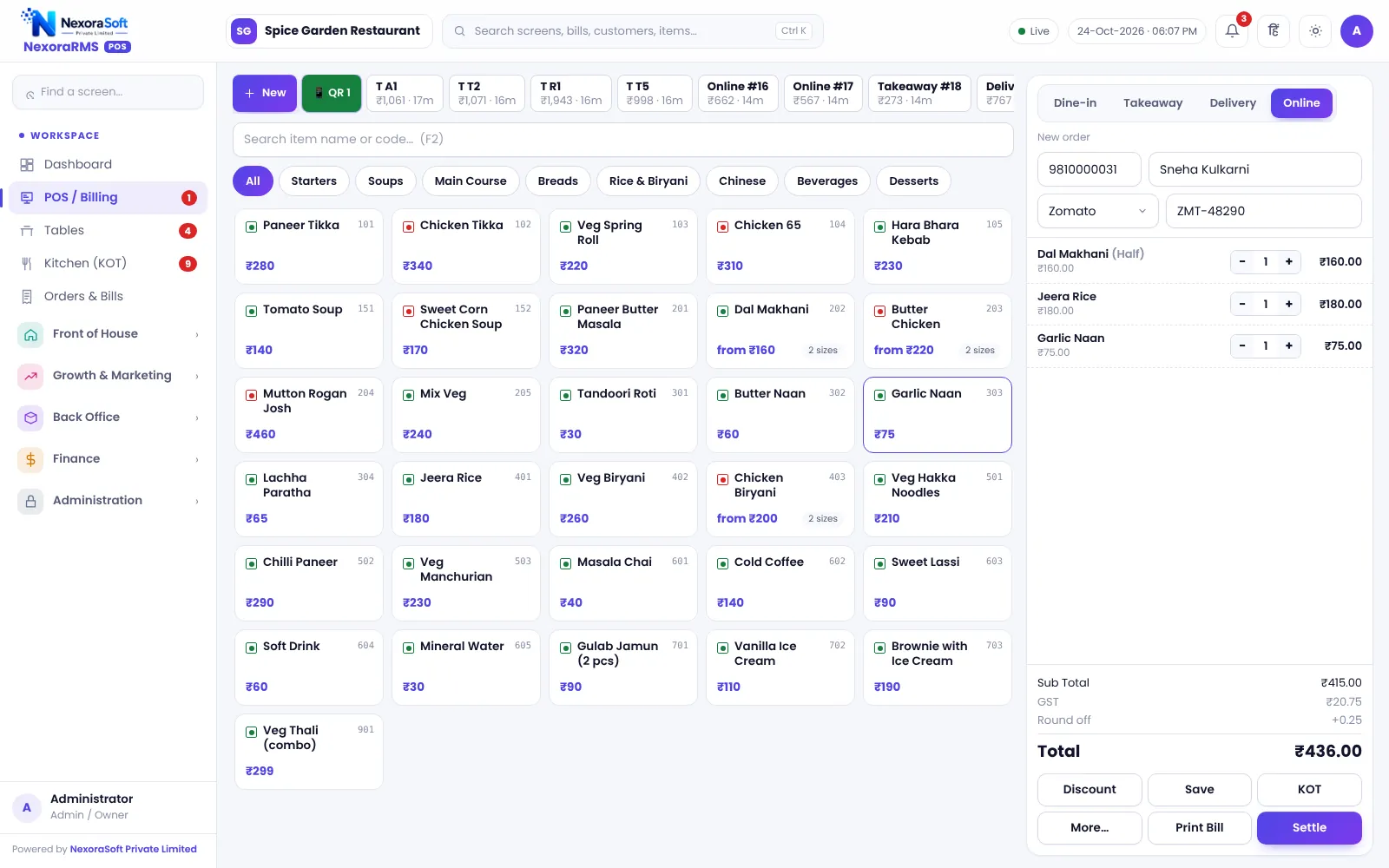
Orders arrive on a separate tablet. Staff cook from it, sales are not in the POS, stock is not deducted and the month-end does not match the payout.
A clean routine
- Receive the order on the platform tablet
- Create an Online order in the POS and pick the platform
- Enter the platform order ID
- Send KOT and prepare
- Pack, add packing charge if you use one, and hand over
Channel prices
Aggregator menus often carry higher prices. Use a price list per channel so bills match what the platform shows.
Reconciling the payout
Use channel-wise sales and compare with the platform statement for commission, discounts and refunds. Do this weekly.
Honest limits
NexoraRMS-POS does not import aggregator orders automatically; staff enter them. This is accurate but needs time at peak hours, so plan staffing. See Zomato and Swiggy order management.
Grow your own channel
An own online store takes orders at zero commission, so promote it on the packaging and on WhatsApp.
Peak-hour tips
- Put one person on online orders during rush
- Use a separate printer or screen for online KOT
- Mark items out of stock on the POS and on the platform
- Pack with a printed bill so the order ID is on the bag
Weekly review
Compare channel sales, discounts, refunds and commission. If a channel earns little after commission, adjust prices or the menu offered on it.
Related guides: Restaurant POS Software in India (complete guide)
Zomato & Swiggy Order Management SoftwarePOS Software for Cloud KitchensRestaurant Reports Every Owner Should CheckCloud Kitchen POS Setup Guide
See NexoraRMS-POS in Action
Book a free live demo and see billing, KOT, tables, QR ordering and reports run on your own menu.
Book a Free Demo +91 98115 51004