Home › Restaurant POS Software › POS Software for Cloud Kitchens in India
Industry Restaurant POS SoftwarePOS Software for Cloud Kitchens
A cloud kitchen has no tables, only orders. NexoraRMS-POS records aggregator, phone and own-store orders on one screen with channel prices, packing charges and food cost per dish.
DeliveryOnline ordersPrice listsFood costOwn store
What Cloud Kitchens Need
Margins in a cloud kitchen are thin, so food cost and commission matter. Orders come from several apps with different menus and prices, and the kitchen must keep up with peaks at lunch and dinner.
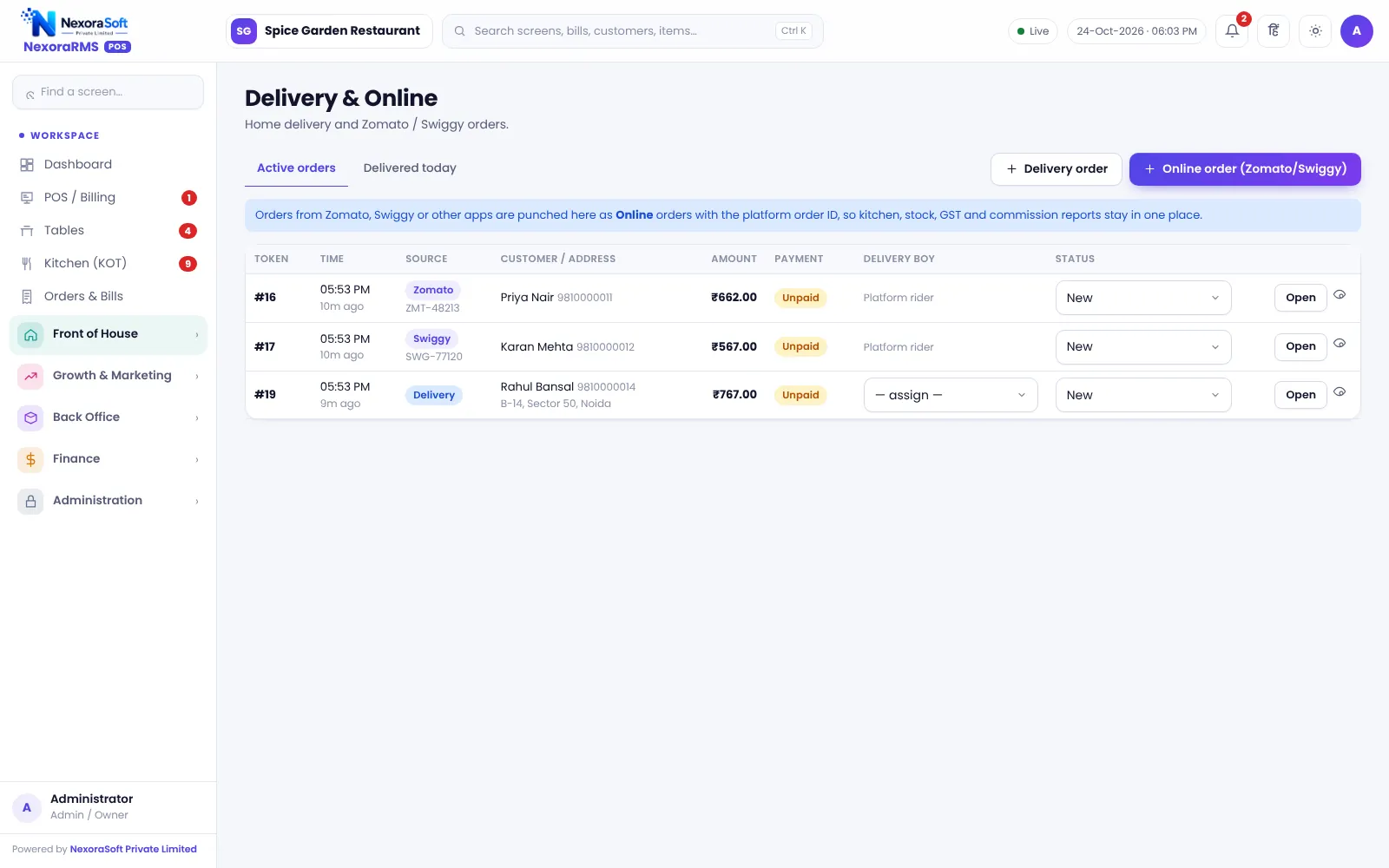
NexoraRMS-POS gives one order list and one kitchen queue, with price lists per channel and recipe costing for every dish. Aggregator orders are entered manually with the platform order ID in this version.
Challenges and How NexoraRMS-POS Handles Them
Multi-channel orders
Zomato, Swiggy, phone and own store in one list.
Channel price lists
Different prices per platform.
Packing charges
Add packing and delivery charges where used.
Kitchen queue
KOT and display for peak hours.
Food cost
Recipe costing and wastage tracking.
Channel reports
Sales by platform.
One Kitchen, Many Channels
Create each order in Online mode with the platform and order ID, send KOT, mark ready for pickup and track it in the list.
Your own online store takes orders at zero commission, which is the best margin channel.
- Platform order ID
- Own store ordering
- Pre-orders
- Channel-wise sales
- Recipe-based stock
Cloud Kitchen POS at a Glance
| Need | NexoraRMS-POS answer |
|---|---|
| All channels | One order list |
| Margins | Recipe costing and channel prices |
| Peak hours | Kitchen display |
| Direct sales | Own online store |
| Aggregator import | Not automatic |
Aggregator orders are entered by staff.
Getting Started
Set up the restaurant
Create price lists per channel and set packing charges.
Build the menu
Add categories, items, sizes, add-ons and tax rates, or import the menu from CSV.
Floor and staff
Draw sections and tables, then create logins for cashier, captain and chef with the right permissions.
Print and test
Set the bill width and header, print a test bill and KOT, and run a few dummy orders.
Go live
Train the team, start with one shift, and review the Z report at close.
POS Software for Cloud Kitchens in India – FAQ
No. Orders from Zomato or Swiggy are entered by staff with the platform order ID, so they appear in the same bills and reports. Automatic order import is not available.
You can run each brand as a separate outlet or menu so reports stay separate. Confirm your exact setup in the demo. You can verify this in a free live demo of NexoraRMS-POS using your own menu and tables.
Yes. Price lists per channel let you keep different prices for dine-in, delivery apps and your own store. NexoraSoft gives a written quote after a free demo, based on outlets, users and modules.
Table-free billing is common for counters, cafes and takeaway. A cloud kitchen simply bills each order with its channel and order ID, and dine-in tables are optional, so you can switch them on only if you add seating later.
There is an own online store page for takeaway and home delivery, but no separate customer app. Guests order in the browser. You can verify this in a free live demo of NexoraRMS-POS using your own menu and tables.
See NexoraRMS-POS in Your Own Restaurant
Share your menu, tables and billing flow and get a free live demo of NexoraRMS-POS. No commitment; we typically respond within 24 hours.