POS & Billing ERP Software Counter Sales, GST Invoices & Price Lists
Sell at the counter and from the back office in the same system. Quotations become sales orders, delivery notes and GST invoices, and the point of sale deducts stock and posts to accounts as you bill.
Barcode POSMultiple payment modesGST invoicesPrice listsLoyalty
A shop, showroom or distributor needs fast billing at the counter and clean paperwork behind it. NexoraERP uses one customer, item and price master for both the point of sale and the order-to-invoice flow.
Selling and POS Features
From first quote to last payment.
| Area | What NexoraERP provides |
|---|---|
| Point of Sale | POS profile, item grid and barcode search, multiple payment modes, change calculation and thermal receipt. |
| Customers | Customer master with credit limit, billing currency, price list and territory. |
| Quotation to invoice | Quotation, sales order, delivery note and sales invoice with linked status. |
| Pricing | Price lists, pricing rules and discounts by item, group or customer. |
| Promotions | Product bundles and a loyalty program. |
| Sales team | Sales team and partner commission on invoices. |
| Returns | Credit notes and sales returns against invoices. |
| Web shop | A storefront with checkout that creates a draft sales order. Payment is offline; no payment gateway is built in. |
Billing at the Counter
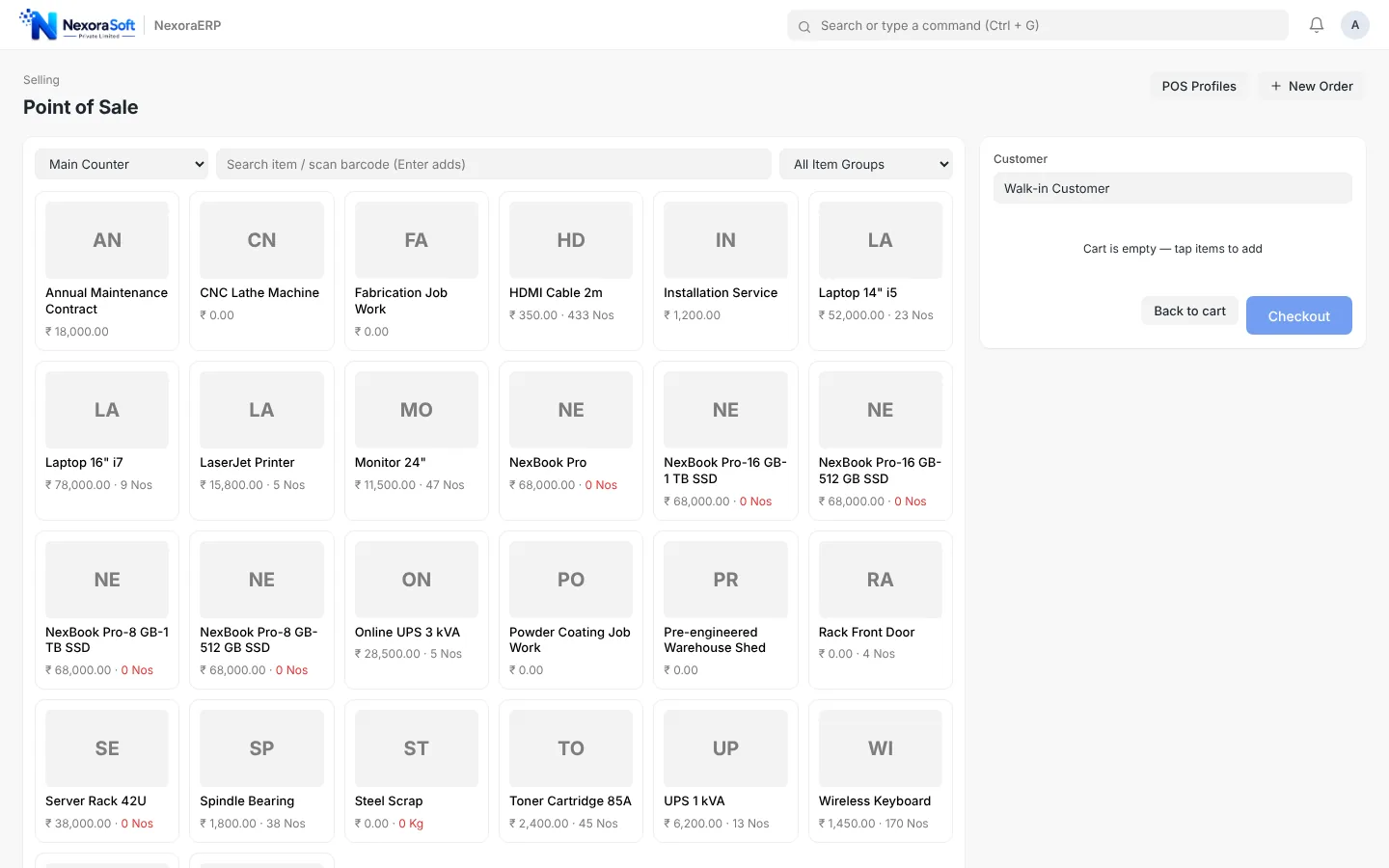
The POS screen shows an item grid with search and barcode entry, a cart, the customer and payment modes. Receipts print on thermal printers, and each sale reduces stock and posts to accounts.
- Barcode and name search
- Cash, card and UPI payment modes
- Thermal receipt printing
- Walk-in customer by default
GST Tax Invoice Print
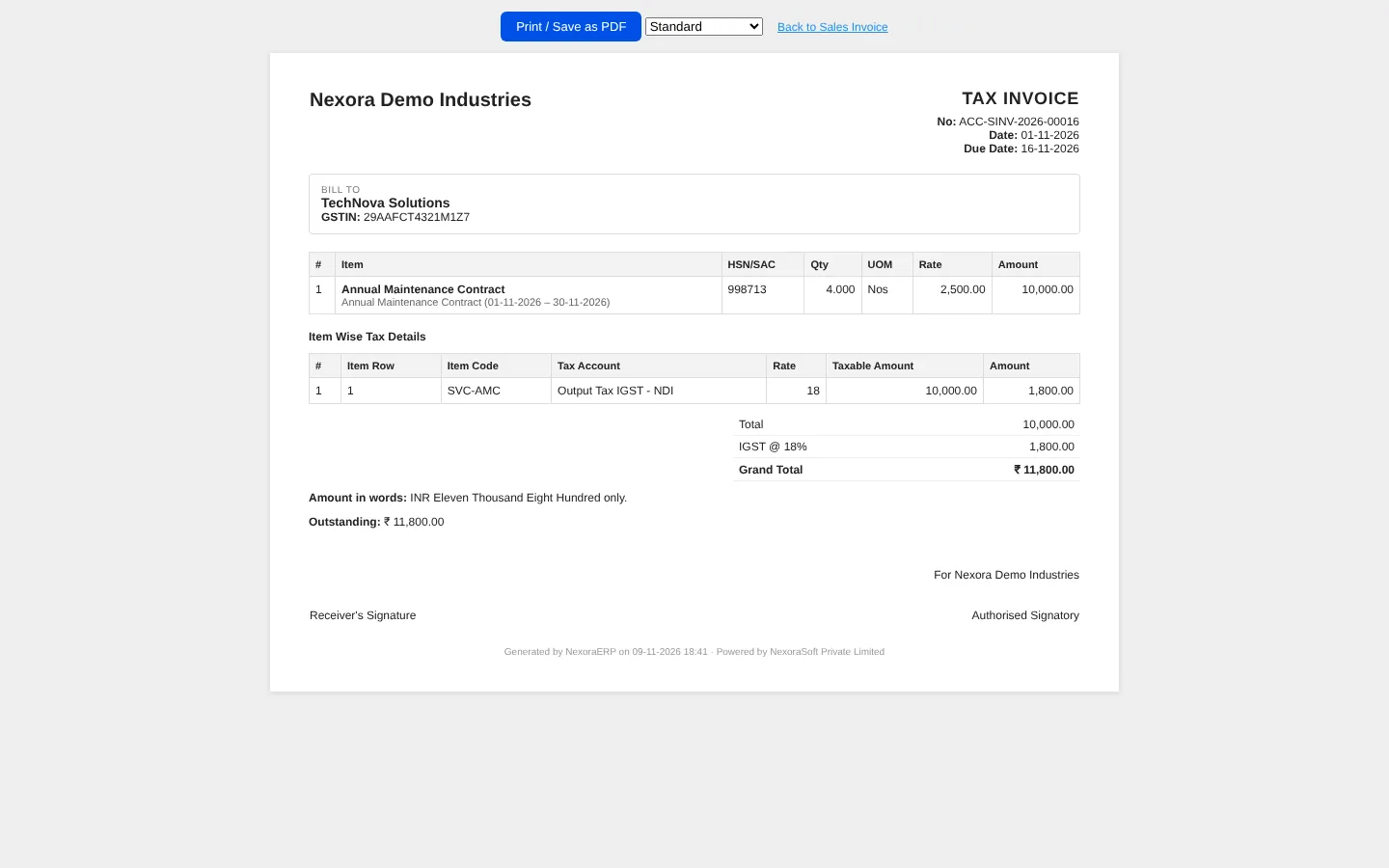
The standard print format shows company and customer GSTIN, item lines, tax summary and the grand total. Print formats can be customised with your logo and terms.
- Company and customer GSTIN
- HSN and tax summary
- Totals with tax breakup
- Custom print formats
Selling Workspace and Sales Trend
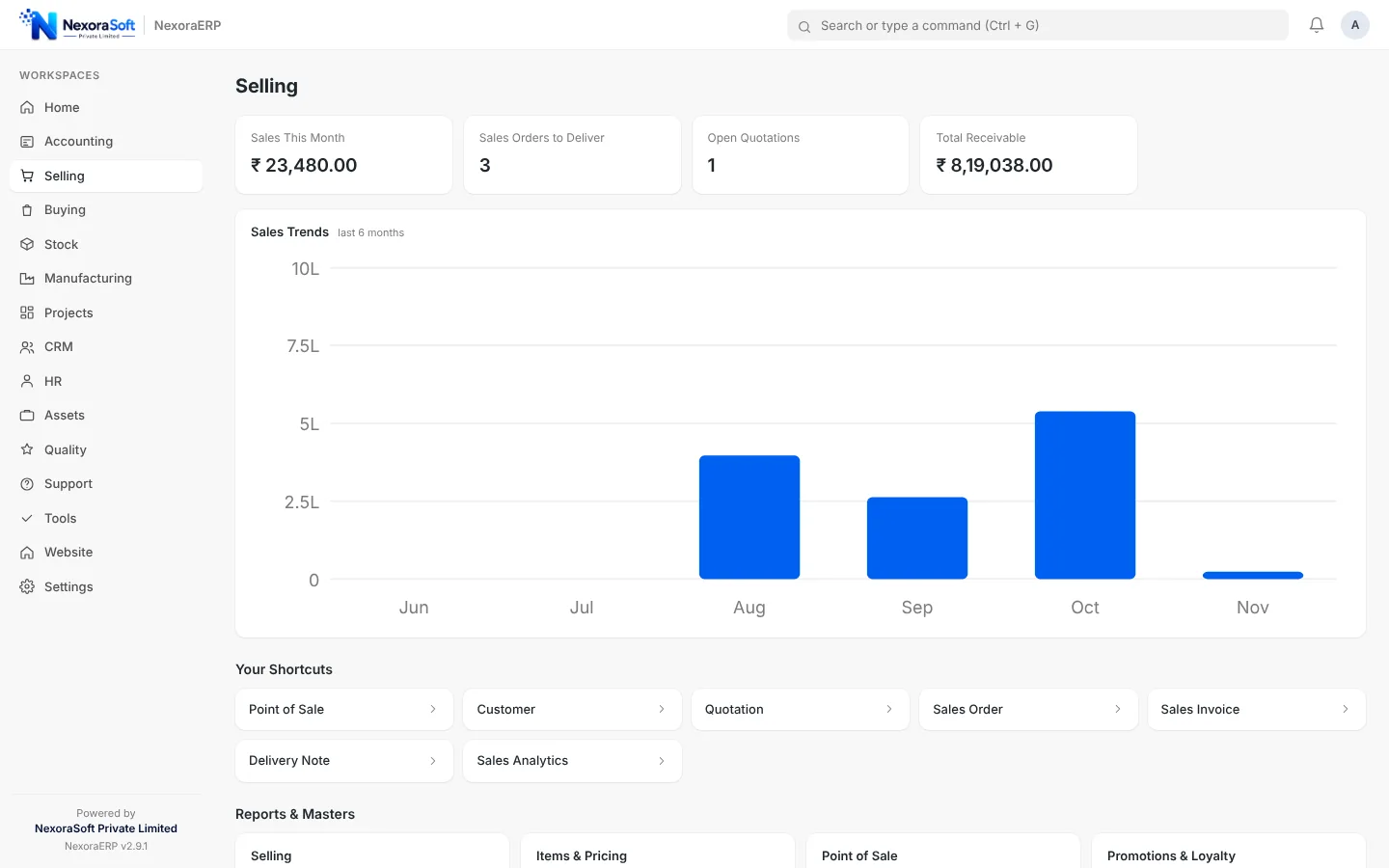
The workspace brings customers, quotations, orders, invoices and sales reports together, with a monthly sales trend chart.
- Sales trend chart
- Sales analytics and registers
- Gross profit report
- Quick links to documents
Billing Connected to Stock and Accounts
One entry updates every module.
Stock
Every sale reduces stock in the right warehouse.
Accounts
Receivables, taxes and revenue post automatically.
CRM
Leads and opportunities convert into quotations.
Web shop
Catalogue and checkout for simple online ordering.
Pricing
Price lists and rules for each customer segment.
GST tax invoice and custom formats.
Restaurants and e-commerce
For table service, kitchen display and aggregator flows see NexoraRMS restaurant POS. For marketplace and carrier integrations see NexoraIMS.
Bill Faster and Keep the Books Clean
Book a demo and we will bill a sample sale at the counter and show the stock and ledger impact.
Frequently Asked Questions
Yes. You can scan a barcode or type an item name or code in the POS search box, and items are added to the cart.
The POS supports multiple payment modes such as cash, card and UPI, and records each against the right account. It records the payment mode; card and UPI terminals are not integrated.
Yes. POS receipts are designed for thermal printers, and full A4 GST invoices use the standard print format.
Yes. Sales invoices use GST tax templates and print with GSTIN, HSN and tax summary.
The web shop lets customers browse and check out, creating a draft sales order for your team to confirm. Online payment gateways are not built in.
Yes. Use price lists and pricing rules for customer groups, items or quantity slabs.
Yes. A loyalty program can award and redeem points on sales.