Home › Inventory Management Software › Inventory Software for Garments & Apparel
Industry Inventory SoftwareInventory Software for Garments and Apparel
Manage styles, sizes and colours without a spreadsheet explosion. NexoraIMS creates every size and colour combination as its own product with its own stock, barcode and reorder level, and shows the whole style as a size × colour grid.
VariantsSize gridLabelsPOSClearance
Why Apparel Stock Is Complicated
One shirt in five sizes and four colours is twenty items. Sales concentrate in a few sizes, stock-outs hide in the middle of the grid, and seasons end with dead stock of unpopular sizes.
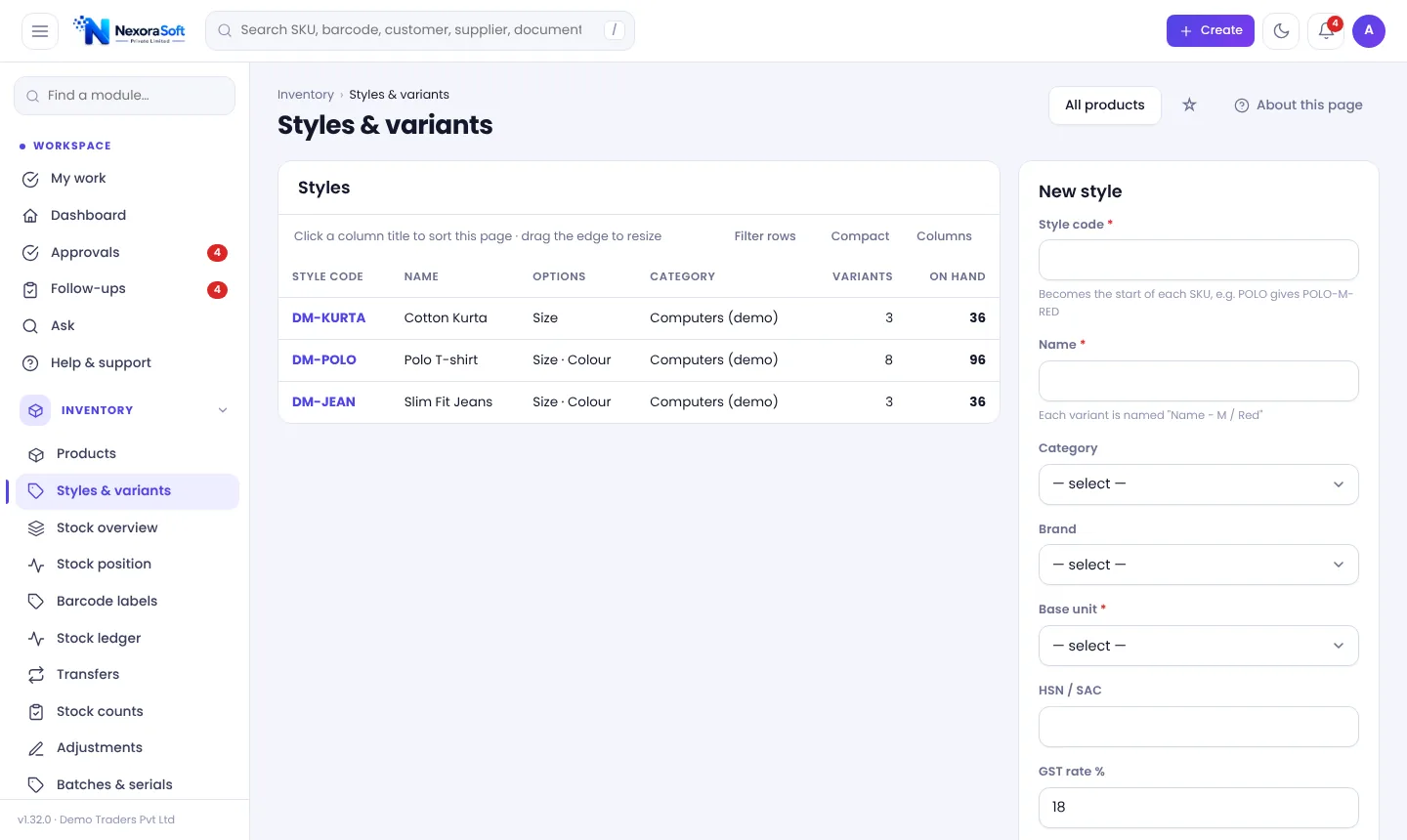
NexoraIMS models a style with options (for example Size S, M, L, XL and Colour Navy, White) and generates the products automatically. You receive, sell, transfer, count and reorder each combination separately.
Challenges and How NexoraIMS Handles Them
Style-wise grid
See stock by size × colour on the style page; add new sizes or colours later.
Price and GST in one go
Set prices, name, GST, HSN and reorder level for all variants at once.
Barcode labels
Print labels per variant with size and colour in the name.
Counter and online
POS and WooCommerce or Shopify orders on the same stock.
Reorder by size
Reorder level per variant so best-selling sizes are replenished first.
Slow and dead stock
Inventory health flags non-moving sizes for clearance.
One Style, Many Variants, One View
On the style page you see the full grid of stock and can add a size or colour later. Barcodes, batch tracking or a special price for one variant are set by editing that variant. The style itself holds no stock and cannot be put on a document; you always pick a variant.
At season end, Inventory health shows what is fast, slow and non-moving so that you can discount the right sizes.
- Variant per combination
- Bulk edit for the whole style
- Stock grid on the style page
- Variant-level reorder and barcode
Apparel at a Glance
| Need | NexoraIMS answer |
|---|---|
| Sizes and colours | Styles and variants |
| Price changes | Bulk edit per style |
| Season clearance | Inventory health and discounts |
| Shop and online | POS and store connectors |
| Labels | Code 128 per variant |
The demo data includes polo t-shirts, slim-fit jeans and kurtas.
Getting Started
Pick a profile
Choose the Retail profile for variants, categories and units.
Import data
Load products, parties and opening stock from Excel or CSV with a dry-run check.
Set rules
GST, numbering, approvals, reorder levels and users.
Try with sample data
Load a sample set, explore, then remove it with one click.
Go live
Parallel run for a short period, then switch.
Inventory Software for Garments & Apparel – FAQ
Yes, through styles and variants.
Yes, as a size × colour grid.
Yes, per variant.
Inventory health lists non-moving items; you set prices as usual.
Yes, any option set such as size and colour.
See NexoraIMS on Your Own Stock
Share your products, warehouses and billing flow and get a free live demo of NexoraIMS. No commitment; we typically respond within 24 hours.