Home › Restaurant POS Software › POS Software for Restaurant Chains & Franchises
Industry Restaurant POS SoftwarePOS Software for Restaurant Chains & Franchises
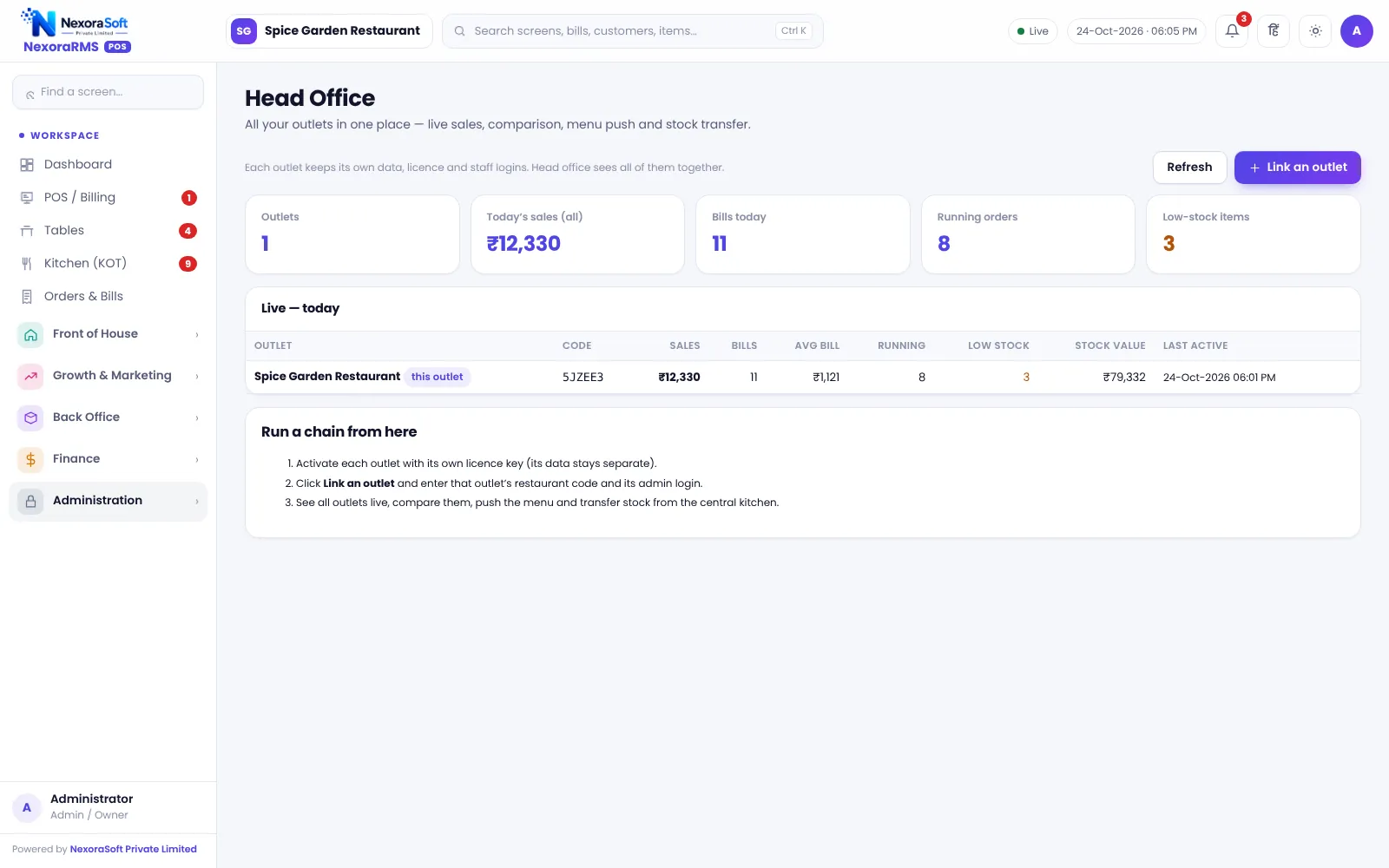
Growing from one outlet to many needs central control without losing local speed. NexoraRMS-POS gives owners a Head Office for live outlets, menu push and stock transfer.
Head OfficeMenu pushTransfer
What Chains Need
Chains need consistent menus and prices, visibility of every outlet and control over stock movement. Franchise models add the need to separate outlet data.
NexoraRMS-POS treats each outlet as its own restaurant and adds a Head Office view. Outlet data stays separate; head office reads across them.
Challenges and How NexoraRMS-POS Handles Them
Head Office
Live outlets and comparison.
Menu push
Send menu changes to outlets.
Stock transfer
Move stock between outlets.
Local roles
Each outlet manages its own staff.
Reports
Compare outlets.
Data separation
No cross-outlet access for managers.
Central Control, Local Speed
Each outlet bills on its own screen with local settings. Head office changes the menu once and pushes it.
Franchise royalty reports are not built in.
- Menu push
- Stock transfer
- Outlet comparison
- Per-outlet licence
Chain POS at a Glance
| Need | NexoraRMS-POS answer |
|---|---|
| Visibility | Head Office |
| Consistency | Menu push |
| Movement | Stock transfer |
| Royalty | Not built in |
Central kitchen production planning is not included.
Getting Started
Set up the restaurant
Activate each outlet with its licence and push the master menu.
Build the menu
Add categories, items, sizes, add-ons and tax rates, or import the menu from CSV.
Floor and staff
Draw sections and tables, then create logins for cashier, captain and chef with the right permissions.
Print and test
Set the bill width and header, print a test bill and KOT, and run a few dummy orders.
Go live
Train the team, start with one shift, and review the Z report at close.
POS Software for Restaurant Chains & Franchises – FAQ
Outlets are separate and Head Office gives comparison and menu push. Royalty reports are not built in. You can verify this in a free live demo of NexoraRMS-POS using your own menu and tables.
Yes. Head Office can push menu and price changes to selected outlets, so you do not edit each outlet separately. Outlets can still keep their own local items if needed. NexoraSoft gives a written quote after a free demo, based on outlets, users and modules.
Stock transfer between a central kitchen and outlets is supported. Production planning and batch scheduling are not. You can verify this in a free live demo of NexoraRMS-POS using your own menu and tables.
See NexoraRMS-POS in Your Own Restaurant
Share your menu, tables and billing flow and get a free live demo of NexoraRMS-POS. No commitment; we typically respond within 24 hours.