Home › Inventory Management Software › Reorder Point & Replenishment Software India
Inventory SoftwareReorder Point Software for Smarter Replenishment
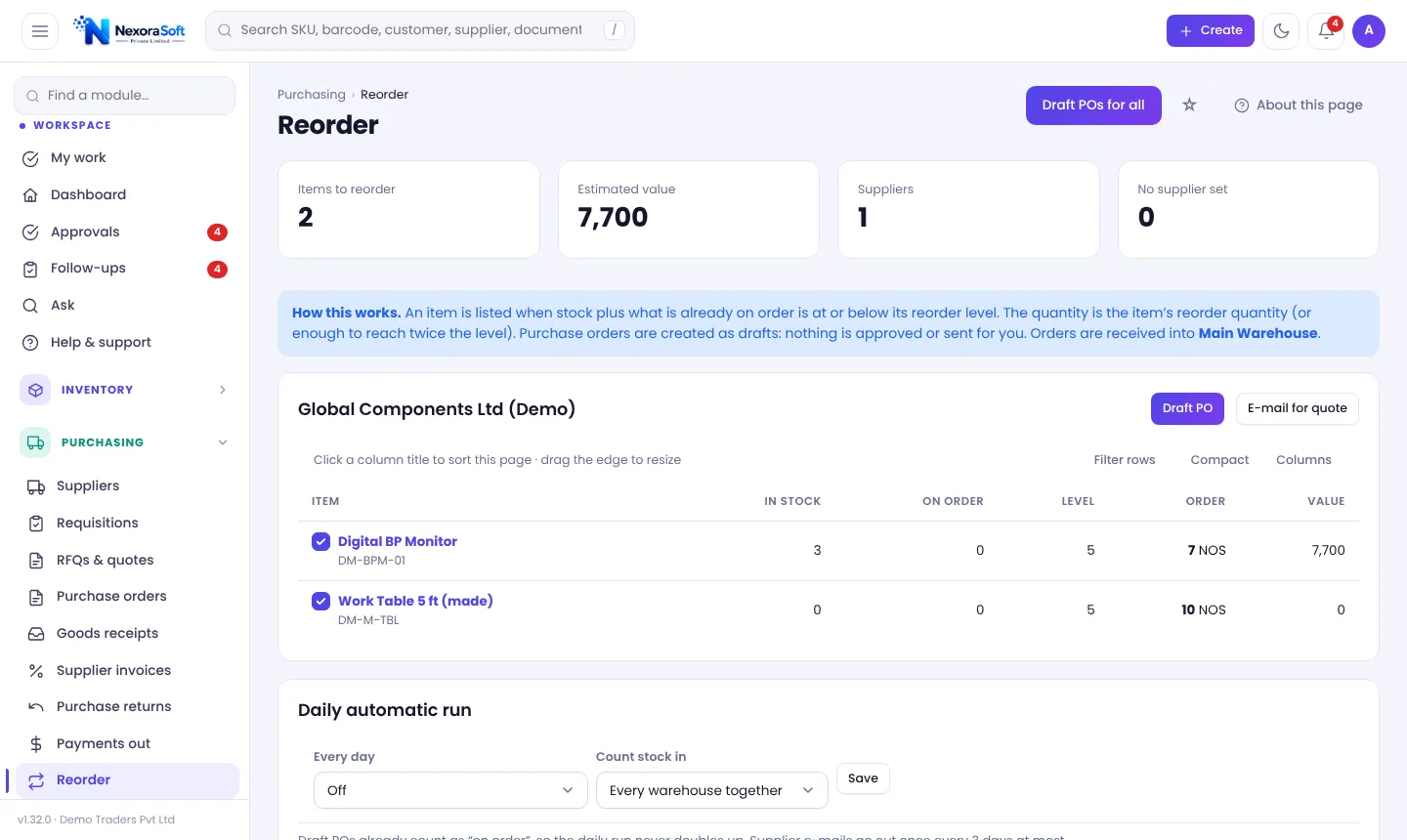
Never find out about a stock-out from a customer. NexoraIMS lists what is at or below its reorder level, counts what is already on order, groups items by supplier and drafts the purchase order. You approve; nothing orders itself.
What Reorder Point Software Does
The reorder point is the stock level at which you should order again, so that new stock arrives before you run out. It depends on how fast you sell and how long suppliers take. Calculating it by hand for hundreds of items is where businesses either overstock or stock out. Read how to calculate reorder point and the safety stock formula.
NexoraIMS combines a per-product reorder level with a statistical demand forecast, so you get both a simple "below level" list and a "will run short" list based on recent sales.
Reorder and Planning Features
Reorder list
Items whose stock plus open orders is at or below reorder level, grouped by default supplier with a suggested quantity.
One-click draft POs
Draft PO for ticked items, or E-mail for quote to ask the supplier a price. Nothing is approved or sent without you.
Demand forecast
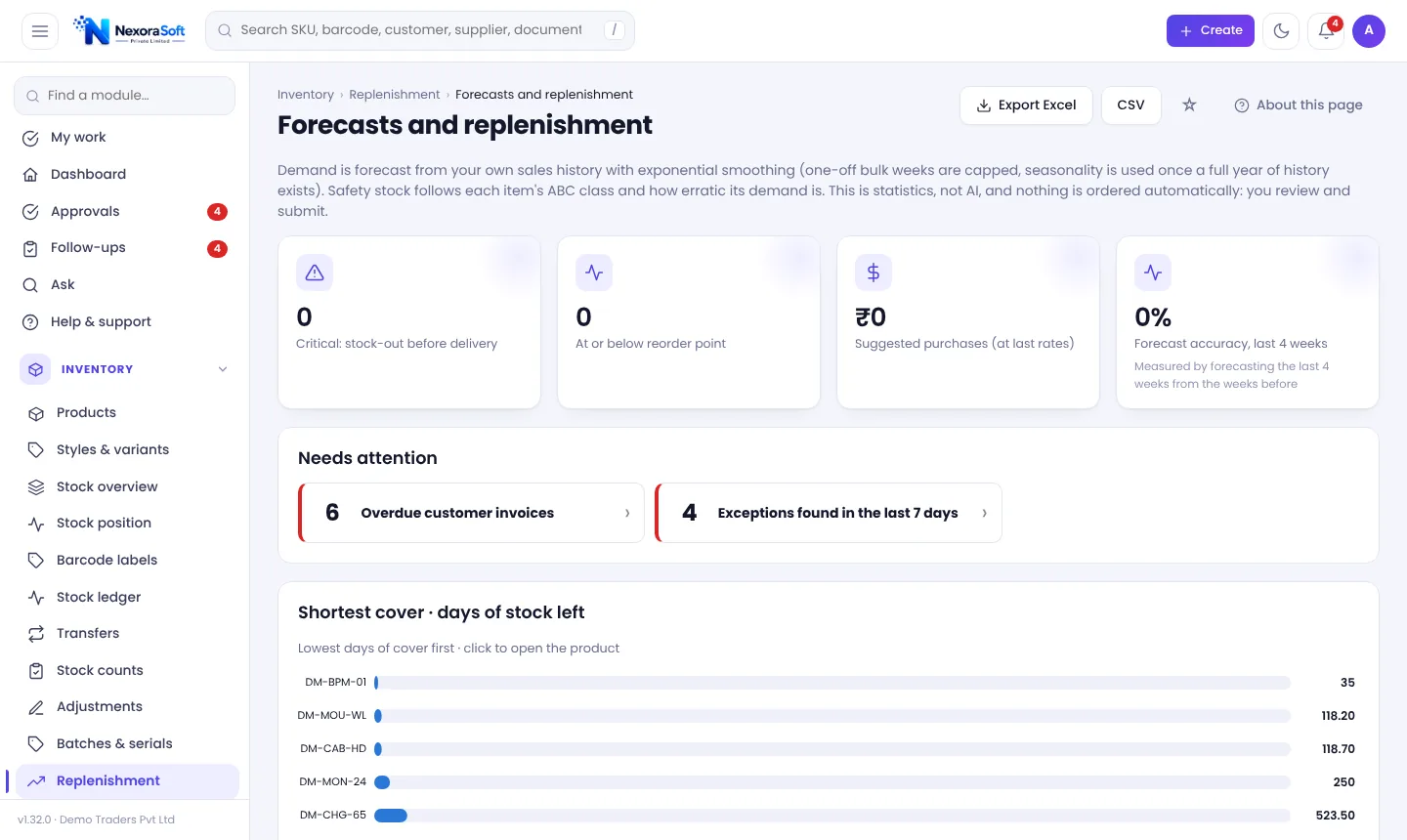
Exponential smoothing from your own sales history, with seasonality once a year of history exists, one-off bulk weeks capped, and forecast accuracy for the last 4 weeks shown.
Safety stock and service level
Service levels, review cycle and default lead time are set under Planning settings.
Daily automatic run
Optionally make draft POs or e-mail suppliers daily; draft POs count as on order so nothing doubles, and a supplier is e-mailed at most every 3 days.
Stock balancing
Before buying, check whether another warehouse has spare stock to transfer.
Forecasts and Replenishment
The Forecasts and replenishment page shows critical stock-outs before delivery, items at or below reorder point, suggested purchases at last rates and forecast accuracy. "Shortest cover" lists the days of stock left for the fastest-moving items.
This is statistics on your own data, not an AI promise. Results are estimates and every purchase proposal is a draft for you to review.
- Days of cover by item
- Suggested purchase value
- Draft requisition or draft purchase orders
- Planning settings per business
From Alert to Purchase Order
Detect
Items cross reorder level or forecast shows a shortfall.
Group
Items are grouped by default supplier.
Draft
Draft PO or quote e-mail with suggested quantity.
Approve
Approval limits and budgets apply.
Receive
Goods receipt closes the loop.
Replenishment at a Glance
| Question | NexoraIMS answer |
|---|---|
| What do I need to order? | Reorder page |
| What will run out soon? | Forecasts and replenishment, inventory copilot |
| How much to order? | Suggested quantity from reorder level and demand |
| From whom? | Default supplier or contract rate |
| Is it already on order? | Open orders counted before suggesting |
No automatic ordering or transfers. You always review and submit.
Reorder Point & Replenishment Software India – FAQ
The stock level at which a new order should be placed, usually lead-time demand plus safety stock.
No. It creates drafts or e-mails a quote request; approvals and sending stay with you.
Yes. Draft and open orders count as on order, so items are not suggested twice.
By exponential smoothing from sales history, with seasonality once a year of history exists and one-off bulk weeks capped. It is a statistical estimate, not an AI prediction.
Yes, through service level, review cycle and default lead time under Planning settings.
Yes, the reorder list is grouped by default supplier.
See NexoraIMS on Your Own Stock
Share your products, warehouses and billing flow and get a free live demo of NexoraIMS. No commitment; we typically respond within 24 hours.