Home › Products › NexoraUNMS › SNMP Network Management Software
NexoraUNMS · FeatureSNMP Network Management Software for Every Device
SNMP is still the common language of network equipment. Almost every router, switch, firewall, access point, UPS and printer can answer SNMP, which makes it the most practical way to watch a mixed-vendor network.
CPU, memory and uptimeInterface trafficLatency and availabilitySensorsSNMPv3 security
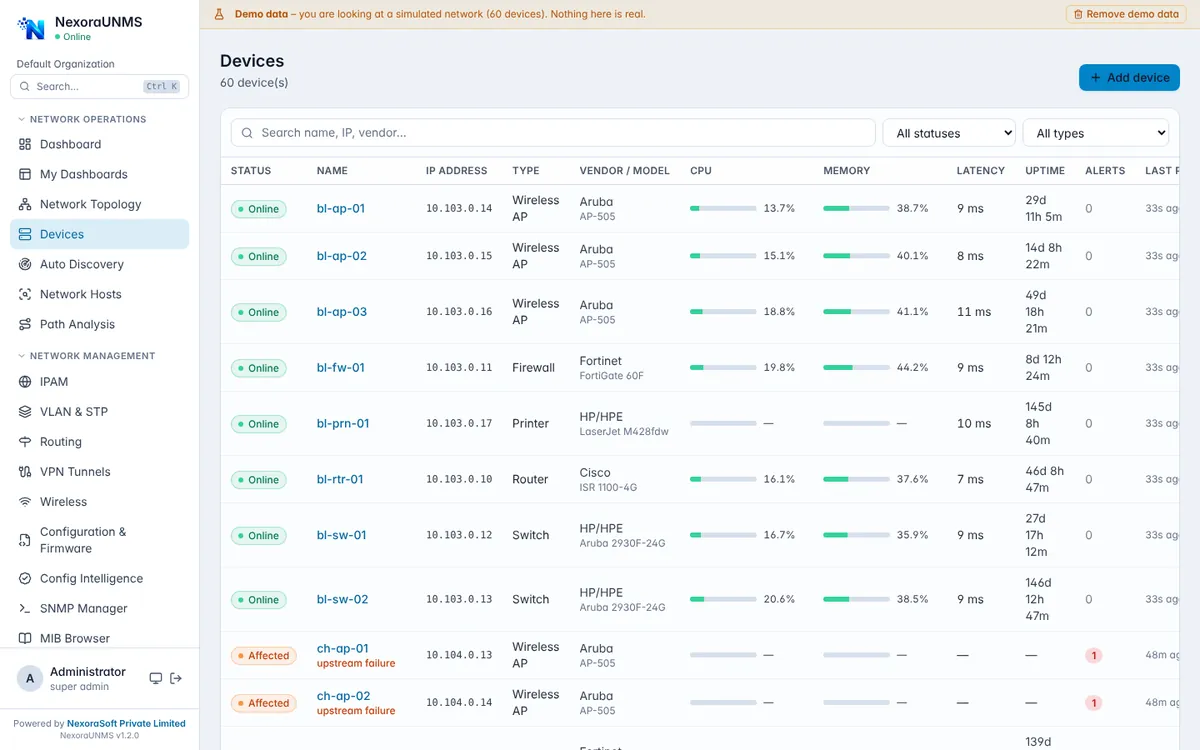
Real NexoraUNMS screens captured with built-in demo data (simulated network).
What Is SNMP Network Management Software?
SNMP is still the common language of network equipment. Almost every router, switch, firewall, access point, UPS and printer can answer SNMP, which makes it the most practical way to watch a mixed-vendor network.
NexoraUNMS polls devices over SNMP v1, v2c and v3 and turns the answers into availability, CPU, memory, interface traffic, latency and sensor history, with thresholds that raise alerts. A built-in SNMP manager and MIB browser let you query any OID and load vendor MIB files when a device exposes more than the standard values.
This capability is part of NexoraUNMS, so it shares one device inventory, one alert system and one login with monitoring, topology, configuration and reports.
What You Get
CPU, memory and uptime
Per-device resource usage with history and threshold alerts.
Interface traffic
In/out bandwidth, utilisation, errors and discards for each port.
Latency and availability
Ping and SNMP reachability with up/down history.
Sensors
Temperature, fan and power readings where devices report them.
SNMPv3 security
Authentication and privacy credentials, stored per credential profile.
MIB browser and SNMP manager
Browse OIDs, run GET and WALK, and make guarded changes with SET.
How It Works
Add credentials
Create SNMP v1/v2c community or v3 user profiles.
Discover or add devices
Scan ranges or add devices one by one.
Set thresholds
Define CPU, memory, latency and interface rules.
Get alerts
Notify by email or push, and track history.
What to Know
Which values appear depends on what each device exposes through SNMP. The MIB browser helps find vendor-specific data, and we confirm your device list in the demo.
Guides and Local Pages
SNMPv3 Setup Guide for Network DevicesSNMP Trap vs Syslog: Differences and When to Use EachWhat Is a UNMS? A Complete GuideNetwork Management Software in DelhiNetwork Management Software in Delhi NCRNetwork Management Software in NoidaNetwork Management Software in Gurgaon
Frequently Asked Questions
Yes. It supports SNMP v1, v2c and v3 with authentication and privacy settings. SNMPv3 is recommended because v1 and v2c send the community string in clear text.
Yes. Any device that answers standard SNMP can be monitored for basic health, and vendor MIB files can be loaded for extra detail.
The SNMP manager supports GET and WALK, and a guarded SET for writable objects. Changes are audited.
Polling intervals are configurable. Shorter intervals give finer graphs but create more load, so we help you choose values for your network size.
Talk to Us About NexoraUNMS
Tell us how many devices and sites you run and what you need to see or control, and get a free live demo of NexoraUNMS. No commitment; we typically respond within 24 hours.