Home › Inventory Management Software › Stock Audit & Cycle Count Software India
Inventory SoftwareStock Audit & Cycle Count Software with Approvals and Audit Trail
Count stock without closing the shop. Run cycle counts by warehouse or category, hide system quantities for a blind count, force recounts above a threshold and send large adjustments to an approver, with every step in the audit log.
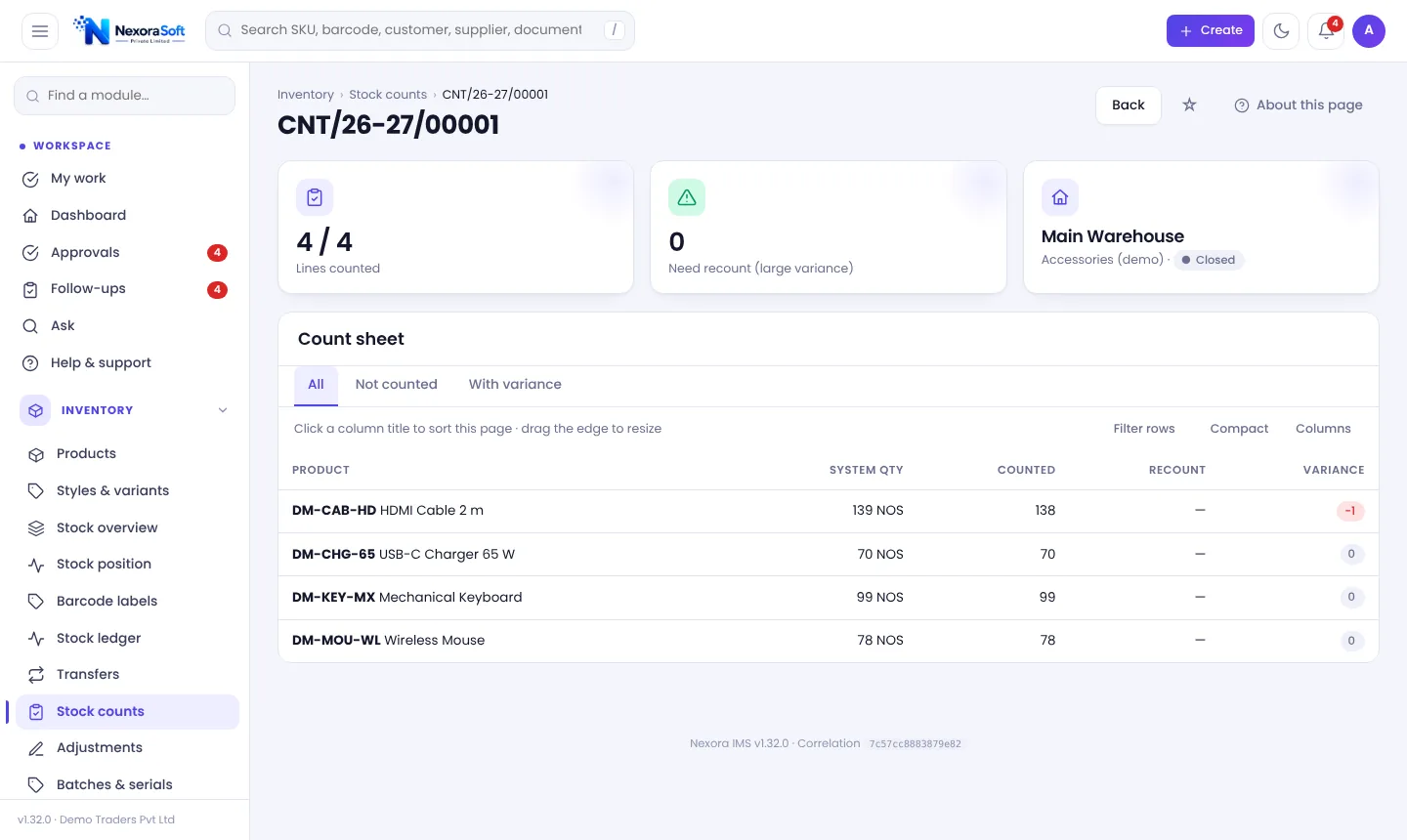
Counting Is a Control, Not a Chore
Physical counts exist to find what the system does not know: theft, damage, mis-picks and entry mistakes. A count that simply overwrites the system hides the cause. A good process records the difference, requires a second look for big variances and gives an approver the final say.
NexoraIMS supports full counts and cycle counts (a warehouse or category at a time) with variances flowing into approved adjustments, so every correction has a reason and a name. Read cycle counting vs physical stock taking.
Audit and Control Features
Cycle and full counts
Start a count for a warehouse and optional category; count with barcodes; close to produce variances.
Blind counts
Hide system quantities from counters so they count what they see, not what they expect.
Recount threshold
Variances above the threshold require a recount before they can be adjusted.
Maker-checker adjustments
Adjustments above the approval threshold go to the Approval inbox; the creator cannot approve their own document.
Quarantine and damage
Hold stock for inspection and record damaged stock, repair or disposal with the right permission.
Audit log and reconciliation
Every change is logged; a reconciliation check compares balances with the ledger.
Approvals That Cannot Be Skipped
The Approval inbox lists requisitions, purchase orders, adjustments and other pending decisions with amount, requester and time. An approver can approve or reject with one click, and recent decisions are listed with comments.
Workflow rules let you add conditions, test them against your last 100 documents and publish, with escalation if approvals wait too long. Combined with the append-only ledger, this gives you an evidence trail for auditors.
- One inbox for all approvals
- Maker-checker on adjustments
- Escalation for stalled approvals
- Audit log with filter and export
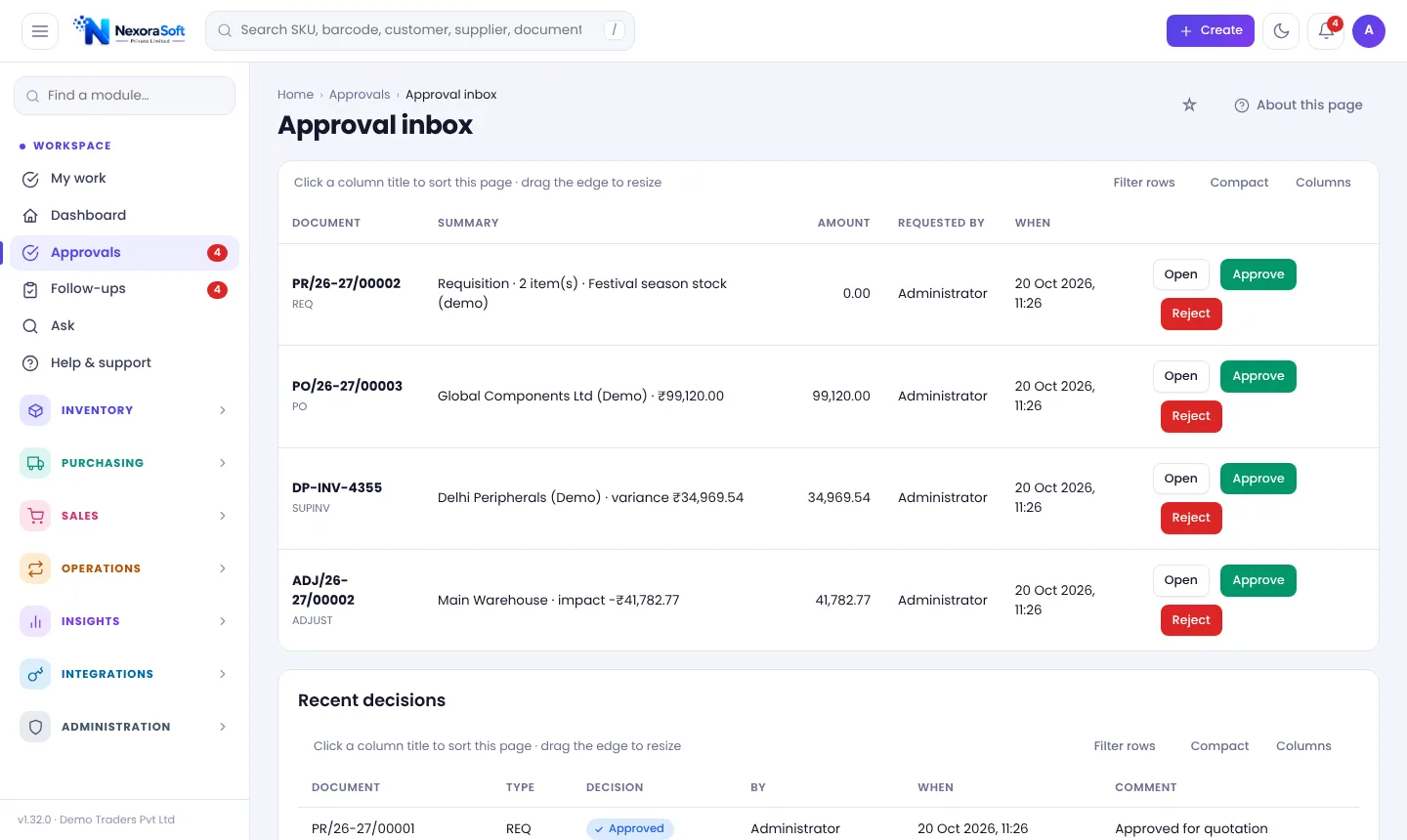
A Count Cycle
Plan
Pick warehouse, category and blind or open.
Count
Scan and enter counted quantity.
Recount
Large variances are recounted.
Approve
Adjustments above threshold go to approver.
Review
Audit log and reconciliation confirm.
Audit Controls at a Glance
| Risk | Control |
|---|---|
| Hidden shrinkage | Regular cycle counts and variance reports |
| Counter bias | Blind count mode |
| One person adjusts alone | Maker-checker approval |
| Unexplained changes | Immutable ledger and audit log |
| Damaged goods counted as stock | Damaged and quarantine buckets |
Serial-number products do not yet support counts or adjustments.
Stock Audit & Cycle Count Software India – FAQ
Counting a part of the stock (one bin, category or warehouse) on a rotating schedule instead of stopping for a full stocktake.
Yes. System quantities can be hidden from counters.
Adjustments above the approval threshold go to the Approval inbox; the creator cannot approve their own.
Yes. Filterable by user and action, and exportable to Excel and CSV.
Yes. Counting is barcode-first.
See NexoraIMS on Your Own Stock
Share your products, warehouses and billing flow and get a free live demo of NexoraIMS. No commitment; we typically respond within 24 hours.