Home › Payroll Software in India › Switch Payroll Software
Payroll SoftwareSwitch Payroll Software Without Re-Typing Your Employees
Moving payroll to NexoraHRMS & Payroll starts with an importer for greytHR, Keka, Zoho People or any Excel or CSV file: upload, map columns, preview and import, with checks that catch bad PAN, UAN, bank details and duplicates.
greytHR, Keka, Zoho, ExcelColumn mappingDuplicate checksSetup wizard
A Safer Way to Change Systems
The fear in switching payroll is losing history or entering wrong data. The importer shows what it will do before it does it, and the checks stop bad rows at the door. Run the old and new systems in parallel for one month if you want extra comfort.
What the Importer and Setup Cover
Employee importer
Upload .xlsx or .csv from greytHR, Keka, Zoho People or Excel, map columns, preview, then import. Choose to skip or update existing employees.
Smart validation
Checks PAN, UAN, bank account, IFSC and date of birth, finds duplicates inside the file and in the database, and shows warnings for missing PAN, UAN or bank details before you confirm.
Duplicate protection
Employees must have a unique PAN, UAN, ESI number, bank account and email, and a double click creates one record, not two.
Setup wizard
Guided steps for company, employees, attendance and first payroll, with demo data to practise on.
Bulk edit
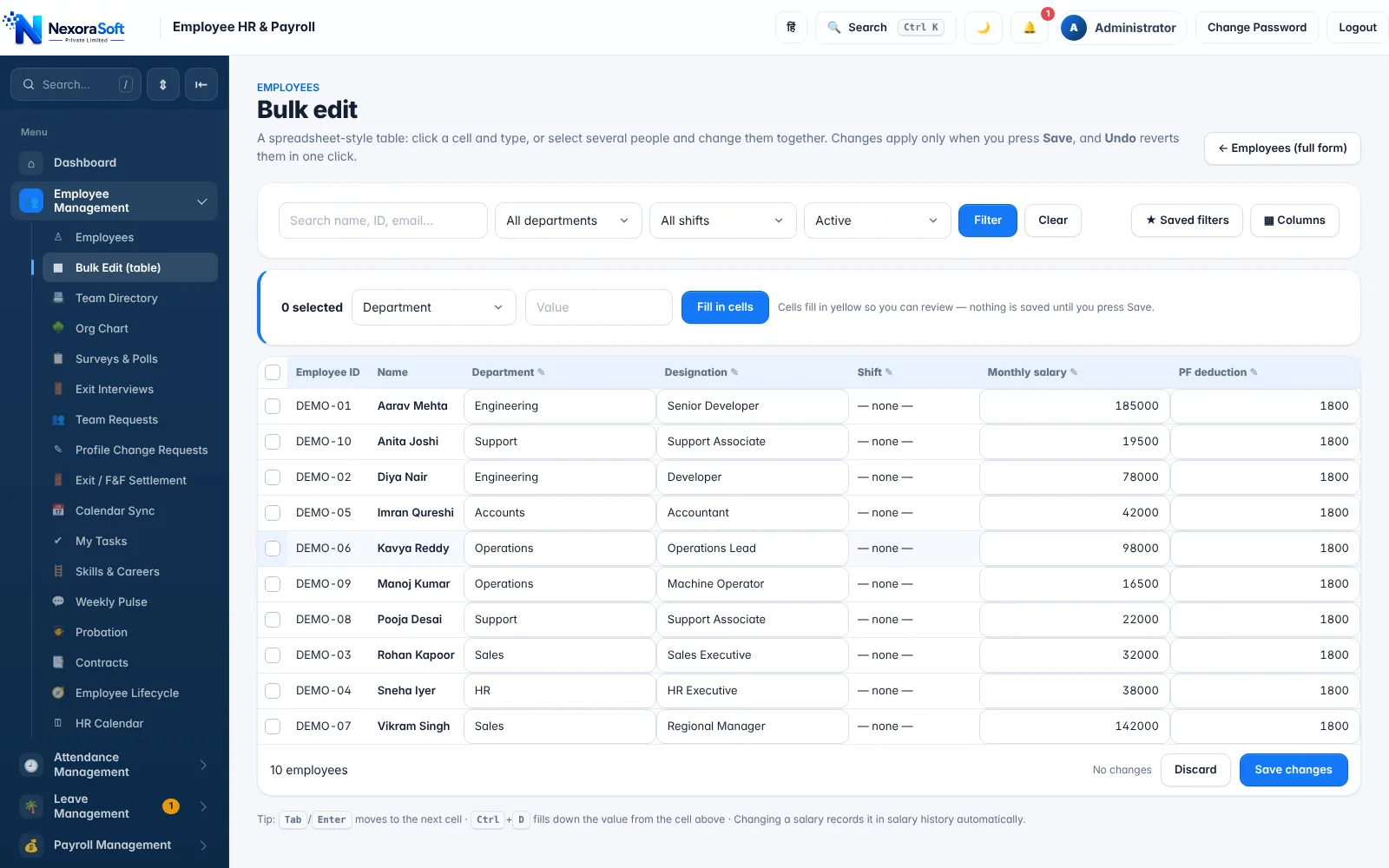
A spreadsheet-style table to change salary, department and shift together, with saved filters and one-click undo.
Salary structures
Build earning and deduction heads, a CTC calculator and effective-dated salary revisions.
Recently deleted
Restore a record deleted by mistake for up to 30 days.
Tally and bank files
Export a Tally journal voucher and bank upload files for HDFC, ICICI, SBI and Axis, so accounts and payment keep working.
A Typical Switch
| Step | What to do |
|---|---|
| 1. Export | Export the employee list from your current tool as Excel or CSV. |
| 2. Import | Upload, map columns, review the preview and warnings, then import. |
| 3. Structure | Create salary structures and leave rules, and set attendance sources. |
| 4. Parallel run | Process one month in both systems and compare results. |
| 5. Go live | Lock the month, send payslips and generate bank and Tally files. |
The importer brings in employee master data. Ask us about moving opening balances such as leave or loan balances. All tax and statutory figures should be confirmed with your CA before go-live.
Switch Payroll Software – FAQ
Yes. Upload an .xlsx or .csv export from greytHR, Keka, Zoho People or any Excel file, map the columns, preview the result and import.
It checks PAN, UAN, bank account, IFSC and date of birth, finds duplicates in the file and in the database, and warns about missing details before you confirm.
Many companies do. Because tax and statutory figures depend on year-to-date data, confirm the approach with your CA and run one month in parallel first.
Salary structures are built inside NexoraHRMS with your own earning and deduction heads, and bulk edit helps you update many employees at once.
Yes. We can guide the setup and a parallel run during the demo and onboarding.
See NexoraHRMS Payroll on Your Own Data
Share your salary structure and get a free live demo of NexoraHRMS & Payroll. No commitment; we typically respond within 24 hours.