Business Dashboard Software for ERP, CRM, Hospital & NOC Data
NexoraDashboard turns your ERP, CRM, hospital or network data into one operational dashboard: KPI cards with trends, an attention list, insights that explain what changed and role-based views for every manager.
Role-based dashboardsAttention CenterInsights & Ask Nexora AIDrag-and-drop builderLight & dark modePHP + MySQL, no build step
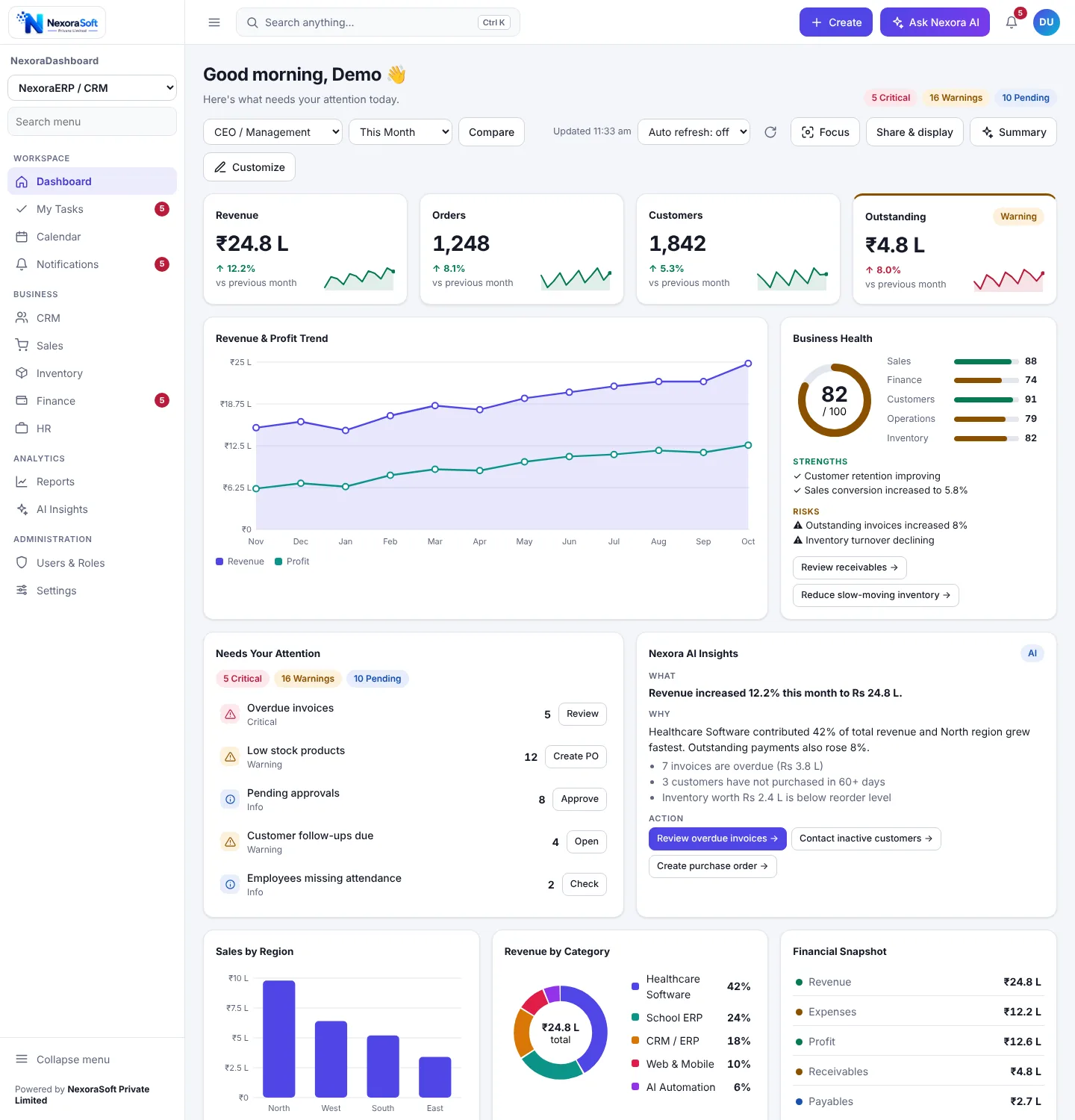
What Managers See When They Open the Dashboard
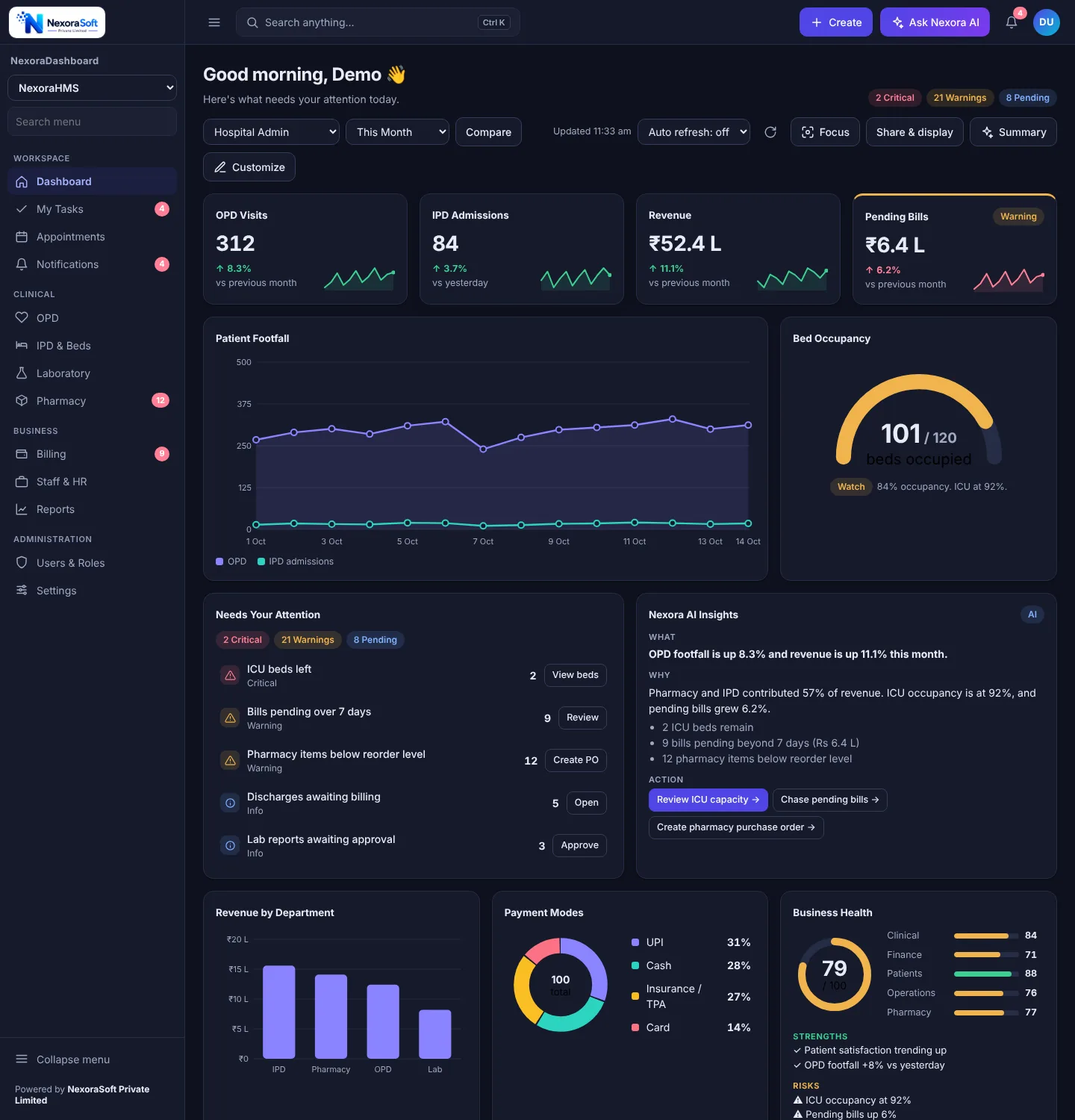
Most dashboards show numbers. NexoraDashboard starts with what needs a decision.
Needs Your Attention
An auto-calculated list of items that need action, such as overdue invoices, low stock or critical alarms, each with a button that opens the right screen.
Insights: what, why, action
Every insight says what happened, why it happened and what to do next, with action buttons such as Review receivables or Chase pending bills.
Business Health score
A 0 to 100 score with strengths, risks and suggested actions across areas such as sales, finance, customers, operations and inventory.
KPI cards with trends
Each KPI shows the value, change against the previous period and a sparkline, and turns amber or red when a threshold is crossed.
Tasks, calendar and activity
My Tasks with due dates, a calendar of meetings and deadlines, and a live feed of what the team did, next to the numbers.
Sync Center
Shows cloud and local sync status for hybrid deployments, so you know when the data on screen was last updated.
NexoraDashboard Features at a Glance
| Area | What is included |
|---|---|
| Charts and widgets | KPI cards with sparkline, line, area and combo charts, bar charts with drill-down, donut, gauge, funnel, progress, leaderboard and heatmap, plus sortable, filterable tables with row actions. |
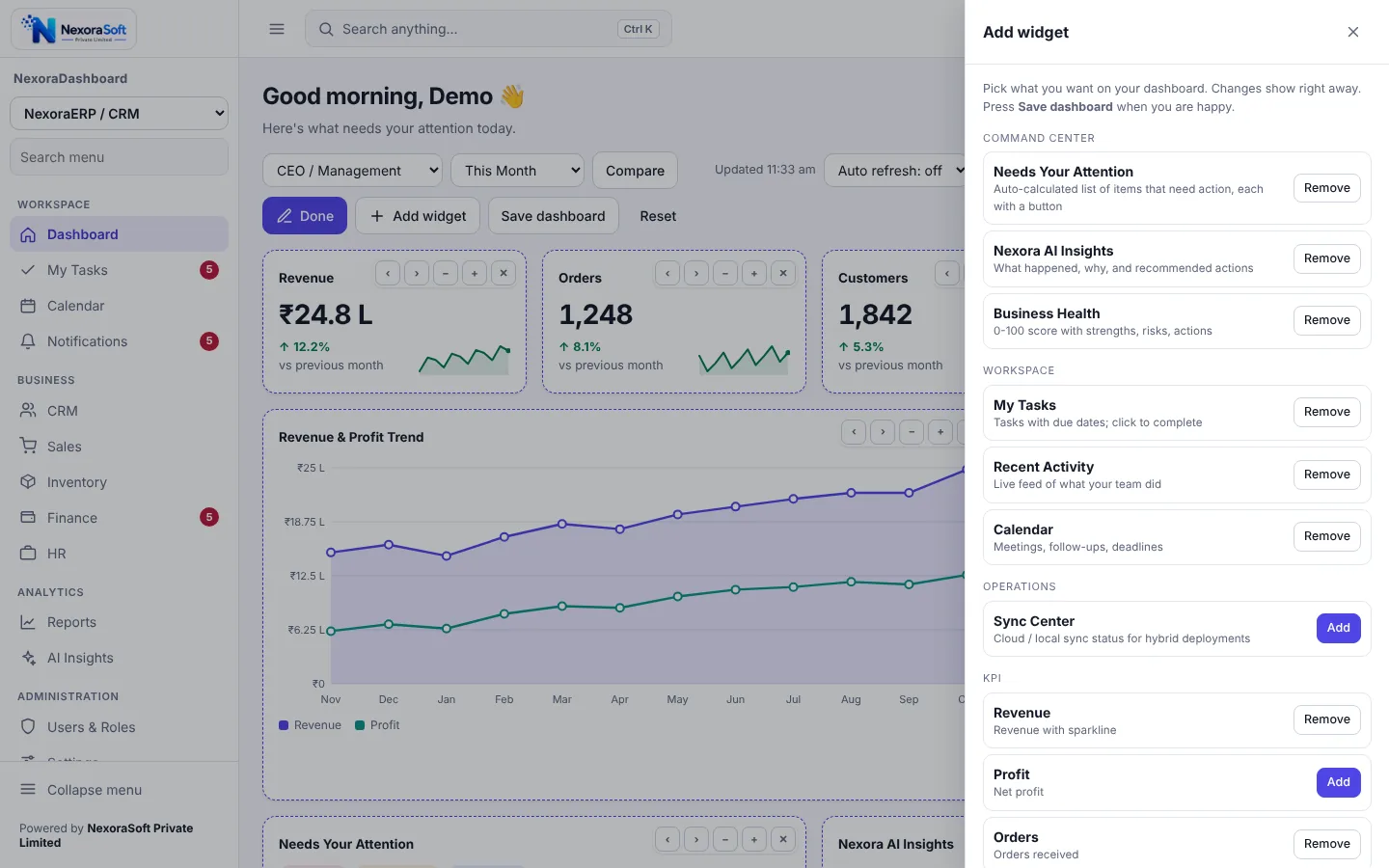
| Builder | Customize mode with move, resize and remove buttons, an Add Widget drawer, named saved layouts and reset to default. See the builder below. |
| Filters and comparison | Date range filter, compare with previous period, auto refresh every 30 seconds, 1, 5 or 15 minutes, and a manual refresh. |
| Search and actions | Ctrl+K command palette for navigation and quick actions, a Create menu for new records, and a notification center with filters and action buttons. |
| Display modes | Focus mode, presentation mode, wallboard mode for NOC and control-room screens, and privacy mode that masks amounts. |
| Export | CSV export of tables and print or save as PDF. |
| Resilience | An offline banner with cached data, plus skeleton, empty and error states instead of blank screens. |
| Look and feel | Light, dark or match-my-device theme, compact, comfortable or spacious density, and a responsive layout with bottom navigation on phones. |
Three Ready Packs, One Dashboard Engine
The layout is configuration, not code. Each pack has its own widgets, navigation, create actions and role templates.
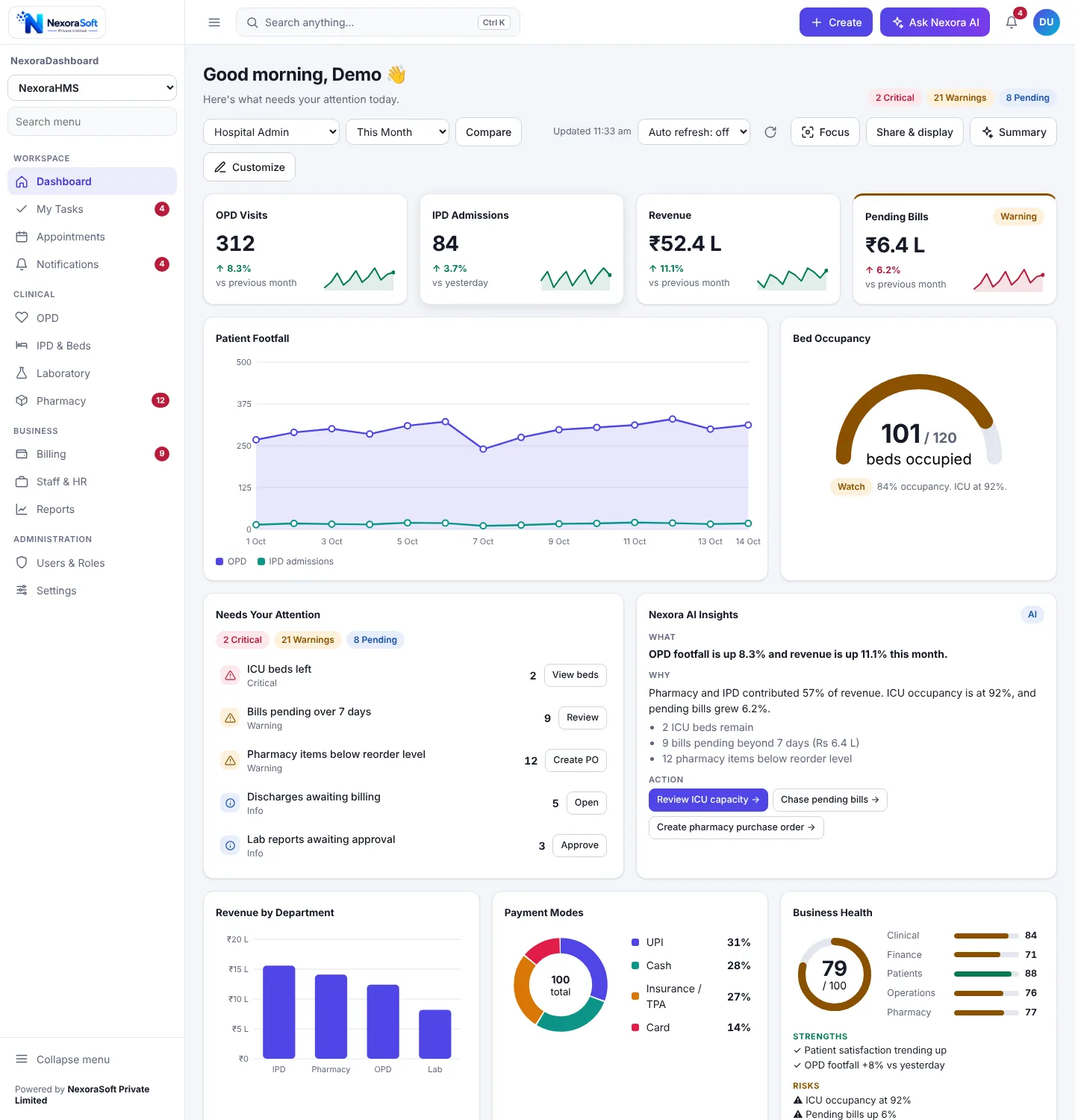
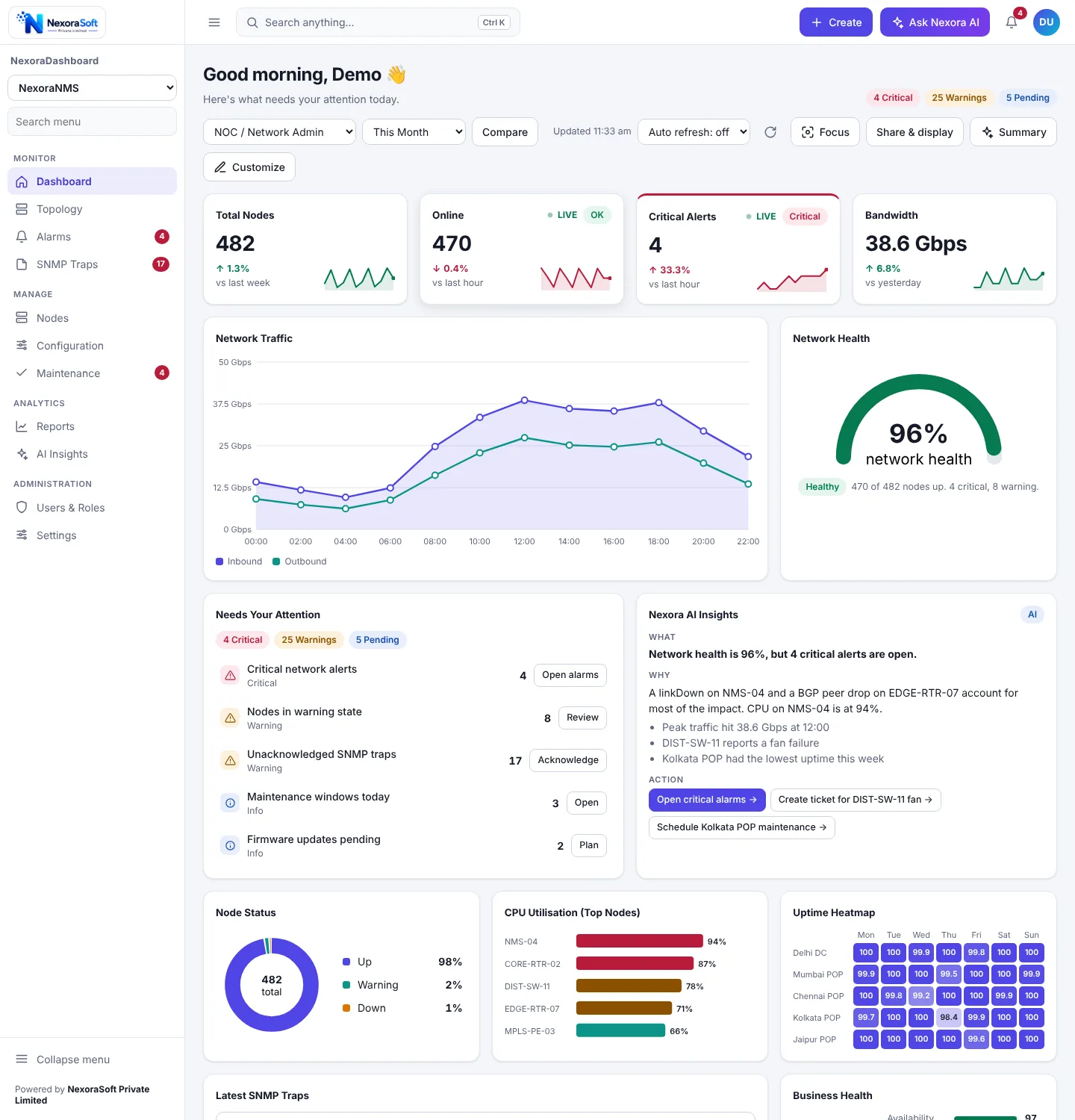
Click a card for the full page. Screenshots show sample data.
Let Each Manager Arrange Their Own Dashboard
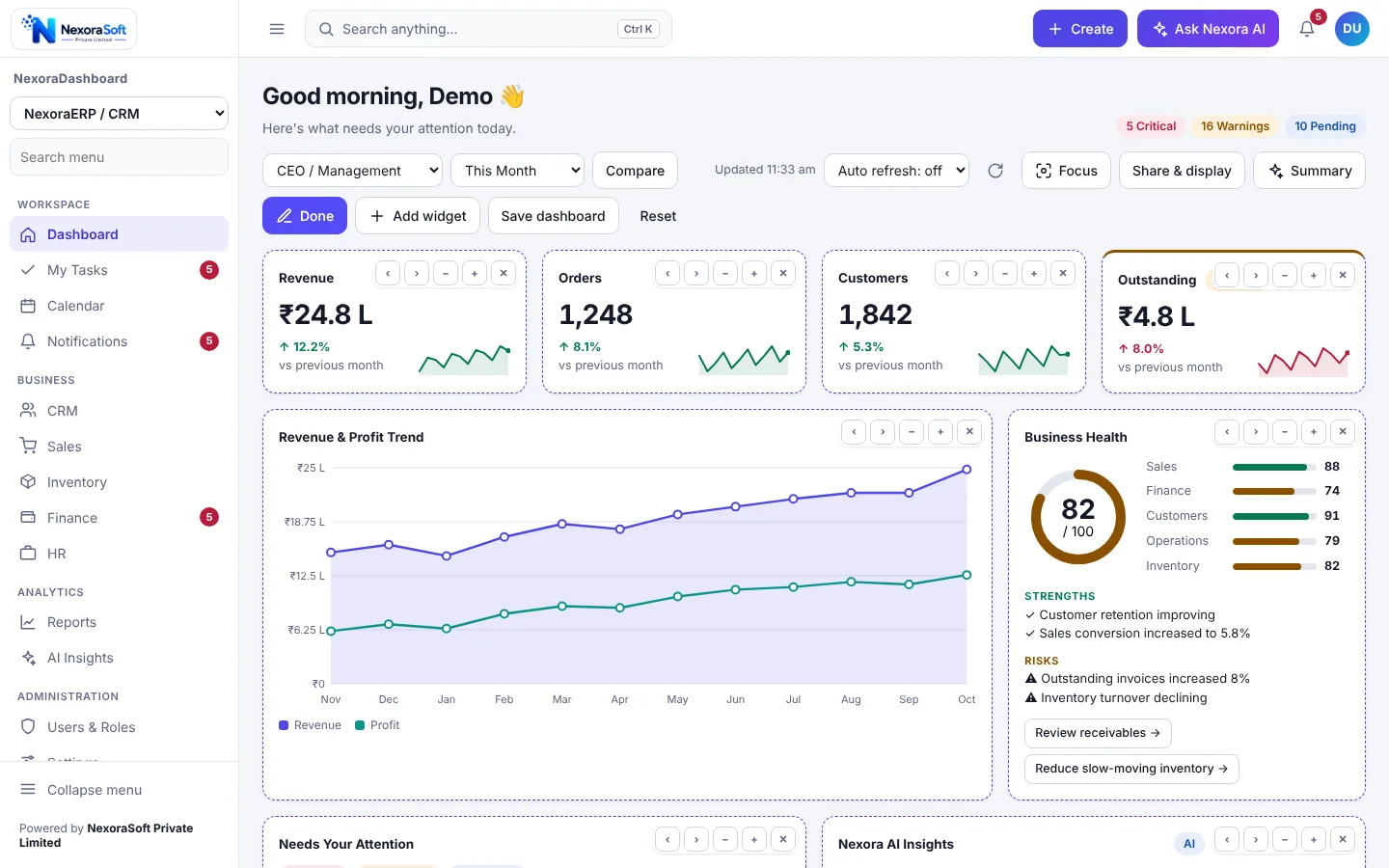
Switch on Customize and every widget gets move, resize and remove controls. Add widgets from a categorised library and save the result as a named layout.
Role-Based Views and Security
Not everyone should see everything. Permissions decide which widgets a person sees and what the server will return.
| Topic | How it works |
|---|---|
| Roles | Admin or CEO, Finance Manager, Sales Manager, Operations or IT, and Staff, each with its own permission set. Roles and permissions are editable in configuration. |
| Widget permissions | A widget the role cannot view is hidden in the screen and the API refuses to return its data. |
| Sign-in | Email and password sessions with a 12-hour idle timeout, CSRF protection on every change and login throttling after repeated failures. |
| Passwords | At least 10 characters with letters and numbers; admins manage users and roles, and the last administrator cannot be disabled. |
| Hosting | Runs on HTTPS. Configuration and data folders are kept out of web access by the installer. |
Mobile, Dark Mode and Wallboard Screens
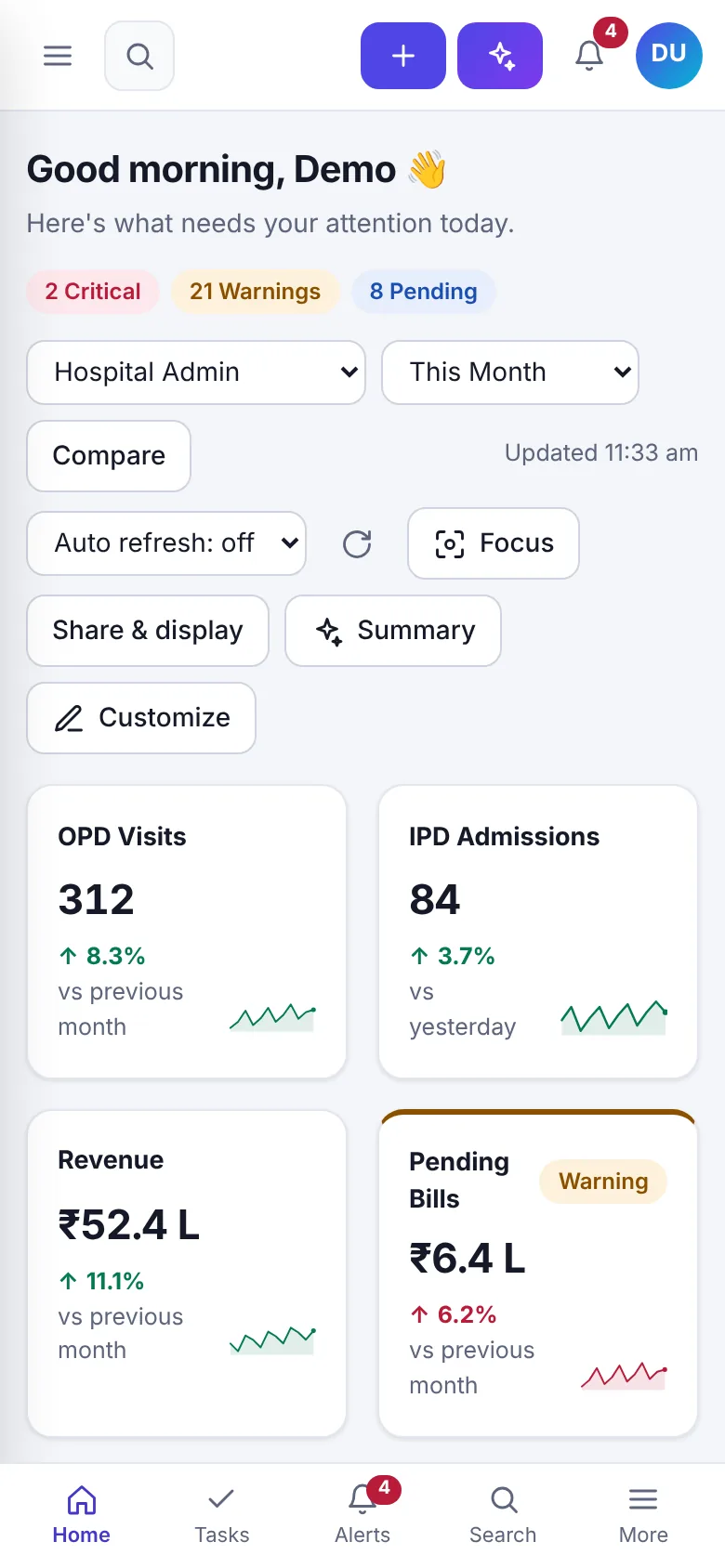
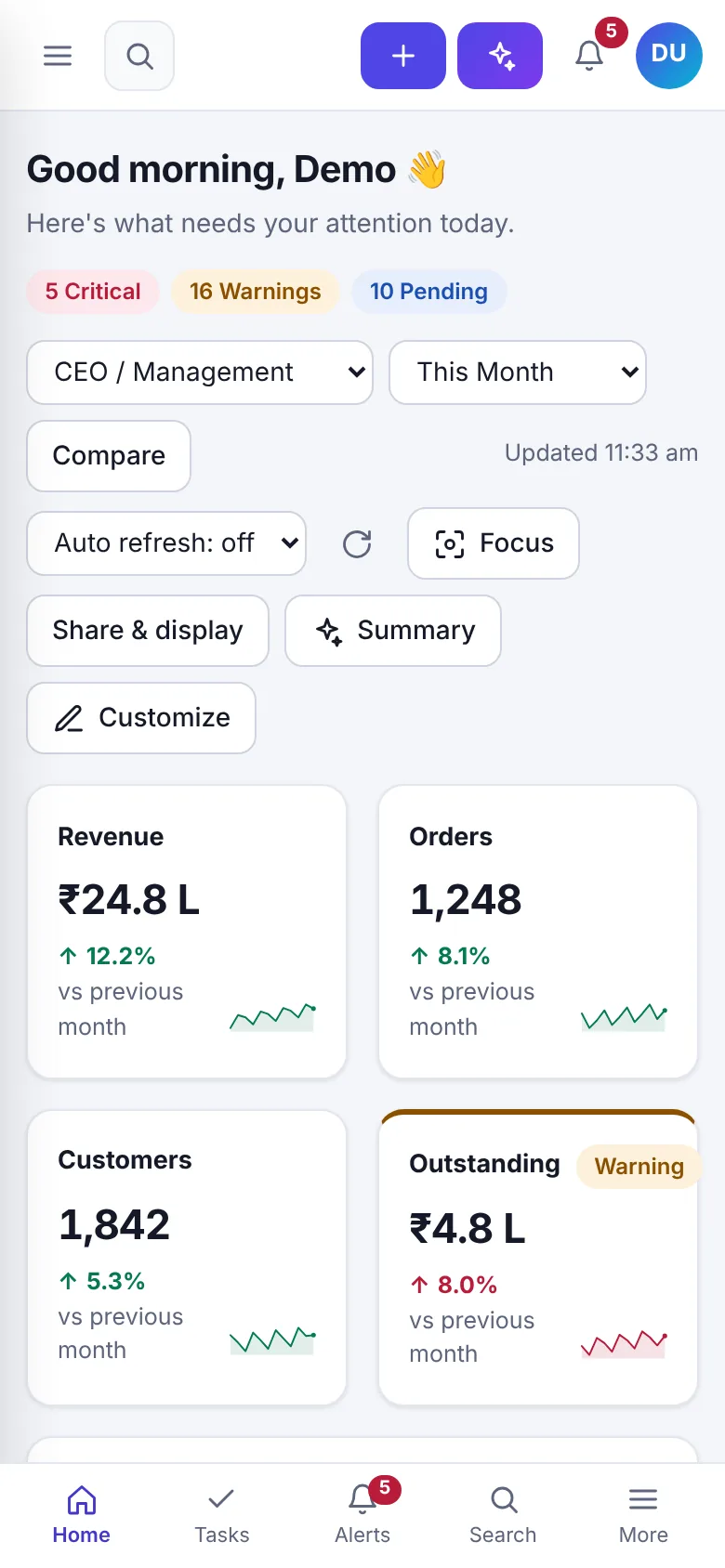
Managers check numbers on their phones, NOC teams run a wallboard on a wall-mounted screen and finance prefers a calm dark theme in the evening. The same dashboard handles all three.
- Phone layout with stacked cards and bottom navigation for Home, Tasks, Alerts, Search and More
- Dark and light themes plus a match-my-device option
- Wallboard and presentation modes for big screens
- Command palette for keyboard users and screen-reader friendly controls
How NexoraDashboard Connects to Your Data
The screenshots run on sample data. Real data arrives through providers written for your systems.
| Step | What happens |
|---|---|
| 1. Map | We list your KPIs, the screens they should open and the tables or APIs that hold the numbers. |
| 2. Connect | Each widget gets a server-side provider that queries your MySQL tables, your NexoraSoft product or another source. Demo data is replaced widget by widget. |
| 3. Wire actions | Buttons such as View beds, Create PO or Open alarms call your product through a navigation hook, so a click opens the real screen. |
| 4. Roles and go live | We set roles and templates per manager, install on your host and train the team. |
Sidebar pages other than the dashboard, tasks, calendar and notifications link to your own product screens. Need a full custom build instead? See dashboard development services.
Related Pages
Dashboard Development ServicesKPI Dashboard SoftwareExecutive Dashboard SoftwareHospital Dashboard SoftwareERP & CRM Dashboard SoftwareNOC Dashboard SoftwareExecutive Dashboard GuideRole-Based DashboardsDashboard Development CostKPI Dashboard DesignAll ProductsDashboard Software in DelhiDashboard Software in NoidaDashboard Software in GurgaonDashboard Software in Delhi NCR
See NexoraDashboard on Your Own Data
Send your product, role list and the ten numbers you check every morning. We will show a working dashboard built around them.
Frequently Asked Questions
NexoraDashboard is NexoraSoft's business dashboard software. One dashboard engine shows KPIs, charts, an attention list, insights and tasks for ERP and CRM data, hospital data and network operations data. Each product gets its own widgets and role-based views.
It ships with three packs: NexoraERP and CRM, NexoraHMS for hospitals, and NexoraNMS for network operations. A new pack for another product is added through configuration, so it can sit on top of other systems too.
No. Power BI is an analysis tool where analysts build their own reports. NexoraDashboard is an operational dashboard that tells managers what needs attention today, with alerts, tasks and role-based views built in. Many companies use both.
Yes. Each widget reads its data from a provider on the server, so demo data is replaced with real queries one widget at a time. We write these providers for your MySQL tables, existing NexoraSoft products or other sources during setup.
Yes. Roles such as Admin or CEO, Finance Manager, Sales Manager, Operations or IT and Staff each have permissions. Widgets a role is not allowed to see are hidden in the screen and also refused by the server.
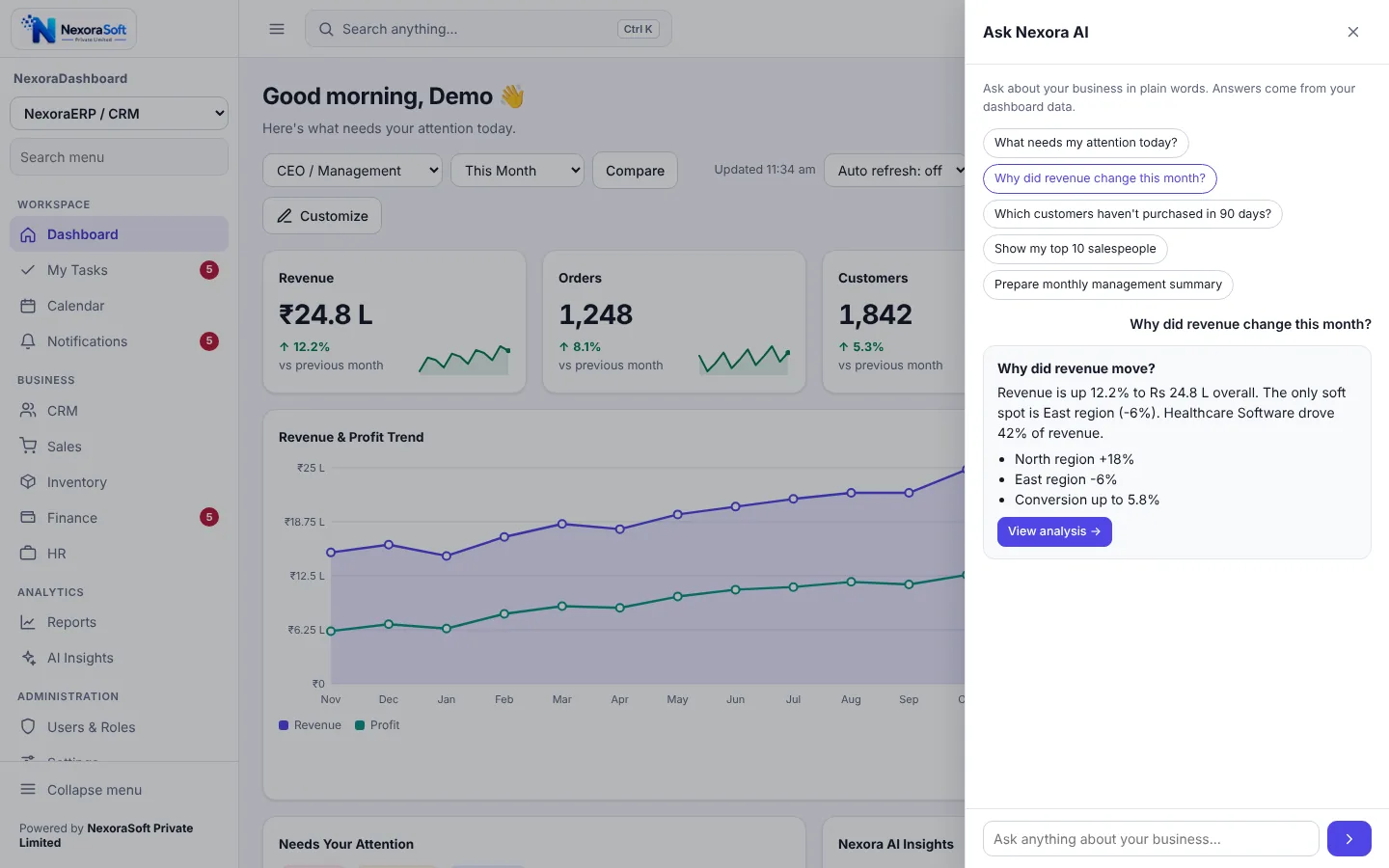
It is a question panel that answers in plain words from your dashboard data, for example why revenue changed this month or what needs attention today, and offers a button to open the related analysis. Connecting an external language model is optional and scoped separately.
An ordinary PHP 8 and MySQL host such as a Hostinger plan, or your own server, over HTTPS. There is no build step. An installer checks requirements, creates the tables and the first administrator account.
Yes. On phones the layout stacks into cards and a bottom navigation bar gives quick access to Home, Tasks, Alerts, Search and More. There are light and dark themes and three spacing options.
The screenshots are from the working product running with sample data. Your own numbers appear after the widgets are connected to your data, which is the main part of the setup.
A pack with a handful of connected widgets is typically live in 2 to 4 weeks, depending on how clean the source data is. Price depends on the number of widgets, data sources and roles, so share your needs for a quote.