Automation does not mean removing people from payroll. It means removing the repeat typing, so that the people who remain check results instead of producing them.
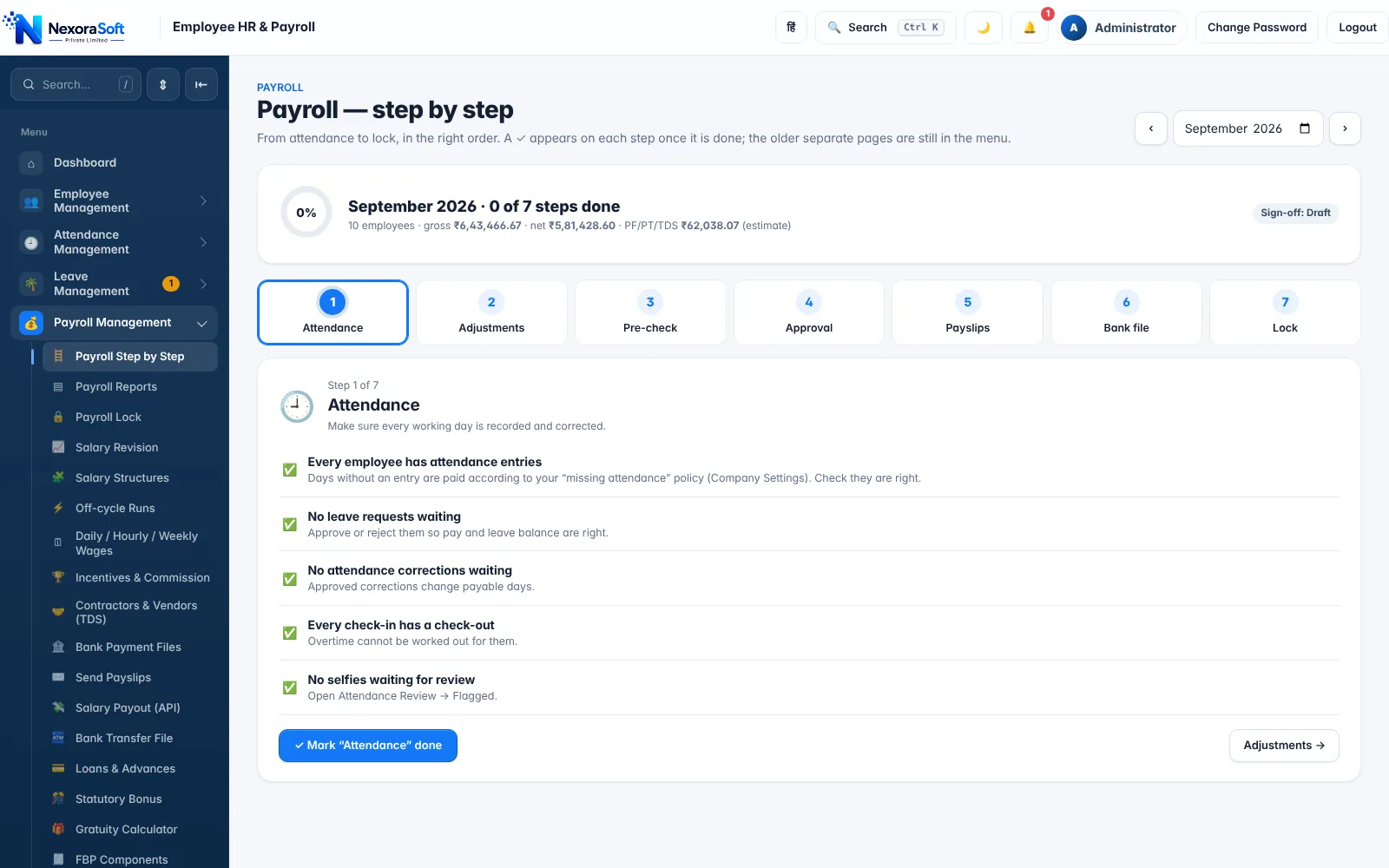
What to automate, in order
- Salary structures: define components once and apply them to employees.
- Attendance and leave: feed paid days and LOP automatically.
- Statutory calculations: PF, ESI, PT, TDS and LWF from rules, not formulas pasted into cells.
- Variable inputs: loans, advances, bonuses and reimbursements with schedules.
- Pre-run checks: missing bank details, PAN or UAN flagged before the run.
- Outputs: payslips by email, bank file, statutory challans and Tally voucher export.
Controls to keep
- A named approver reviews the pre-check and the payroll summary
- Month lock after approval
- Role-based access: not everyone sees salaries
- An audit trail of changes
Before and after
| Task | Manual | Automated |
|---|---|---|
| Collect attendance | Chasing files | Already in the system |
| Compute statutory deductions | Formulas and rate tables | Rules in the software |
| Payslips | Built and mailed one by one | Bulk email |
| Bank upload | Re-key | Bank file download |
| Accounting | Journal entry by hand | Tally export |
The saving depends on headcount and complexity, so measure your own baseline first: hours spent last month, errors found after payment, and queries raised by employees.
Rollout plan
- Week 1: clean data and set up structures
- Week 2: import employees and run a past month
- Week 3: parallel run and fix differences
- Week 4: go live and lock the month
See payroll management software and payroll software vs Excel.
Related guides: Payroll Software in India (complete guide)
Payroll Management SoftwarePayslip SoftwareSalary Bank Transfer SoftwarePayroll Processing in India: Step-by-Step GuidePayroll Software vs Excel: Which Is Better?How Attendance Software Integrates With Payroll
See NexoraHRMS Payroll in Action
Book a free live demo and see payroll, PF, ESI, TDS and payslips run on your own salary structure.
Book a Free Demo +91 98115 51004