A bill of materials tells you what goes into a product. Linked to stock and production orders it tells you what to buy, what to issue and what the real cost was.
The chain
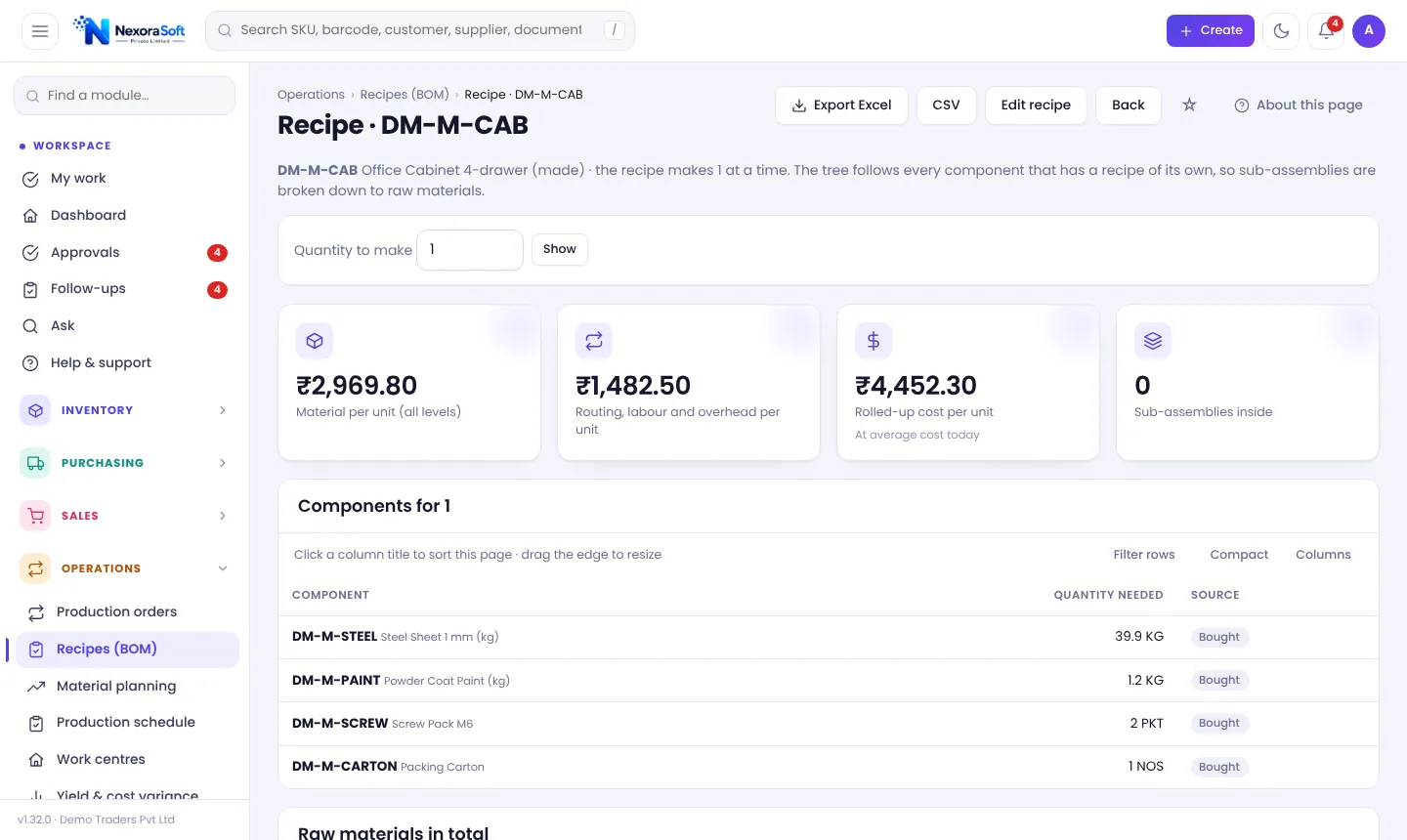
- Define the BOM: components, quantities and expected scrap.
- Raise a production order for a quantity.
- Check material availability and shortages.
- Issue components; record output and scrap.
- Compare actual to standard cost and yield.
What a good BOM includes
- Component, quantity and unit
- Scrap or wastage percentage
- Alternatives or substitutes where used
- Work centres and time if you cost labour
- Version control so old orders keep old recipes
Common mistakes
- Updating a BOM without versioning
- Ignoring scrap, so cost is always understated
- Not reserving materials for confirmed orders
- Counting finished goods but not work in progress
Honest scope
Basic BOM, production orders, planning and variance suit small and mid-size makers. Finite scheduling and rework orders are advanced needs; check these before buying.
In NexoraIMS
You get BOMs, work centres, production orders, material planning and yield and cost variance. See manufacturing inventory software and for manufacturers.
Related guides: Inventory Management Software in India (complete guide)
Reorder Point & Replenishment SoftwareManufacturing Inventory Software (BOM)Inventory Software for ManufacturersHow to Calculate Reorder PointInventory Turnover RatioSafety Stock Formula
See NexoraIMS in Action
Book a free live demo and see stock, purchasing, GST billing and reports run on your own products.
Book a Free Demo +91 98115 51004