Once stock sits in more than one place, errors multiply. Clear transfers and location rules keep the total honest.
Core rules
- Every movement is a document: receipt, issue or transfer
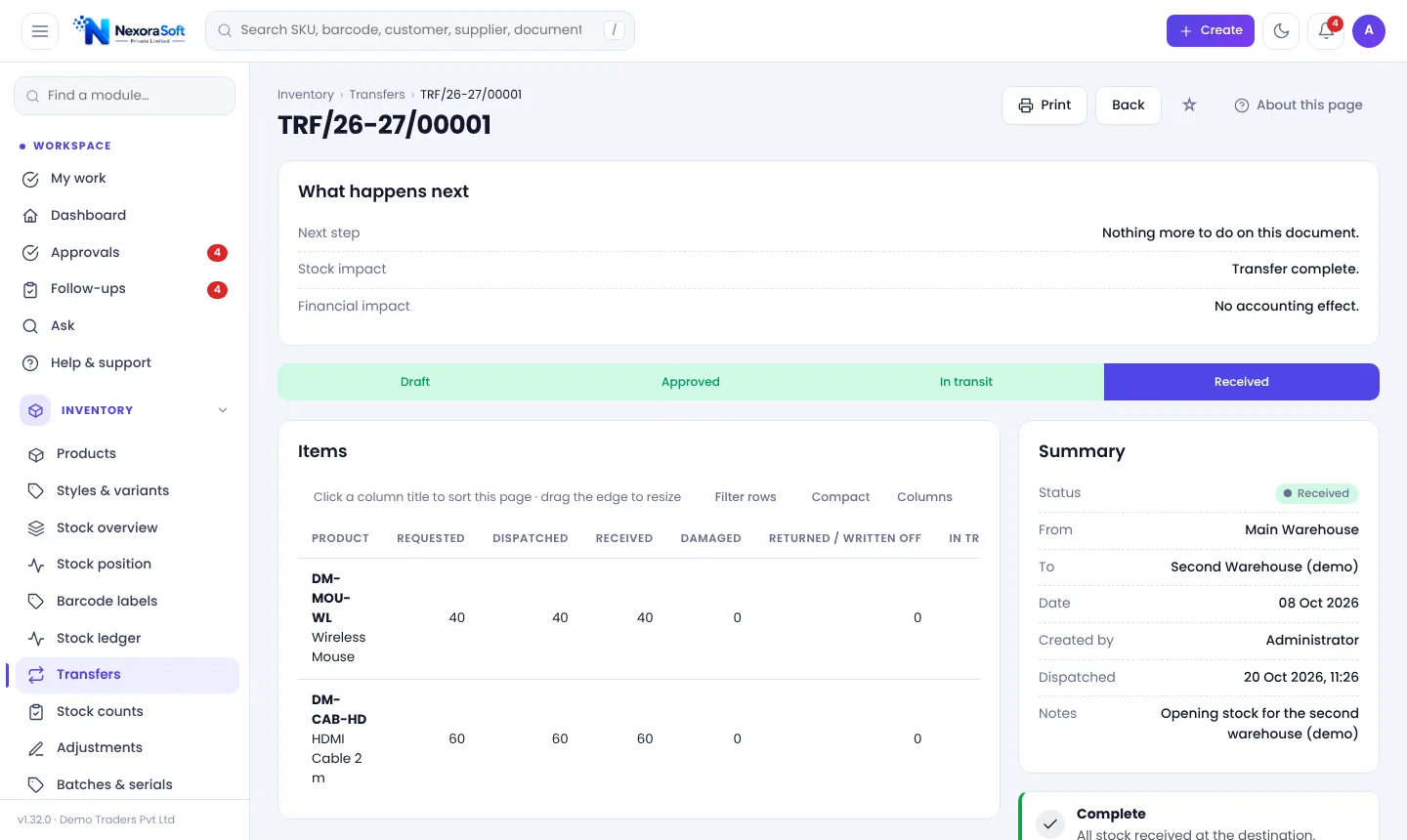
- Transfers show an in-transit state between sending and receiving
- Each warehouse has its own reorder level
- Bins give every item an address inside a warehouse
- Only authorised users can adjust stock
Transfer flow
- Request or create the transfer.
- Approve if your rules need it.
- Dispatch: stock leaves the source and shows in transit.
- Receive: stock enters the destination.
- Investigate any shortage on receipt.
Typical mistakes
- Editing quantities directly instead of using transfers
- No in-transit visibility, so stock seems lost
- One reorder level for all locations
- No bin discipline in a growing warehouse
In NexoraIMS
Multi-warehouse stock, transfers with approval as a setting, bin locations and stock position by location are included. See multi-warehouse inventory software and warehouse management.
Related guides: Inventory Management Software in India (complete guide)
Warehouse Management SoftwareMulti-Warehouse Inventory SoftwareStock Audit & Cycle Count SoftwareCycle Counting vs Physical Stock TakingBarcode System for InventoryInventory Shrinkage and Stock Audit
See NexoraIMS in Action
Book a free live demo and see stock, purchasing, GST billing and reports run on your own products.
Book a Free Demo +91 98115 51004