Home › Payroll Software in India › Field Staff Attendance
Attendance SoftwareField Staff Attendance With Consent-Based Live Location
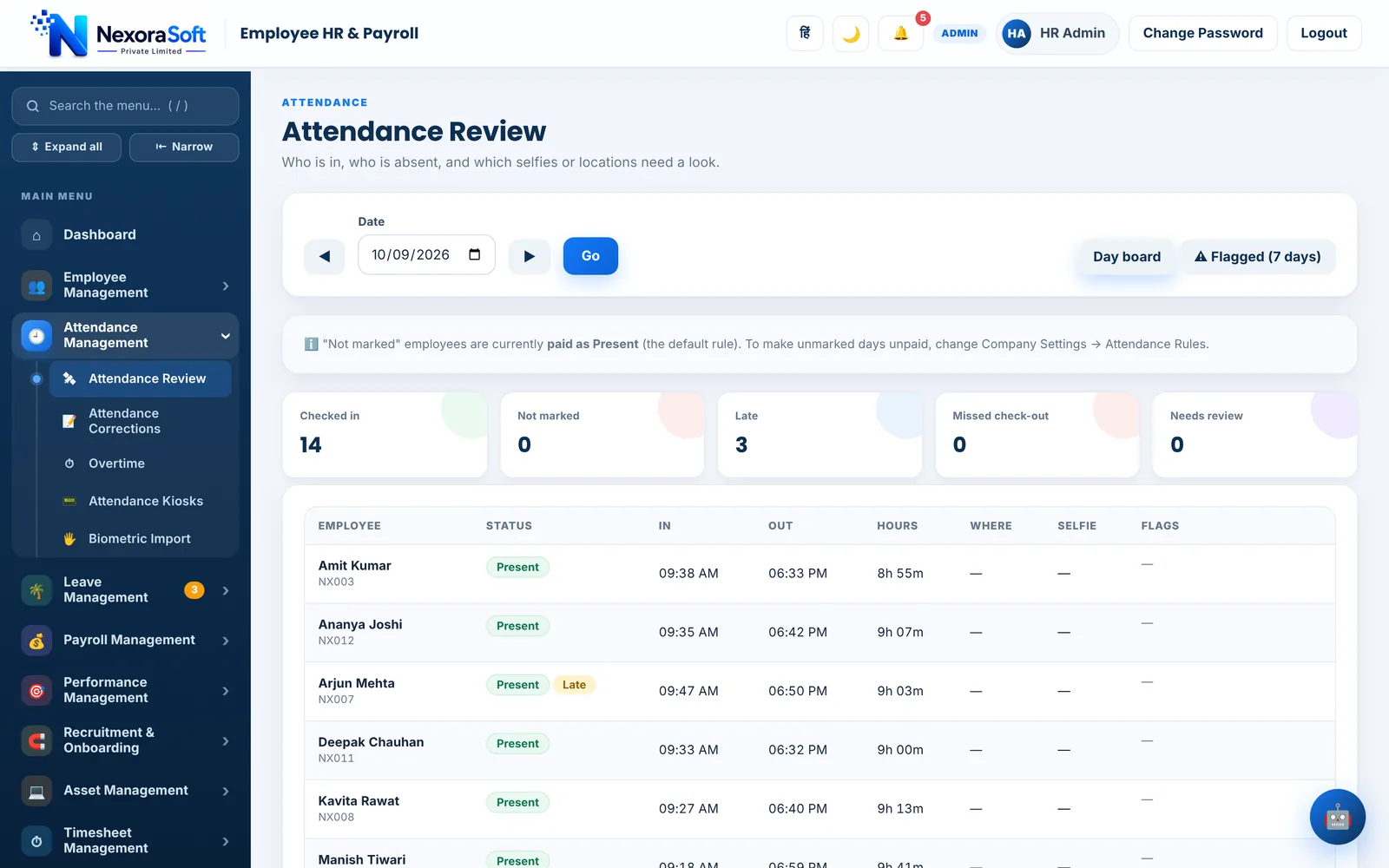
Capture attendance with GPS, selfie, kiosk or biometric devices, see where checked-in field staff are on a Live Map, and let the result flow straight into payable days.
GPS and selfieWork sitesLive Map with consentAuto Absent and Half Day
Attendance You Can Trust at Month End
When attendance is wrong, payroll is wrong. NexoraHRMS combines several ways of capturing a punch with automatic rules for missing days, so fewer corrections reach the last week of the month.
Capture, Verify and Close
Work sites
Any number of sites, each with its own radius picked on a map. Choose whether punching from outside the radius is blocked, or allowed and flagged.
Selfie check-in
Require a selfie never, at check-in, or at check-in and check-out, and review selfies in Attendance Review.
Kiosk QR or PIN
Open a private kiosk link on an office tablet. Employees scan a QR code that changes every 30 seconds or enter employee code and PIN.
Biometric devices
Import CSV, TXT or DAT exports, or connect ZKTeco and eSSL devices by ADMS push after registering the serial number. Test with one device first.
Live Map
See field staff on a map while they are checked in. Employees tap I agree once, the phone shares location only while checked in and the app is open, and Admin chooses who is covered, how often and the hours. For sharing while the phone is locked, a free tracker app (Traccar Client or OwnTracks) can be used.
Access record
Routes and who looked at them are recorded, so access to location data is accountable.
Automatic Absent and Half Day
No punch on a working day becomes Absent after shift end plus a wait you set; a check-in without check-out becomes Half Day. A later check-out turns it back to Present.
Night shifts
Check in at 10 PM and check out after midnight: one day, correct hours, no false missed check-out.
Automatic Marks Never Override People
| Rule | Behaviour |
|---|---|
| Skipped days | Weekly offs, holidays, approved or pending leave, running night shifts and locked payroll months are skipped. |
| Human wins | A punch, an HR edit or a correction request always wins over an automatic mark. |
| Notification | The employee and HR are notified, and HR gets a morning digest of yesterday's automatic marks. |
| Repeat warning | HR gets a warning when one person reaches a set number of automatic marks in a month. |
| Payroll link | Attendance feeds payable days directly, so payroll and attendance do not disagree. |
Live location is off until an Administrator switches it on, and nothing is collected while it is off. Device push and phone notifications were tested with simulators; confirm with one real device before rollout.
Field Staff Attendance – FAQ
Yes, with consent. Live Map shows people who agreed, only while they are checked in and the app is open, and Admin decides who is covered, how often and during which hours.
No. Live location is off by default, and when on it is shared only during a check-in. Nothing is collected while it is off.
Yes. You can import files from fingerprint or card machines, or connect ZKTeco and eSSL devices by ADMS push. Register the device serial first and test with one device.
After shift end plus a wait you set, the day is saved as Absent, or Half Day if only a check-in exists. The employee can request a correction, and a punch or HR edit always wins.
Yes. Attendance feeds payable days directly, so payslips use the same data HR sees.
See NexoraHRMS Payroll on Your Own Data
Share your salary structure and get a free live demo of NexoraHRMS & Payroll. No commitment; we typically respond within 24 hours.