Home › Payroll Software in India › Payroll Audit Software
Payroll SoftwarePayroll Audit Software That Checks Every Payslip Before You Lock
A payroll mistake is cheap to fix before the month is locked and expensive after salaries are paid. NexoraHRMS & Payroll reviews every payslip, every attendance exception and every month-on-month change, and tells you why each item was flagged.
16 payslip checksAttendance exceptionsPre-lock checksWhat-if simulator
Why Audit Before Locking
Most payroll errors are not calculation errors. They are input errors: a missing check-out, a changed bank account, a salary typed with an extra zero, a person who has already left. NexoraHRMS looks for exactly these patterns and shows each finding with the reason it was raised, so the reviewer can decide in seconds instead of scanning a salary register line by line.
Review Tools Built Into the Payroll Flow
Payroll Auditor
For Admin and Finance. Checks every payslip for 16 kinds of problems, such as negative net pay, sudden salary jumps, bank changes, missing attendance, loans and exits. Each finding says why it was flagged and can be marked Reviewed.
Attendance Exceptions
One checklist before month close: missing check-outs, impossible hours, work on off days, attendance during leave, unmarked days and pending approvals. It is part of the payroll flow.
Pre-lock checks
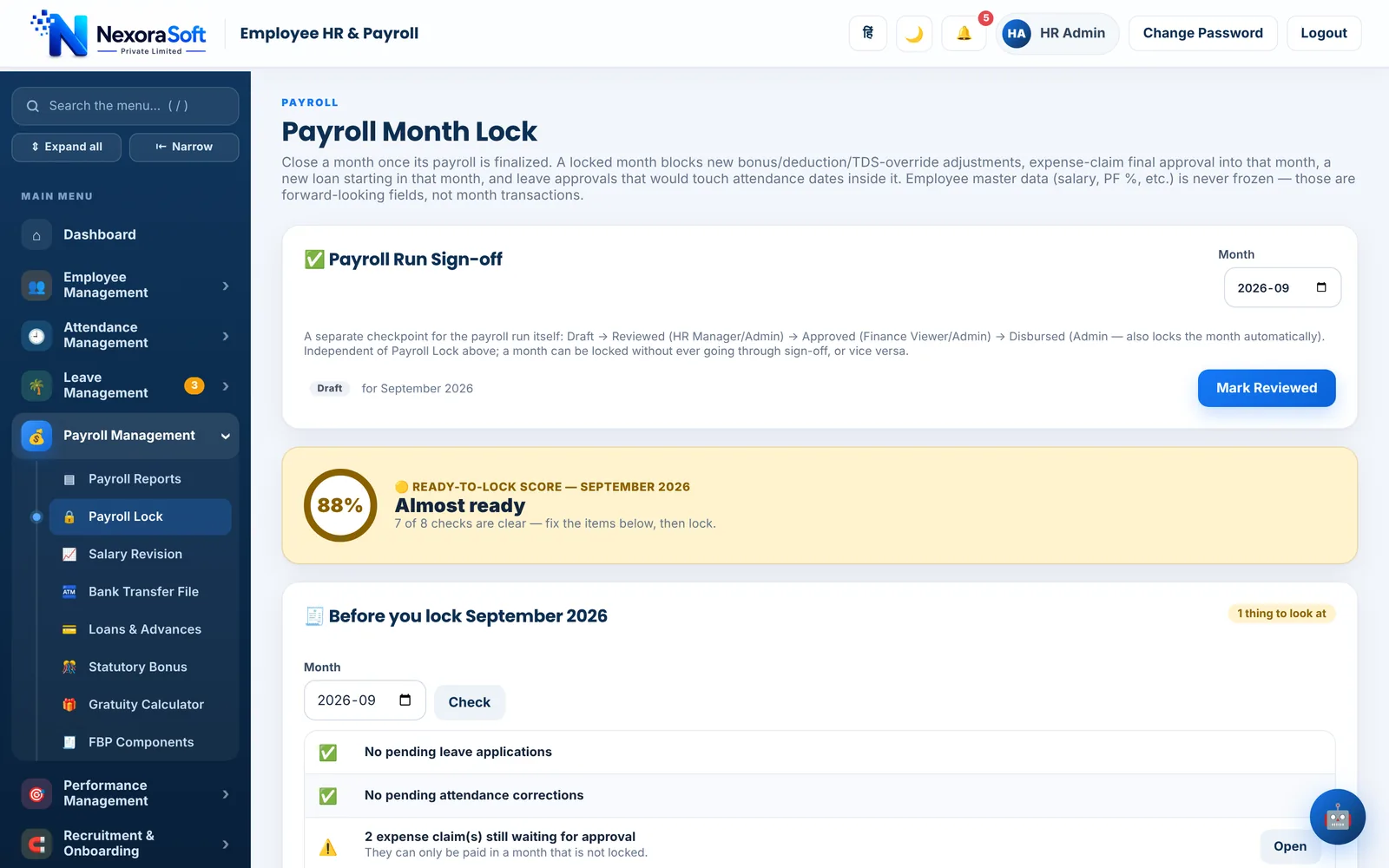
Before you lock, the system also catches negative or zero net pay, sudden pay jumps, missing UAN, duplicate bank accounts and employees with no attendance.
Payroll Control Center
One screen for the month: attendance completion, pending approvals, payroll steps, exceptions and cost forecast, with a what-if simulator for hike %, new hires and bonus.
Payroll Variance
See what changed since last month, and compare budget with actual people cost, so a surprise in the total is explained before it reaches finance.
Anomaly checks
Flags salary far above the department, a net pay jump, many salary changes in an hour, an employee and a vendor sharing a bank account, no attendance for 30 days and a former employee who can still log in.
Auditor Report
Who changed salary, bank, PAN or joining details, with filters and CSV export. Optional dual control can require a second approver for salary changes.
Step-by-step lock
Attendance, Adjustments, Pre-check, Approval, Payslips, Bank file and Lock in one flow, so the month is closed in a fixed order.
Checks and the Questions They Answer
| Tool | Question it answers |
|---|---|
| Payroll Auditor | Does any payslip look wrong, and why? |
| Attendance Exceptions | Is attendance clean enough to close the month? |
| Payroll Control Center | What is still pending, and what will the month cost? |
| Payroll Variance | What changed compared with last month? |
| Auditor Report | Who changed sensitive employee data, and when? |
Findings are prompts for a human reviewer, not verdicts. The Auditor reads payslips and records your Reviewed notes; it does not change pay by itself.
Payroll Audit Software – FAQ
Payroll audit software checks payroll results for errors before payment, such as negative net pay, unusual salary jumps, duplicate bank accounts and missing attendance. NexoraHRMS builds these checks into the monthly payroll flow instead of leaving them to a manual review.
No. It reads each payslip, flags the ones that need a look and lets an Admin or Finance user mark a finding as Reviewed with a note. Corrections are made through the normal payroll screens.
It is available to Admin and Finance users. Salary tabs elsewhere in the system are also limited to Admin, Finance and the employee concerned.
It lets you test a hike percentage, new hires or a bonus and see the effect on monthly cost before you commit. Treat the result as a planning estimate.
Yes. The Auditor Report lists who changed salary, bank, PAN or joining details, can be filtered and exports to CSV.
See NexoraHRMS Payroll on Your Own Data
Share your salary structure and get a free live demo of NexoraHRMS & Payroll. No commitment; we typically respond within 24 hours.