Hospital Dashboard Software for OPD, IPD, Beds & Billing
See the whole hospital on one screen: OPD visits, IPD admissions, bed occupancy, revenue and pending bills, with a list of what needs action today and insights that explain what changed.
OPD & IPD KPIsBed occupancy gaugePending bills alertRole-based viewsMobile & dark mode
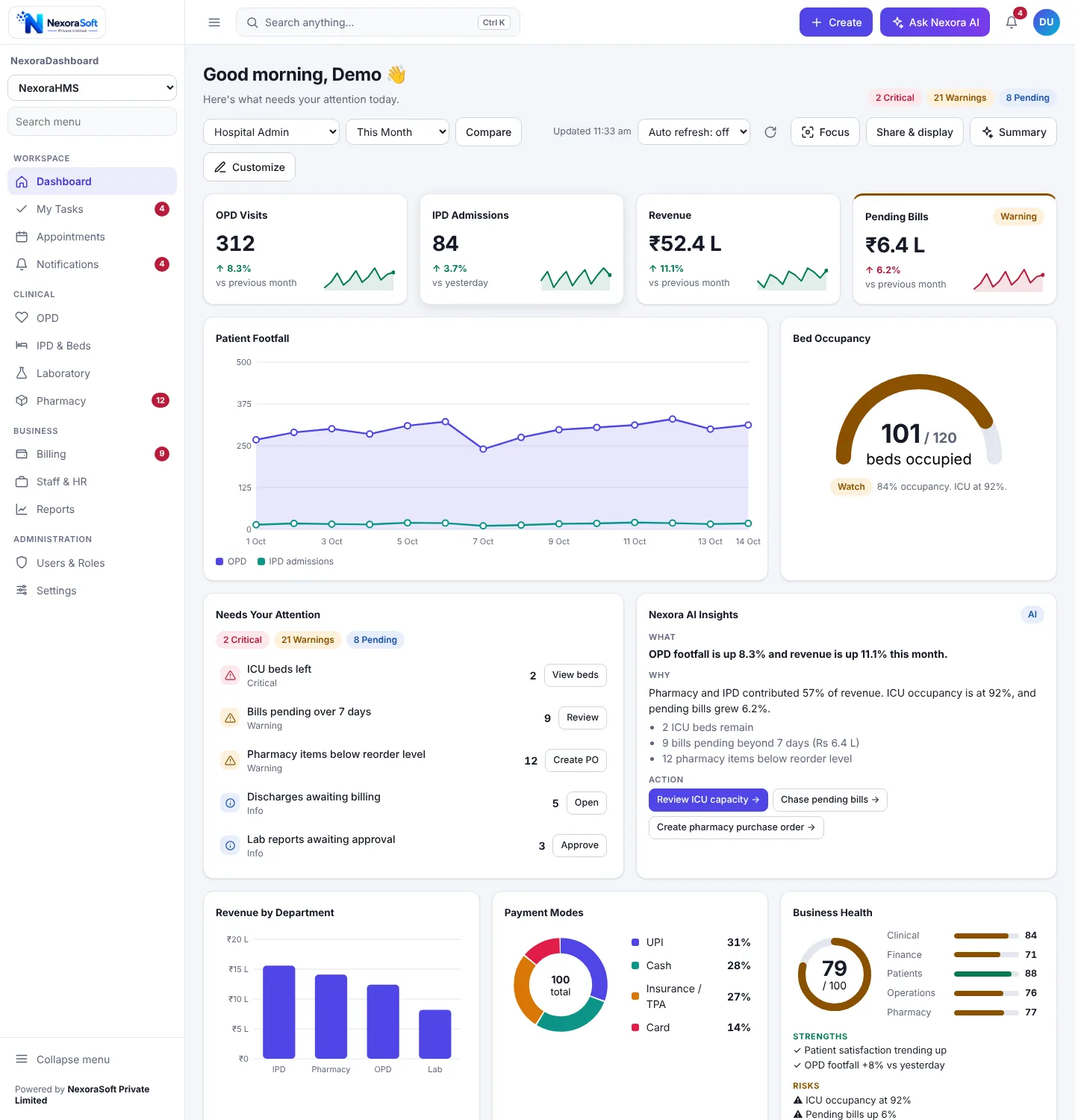
Hospital owners and administrators usually learn about a problem when someone walks in with it: a full ICU, a pile of unbilled discharges, a pharmacy that ran out. A hospital dashboard brings those signals to the front of the day, so the first screen is a to-do list for management and not a wall of numbers.
What the Hospital Dashboard Shows
Each widget reads from your data, shows a trend or a status and can open the matching screen with one click.
| Widget | Type | What it shows |
|---|---|---|
| OPD Visits | KPI card | Visits with change against the previous period and a sparkline. |
| IPD Admissions | KPI card | Admissions today compared with yesterday. |
| Revenue | KPI card | Collection for the selected range with trend. |
| Pending Bills | KPI card | Outstanding amount that turns amber when it grows. |
| Patient Footfall | Line chart | OPD and IPD admissions by day for the selected range. |
| Bed Occupancy | Gauge | Occupied against total beds with a watch status, for example ICU at 92%. |
| Revenue by Department | Bar chart | IPD, pharmacy, OPD and lab revenue side by side. |
| Payment Modes | Donut | UPI, cash, insurance and TPA, and card shares of collection. |
| Recent Admissions | Table | Latest admissions with sortable columns and row actions. |
| Lab and Pharmacy Load | Heatmap | Busy hours and days for lab and pharmacy counters. |
Items That Need Action Today
The attention list is calculated automatically and every row has a button that opens the right screen. Examples from the sample hospital:
ICU beds left
Flags critically low ICU beds with a View beds button.
Bills pending over 7 days
Counts old pending bills with a Review button for the billing team.
Pharmacy below reorder level
Lists items under reorder level with a Create PO button.
Discharges awaiting billing
Shows patients whose discharge is waiting for the final bill.
Lab reports awaiting approval
Reports waiting for pathologist approval with an Approve button.
Dashboards by Role
| Role or template | What they see |
|---|---|
| Hospital Admin | OPD, IPD, revenue and pending KPIs, footfall, bed occupancy, attention list, insights, department revenue, payment modes, business health, recent admissions, sync, tasks and activity. |
| Clinical Operations | OPD and IPD KPIs, bed occupancy, recent admissions, lab and pharmacy load, attention list and tasks. |
| Finance (custom) | Revenue, pending bills, payment modes and department revenue, configured for your accounts team. |
Day-to-Day Tools
The same dashboard works on a phone and in dark mode, which suits night-duty supervisors and owners checking numbers away from the hospital.
- Create menu: New Patient, New OPD Visit, New Admission, New Bill, New Lab Order
- Ctrl+K search to jump to a screen or run an action
- Privacy mode masks amounts when the screen is shared
- Wallboard and presentation modes for reception or review meetings
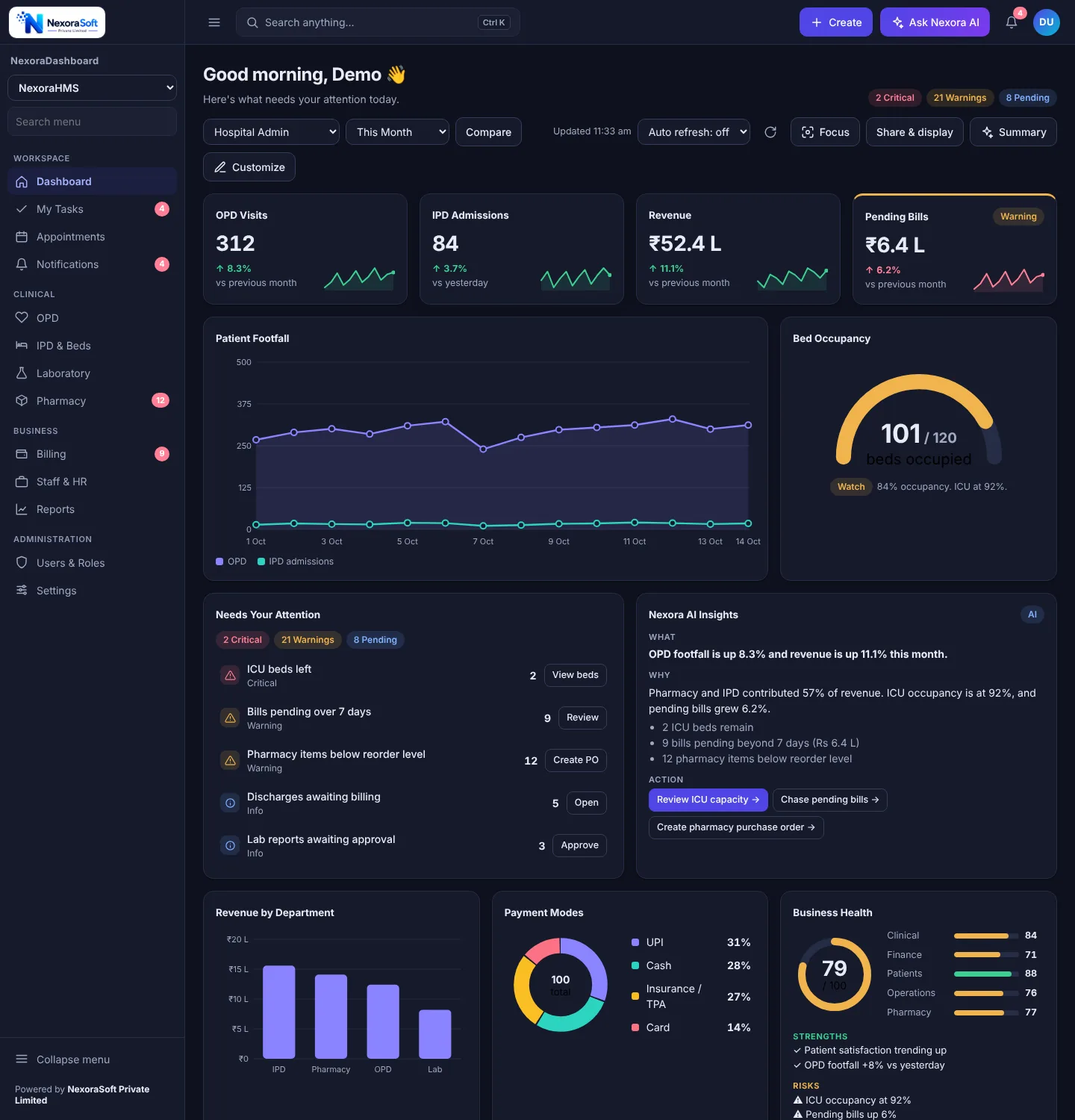
How It Connects to Your Data
The screenshots use sample data. For a live hospital dashboard we map each widget to your tables, usually from NexoraHMS, write the queries and wire the buttons to the real screens. For detailed period reports see hospital MIS reporting software.
Put Your Hospital on One Screen
Tell us your beds, departments and the five numbers the owner asks for every morning. We will show a dashboard built around them.
Frequently Asked Questions
A hospital dashboard shows today's OPD visits, IPD admissions, revenue and pending bills, patient footfall over time, bed occupancy, revenue by department, payment modes, recent admissions and lab and pharmacy load, plus a list of items that need action such as ICU beds left or bills pending beyond 7 days.
The hospital pack is designed around NexoraHMS data. Connecting your live data is done during setup by writing providers for the tables that hold OPD, IPD, billing, pharmacy and lab numbers.
A dashboard answers what needs attention today and is built for owners and department heads to glance at. MIS reports are detailed period reports for analysis and filing, such as month-end collections. Both are useful and use the same data.
Yes. The layout is responsive, with stacked cards and bottom navigation on phones, so an owner can check footfall, collection and pending bills from anywhere.
Yes. Roles control which widgets a person sees. For example, a clinical operations template can focus on OPD, IPD, bed occupancy and lab load while finance sees billing and pending amounts.
Start with OPD visits, IPD admissions, bed occupancy, revenue, pending bills and discharges awaiting billing. Add average length of stay, department revenue and lab turnaround once the basics are reliable.
The dashboard needs only your PHP and MySQL host. It can run on a local server inside the hospital network, and a cloud or multi-branch setup can be added with sync when needed.
A hospital pack with its main widgets connected is typically live in 2 to 4 weeks, depending on the cleanliness of your data. Book a demo with your own KPIs for an exact plan.