Home › Restaurant POS Software › POS Software for Cafes in India
Industry Restaurant POS SoftwarePOS Software for Cafes
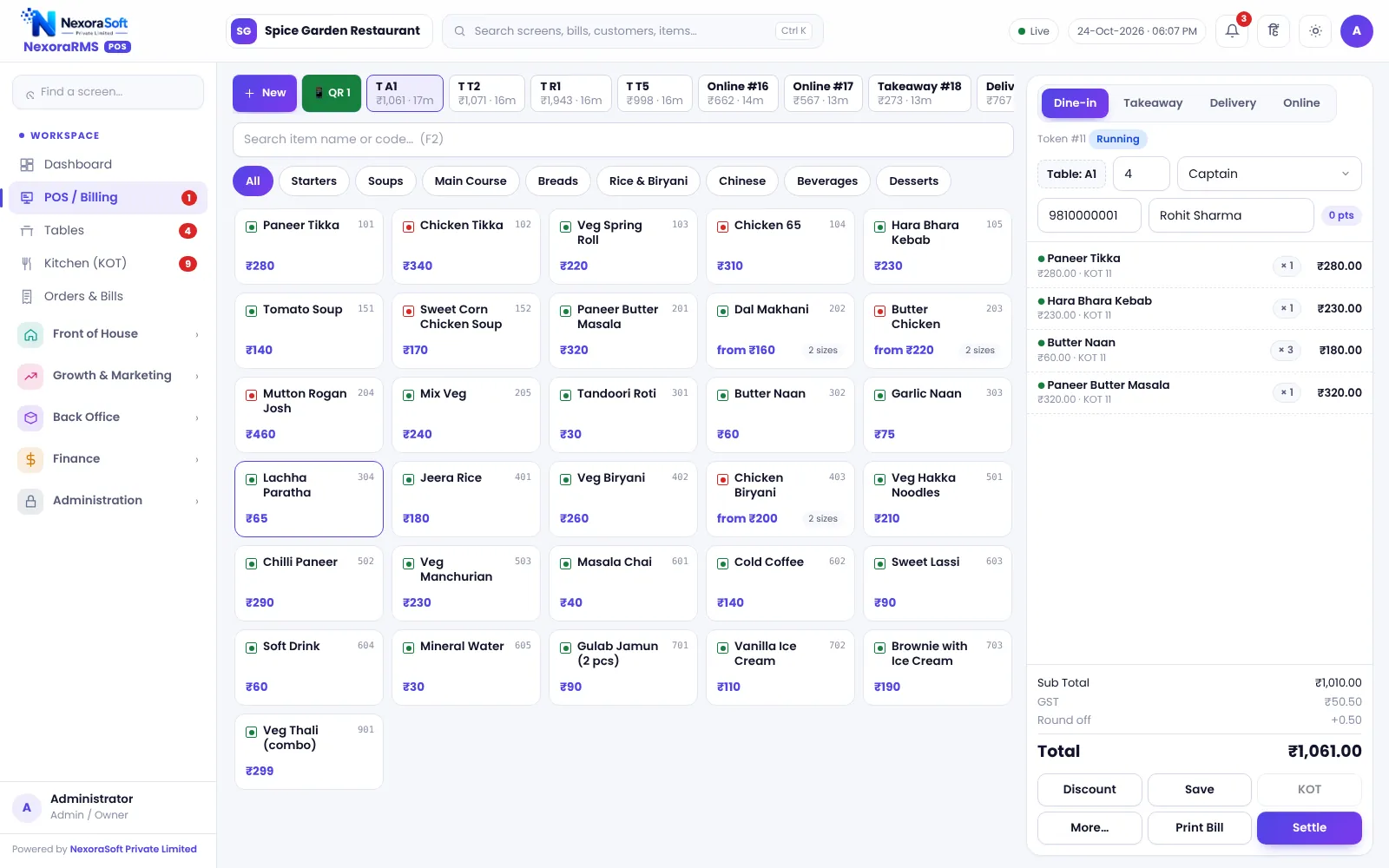
Cafes live on repeat guests and quick counters. NexoraRMS-POS gives a fast token-based billing screen, add-ons for milk and syrup, a loyalty wallet and a customer display.
TokensAdd-onsWalletHappy hourCustomer display
What Makes Cafe Billing Different
A cafe handles many small tickets, customisations (size, milk, syrup, extra shot) and regulars who expect to be recognised. Speed at the counter and repeat visits matter more than table service.
NexoraRMS-POS supports sizes and add-on groups for drink customisation, tokens for takeaway and a loyalty wallet that rewards regulars.
Challenges and How NexoraRMS-POS Handles Them
Sizes and add-ons
Regular and large sizes, milk and syrup add-ons, some compulsory.
Tokens
Takeaway tokens and a TV board for ready orders.
Loyalty wallet
Points and prepaid wallet for regulars.
QR menu
Guests browse the menu and order from the table.
Combos
Coffee-and-snack combos billed as one item.
Happy hour
Time-based offers for slow hours.
Quick Counter, Loyal Guests
The counter screen keeps taps low: pick item, size, add-ons and pay. A customer display can show the order and total to the guest.
Guests with a mobile number earn points, and wallet top-ups give you cash up front.
- Token numbers
- Customer display
- Wallet with top-up bonus
- Birthday bonuses
- Happy-hour pricing
Cafe POS at a Glance
| Need | NexoraRMS-POS answer |
|---|---|
| Drink options | Sizes and add-ons |
| Fast takeaway | Tokens and TV board |
| Regulars | Points and wallet |
| Slow hours | Happy hour offers |
| Order from table | QR menu |
Printing uses the browser; test your thermal printer.
Getting Started
Set up the restaurant
Set sizes and add-on groups for drinks and enable tokens.
Build the menu
Add categories, items, sizes, add-ons and tax rates, or import the menu from CSV.
Floor and staff
Draw sections and tables, then create logins for cashier, captain and chef with the right permissions.
Print and test
Set the bill width and header, print a test bill and KOT, and run a few dummy orders.
Go live
Train the team, start with one shift, and review the Z report at close.
POS Software for Cafes in India – FAQ
Yes. A small cafe can begin with menu and billing, then add token display, loyalty, a prepaid wallet and inventory as it grows. Ask for a free live demo of NexoraRMS-POS with sample restaurant data to see this on screen.
Yes. Add-on groups let you offer milk type, syrups, extra shots or toppings with prices and rules, and they appear on the KOT. NexoraSoft gives a written quote after a free demo, based on outlets, users and modules.
Yes. A token system issues token numbers for counter orders, and a TV board shows preparing and ready tokens so guests know when to collect. You can verify this in a free live demo of NexoraRMS-POS using your own menu and tables.
Yes. A prepaid wallet with optional top-up bonus and member statements is available. The balance is the cafe's own prepaid credit, usable only at that cafe.
Yes. A customer display screen can show the running bill to guests at the counter, which builds trust and reduces billing disputes. Ask for a free live demo of NexoraRMS-POS with sample restaurant data to see this on screen.
See NexoraRMS-POS in Your Own Restaurant
Share your menu, tables and billing flow and get a free live demo of NexoraRMS-POS. No commitment; we typically respond within 24 hours.