Home › Restaurant POS Software › POS Software for Hotel Restaurants
Industry Restaurant POS SoftwarePOS Software for Hotel Restaurants
A hotel’s restaurant needs tables, KOT and clean GST bills. NexoraRMS-POS covers the F&B outlet; room-charge posting to a hotel front-office system is not built in.
TablesKOTB2BReservations
What Hotel Restaurants Need
Hotel restaurants serve in-house guests, walk-ins and sometimes events. They need table service, a larger menu, stations and an owner view.
NexoraRMS-POS handles the restaurant and bar-side billing, kitchen and reports. If you need room posting, plan for it with your hotel software or ask us about custom work.
Challenges and How NexoraRMS-POS Handles Them
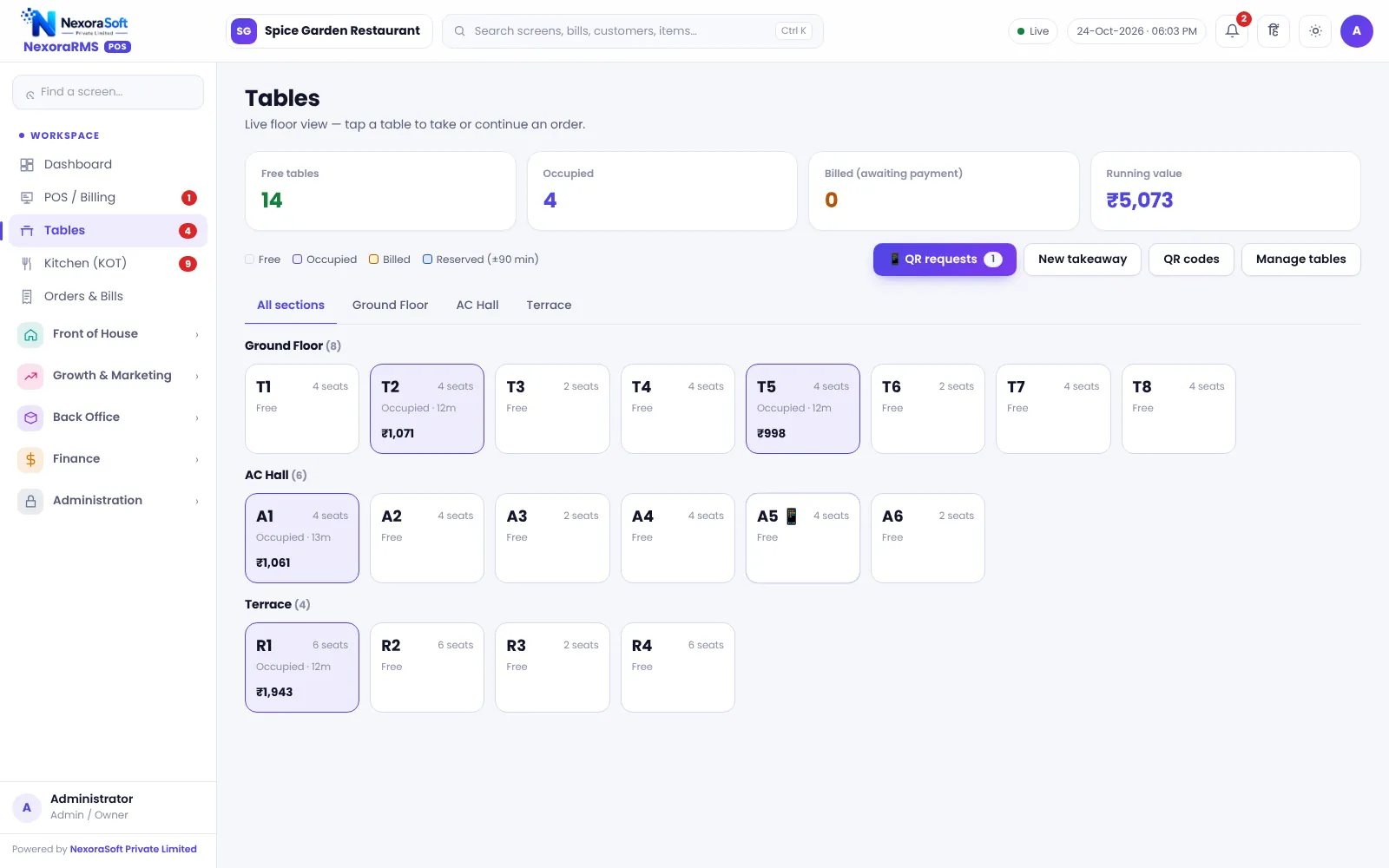
Tables and sections
Restaurant, terrace and bar sections.
Stations
Kitchen stations for tandoor and others.
Reservations
Table bookings.
Roles
Cashier, captain, chef and manager.
GST bills
B2B tax invoices for companies.
Reports
Daily and monthly summaries.
F&B Outlet, Clearly Separated
Run each F&B outlet as its own restaurant with its own bills and reports.
Bills for company guests can be issued as B2B invoices with buyer GSTIN.
- B2B invoices
- Reservations
- Roles
- Z report
Hotel F&B at a Glance
| Need | NexoraRMS-POS answer |
|---|---|
| Restaurant billing | Yes |
| Reservations | Yes |
| Room posting | Not built in |
| Banquets | Not built in |
Room-charge posting and banquet management are not included.
Getting Started
Set up the restaurant
Create sections, stations and roles for the F&B outlet.
Build the menu
Add categories, items, sizes, add-ons and tax rates, or import the menu from CSV.
Floor and staff
Draw sections and tables, then create logins for cashier, captain and chef with the right permissions.
Print and test
Set the bill width and header, print a test bill and KOT, and run a few dummy orders.
Go live
Train the team, start with one shift, and review the Z report at close.
POS Software for Hotel Restaurants – FAQ
No. Room posting is not part of this version. For hotel front office needs, NexoraSoft can discuss custom development. You can verify this in a free live demo of NexoraRMS-POS using your own menu and tables.
Yes, for restaurant billing and kitchen operations inside a hotel. Room posting and front office are not included. You can verify this in a free live demo of NexoraRMS-POS using your own menu and tables.
NexoraHMS is hospital management software, not a hotel system. For room posting or a hotel front office, ask NexoraSoft about custom development. Ask for a free live demo of NexoraRMS-POS with sample restaurant data to see this on screen.
See NexoraRMS-POS in Your Own Restaurant
Share your menu, tables and billing flow and get a free live demo of NexoraRMS-POS. No commitment; we typically respond within 24 hours.