Home › Restaurant POS Software › POS Software for Restaurants in India
Industry Restaurant POS SoftwarePOS Software for Restaurants
A dine-in restaurant needs the floor, the kitchen and the counter to agree. NexoraRMS-POS connects tables, captains, KOT and billing so orders move without shouting, and the owner sees the day in one report.
TablesKOTSplit billsQRReports
What Makes Dine-In Restaurants Hard to Run
A full-service restaurant balances many moving parts: parties that grow, tables that move, dishes added late, split bills and a kitchen with several stations. Mistakes show up as wrong bills, slow service and unhappy guests.
NexoraRMS-POS is built around the table. Every order belongs to a table, captain and cover count, and everything that follows (KOT, bill, stock, points) flows from it.
Challenges and How NexoraRMS-POS Handles Them
Table turns
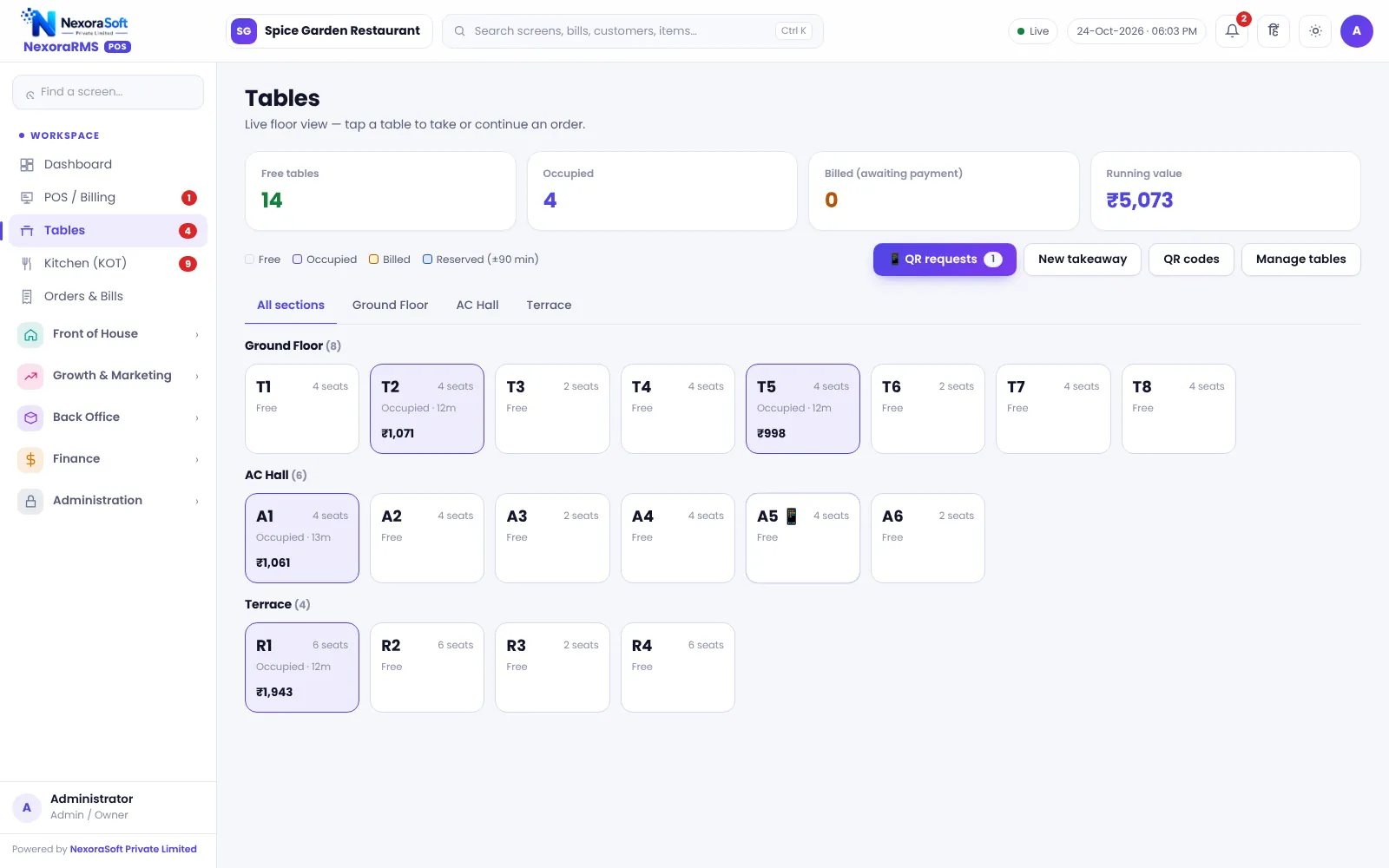
Live floor with status and running value, so managers can see delays.
Kitchen stations
KOT is routed by station and tracked on the kitchen display.
Split bills
Move items into new bills or split the payment across modes.
Captain accountability
Each order carries a captain, and permissions limit discounts.
QR assistance
Guests can call the waiter or ask for the bill from the table QR.
Menu decisions
Menu engineering shows which dishes earn.
From Seating to Settlement
Seat the party and set covers, take the order, send KOT as dishes are added, merge or transfer when the party moves and settle with split payment.
Daily, the Z report and cash register close the loop.
- Table, captain and covers on every order
- Transfer, merge and split
- Multiple KOTs per bill
- Manager PIN for sensitive actions
- Reservations and waitlist
Restaurant POS at a Glance
| Need | NexoraRMS-POS answer |
|---|---|
| Floor control | Live tables and sections |
| Kitchen speed | KOT and kitchen display |
| Separate bills | Split bill and payment |
| Control | Roles, PIN, audit log |
| Insight | Z report, menu engineering |
No offline mode; keep a backup internet connection.
Getting Started
Set up the restaurant
Create sections and tables, then add captain, cashier and chef logins.
Build the menu
Add categories, items, sizes, add-ons and tax rates, or import the menu from CSV.
Floor and staff
Draw sections and tables, then create logins for cashier, captain and chef with the right permissions.
Print and test
Set the bill width and header, print a test bill and KOT, and run a few dummy orders.
Go live
Train the team, start with one shift, and review the Z report at close.
POS Software for Restaurants in India – FAQ
Yes. Full-service restaurants use tables, captains, KOT, split bills and reservations in NexoraRMS-POS. Confirm tax rates and treatment for your outlet with your CA; NexoraRMS-POS prints and exports the data.
Yes. Sections such as ground floor, AC hall and terrace can be created, and tables are assigned to sections. Ask for a free live demo of NexoraRMS-POS with sample restaurant data to see this on screen.
Yes. Guests scan the table QR, place orders and the request reaches staff, who accept it before it goes to the kitchen. You can verify this in a free live demo of NexoraRMS-POS using your own menu and tables.
Yes. A Hindi interface option is available for staff screens. You can verify this in a free live demo of NexoraRMS-POS using your own menu and tables.
No. NexoraRMS-POS needs an internet connection to its server. Keep reliable broadband and a mobile hotspot as backup. Offline billing is not part of this version.
See NexoraRMS-POS in Your Own Restaurant
Share your menu, tables and billing flow and get a free live demo of NexoraRMS-POS. No commitment; we typically respond within 24 hours.