School management software is the system a school office uses to run admissions, student records, attendance, fees, exams and communication with parents. Here is how it works and what to expect.
The short definition
School management software, often called school ERP, is a set of connected modules built around a single student record. When the office enters a student once, the same record feeds attendance, fee dues, timetable, report cards and certificates.
What it usually does
- Admissions, student profile, documents and promotion
- Class-wise attendance and attendance reports
- Fee counter, receipts, concessions, dues and defaulters
- Timetable, exams, marks entry and report cards
- Parent and student portal
- Transport, library, hostel, canteen and inventory
- Staff attendance and payroll
- Roles, audit log and backups
How a day looks with it
- The class teacher marks attendance in the morning.
- The front desk logs enquiries and visitors.
- The fee counter takes payments and prints receipts.
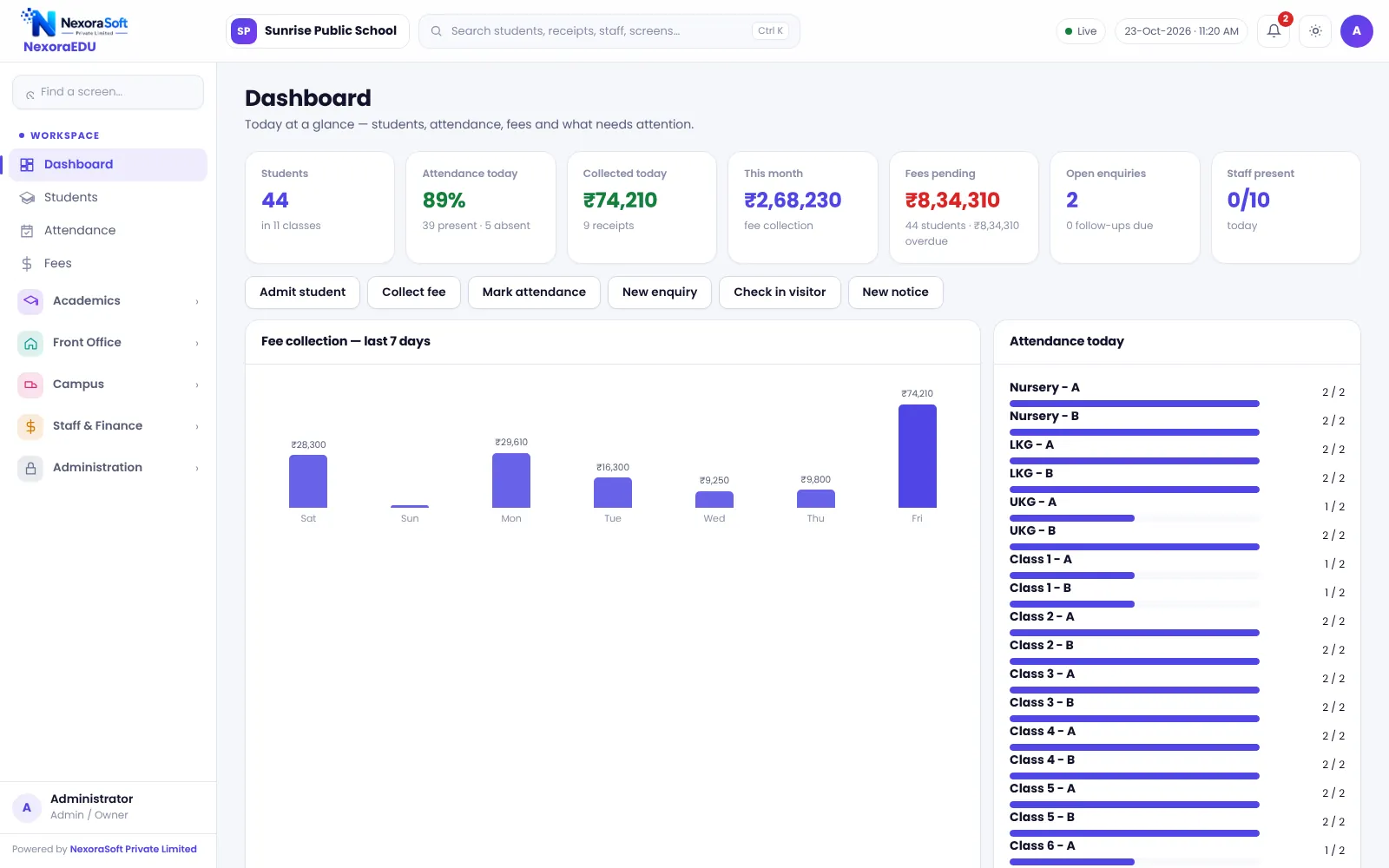
- The principal checks the dashboard for strength, attendance and dues.
- Parents log in to see attendance, homework and fee status.
School software versus Excel and registers
Registers work until the school grows. Totals take time, copies are hard to keep in sync and answers to simple questions need a search. See our comparison of school ERP versus Excel and paper registers.
What to check before buying
| Area | Ask |
|---|---|
| Fees | Receipts, part payment, concession approval, dues list |
| Academics | Exam terms, grade scale, report card layout for your board |
| Parents | Portal, app or web only, online payment |
| Control | Roles, audit log, backup |
| Limits | What is not included, in writing |
Our buyer’s guide has a longer checklist, and the NexoraEDU overview shows the real screens.
Modules explained in plain words
| Module | What it replaces |
|---|---|
| Student management | Admission register, student files and certificate books |
| Attendance | Daily class registers and monthly total sheets |
| Fee management | Receipt books, fee ledgers and dues lists in Excel |
| Exams and report cards | Hand-written marks ledgers and typed report cards |
| Timetable | A chart on the staff room wall |
| Parent portal | Phone calls and printed notices |
| Campus modules | Separate registers for transport, library, hostel and canteen |
What good school software feels like in practice
The principal opens one dashboard and sees how many students are present today, how much fee was collected this week and which classes are behind on dues. The accountant prints a receipt in seconds. A class teacher marks attendance in under a minute. A parent logs in and sees that the fee receipt is already there. None of this needs a large IT team, but it does need clean data and a little training at the start.
What it does not do for you
Software does not decide your fee policy, your concession rules or your exam pattern. It makes whatever you decide visible and consistent. It also depends on people entering data on time. Plan for a nominated champion at school, short training sessions and a review after the first month.
A note on limits
Every product has limits and it is better to know them early. NexoraEDU is a web-based system without a mobile app, WhatsApp messages are sent by click, and there is no biometric attendance or GPS tracking. The NexoraEDU overview lists them in full.
Related guides: School Management Software in India (complete guide)
Student Admission & Management SoftwareSchool Attendance Management SoftwareSchool Fee Management & Collection SoftwareSchool Management Software in DelhiBest School Management Software in India: Features to CheckHow to Choose School Management SoftwareSchool Fee Collection: How to Reduce DefaultersSchool ERP vs Excel and Paper Registers
See NexoraEDU in Action
Book a free live demo and see admissions, attendance, fees, exams and the parent portal run on your own school data.
Book a Free Demo +91 98115 51004