Home › School Management Software › School Attendance Management Software
School Management SoftwareSchool Attendance Management Software
Mark attendance class by class in under a minute, see who is below the limit and send a WhatsApp message to parents of absent students. NexoraEDU replaces the paper register.
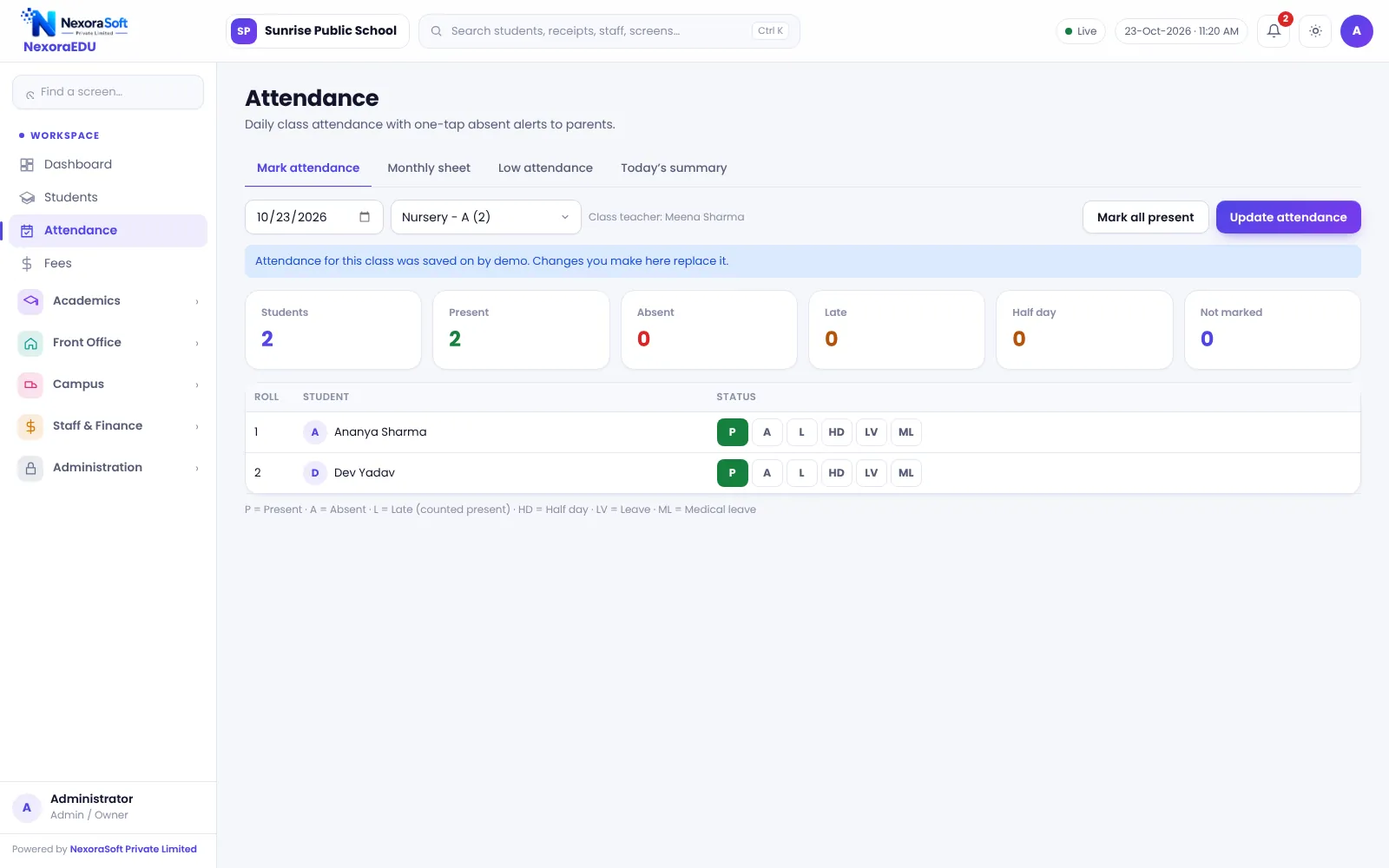
Why Attendance Needs More Than a Register
Attendance is both a daily routine and a record that parents, boards and inspectors ask for. A paper register is slow to total, easy to lose and impossible to search. Chasing absent students by phone takes time most front offices do not have.
NexoraEDU gives each class teacher a simple marking screen, totals everything automatically and shows the principal who is absent today and who is falling below the limit.
Attendance Features in NexoraEDU
Class-wise marking
Mark present, absent, late, half day, leave or medical leave for a class by date.
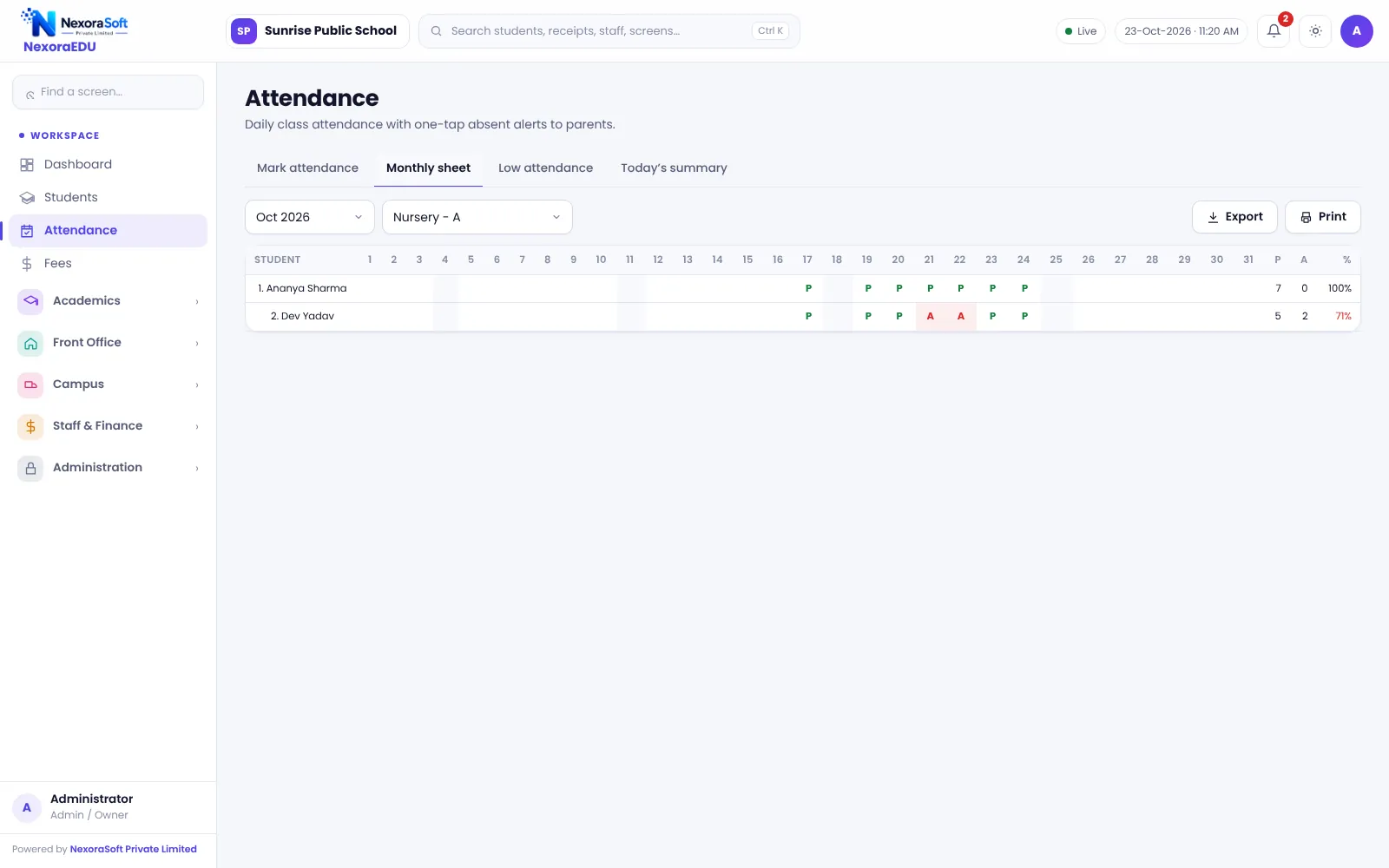
Monthly sheet
A month view with totals and percentage per student, ready to print.
Low attendance list
See students below your attendance limit and follow up early.
Today’s summary
Class-wise present and absent counts for the whole school.
WhatsApp absent message
Prepare a message for the parent of an absent student and send it by click.
Teacher access
Teachers can mark only the classes assigned to them.
From Marking to Follow-Up
The teacher opens the class, marks attendance and saves. The summary updates for the principal at once, and the low-attendance list is refreshed from the same data.
For absent students, the software prepares a WhatsApp message that staff send with a click. It does not send messages automatically, and there is no biometric or RFID device support in this version.
- Daily marking by class and section
- Holiday awareness in the calendar
- Monthly percentage per student
- Parents see attendance in the portal
- Report-card attendance picked from the same data
A Daily Attendance Routine
Open class
The class teacher opens the day’s attendance.
Mark
Present by default, tap absent, late or leave.
Save
The principal’s summary updates.
Message
The front desk sends WhatsApp messages for absentees.
Review
Weekly, check the low-attendance list.
Attendance at a Glance
| Need | NexoraEDU answer |
|---|---|
| Fast marking | Class-wise screen |
| Totals and percentage | Monthly sheet |
| Early warning | Low-attendance list |
| Principal view | Today’s summary |
| Parent visibility | Attendance in the portal |
Related School Management Software Guides
School Management Software India (full guide)School Fee Management & Collection SoftwareOnline School Fee Payment SoftwareSchool Timetable Management SoftwareExam, Result & Report Card SoftwareParent & Student Portal SoftwareSchool Reports & Analytics SoftwareSchool Management Software in Delhi NCRHow to Choose School Management SoftwareSchool Fee Collection: How to Reduce DefaultersSchool Attendance Management GuideParent-Teacher Communication with a School Portal
School Attendance Management Software – FAQ
Yes, as long as they can open the web software in a phone browser and are logged in. The marking screen is simple, but there is no separate mobile app. Many schools let teachers mark on a classroom PC or tablet at the start of the day and have the front office review the summary.
No. Attendance is taken manually by teachers on screen. Biometric, RFID card and face-recognition devices are not integrated in this version. If your school needs device-based attendance, tell us in the demo and we can discuss custom integration as a separate project.
Not automatically. NexoraEDU prepares a WhatsApp message for the parent of an absent student, and staff send it with a click. There is no SMS gateway or automatic WhatsApp messaging in this version. Many schools find a click-to-send routine at the front desk is enough to begin with.
Yes. The low-attendance view lists students below the limit you decide, so a class teacher or the principal can call parents early. It uses the same attendance data as the monthly sheet and the report card, so there is no separate register to keep in step.
Yes. In the parent portal, parents log in with their own password and see their child’s daily and monthly attendance. This reduces calls to the front office. The portal is a web portal that works in a phone browser; there is no separate mobile app.
See NexoraEDU Working for Your School
Share your classes, fee structure and workflow and get a free live demo of NexoraEDU. No commitment; we typically respond within 24 hours.