Home › School Management Software › School Software for Boarding & Residential Schools
School Software · NexoraEDUSchool Software for Boarding Schools
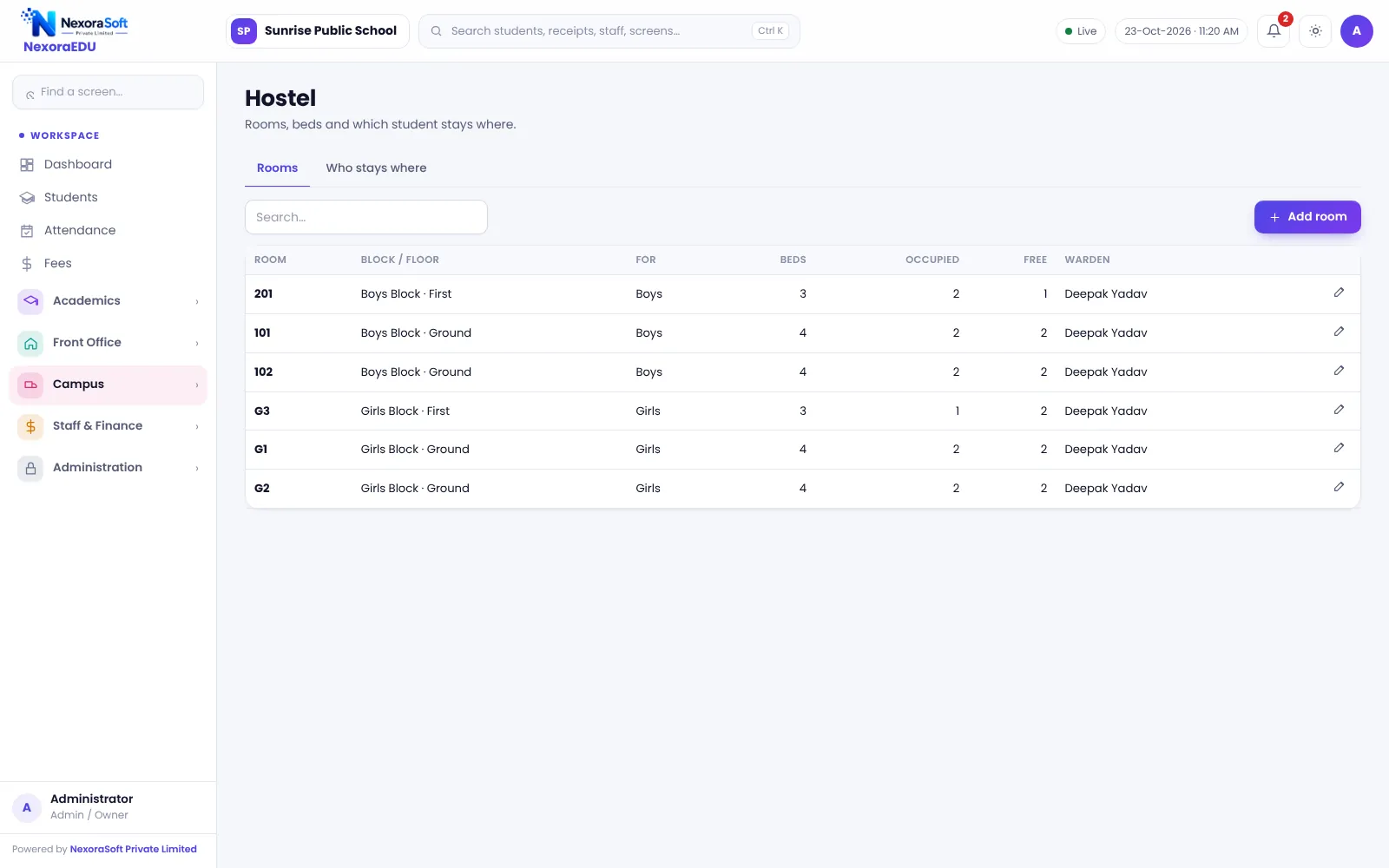
Boarding schools run academics and a residence together. NexoraEDU keeps hostel rooms, canteen wallet, health records and fees in the same student record as attendance and exams.
HostelCanteen walletHealthHelpdeskPortal
What Boarding Schools Need
A boarding school is a school and a home. Besides academics, it must manage rooms, meals, pocket money, health, guardians and parents who are far away and want assurance.
NexoraEDU combines the academic side with hostel rooms and allotments, a canteen wallet, health records, a helpdesk and the parent portal, so wardens, teachers and the office use one system.
Challenges and How NexoraEDU Handles Them
Hostel rooms
Rooms, beds and occupancy with a full-room warning.
Canteen wallet
Prepaid wallet for snacks and tuck shop.
Health records
Health notes for the warden and nurse.
Helpdesk
Parents raise requests and see replies.
Fees
Tuition, hostel and transport charges on one ledger.
Parent portal
Attendance, fees, results, notices and wallet balance.
Care and Control in One Place
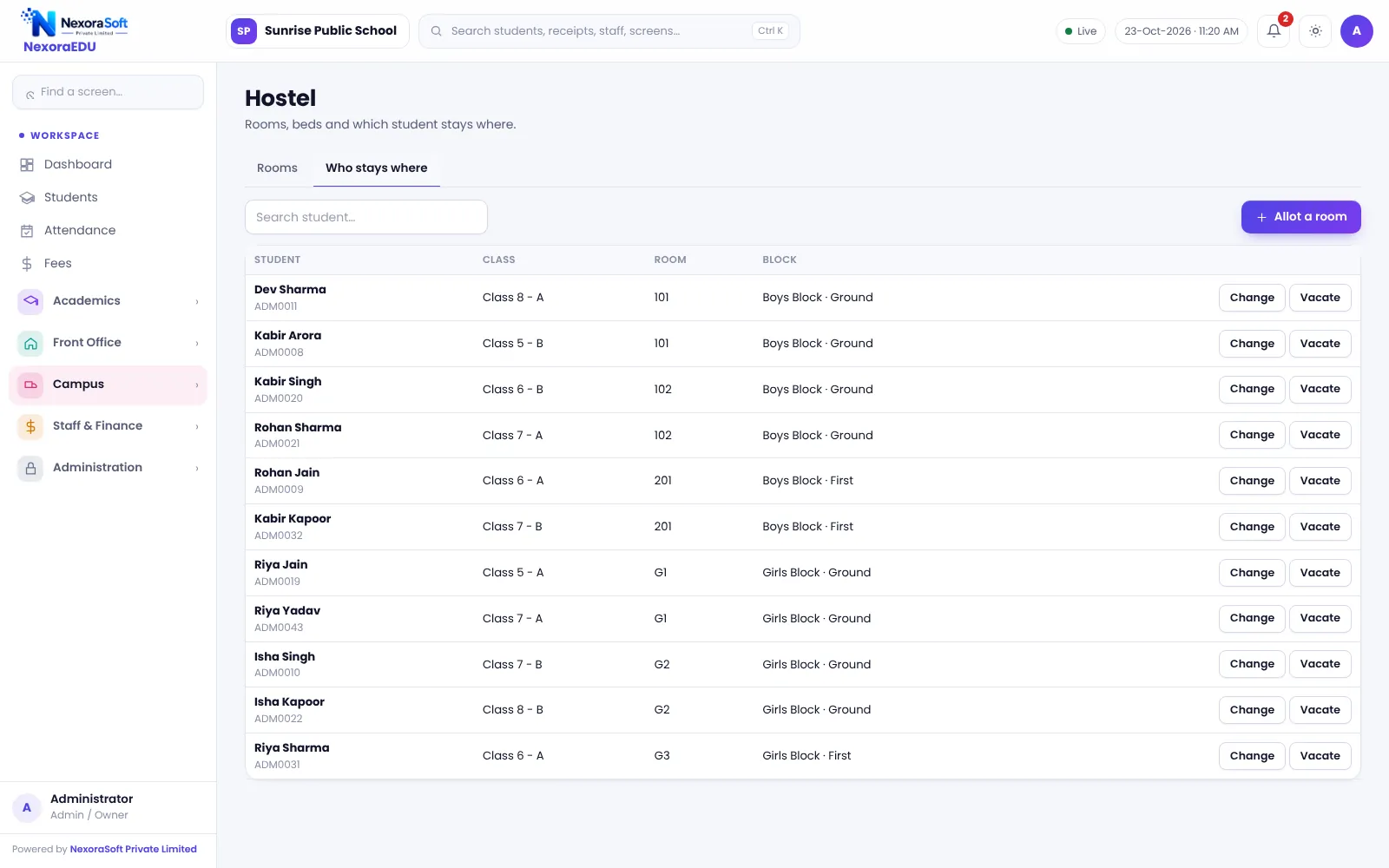
Allot each boarder to a room, keep health and guardian notes in the profile, and let parents track fees, results and wallet balance from far away.
Gate pass, leave-out approvals, biometric entry and mess meal planning are not part of this version. They remain on your existing process.
- Room-wise occupancy
- Health records by student
- Wallet top-up and canteen sales
- Helpdesk for parents
- Roles for warden and nurse
Boarding School Needs at a Glance
| Need | NexoraEDU answer |
|---|---|
| Rooms and beds | Hostel module |
| Pocket money / snacks | Canteen wallet |
| Health notes | Health records |
| Gate pass | Not included |
| Mess meal plans | Not included |
Getting Started
Set up the school
Add the school profile and hostel blocks, rooms and bed counts.
Classes and subjects
Create classes, sections and subjects, and assign class teachers.
Fees and students
Add fee heads and the class-wise structure, then import students from Excel.
Users and training
Create logins with the right roles and train the fee counter and teachers.
Go live
Start with attendance and fees, then switch on exams, portal and campus modules.
Related School Management Software Guides
School Management Software India (full guide)Parent & Student Portal SoftwareSchool Hostel Management SoftwareSchool Canteen & Prepaid Wallet SoftwareEducation Software Solutions for SchoolsSoftware for Coaching Institutes & Tuition CentresSchool Software for Small & Budget Private SchoolsSchool Management Software in GurgaonSchool Data Security, Backup and User RolesHow to Implement School Software for a New SessionSchool Canteen and Hostel Management Tips
School Software for Boarding & Residential Schools – FAQ
Yes. You create blocks and rooms with bed counts, allot boarders, and see occupancy. The software warns before you allot a student to a room that is already full. Keep allotments updated when students move, because occupancy is calculated from them.
The canteen module works with a prepaid student wallet. The office tops up the wallet, the counter deducts purchases, and parents can see the balance in the portal. Online top-up is not included in this version, so parents deposit through the school office or an agreed channel.
No. Gate pass, leave-out approvals and pick-up authorisation are not part of this version. The visitor register logs visitors and prints a pass, but it is not a gate control. If these workflows are essential, tell us in the demo and we can discuss custom development.
Yes. Health records store notes such as height, weight and conditions the school should know. Access depends on roles, so only authorised staff should see it. Treat this as sensitive information and review who has access.
Yes. Parents log in to the portal to see attendance, fees, results, notices and wallet balance, and raise requests through the helpdesk. WhatsApp messages from the school are click-to-send, so staff send them manually. There is no mobile app in this version.
See NexoraEDU Working for Your School
Share your classes, fee structure and workflow and get a free live demo of NexoraEDU. No commitment; we typically respond within 24 hours.