Home › School Management Software › School Canteen & Prepaid Wallet Software
School Management SoftwareSchool Canteen & Prepaid Wallet Software
Bill canteen items at a quick counter against a prepaid student wallet or cash, top up wallets and see daily sales. Parents can see the wallet balance in the portal.
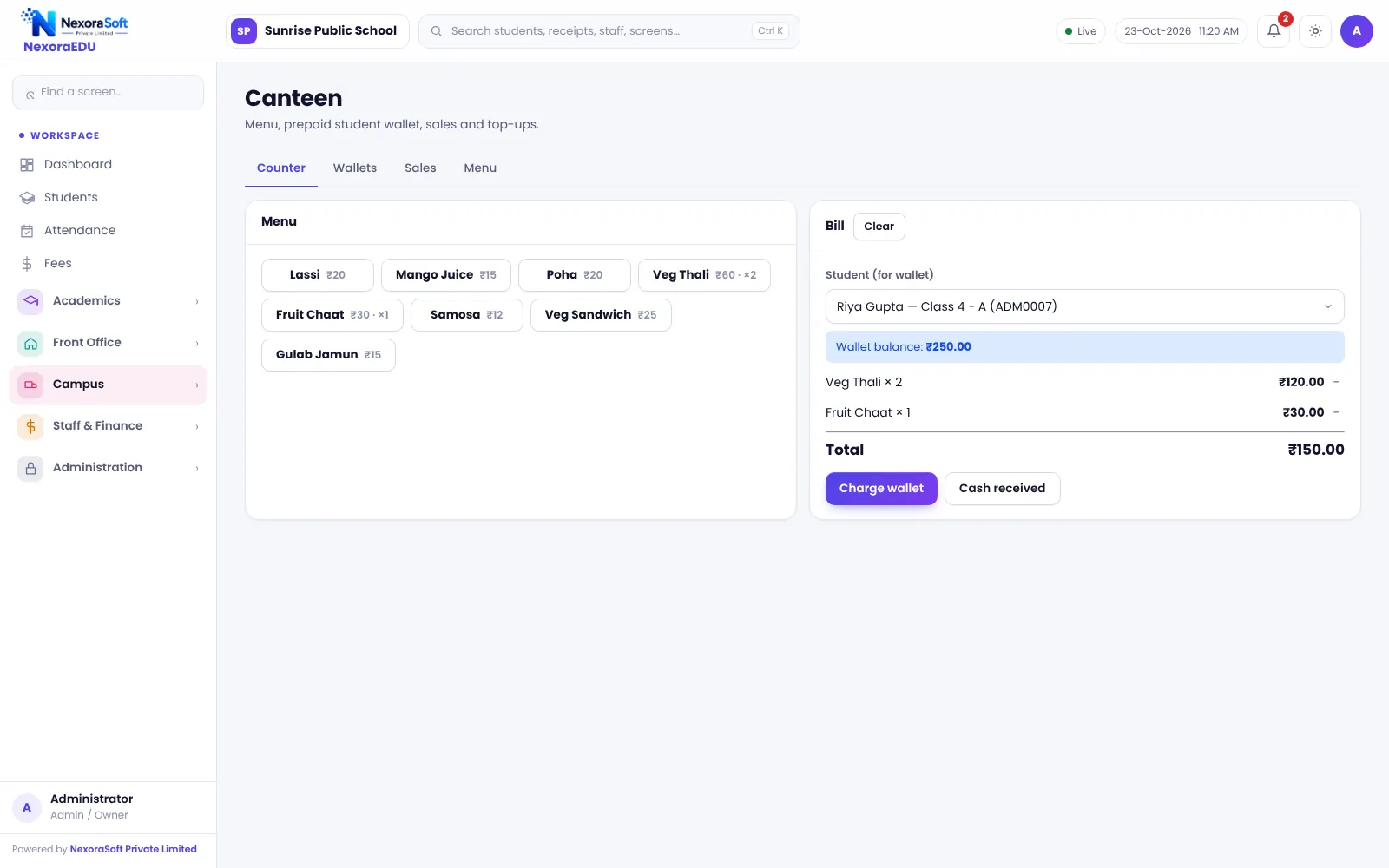
Cashless Canteen Without Complicated Hardware
A school canteen serves hundreds of children in a short break. Cash handling with young students is slow and risky, and parents cannot tell what their child spent. A prepaid wallet solves both without cards or devices.
NexoraEDU’s canteen counter lets the canteen staff pick the student, add items and deduct the amount from the wallet. Parents top up the wallet at the school office, and see the balance in the portal.
Canteen Features in NexoraEDU
Canteen counter
A quick item grid to bill a student in a few taps.
Prepaid wallet
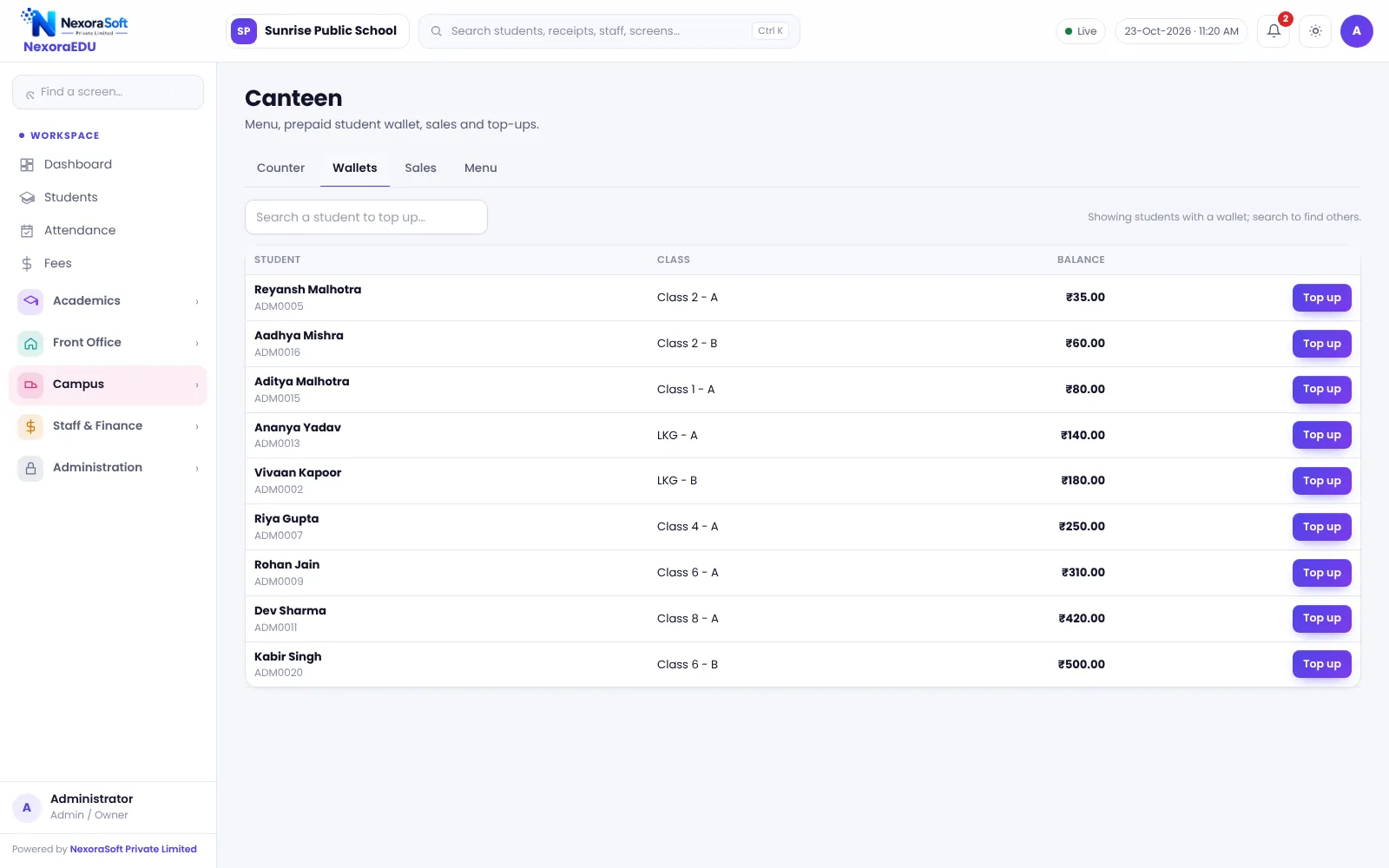
Each student has a wallet balance with top-ups.
Cash or wallet
Bill by wallet or take cash.
Sales report
Day-wise sales and item totals.
Parent visibility
Parents can see the wallet balance in the portal.
Item list
Maintain canteen items and prices.
How the Wallet Works
The office adds money to a student’s wallet and issues a receipt. At the canteen, staff select the student and items, and the amount is deducted. If the balance is low, the counter shows it.
Online wallet top-up, RFID cards and mess meal planning are not part of this version.
- Wallet top-up with receipt
- Item-wise billing
- Balance check at the counter
- Daily sales totals
- Wallet balance visible to parents
Running the Canteen
Items
Add canteen items and prices.
Top up
The office tops up wallets.
Bill
Canteen staff bill the student.
Review
Check the day’s sales.
Reconcile
Match wallet top-ups to cash received.
Canteen at a Glance
| Need | NexoraEDU answer |
|---|---|
| Cashless for children | Prepaid wallet |
| Fast billing | Item grid |
| Parent visibility | Balance in portal |
| RFID cards | Not included |
| Online top-up | Not included |
Related School Management Software Guides
School Management Software India (full guide)Parent & Student Portal SoftwareSchool Hostel Management SoftwareSchool Inventory & Stock Management SoftwareSchool Front Office, Enquiry & Visitor SoftwareSchool Staff Attendance & Payroll SoftwareSchool Management Software in NoidaReport Card and Grading System GuideParent-Teacher Communication with a School PortalSchool Canteen and Hostel Management Tips
School Canteen & Prepaid Wallet Software – FAQ
Not in this version. Wallet top-ups are done at the school office, and the software records them with a receipt. Parents can see the balance in the portal, but an online top-up flow is not included. If this matters, we can discuss a custom extension using your payment gateway.
No. The canteen counter works in a browser on a PC or tablet. A bill printer is optional. RFID cards and scanners are not part of this version, so staff pick the student by name or admission number. Test your counter speed with a few classes before using it for the whole school.
Yes. The sales view shows totals for the day and by item, so the canteen in-charge and accounts can reconcile cash and wallet sales. Compare wallet top-ups against cash received at the office at the end of the day for a clean daily close.
Yes for a prepaid wallet at a hostel canteen. A full mess module with meal plans and menus is not included in this version. Hostel schools use the wallet for snacks and tuck shop purchases, and the hostel module for rooms and fees.
The counter shows the balance and does not allow a wallet sale larger than the balance, so staff ask the student to top up or take cash. Confirm in the demo how your school wants a low balance handled. Parents can see the balance in the portal and top up at the office.
See NexoraEDU Working for Your School
Share your classes, fee structure and workflow and get a free live demo of NexoraEDU. No commitment; we typically respond within 24 hours.