Home › School Management Software › Parent & Student Portal Software
School Management SoftwareParent & Student Portal Software
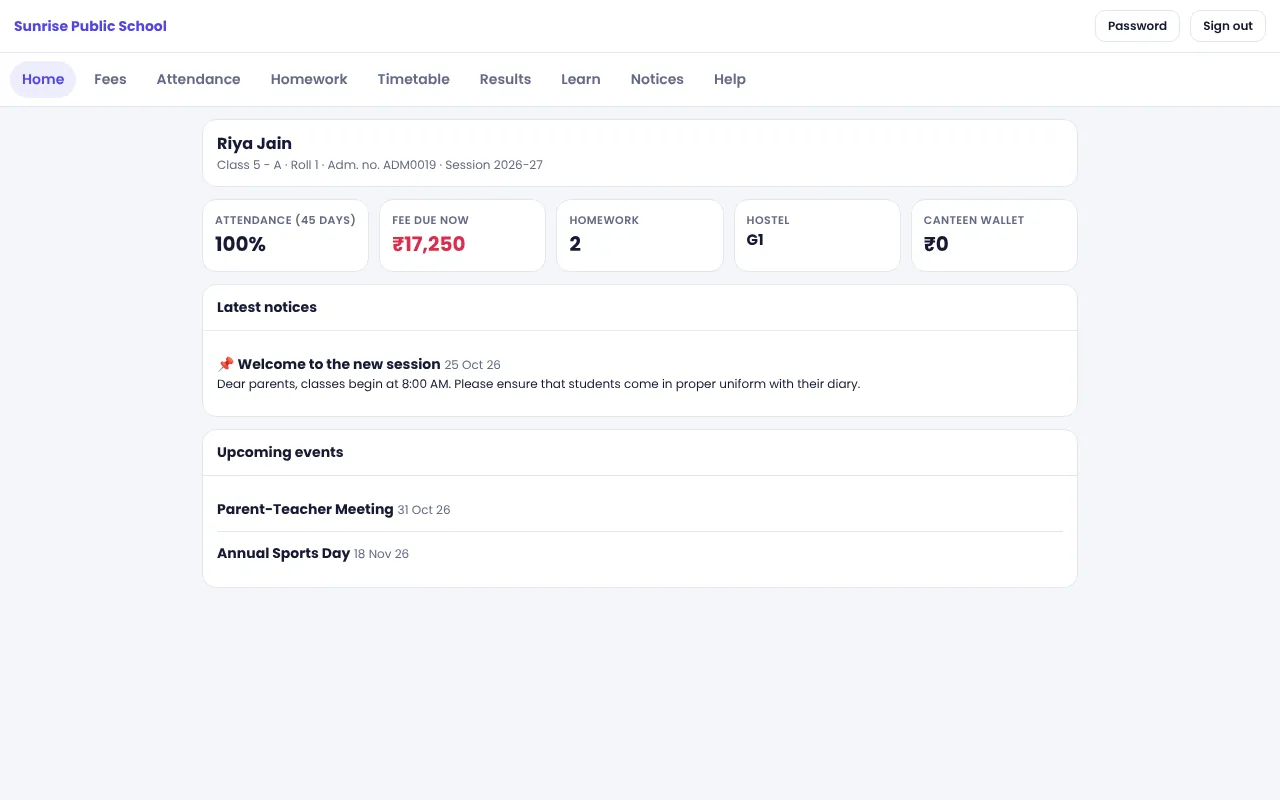
Give every parent and student their own login to see attendance, fees, homework, timetable, results and notices. NexoraEDU’s portal is a responsive web portal that works on any phone browser.
Why Schools Add a Parent Portal
Parents ask the same questions again and again: was my child present, how much fee is due, what is the homework, when is the exam. Each query takes front-office time and a phone call. A portal answers them at any hour.
NexoraEDU’s portal reads the same data your staff already enter. There is no second system to update: when the teacher marks attendance or the cashier issues a receipt, the parent sees it.
Portal Features in NexoraEDU
Attendance
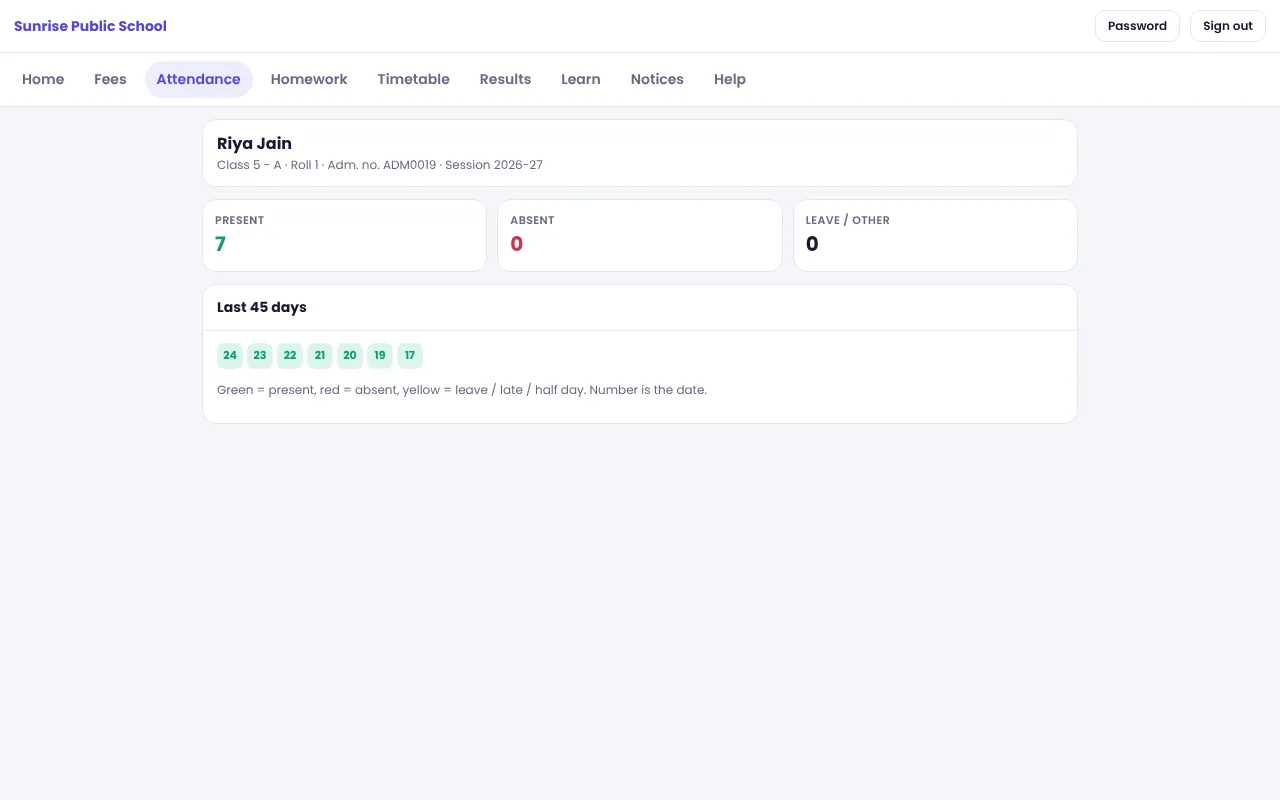
Daily and monthly attendance for each child.
Fees and receipts
Dues, paid receipts and the option to pay online when enabled.
Homework
Homework by date and subject from the teacher.
Timetable
The class timetable for students and parents.
Results
Marks, grade and rank once the school publishes them.
Notices and events
Circulars and the events calendar.
Learning section
Study material, assignments and online quizzes for students.
Helpdesk
Parents raise a request and see the reply.
Canteen and hostel
Canteen wallet balance and hostel room details where the school uses them.
Web Portal, Not a Mobile App
The portal is a responsive web portal that opens in any phone or desktop browser. There is no Android or iOS app in this version, and it needs an internet connection. Parents and students have separate logins, and the first login forces a password change.
The school shares a portal address that includes its school code. Parents do not need to install anything.
- Separate parent and student logins
- Forced password change at first login
- Works in a phone browser
- One login shows all siblings
- Controlled by the school, with data from the main software
Rolling Out the Portal
Create logins
Generate parent and student logins from the student list.
Share access
Give the portal address and first password to parents.
First login
Parents set their own password.
Keep data fresh
Mark attendance and post homework daily.
Use the helpdesk
Route queries through the helpdesk so they are tracked.
Portal at a Glance
| Question | Answer |
|---|---|
| Is there an app? | No, a web portal |
| Works offline? | No |
| Separate logins? | Yes, parents and students |
| Pay fees online? | Yes if the school enables a gateway |
| Messages by SMS? | No, WhatsApp is click-to-send |
Related School Management Software Guides
School Management Software India (full guide)School Attendance Management SoftwareOnline School Fee Payment SoftwareExam, Result & Report Card SoftwareSchool LMS, Assignment & Online Quiz SoftwareSchool Transport Management SoftwareSchool Library Management SoftwareSchool Management Software in NoidaParent-Teacher Communication with a School PortalSchool Data Security, Backup and User RolesHow to Implement School Software for a New Session
Parent & Student Portal Software – FAQ
No. NexoraEDU has a responsive web portal that works in any phone browser, but no Android or iOS app in this version. Parents open the portal link and log in. The portal needs an internet connection. If a branded app matters to your school, tell us during the demo, because custom development is possible.
A parent sees their child’s attendance, fee dues and receipts, homework, timetable, results, notices and events, study material, assignments, quizzes and helpdesk replies. Canteen wallet and hostel room details appear if the school uses those modules. What is visible depends on what the school has switched on and published.
The school creates parent and student logins from the student list and shares the portal address with the school code. On first login the user must change the password, which improves security. Staff can reset a password if a parent forgets it, and the helpdesk can be used for such requests.
Yes, siblings can be linked so that a parent sees their children together. This is helpful for fee handling and for notices. Make sure siblings are linked correctly in the student profile when you import data, because that link decides what the parent sees after login.
The portal shows only data for the logged-in family, and logins are separate for parents and students. Each school’s data is kept in its own tables. Staff permissions are enforced on the server. We recommend strong passwords and removing portal access for students who leave the school.
See NexoraEDU Working for Your School
Share your classes, fee structure and workflow and get a free live demo of NexoraEDU. No commitment; we typically respond within 24 hours.