A school library works when books can be found, borrowed and returned without friction. Simple rules and a live issue register make that easy.
Catalogue before you circulate
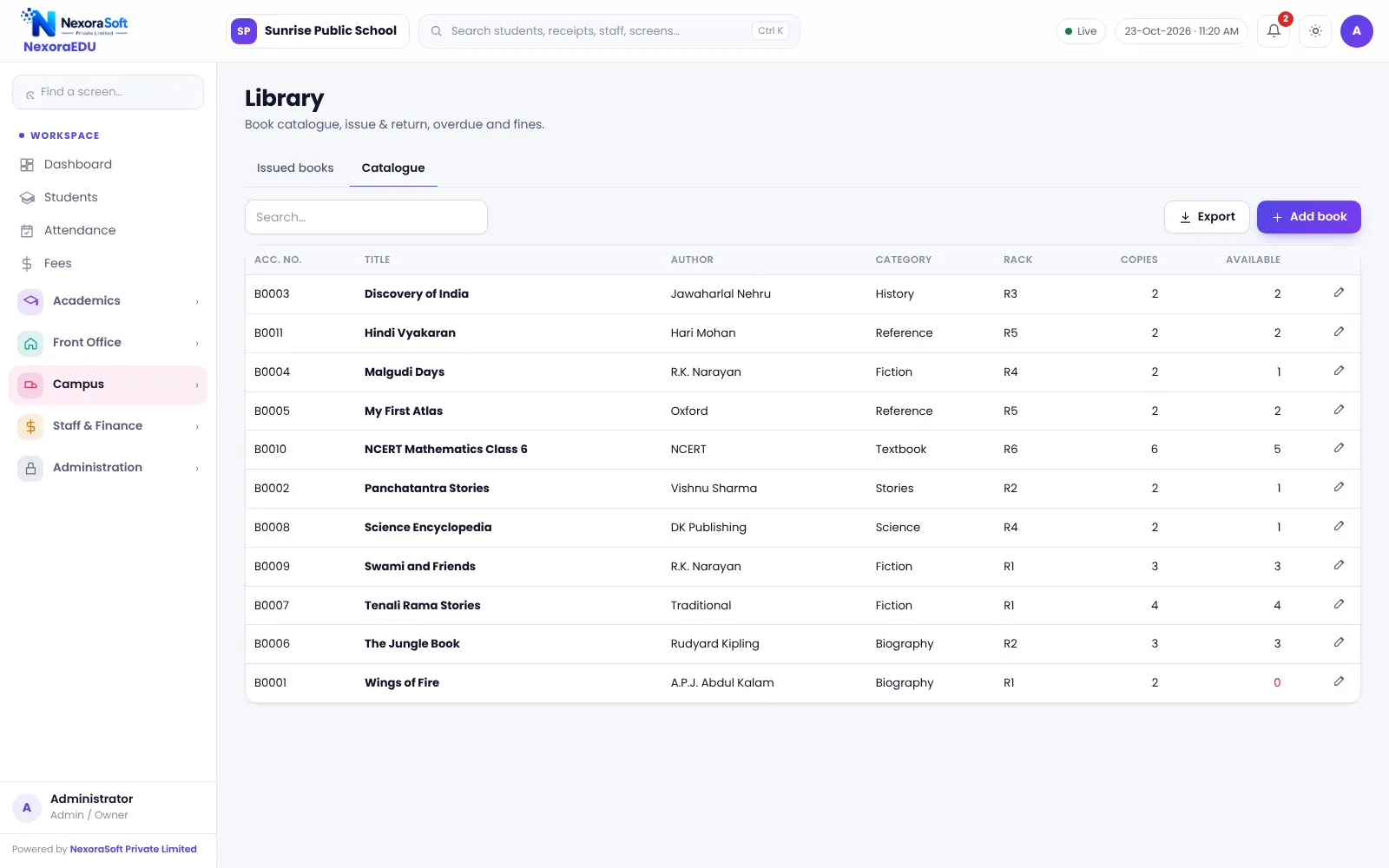
- Give every title a clear category and author
- Record the number of copies
- Use consistent spellings
- Retire damaged copies from the list
Write the issue rules
| Rule | Example to decide |
|---|---|
| Books per student | Two for junior, three for senior |
| Loan period | Seven or fourteen days |
| Fine | Amount per day after due date |
| Lost book | Replacement or cost |
Follow up on overdue books
Check the overdue list weekly and send reminders through the class teacher. Fines should be applied by the written rule.
Take stock each term
Compare the catalogue with the shelves. Missing books should be marked, so the catalogue shows what is really available.
Software support
NexoraEDU’s library module has a catalogue, issue and return, due dates and fines. It does not scan barcodes in this version. Students are already in the system, so there is no separate member list.
Encourage reading
- Display new arrivals
- Let class teachers set a weekly library period
- Recognise top readers each term
Policies that avoid arguments
- Write the fine rule and display it
- Define when a book is considered lost
- Ask parents to sign the library policy at admission
- Make exceptions only with the librarian’s approval and a note
Measure use
Look at how many books are issued per class each month. If one class never borrows, speak to the teacher. Reading habits are built by routine, not by catalogue size.
Year-end clearance
Before issuing a transfer certificate or report card, check that the student has no books pending. Because issues are tied to the student record, the library view makes this a quick check.
Related guides: School Management Software in India (complete guide)
Student Admission & Management SoftwareOnline School Fee Payment SoftwareSchool Timetable Management SoftwareSchool Library Management SoftwareSchool Inventory & Stock Management SoftwareSchool Management Software in GhaziabadSchool ERP vs Excel and Paper RegistersSchool Data Security, Backup and User RolesHow to Implement School Software for a New SessionSchool Canteen and Hostel Management Tips
See NexoraEDU in Action
Book a free live demo and see admissions, attendance, fees, exams and the parent portal run on your own school data.
Book a Free Demo +91 98115 51004