Home › School Management Software › Online School Fee Payment Software
School Management SoftwareOnline School Fee Payment Software
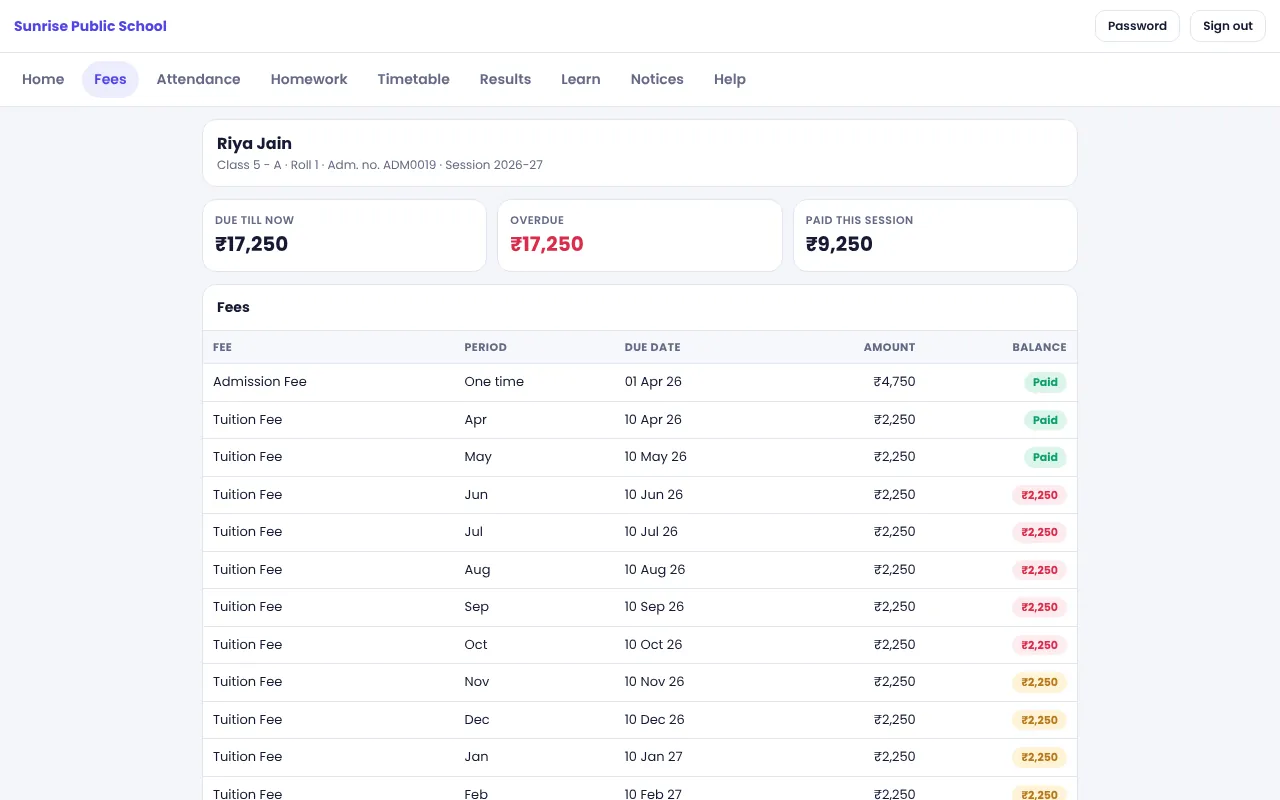
Let parents see their fee dues and pay online from the parent portal, through your own Cashfree or PayU account. The payment is recorded on the same fee ledger as counter payments.
How Online Fee Payment Works
Many parents prefer to pay from home, and a school that offers a payment link usually sees fewer queues at the counter. For the school, the challenge is matching each online payment to the right student and instalment.
In NexoraEDU, the parent logs in to the portal, sees the dues for each child and pays through a gateway the school has configured. The payment is saved against the same fee ledger the counter uses, so there is no second register to reconcile.
Online Payment Features
Cashfree and PayU options
Use either gateway with the school’s own merchant account and keys.
Pay from the parent portal
Parents see dues and receipts and pay online per child.
Receipts on the same ledger
Online and counter payments share one ledger and receipt list.
School’s own account
Money goes to the school’s gateway account, not through NexoraSoft.
Fee rules and switches
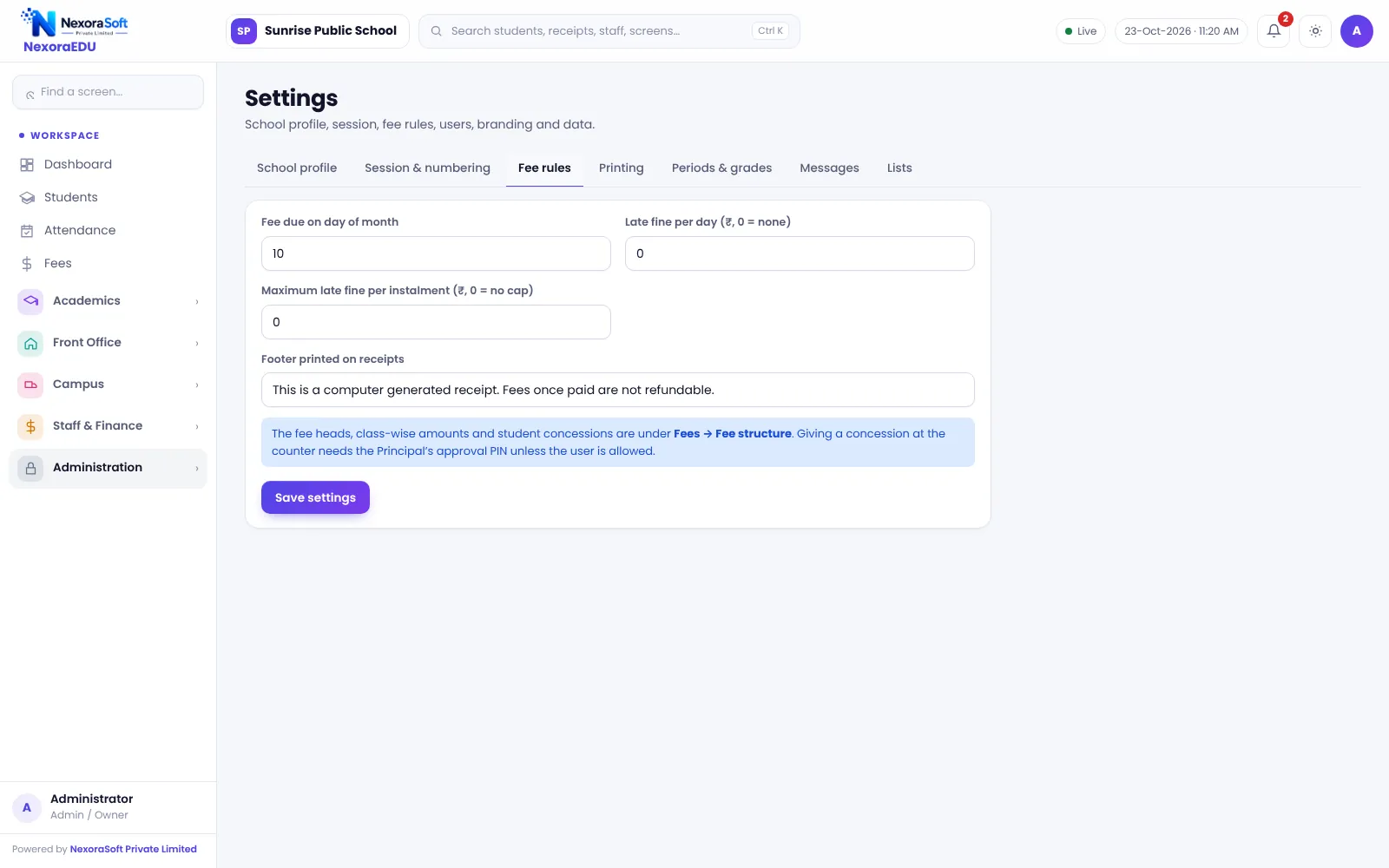
Turn online payment on or off and set fee rules from settings.
Needs https
Gateways require a secure site, which we check at set-up.
What to Know Before You Enable It
Online payment depends on your gateway account, your website being served over https and the gateway’s approval for your school. We configure the keys with you and run a test payment. We have not tested the integration against live gateways for your account in advance, so treat go-live as a joint test.
Gateway fees and settlement timelines are set by the gateway and your agreement with them, not by NexoraEDU.
- Cashfree or PayU keys from the school
- https on the portal address
- Test payment before announcing to parents
- Gateway charges as per your agreement
- Counter payments continue to work as usual
Enabling Online Payment
Get an account
Open a Cashfree or PayU merchant account in the school’s name.
Configure
Enter the keys in NexoraEDU settings with our help.
Test
Make a small test payment and check the receipt.
Announce
Tell parents how to log in and pay.
Reconcile
Match gateway settlement with the collection report.
Online Payment at a Glance
| Question | Answer |
|---|---|
| Which gateways? | Cashfree and PayU |
| Whose account? | The school’s own |
| Needs https? | Yes |
| Where do receipts go? | Same fee ledger |
| Automatic reminders? | No, WhatsApp is click-to-send |
Related School Management Software Guides
School Management Software India (full guide)School Fee Management & Collection SoftwareSchool Timetable Management SoftwareExam, Result & Report Card SoftwareParent & Student Portal SoftwareSchool Management Software Pricing in IndiaSchool Management Software in NoidaSchool Fee Collection: How to Reduce DefaultersReport Card and Grading System GuideParent-Teacher Communication with a School Portal
Online School Fee Payment Software – FAQ
NexoraEDU supports Cashfree and PayU for online fee payment through the parent portal. You use your own merchant account and keys, and the settlement goes to your school. We have not tested the integration against live gateways for every account, so we run a joint test payment at set-up before you announce it to parents.
No. Parents pay through your Cashfree or PayU merchant account, and the gateway settles the money to your school’s bank account as per your agreement with them. NexoraSoft does not hold or process school fees. Gateway charges and settlement time are decided by the gateway you choose.
Yes. Payment gateways require a secure connection, so the portal address must be served over https. We check this during set-up, and if your site is not yet on https we help you arrange a certificate. Without https, online payment should not be enabled for parents.
Parents can see their payments and receipts in the portal after the payment is recorded. The receipt is stored in the same list as counter receipts, so the accounts staff see everything in one register. Confirm the exact receipt layout for online payments in the demo.
Yes. Online payment is an addition, not a replacement. The fee counter continues to take cash, UPI, card and cheque, and both types of payments update the same student ledger and dues list. This is useful for parents who prefer to pay in person.
See NexoraEDU Working for Your School
Share your classes, fee structure and workflow and get a free live demo of NexoraEDU. No commitment; we typically respond within 24 hours.