Report cards are the document parents keep. A clear grading scale, locked marks and a short checklist make result season calm and accurate.
Decide the structure early
- Exam terms and weightage
- Subjects and maximum marks
- Internal assessment, project and practical components
- Grade bands and what each grade means
- Whether to show rank
A marks entry routine
- Subject teachers enter marks for their classes.
- Class teacher checks totals and absentees.
- Marks are locked.
- Results are generated with grade and rank.
- Report cards are printed and checked on a sample.
Why locking matters
Locked marks prevent silent edits after parents have seen results. If a correction is needed, a senior user unlocks it and the change can be traced in the audit log.
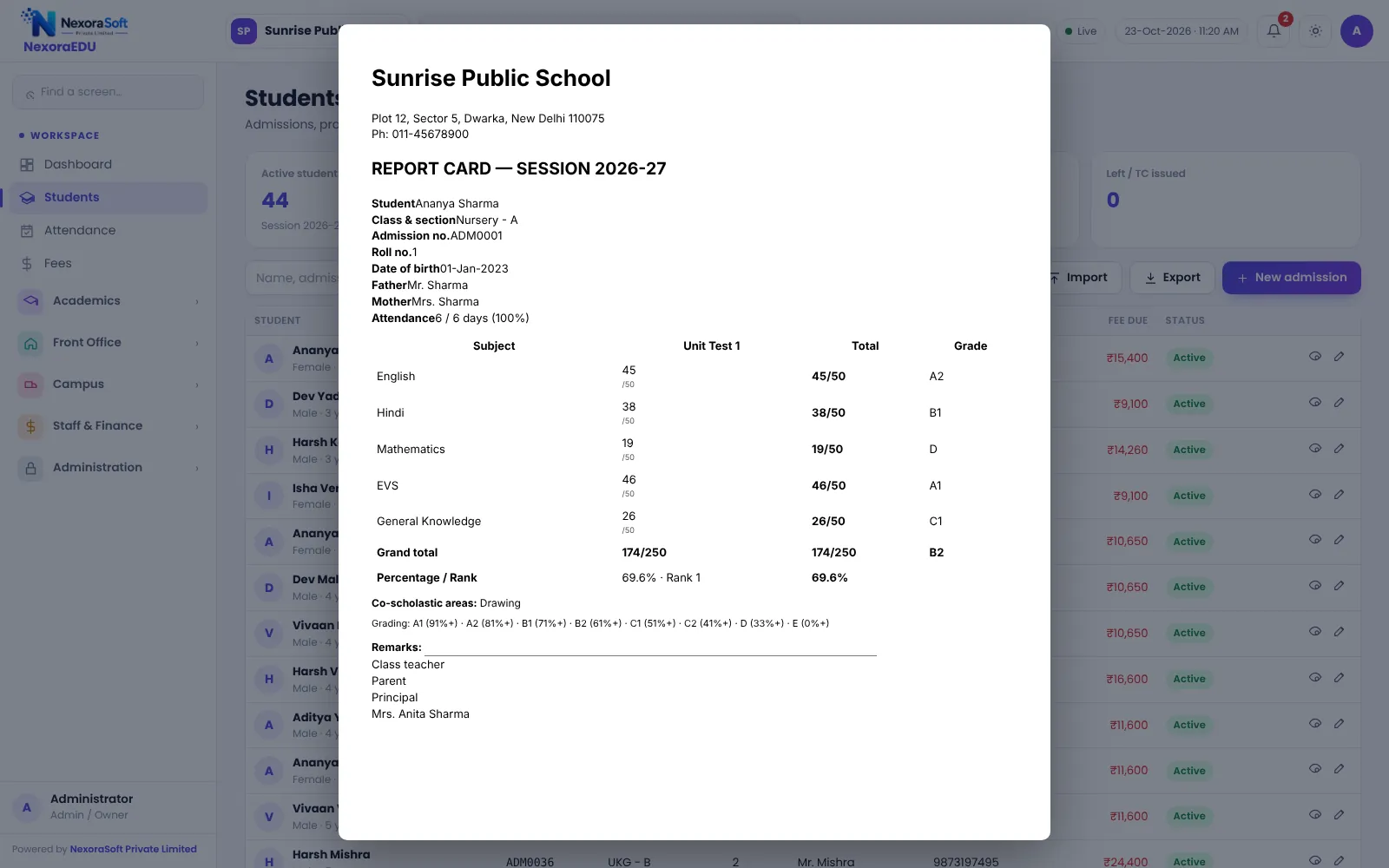
What goes on a report card
| Item | Source |
|---|---|
| Marks and grade | Marks entry and grade scale |
| Rank | Results |
| Attendance | Attendance module |
| Remarks | Class teacher |
| School details | Branding settings |
Board formats
Boards and schools use different formats, and circulars change. NexoraEDU lets you set your own exam terms and grade scale. Confirm the printed layout with sample marks in the demo.
Check before printing
- Test with five students from different classes.
- Compare totals with a manual calculation.
- Check names, admission numbers and class on the print.
- Check attendance and remarks.
- Print a few in colour or black and white as you plan to hand out.
Common mistakes
| Mistake | Prevention |
|---|---|
| Marks entered for the wrong exam | Name exams clearly and check the selected exam |
| Absent students counted as zero | Agree the rule and enter it consistently |
| Late marks after printing | Lock marks and unlock only with approval |
| Grade bands changed mid-year | Freeze the scale at the start of the session |
Communicate with parents
Explain the grading scale on the first page or in a notice. Parents accept a result more easily when they understand how it was calculated.
Related guides: School Management Software in India (complete guide)
Exam, Result & Report Card SoftwareSchool Inventory & Stock Management SoftwareSchool Front Office, Enquiry & Visitor SoftwareSchool Software for CBSE SchoolsSchool Software for ICSE & ISC SchoolsSchool Management Software in DelhiSchool Attendance Management GuideParent-Teacher Communication with a School PortalSchool Admission Process: Enquiry to EnrolmentSchool Transport Route and Fee Management
See NexoraEDU in Action
Book a free live demo and see admissions, attendance, fees, exams and the parent portal run on your own school data.
Book a Free Demo +91 98115 51004