Home › School Management Software › Exam, Result & Report Card Software
School Management SoftwareExam, Result & Report Card Software
Create exams, let teachers enter marks, lock them after checking and print report cards with grade, rank and attendance. NexoraEDU turns result season from a scramble into a routine.
What Result Season Looks Like Without Software
Result season is the most stressful time in a school office. Marks come in on paper, totals are calculated by hand, ranks are checked twice, and a late correction means reprinting. Errors reach parents, and trust suffers.
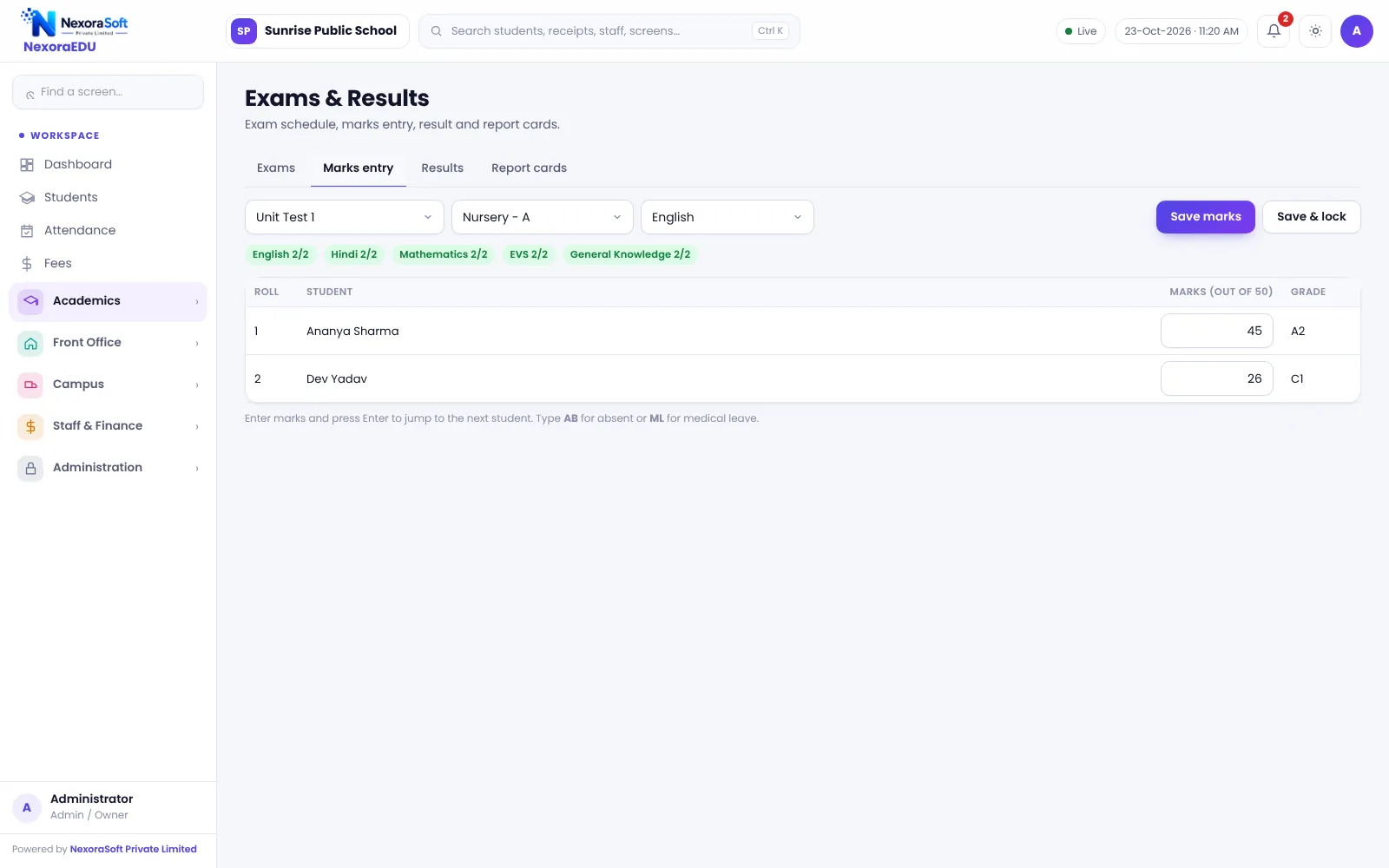
NexoraEDU handles the calculation so staff can focus on checking. Teachers enter marks subject by subject, the school locks them after verification, and results and report cards are produced from the locked data.
Exam Features in NexoraEDU
Exam schedule
Create exam terms with dates, subjects and maximum marks.
Marks entry
Teachers enter marks subject-wise for the classes they teach.
Marks lock
Lock marks after verification so they cannot change silently.
Results with rank
Total, percentage, grade and class rank.
Grade scale
Set the grade scale used by your board or school.
Report cards
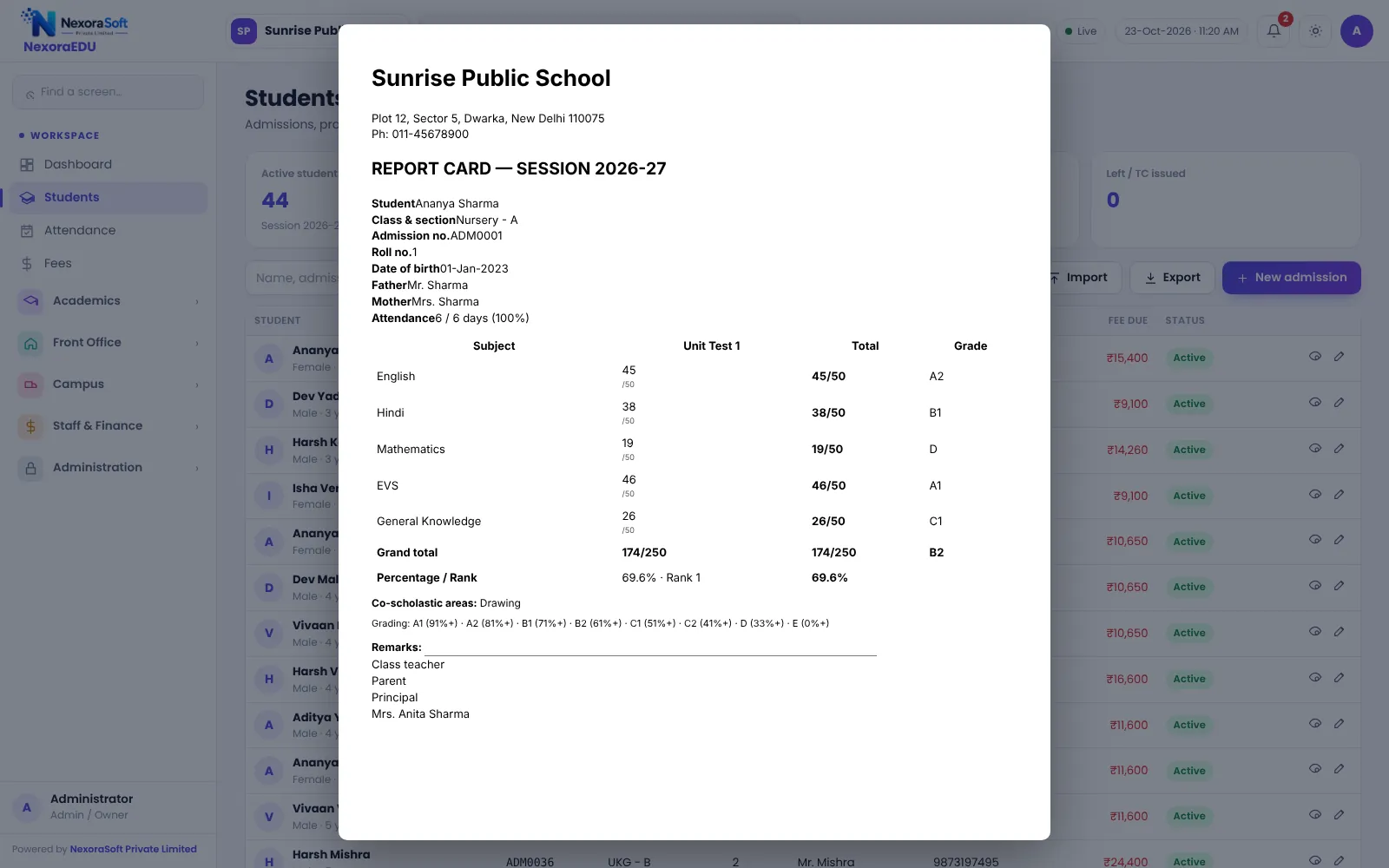
Printable report card with marks, grade, attendance and remarks.
From Marks to Report Card
Marks entry is limited to the teacher’s own classes. Once the class teacher checks and locks, the results page shows totals, grade and rank, and the report card prints with the school’s branding.
Board-specific formats vary a lot, so we match the report card layout to your school in the demo rather than assuming one fixed format.
- Subject-wise and exam-wise entry
- Locked marks after verification
- Grade scale you define
- Class rank
- Attendance printed on the report card
Running an Exam Cycle
Plan
Create the exam and its subjects and maximum marks.
Enter
Teachers enter marks for their subjects.
Verify
The class teacher checks and locks marks.
Publish
View results with grade and rank.
Print report cards and share in the portal.
Exams at a Glance
| Need | NexoraEDU answer |
|---|---|
| Fewer calculation errors | Automatic totals, grade and rank |
| Control | Marks lock |
| Board pattern | Configurable grade scale |
| Parents | Results in the portal |
| Report cards with attendance |
Related School Management Software Guides
School Management Software India (full guide)School Attendance Management SoftwareParent & Student Portal SoftwareSchool LMS, Assignment & Online Quiz SoftwareSchool Transport Management SoftwareSchool Reports & Analytics SoftwareSchool Software for ICSE & ISC SchoolsSchool Software for State Board SchoolsReport Card and Grading System GuideSchool Library Management GuideSchool ERP vs Excel and Paper Registers
Exam, Result & Report Card Software – FAQ
The grade scale, subjects and exam terms are configured by the school, so you can model the pattern your board prescribes. Because board circulars change and report card layouts differ by school, we confirm your exact format in the demo and adjust the layout where needed instead of assuming a standard one.
Yes. Teachers see only the classes assigned to them, and this is enforced on the server rather than just hidden in the menu. The class teacher or principal can review and lock the marks. This keeps accountability clear if a mark is questioned later.
After verification, the school locks the marks, which stops accidental or silent changes. A senior user with permission can still unlock if a correction is genuinely needed. The audit log records important changes, so the school can explain who did what and when if a parent questions a result.
Yes. Results are visible in the parent portal once published. The portal is a web portal that works in a phone browser. Publish results only after the marks are locked, and print report cards as well if your school hands them out in person at a parent meeting.
Yes. The report card can show attendance picked from the same attendance data teachers marked during the year, along with marks, grade and remarks. This avoids a separate attendance count at the end of term. Confirm the layout and fields you need in the demo.
See NexoraEDU Working for Your School
Share your classes, fee structure and workflow and get a free live demo of NexoraEDU. No commitment; we typically respond within 24 hours.